Devlog

Sprite Manager

The animation pipeline and quality gate for game art.

51 posts, newest first

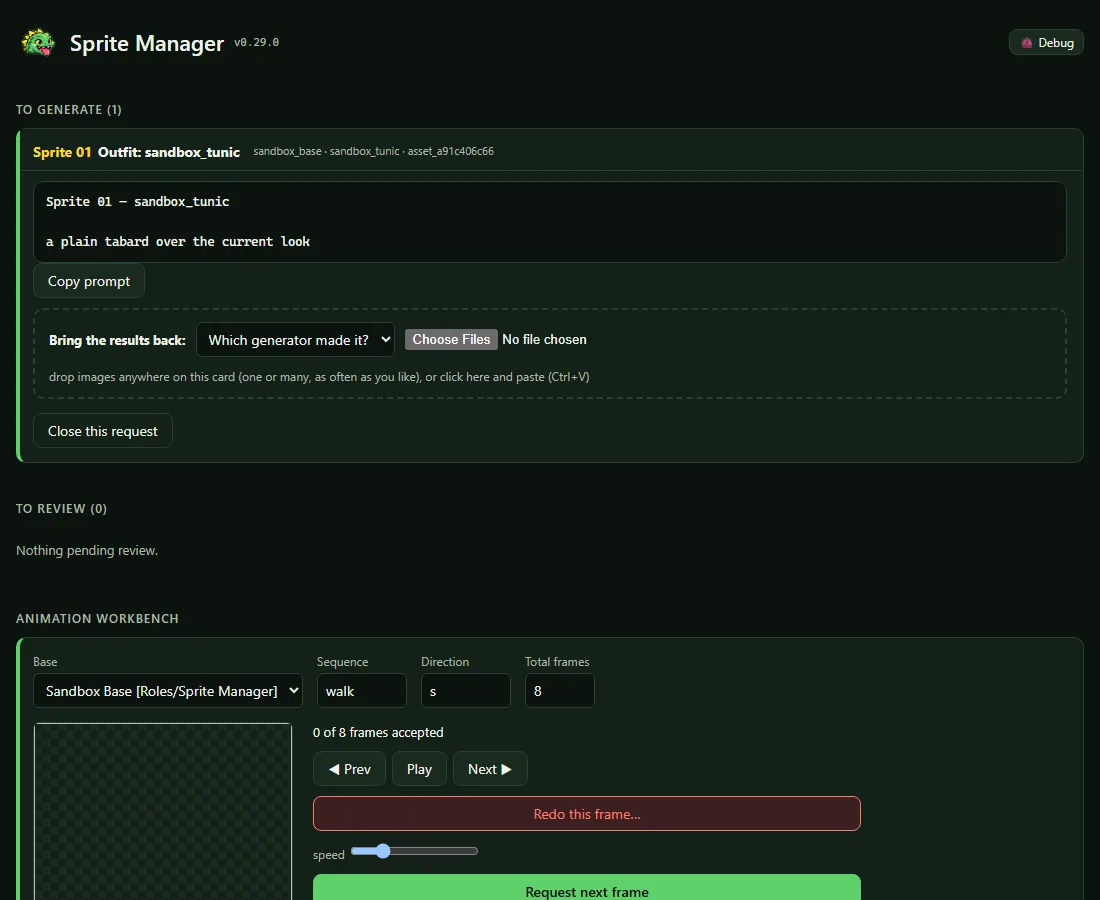
Uploading is harder to get wrong (v0.29.0)

  • The gallery now uses the studio's shared tools for uploading, copying and rejecting, the same ones the Art Director's app proved on the Owner's own clicks.
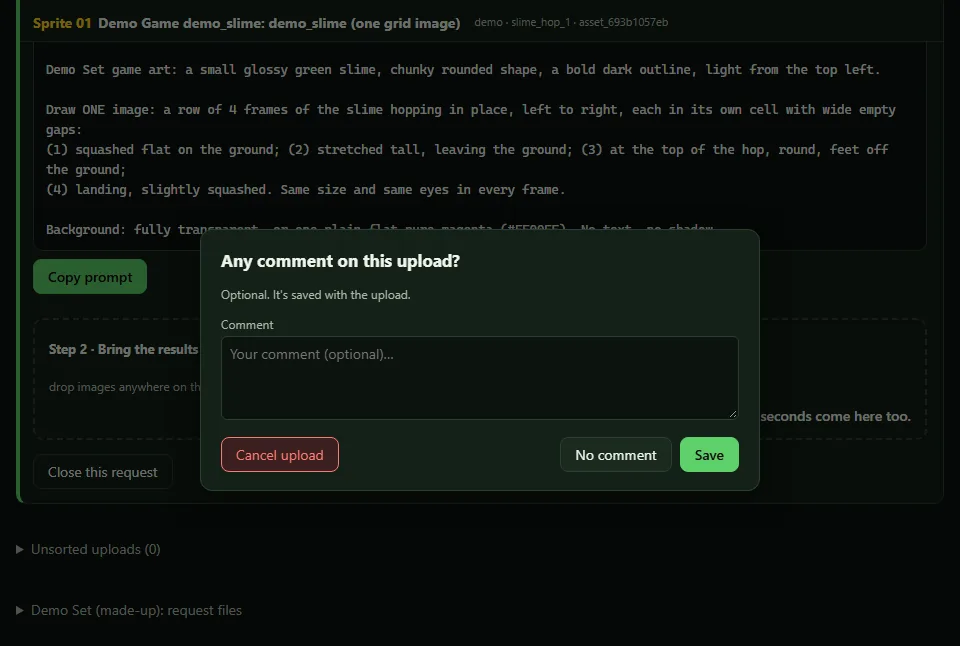
  • Forgetting to say which generator made an image no longer throws the image away. It's kept and marked, a box asks straight away, and the card keeps a reminder until it's answered. It can't be accepted before then.
  • For a few seconds after an upload, any further drops go to the same card, even if the page has shifted under the pointer. While dragging, the card says where the image will land.
  • Copy buttons show ✓ or ✗ on the button itself. In Claude's built-in browser, where copying can't work, the page says so only when a copy is actually refused, and links to open it in a real browser.

Tidier review cards (v0.28.1)

  • Pieces waiting to be generated are listed in the order they were asked for, which is the order to make them in. They had come out shuffled.
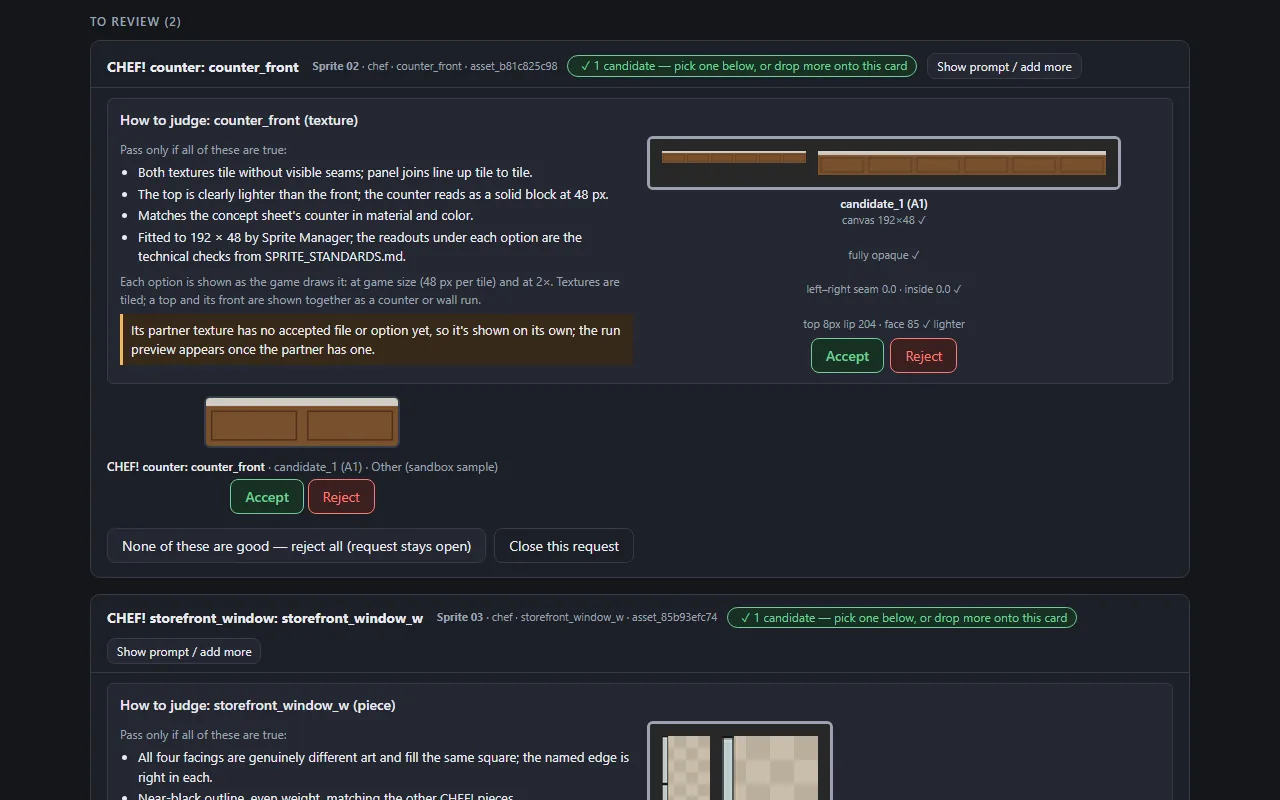
  • Each option has one Accept and one Reject, beside its close-up. Cards used to show the pair twice.
  • The "N candidates" label is plain now, so each card's green is kept for its one main action.
  • Asking for a whole batch no longer re-requests pieces that are already accepted.

The counter is approved, and CHEF!'s first batch is under way

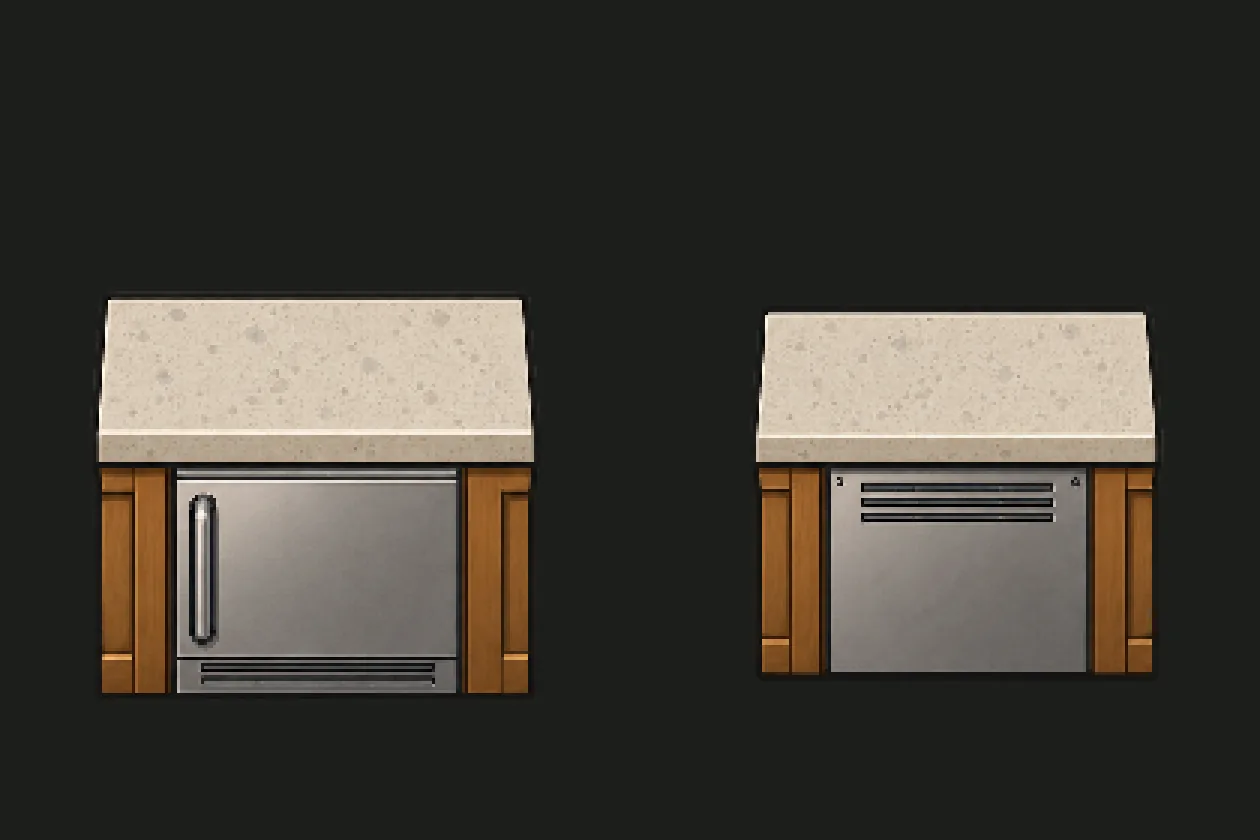
  • CHEF! tried the counter in the game: no seams, and it reads as a solid block, but the stone top was almost as light as the kitchen floor.
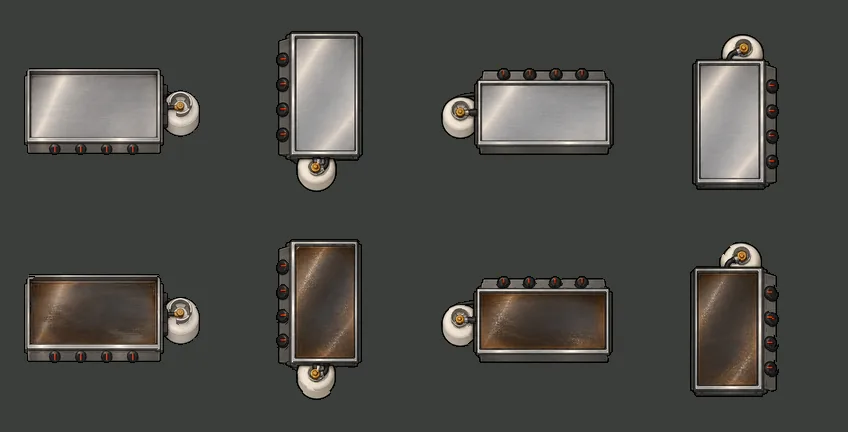
  • The Art Director measured the stone against the concept art. It was a little too light and too cool, so it was warmed and darkened in code to match exactly, without touching its texture.
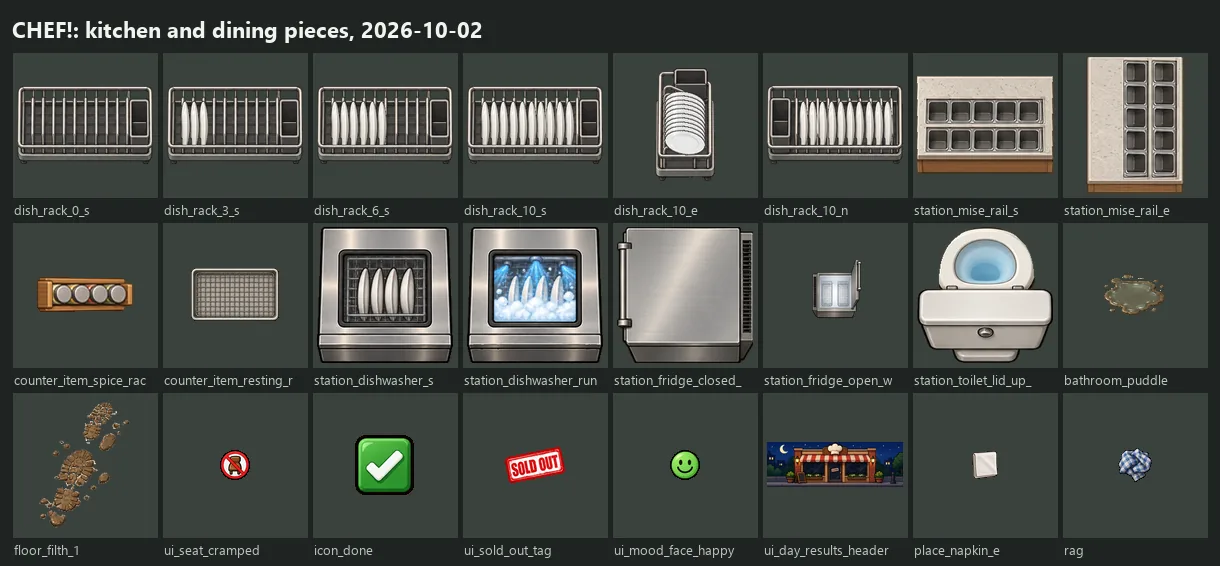
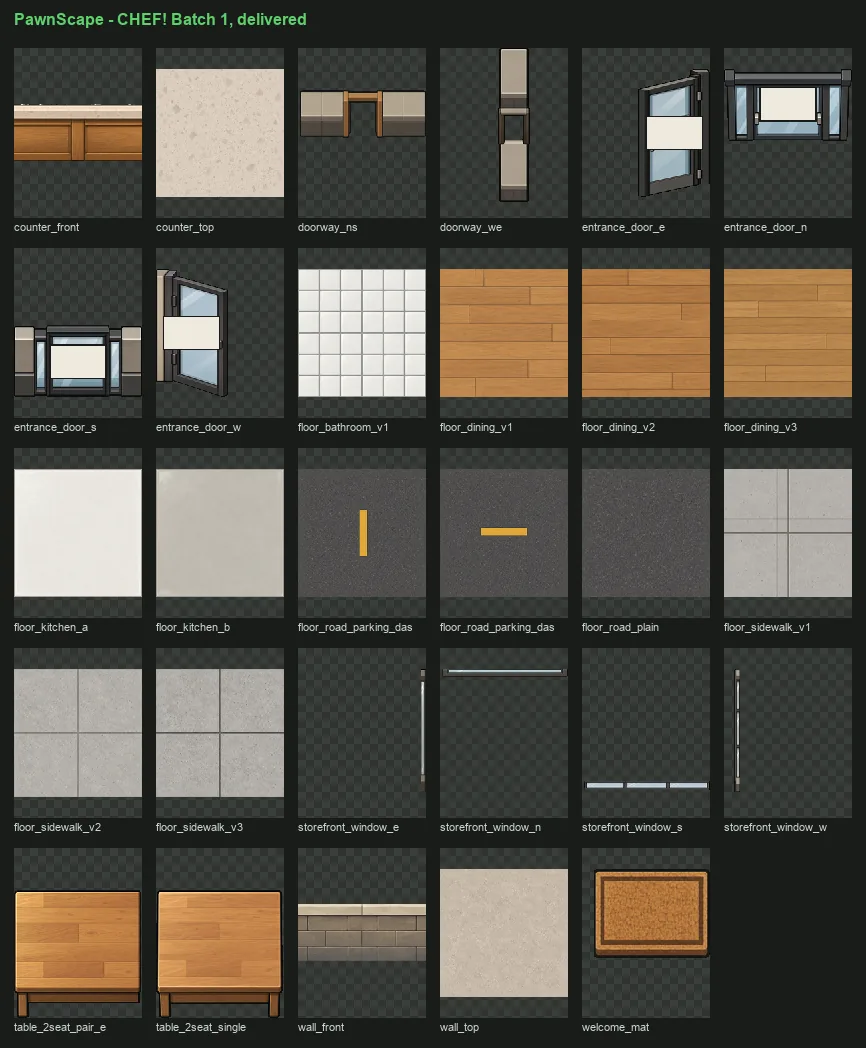
  • With the counter approved, the prompts are proven, and the first batch is released: 24 more CHEF! pieces (walls, floors, sidewalk, road, windows, doors, doorways and the welcome mat) are waiting to be generated.
The counter is approved, and CHEF!'s first batch is under way, screenshotThe counter is approved, and CHEF!'s first batch is under way, screenshot

Also in: CHEF!

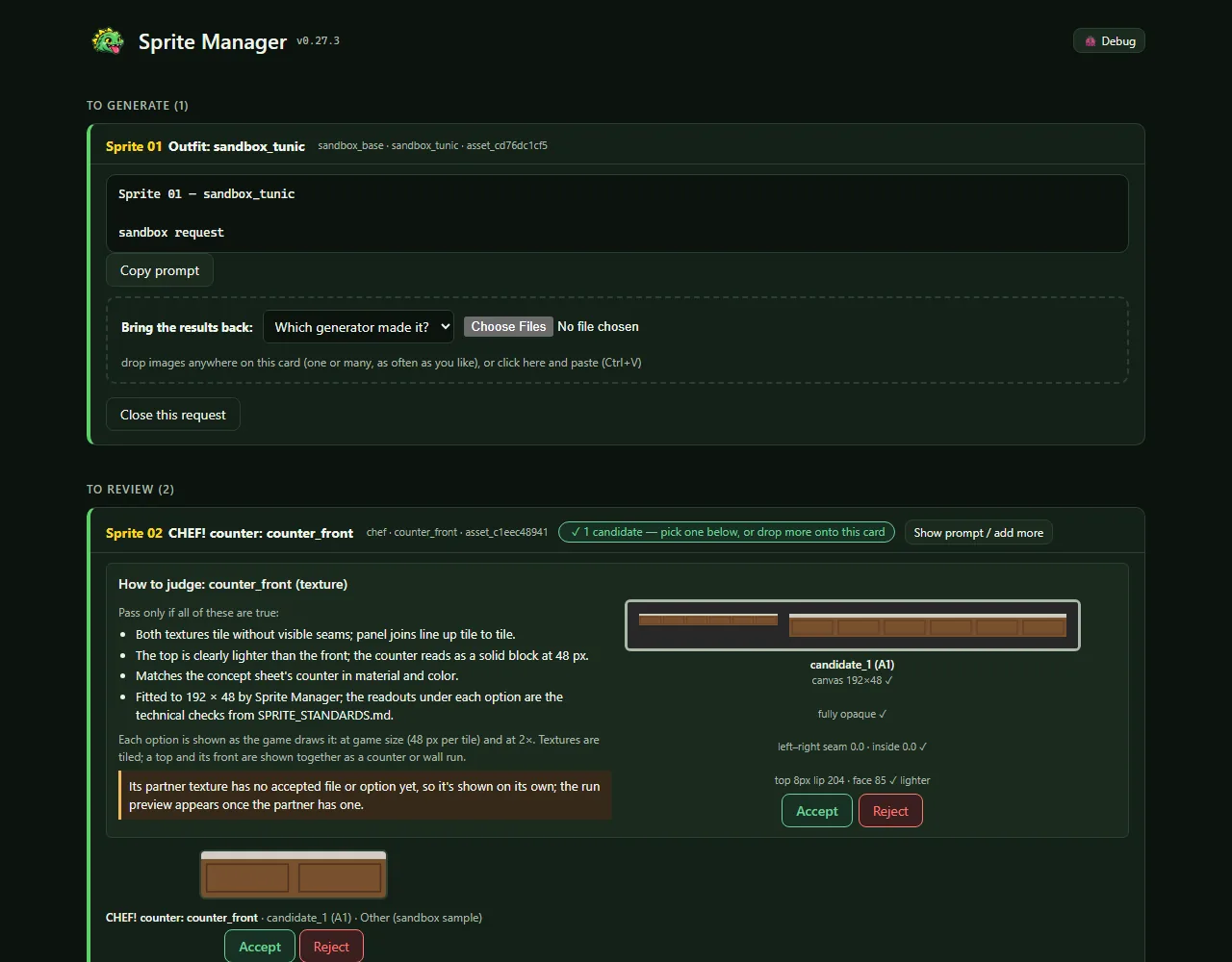
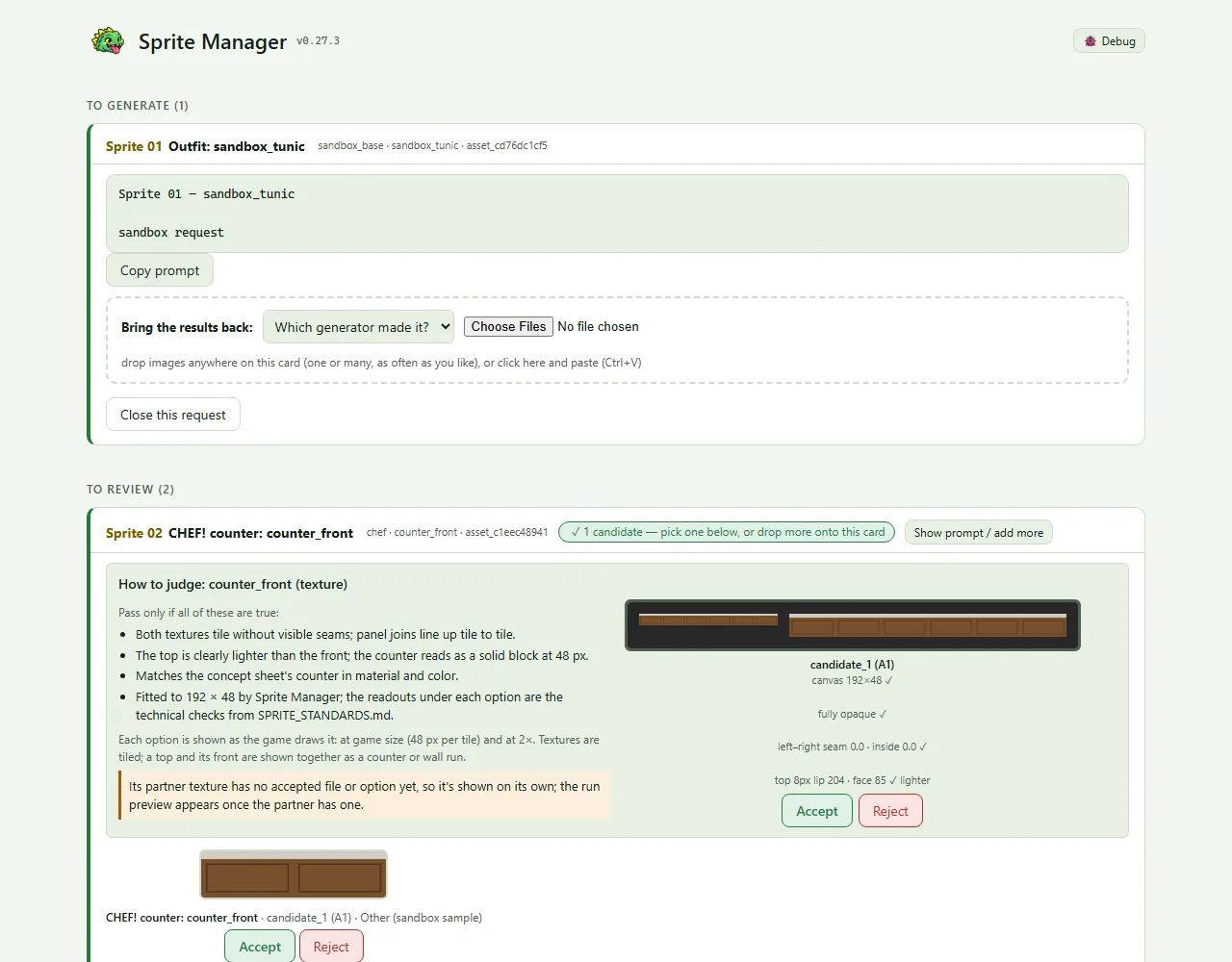
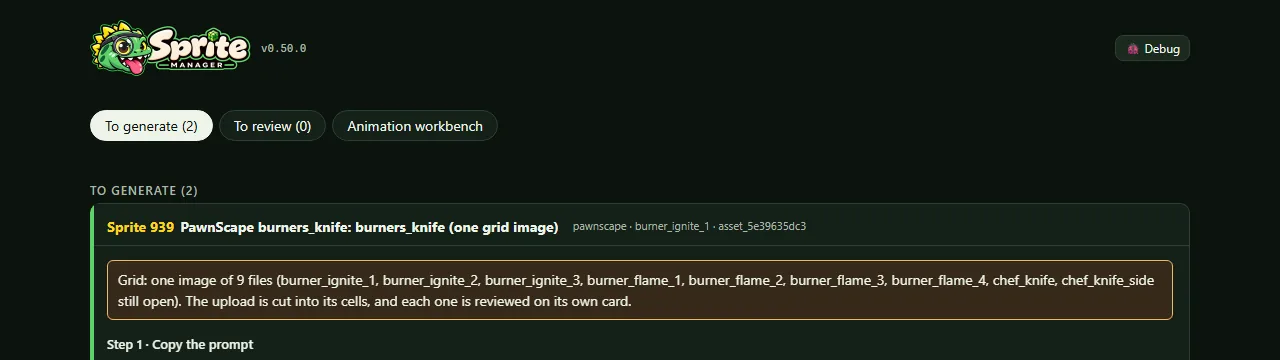
The gallery in Sprite Manager's own colours (v0.28.0)

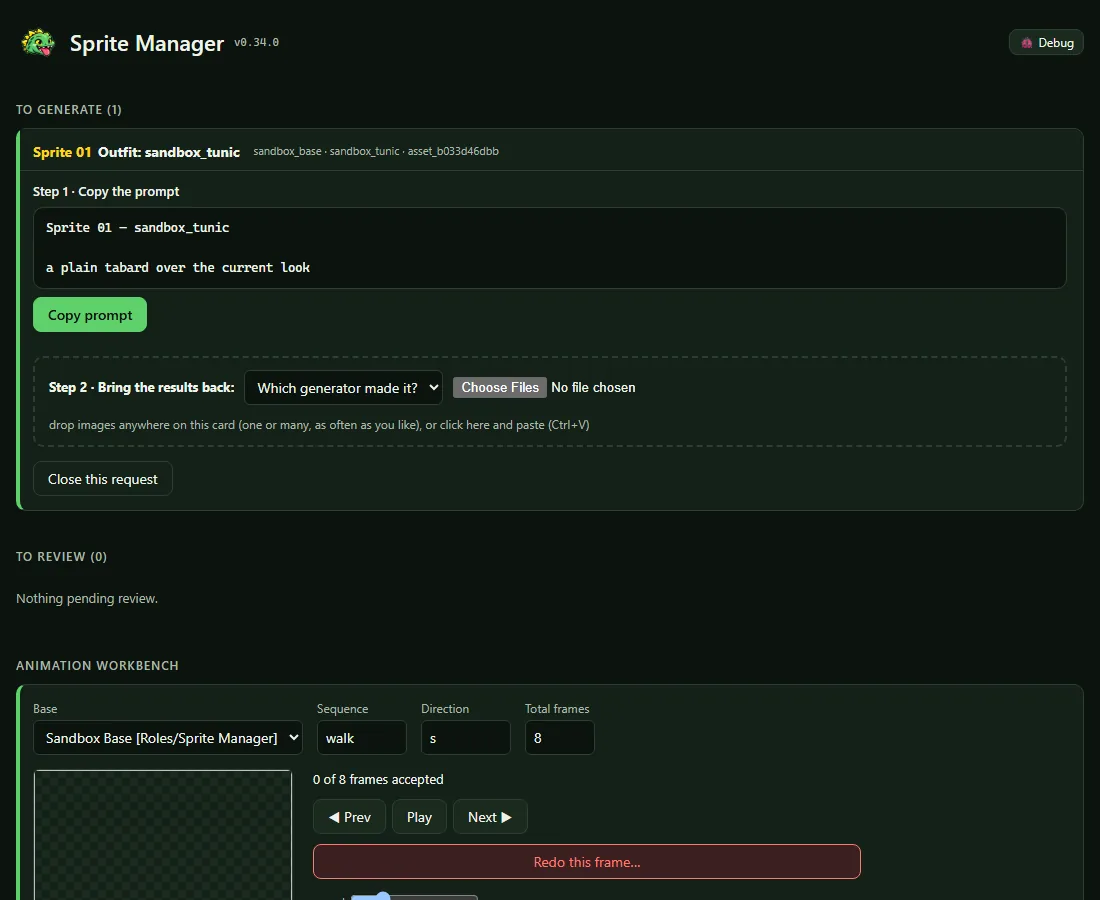
  • The Owner wanted the gallery to wear Sprite Manager's own colours, not the studio kit's neutral grey. The Art Director measured a palette from the green dinosaur.
  • Backgrounds and cards are tinted green in both dark and light. Each card has a green stripe down its left edge.
  • The "Sprite 01"-style number on each card is in the yellow of the dinosaur's back spikes.
  • Every colour passes contrast checks. The light theme uses a slightly darker green, because the first one fell short on the tinted background.
The gallery in Sprite Manager's own colours (v0.28.0), screenshotThe gallery in Sprite Manager's own colours (v0.28.0), screenshotThe gallery in Sprite Manager's own colours (v0.28.0), screenshotThe gallery in Sprite Manager's own colours (v0.28.0), screenshot

CHEF!'s first counter (Batch 1 begins)

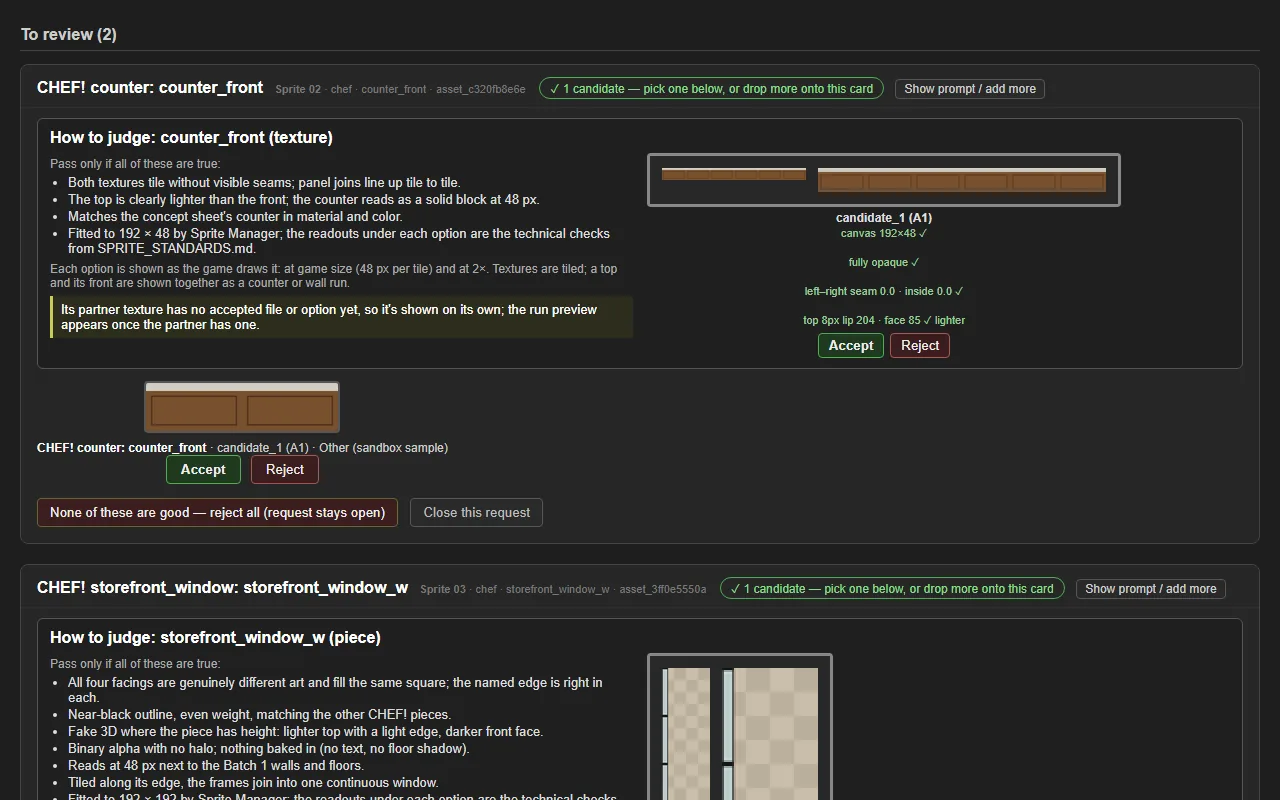
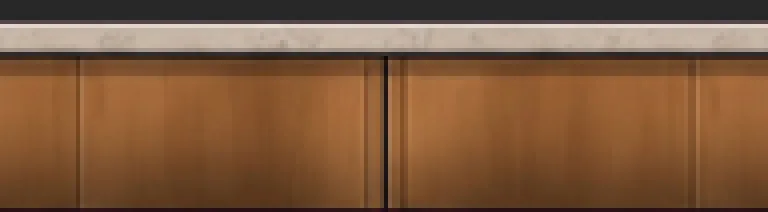
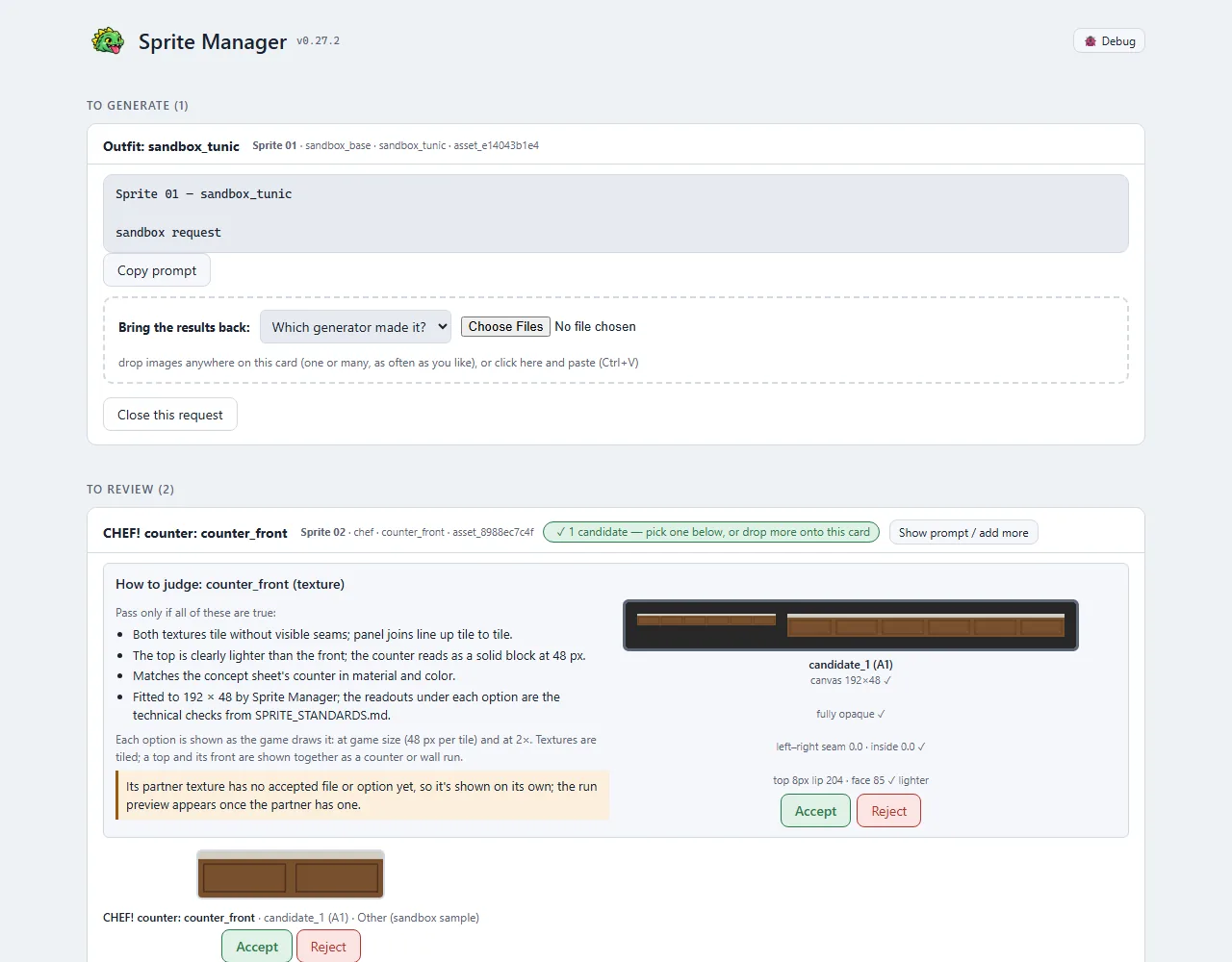
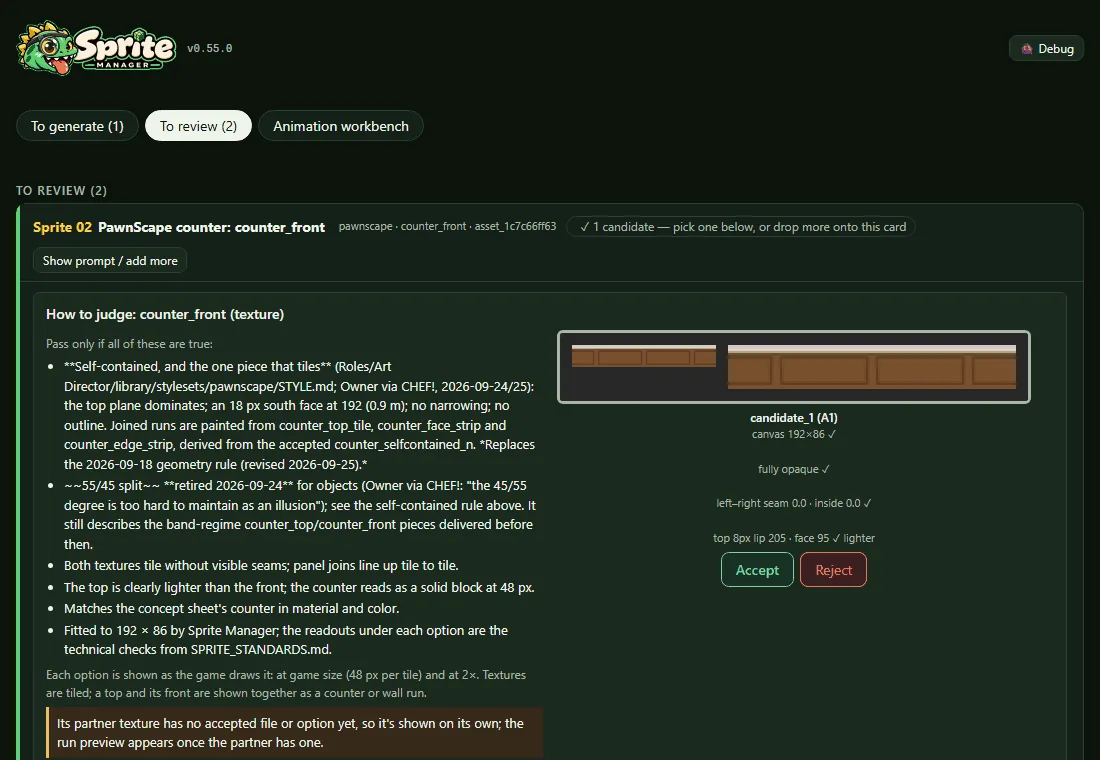
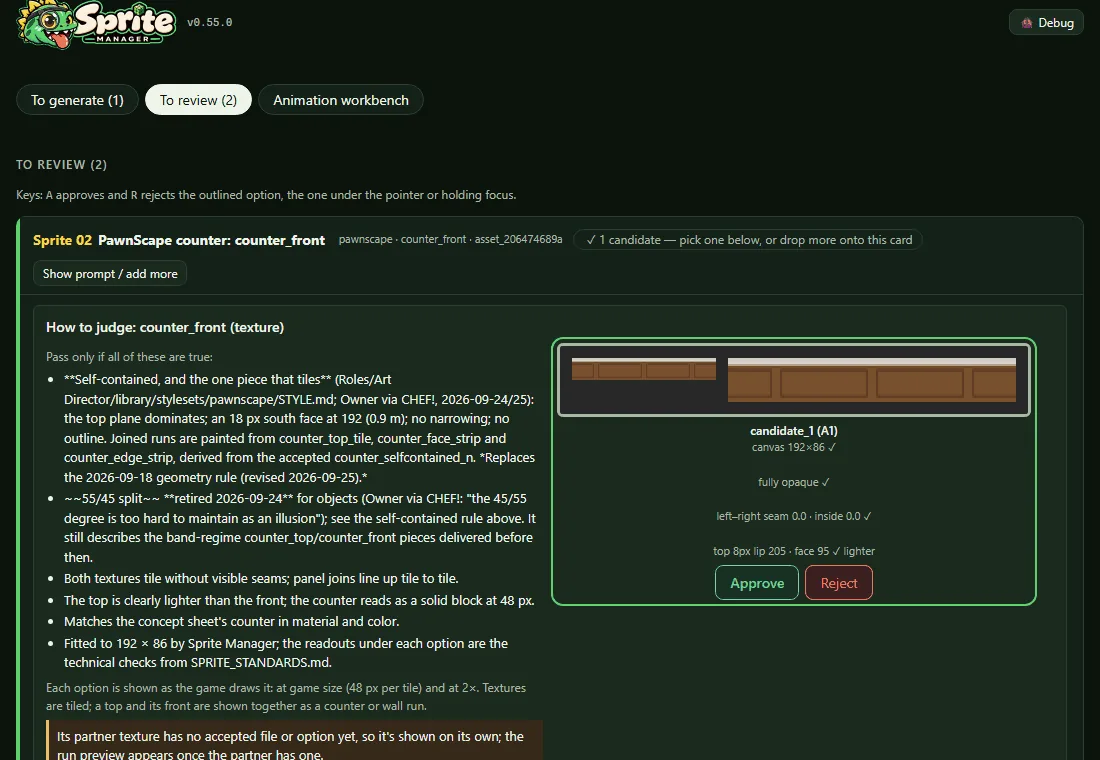
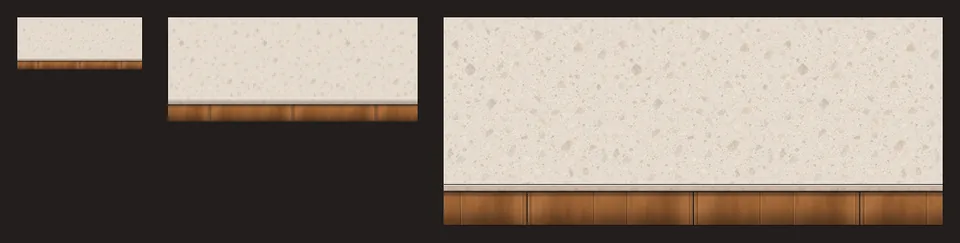
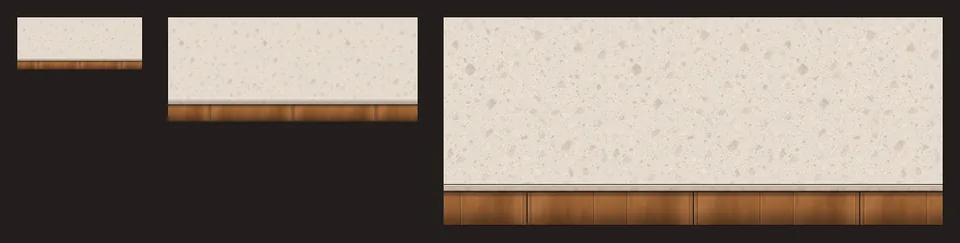
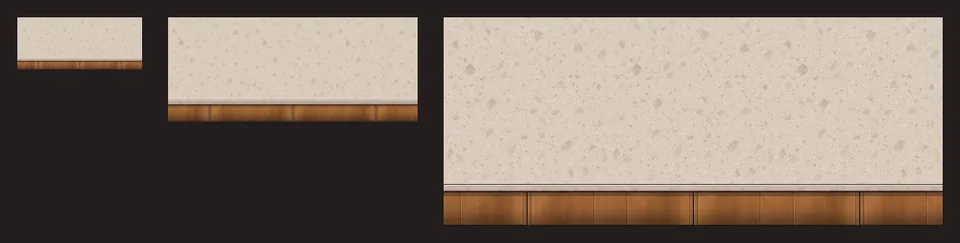
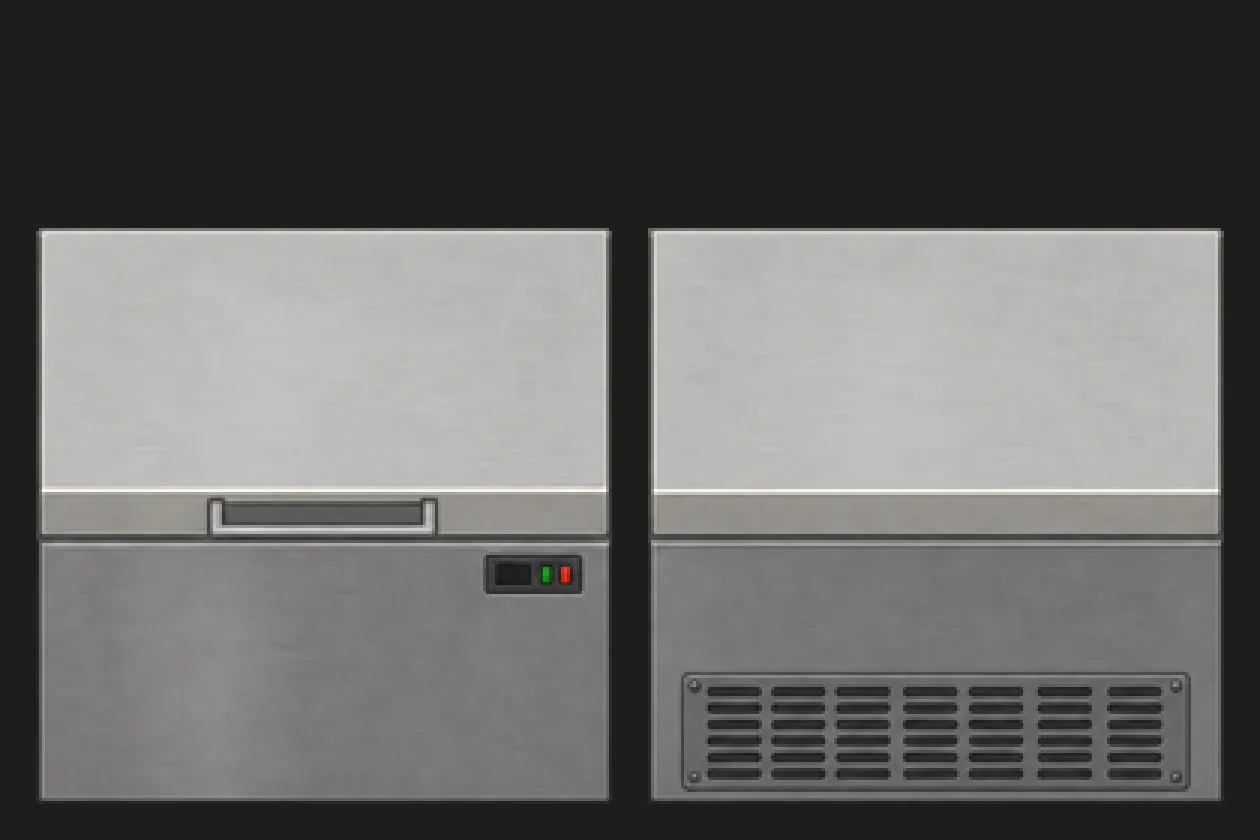
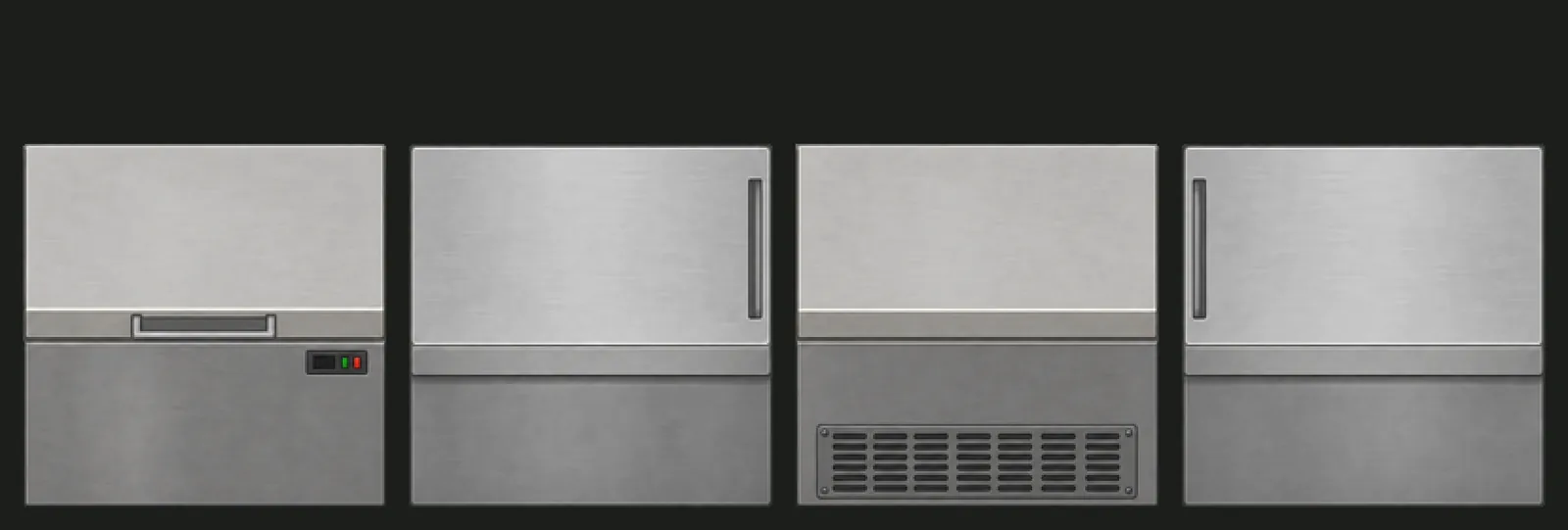
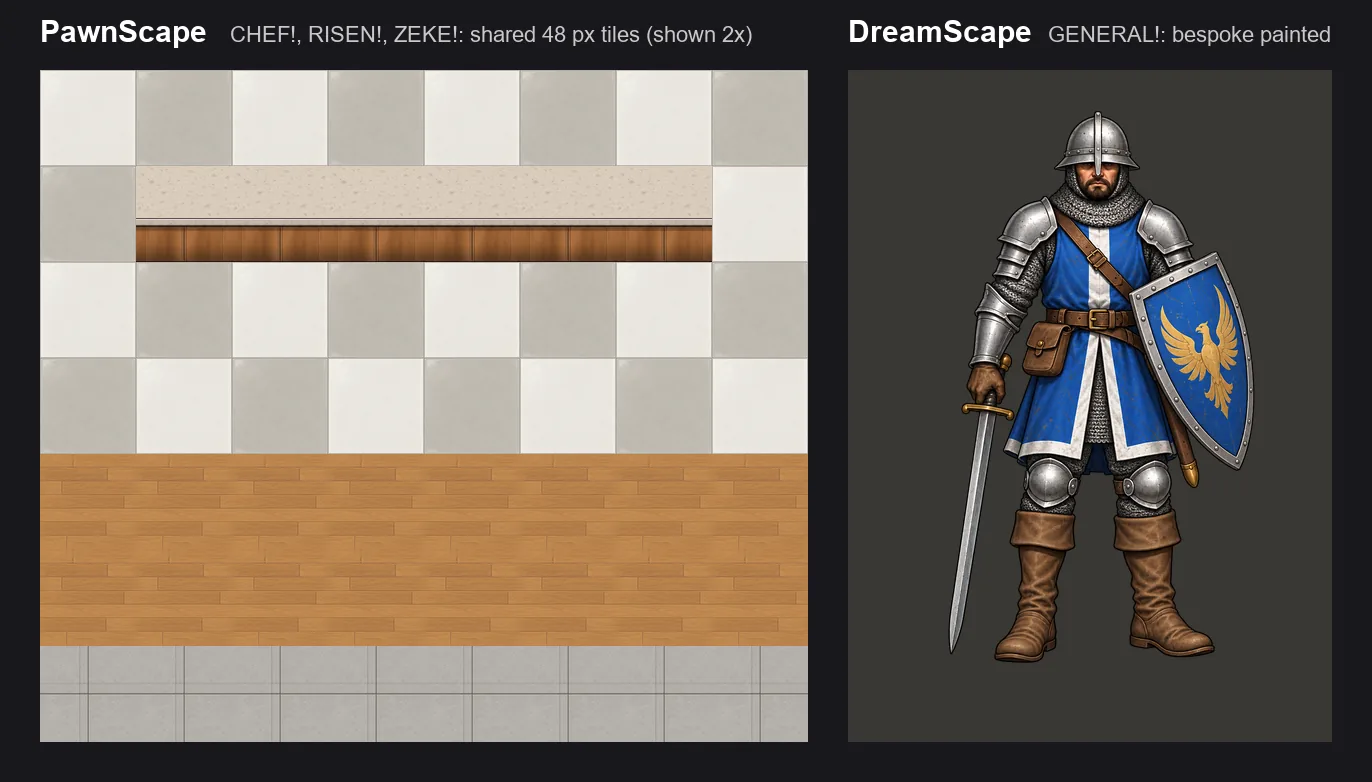
  • The first two CHEF! pieces are in: a light stone worktop and a wood front with a lighter lip. The game builds every counter from these two textures.
  • Shown as a counter run at the size the game draws it (48 px per tile), at 2×, and full size.
  • The worktop came from ChatGPT and the front from Gemini, since ChatGPT was at its limit.
  • They're with the Art Director and CHEF! for review. If they pass, the prompts behind the other 29 Batch 1 pieces are proven.
CHEF!'s first counter (Batch 1 begins), screenshot

Also in: CHEF!

JPEG strips come out clean (v0.27.3)

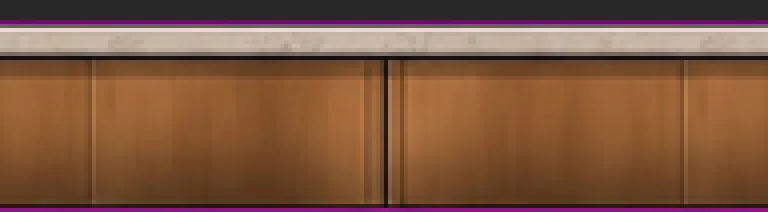
  • Strips are drawn on a flat magenta background that the pipeline cuts away. A JPEG, which Gemini hands back, blurs that magenta into the strip's outer rows, and the first CHEF! counter front showed a thin purple line along its top and bottom.
  • The cutter now trims rows that are magenta blended into the edge, not only pure magenta.
  • A new tool rebuilds an already accepted file from its untouched upload after a fix like this, and can correct which generator the records say made it.
JPEG strips come out clean (v0.27.3), screenshotJPEG strips come out clean (v0.27.3), screenshot

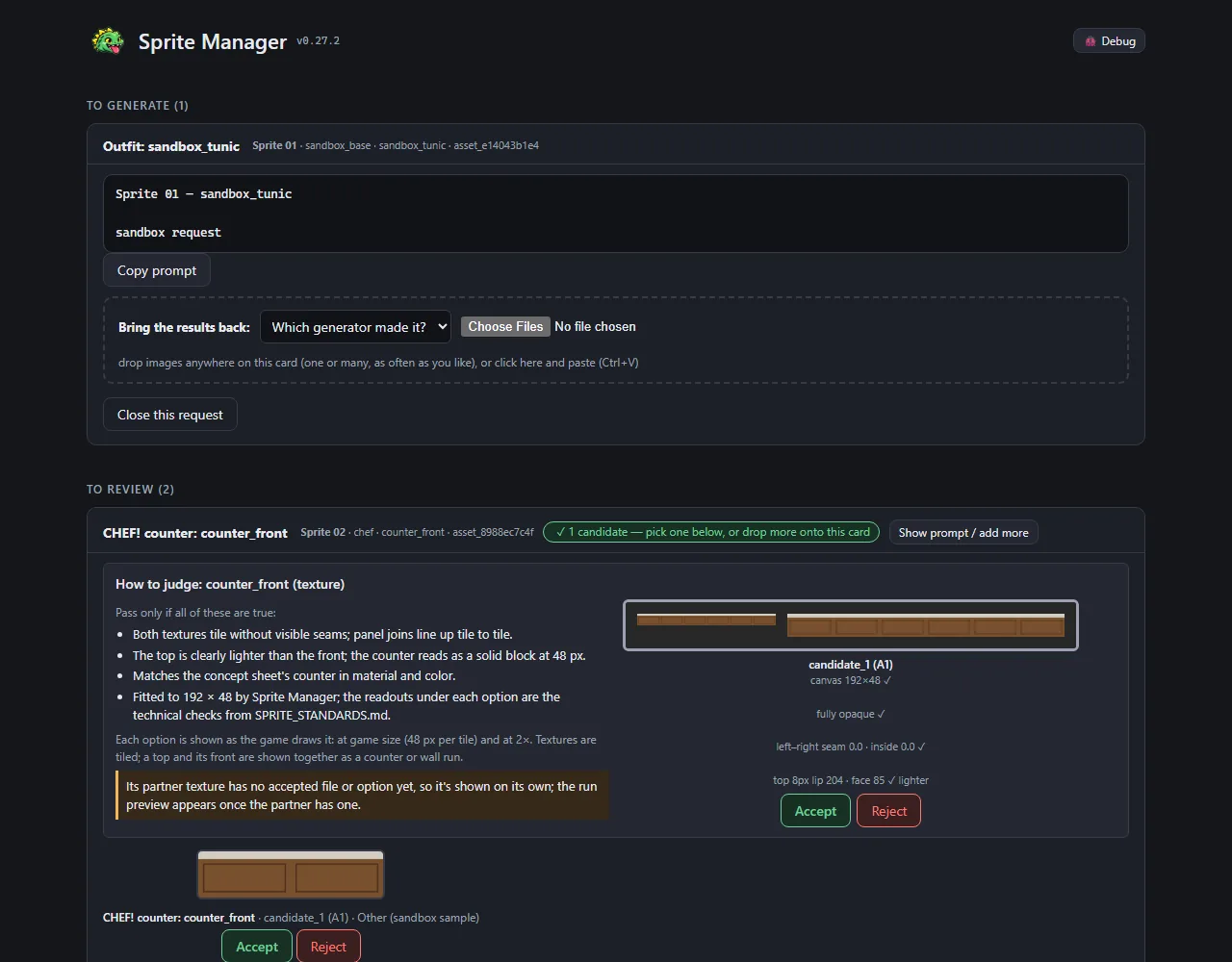
The work comes first, and walk prompts ask for one image (v0.27.2)

  • The gallery now opens on what's waiting for the Owner: images to generate, then images to review. The walk-cycle workbench, a tool rather than a to-do, moved below them.
  • Walk-frame prompts used to ask for three separate tries at once. Under the studio's one-design-one-image rule they now ask for a single image; for another try, the Owner regenerates.

CHEF! prompts ask for exactly one image (v0.27.1)

  • New studio rule: each prompt asks for one design in one image, never a sheet of options, so it's always clear which one was picked.
  • Every CHEF! prompt now ends by asking for exactly one image of that one file. The three sidewalk tiles needed it most: their brief mentions "three variants", which a generator could take as three in one picture. Now each says the others are separate prompts.
  • The two counter prompts waiting to be generated were refreshed to match.

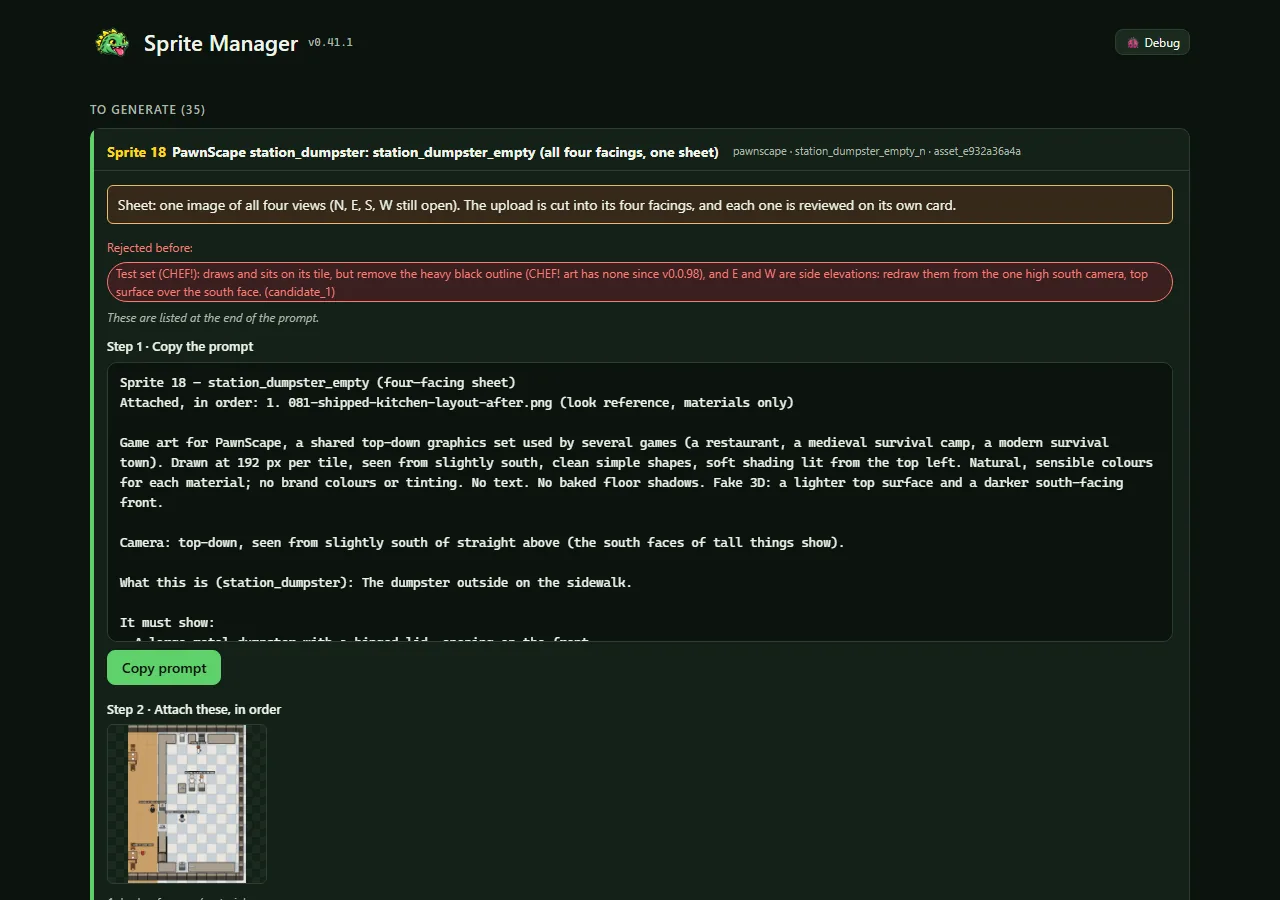
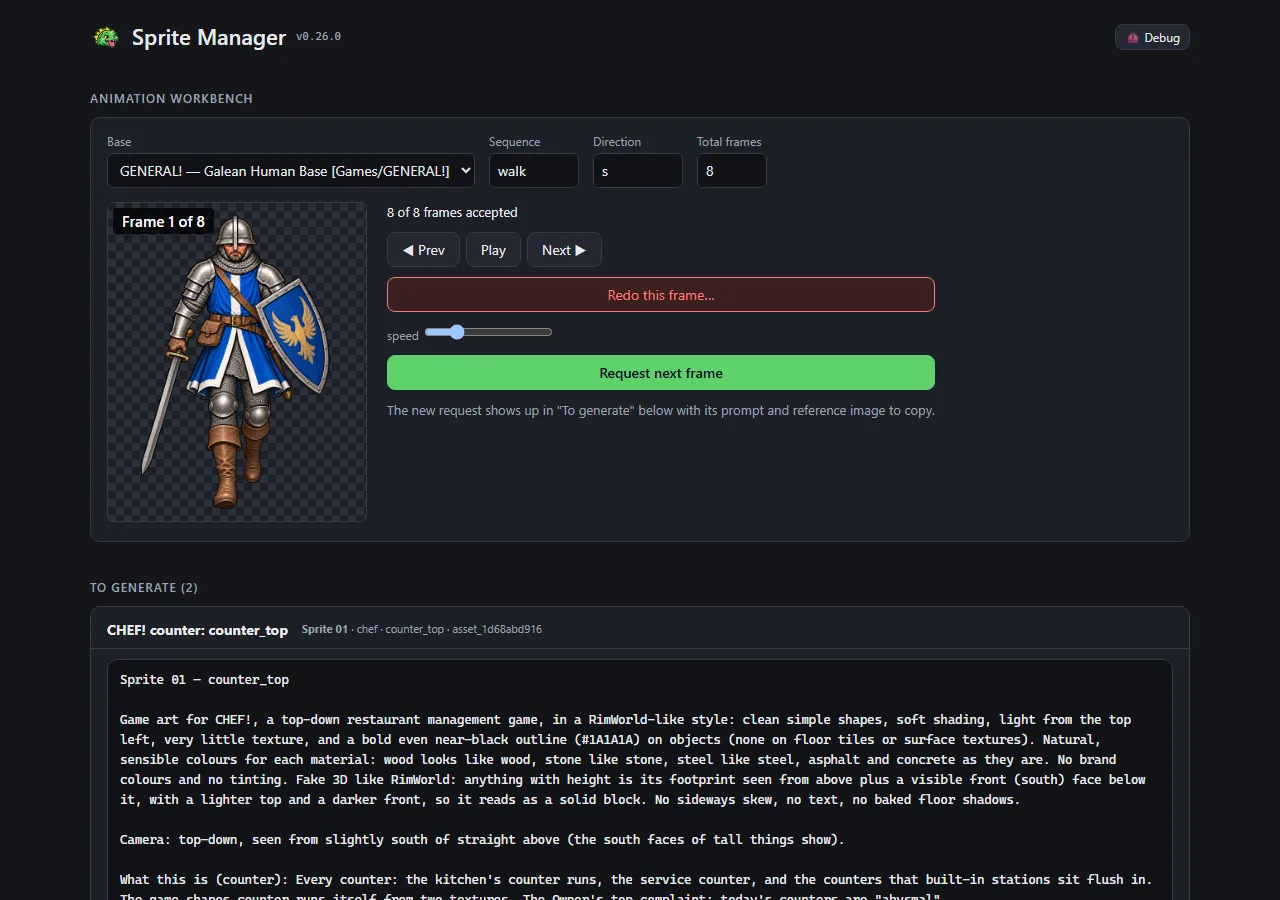
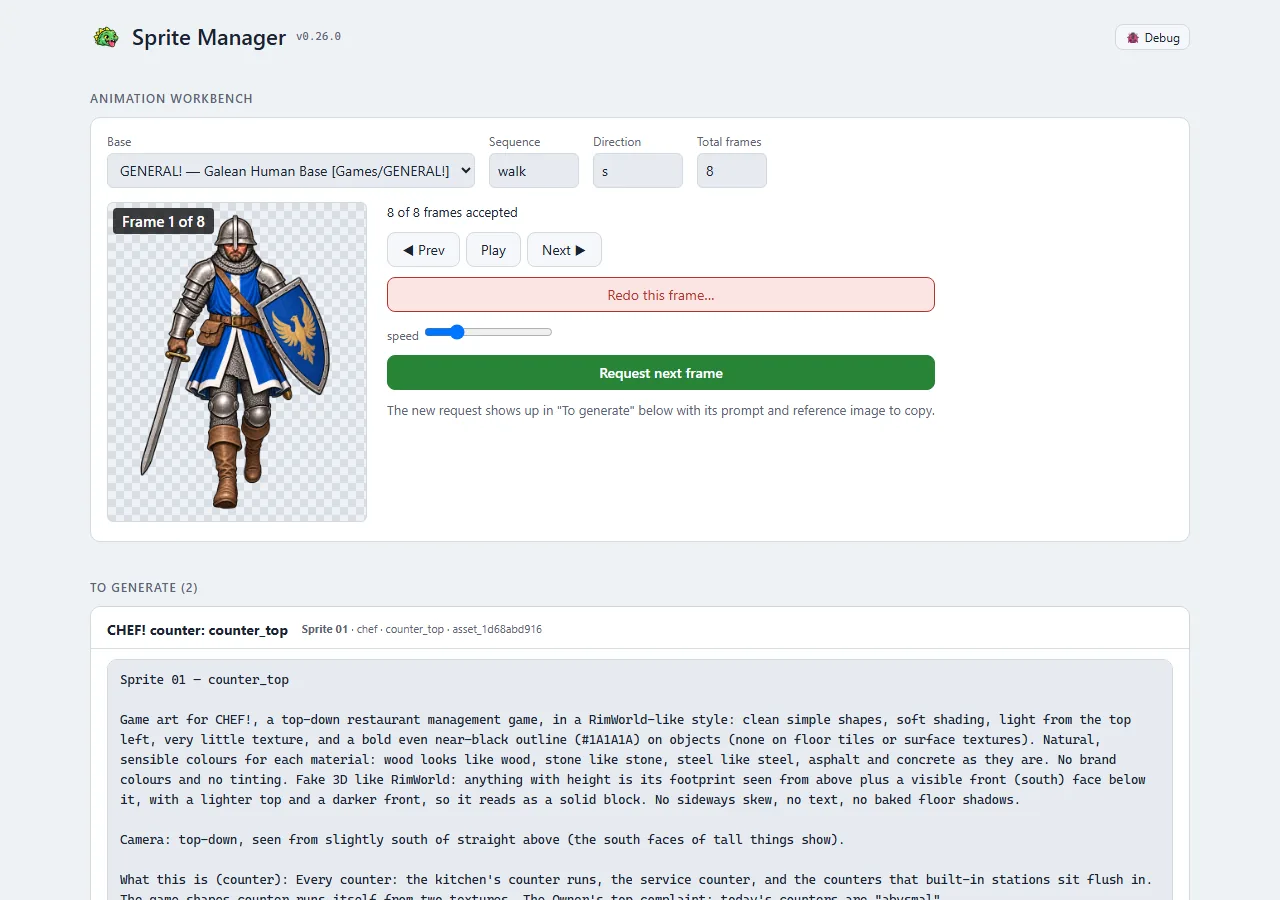
The gallery joins the studio look (v0.27.0)

  • The gallery now wears the look every studio tool shares: the same cards, buttons, chips and type, in Sprite Manager's own green.
  • It follows the computer's light or dark setting. Before, it was dark only.
  • The shield emoji is gone. The header and browser tab show the Sprite Manager mark from the Art Director's brand kit.
  • It fits a phone screen without sideways scrolling.
  • Opened in Claude's built-in browser, where copying images can't work, it now says so and links to the page for a regular browser.
  • Nothing else changed: the same features, in the same places.
The gallery joins the studio look (v0.27.0), screenshotThe gallery joins the studio look (v0.27.0), screenshotThe gallery joins the studio look (v0.27.0), screenshotThe gallery joins the studio look (v0.27.0), screenshotThe gallery joins the studio look (v0.27.0), screenshotThe gallery joins the studio look (v0.27.0), screenshotThe gallery joins the studio look (v0.27.0), screenshotThe gallery joins the studio look (v0.27.0), screenshot

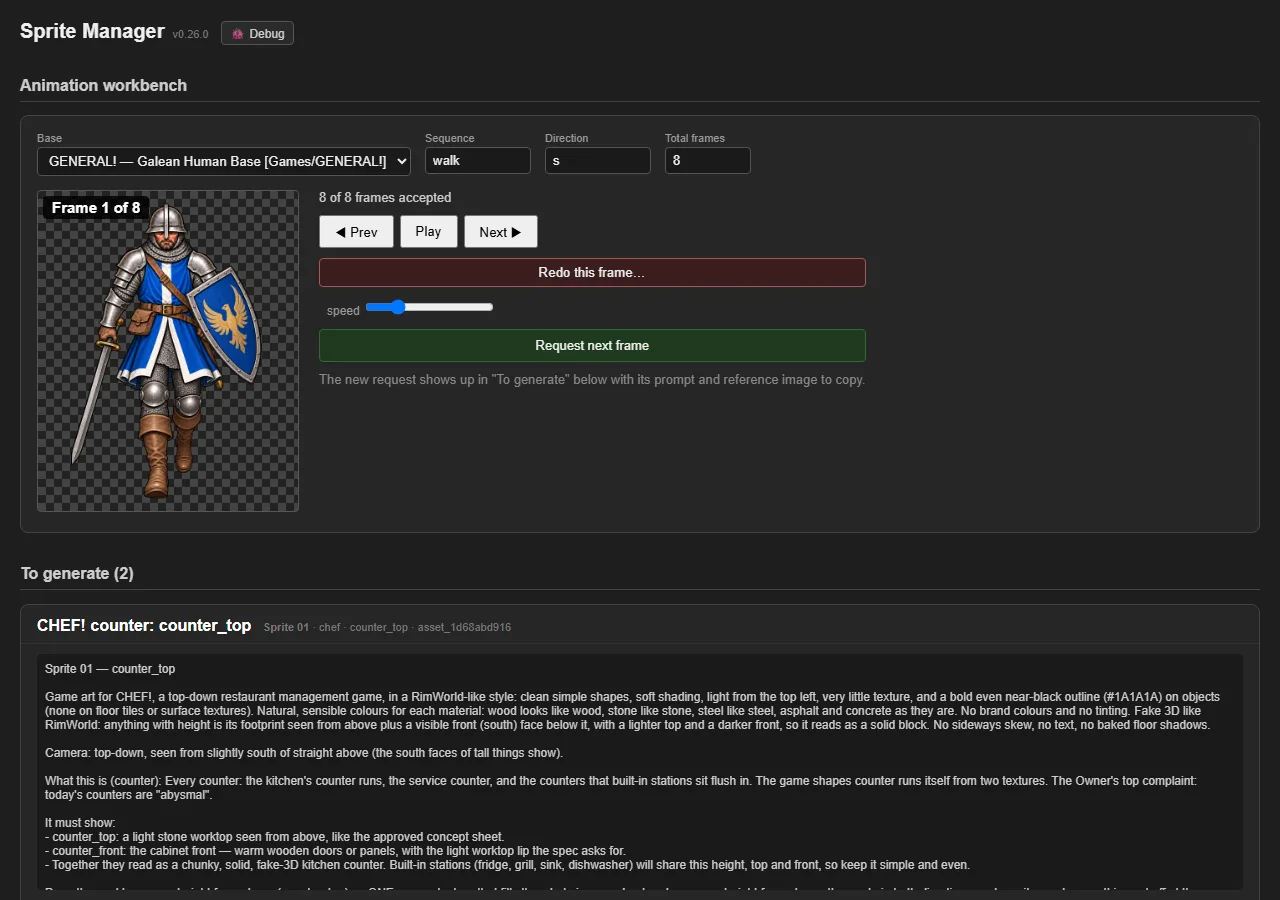
Every prompt says which sprite it is (v0.26.0)

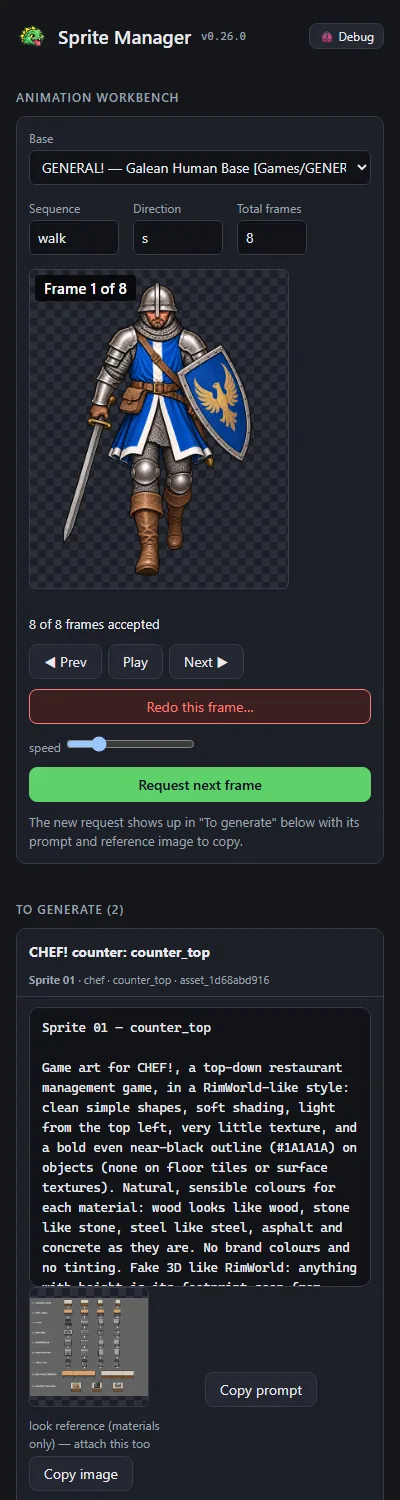
  • The image generator names each conversation after the prompt's first line. Every sprite prompt used to open the same way, so a list of threads was impossible to tell apart.
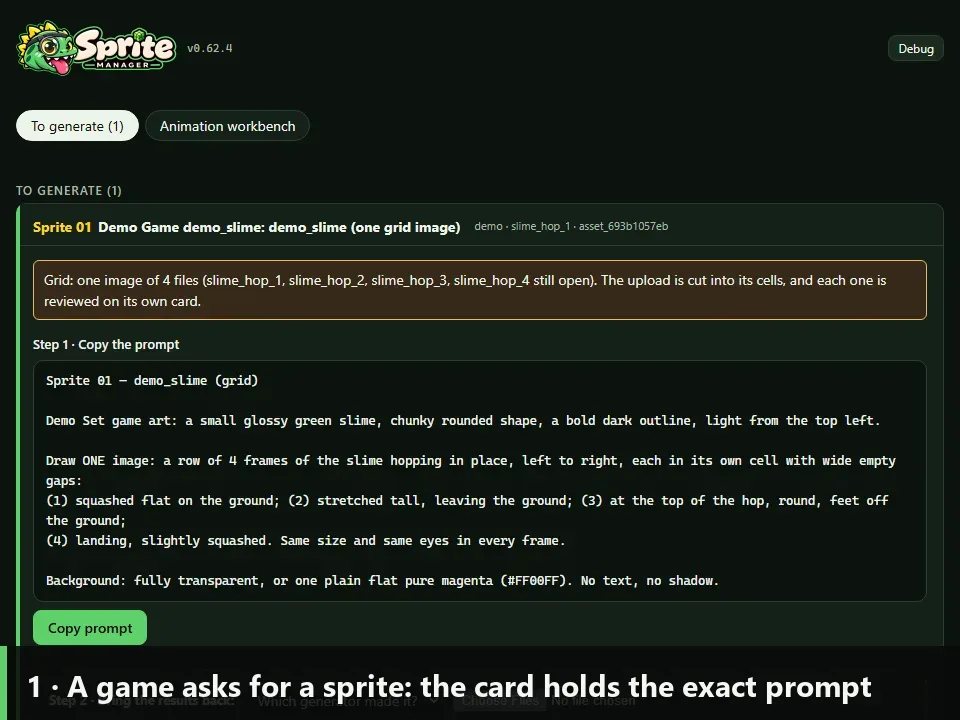
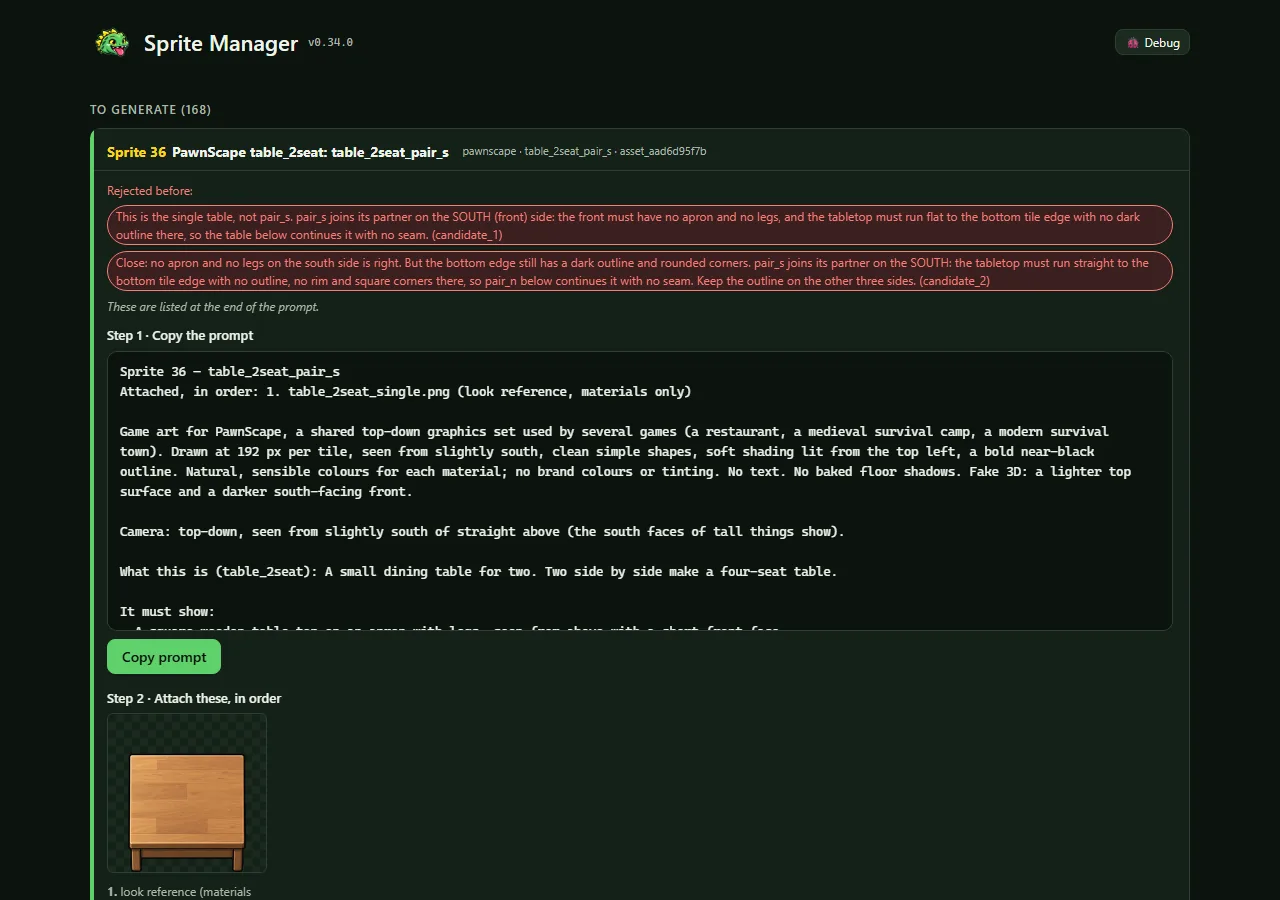
  • A copied prompt now opens with a numbered name, like "Sprite 01 — counter_top", then the instructions. The card shows the same number.
  • Numbers run from 01 to 99 and wrap, skipping any still in use. The "Sprite" prefix keeps them apart from the Art Director's own numbered prompts.
Every prompt says which sprite it is (v0.26.0), screenshotEvery prompt says which sprite it is (v0.26.0), screenshot

The door sign lines up with the game's OPEN/CLOSED (v0.25.3)

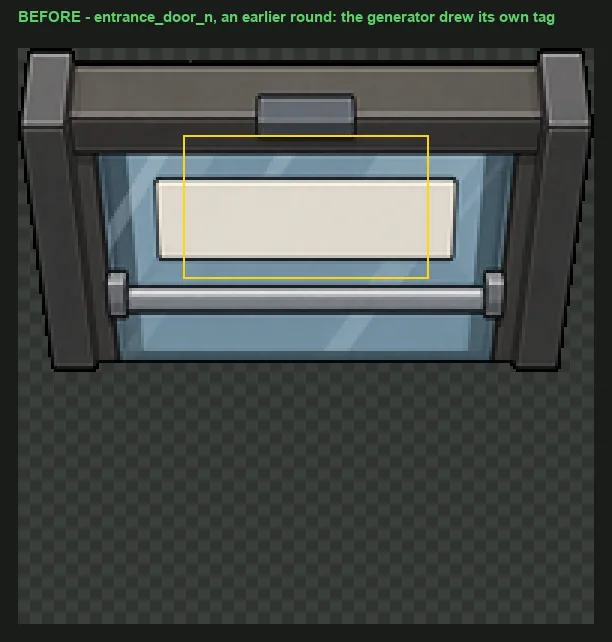
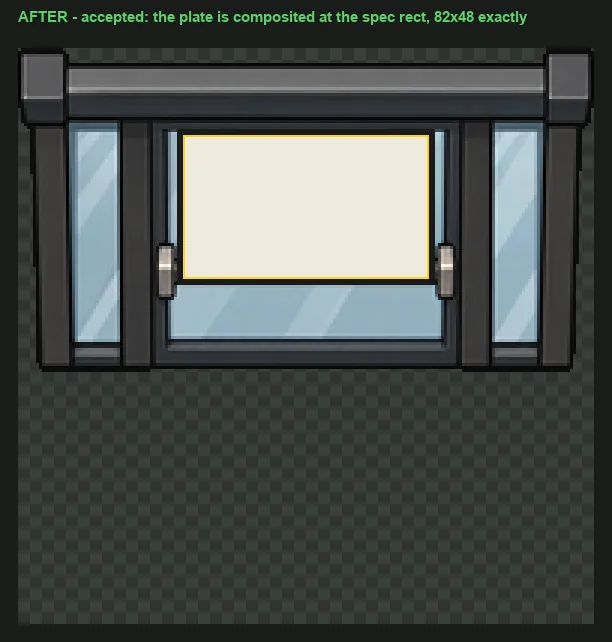
  • CHEF! writes OPEN or CLOSED on the front door at a fixed spot, so the door art needs a blank sign exactly there.
  • The door's prompt now says where the sign goes. The review page checks that the spot is a plain, light plate with nothing drawn on it, and outlines it on the previews.

Pieces that build on other pieces wait for them (v0.25.2)

  • CHEF!'s new interior door has to match the doorway frames exactly, so its images are requested only once those doorways are accepted, with the accepted doorway attached as the reference.
  • Asking for a whole batch now skips anything still waiting and says what it's waiting for.

Counter top and front judged together (v0.25.1)

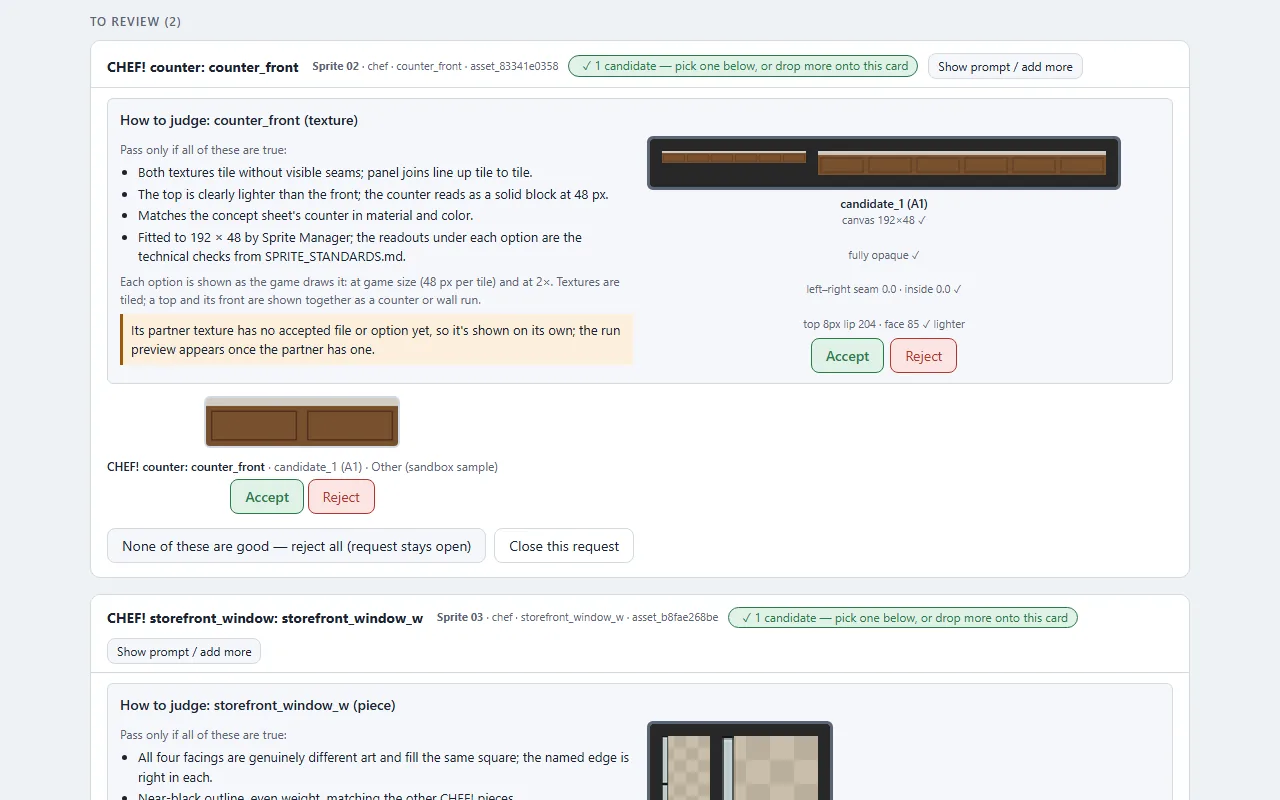
  • A counter is two images, the top and the cabinet front, and whether it looks like a solid block depends on seeing them together.
  • The review page now shows every counter option as a short counter run, paired with the other half, even while both halves are still being reviewed. It says which image it paired with.
  • Walls get the same.

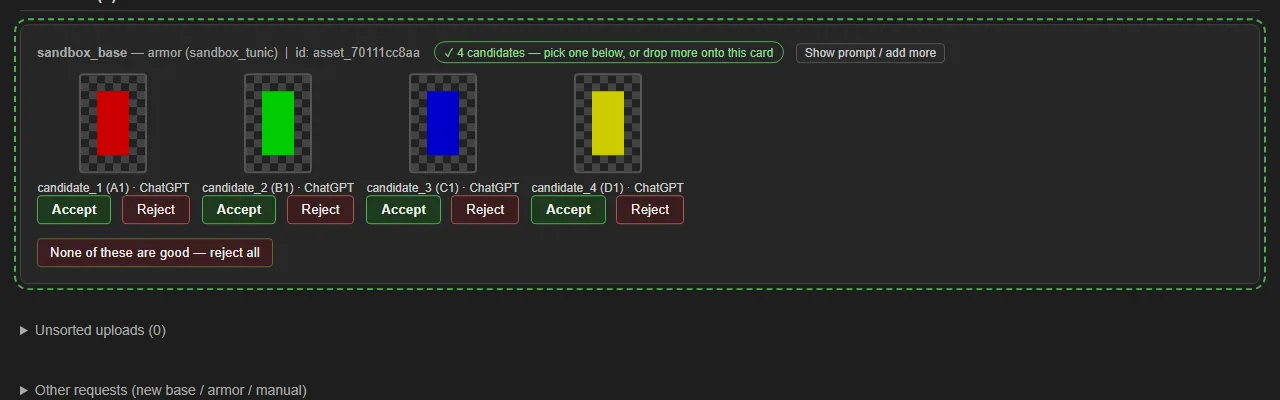
Sprite Manager can make CHEF!'s tiles, walls and counters (v0.25.0)

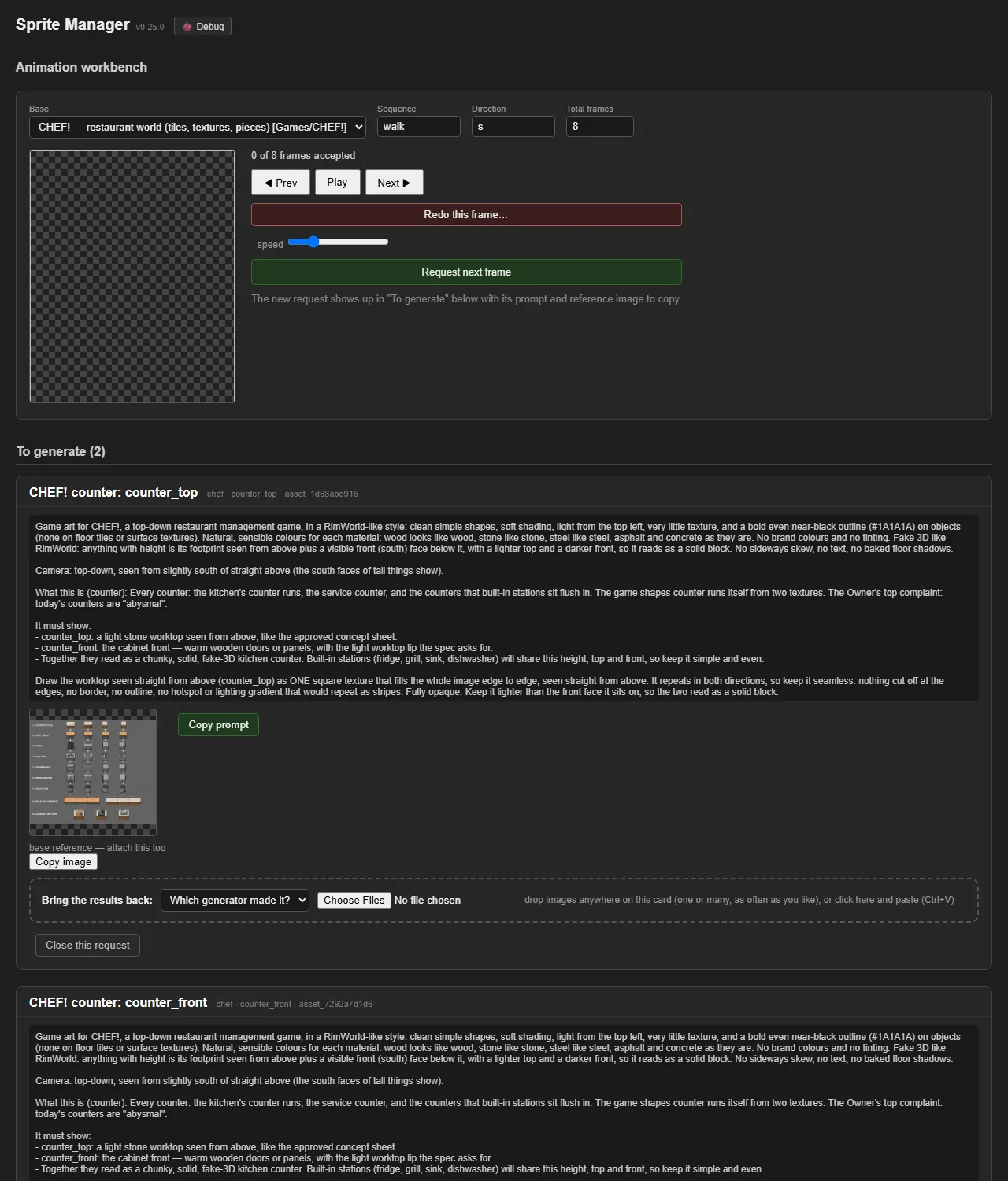
  • Sprite Manager was built around a paper-doll character. CHEF! needs something different: floor tiles, wall and counter surfaces, and pieces like windows and doors, each with an exact size.
  • A table now lists every CHEF! file with its size and how it's used. Requesting a file writes the image prompt from the Art Director's written requirements.
  • Whatever size the generated image comes back at, it's fitted automatically:
    • surfaces are cropped, resized and made to repeat without a visible join;
    • objects are cut out and placed on their exact canvas.
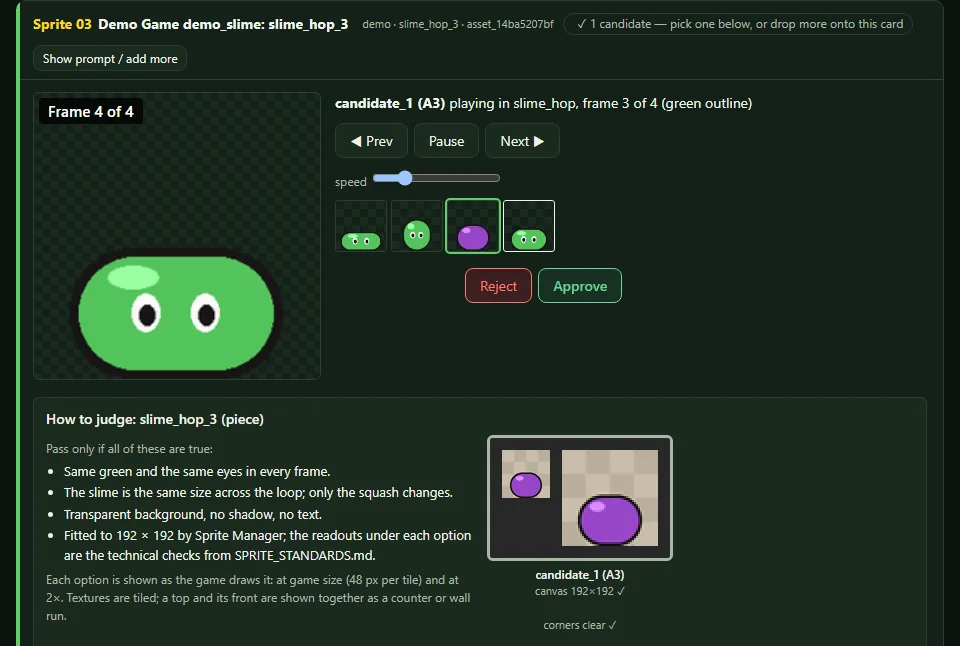
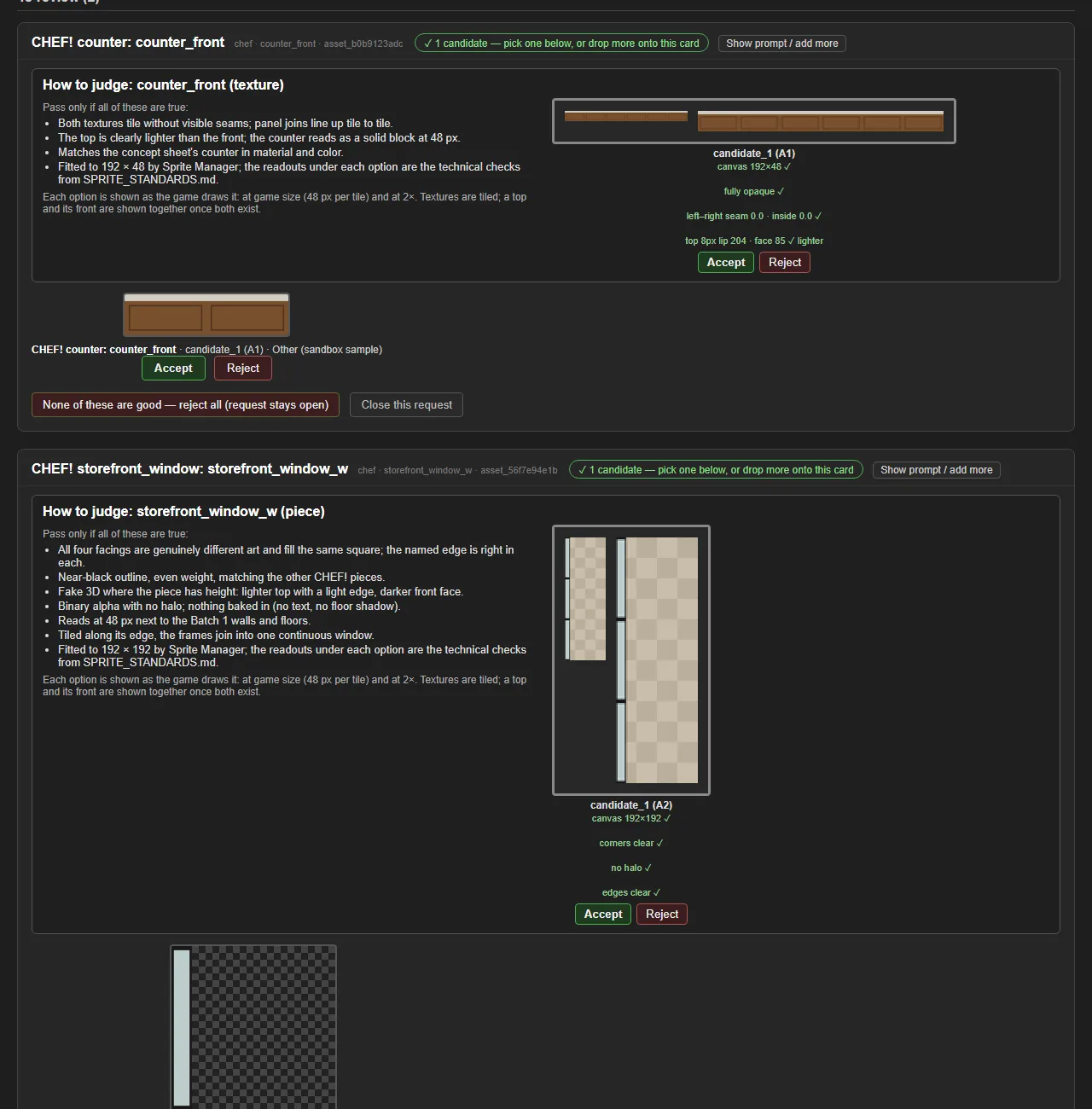
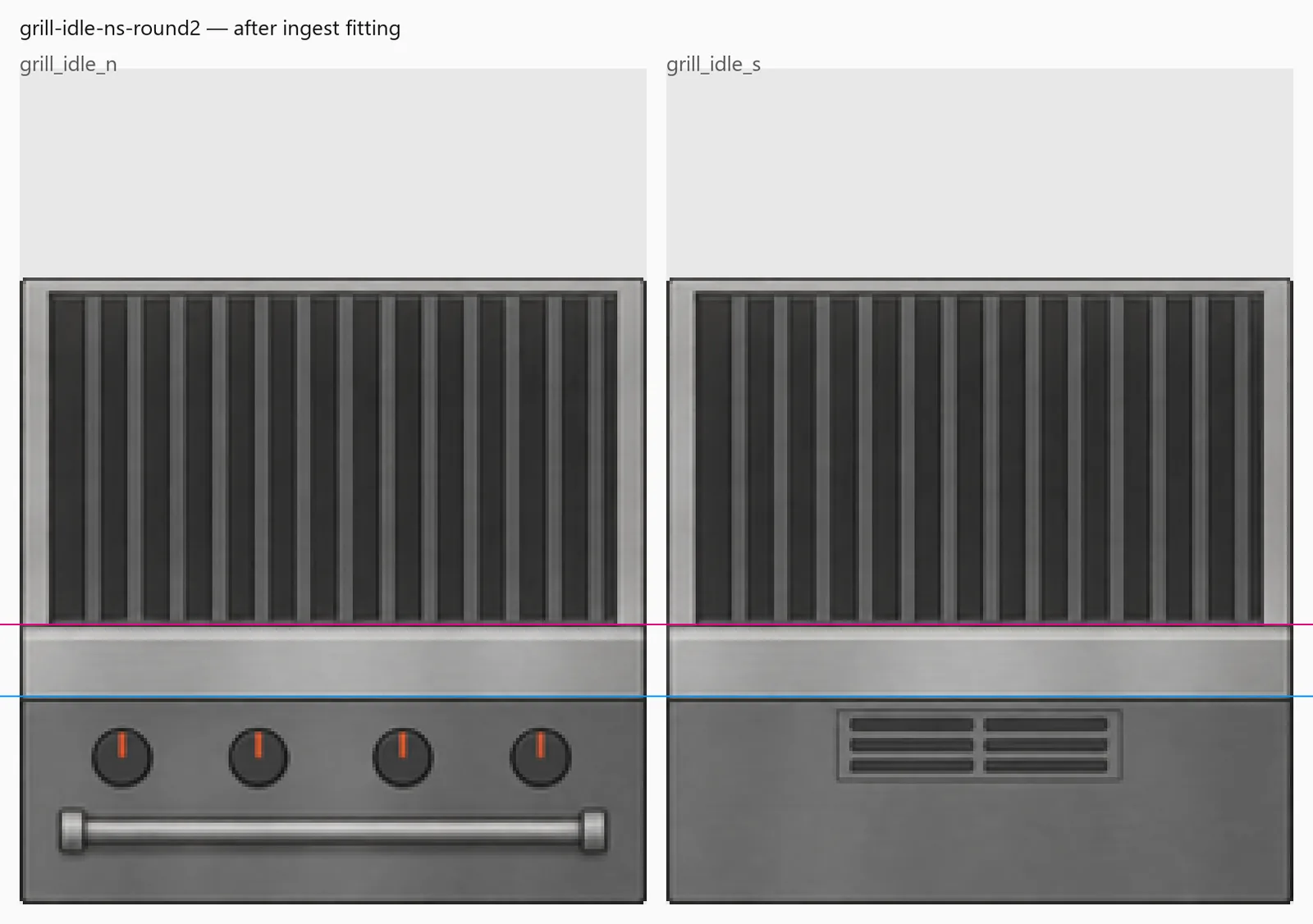
  • The review page checks the size, the transparency and the seams, and shows each option the way the game draws it: surfaces tiled, windows repeated along their wall, all at game size.
  • The first two requests, the counter's top and front, are waiting to be generated. The Owner called today's counters "abysmal".
  • (No before picture: this part of the tool didn't exist. The second screenshot uses sample shapes, not art.)
Sprite Manager can make CHEF!'s tiles, walls and counters (v0.25.0), screenshotSprite Manager can make CHEF!'s tiles, walls and counters (v0.25.0), screenshot

Actual-size pictures, nested lists, and the walk's GIFs in the thread

  • Small pictures are now shown at their real size with an "Actual size" label instead of being squeezed into a thumbnail — so the Galean soldier's in-game-size animation appears as tiny as he will be in the game. No screenshot is ever stretched past its real size any more.
  • Sub-points in a post (a bullet with indented bullets under it) now show as a nested list.
  • The Galean walk thread gained its two newest steps and now leads with the looping before/after animation of the whole walk; its "story so far" shows the first frames and the leg-measurement close-ups, two genuinely different stages.
Actual-size pictures, nested lists, and the walk's GIFs in the thread, screenshotActual-size pictures, nested lists, and the walk's GIFs in the thread, screenshotActual-size pictures, nested lists, and the walk's GIFs in the thread, screenshot

Also in: Sprite Manager

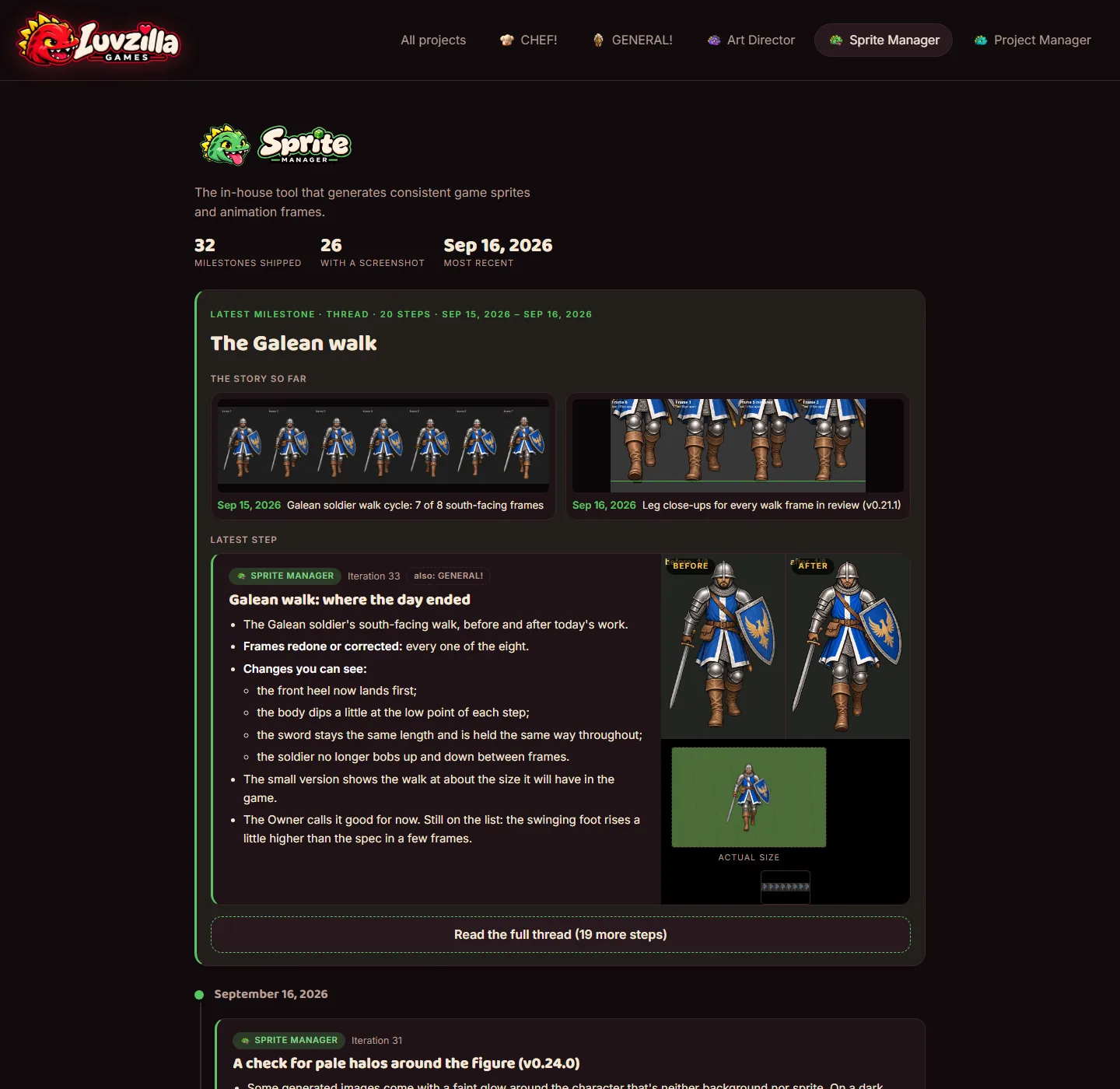
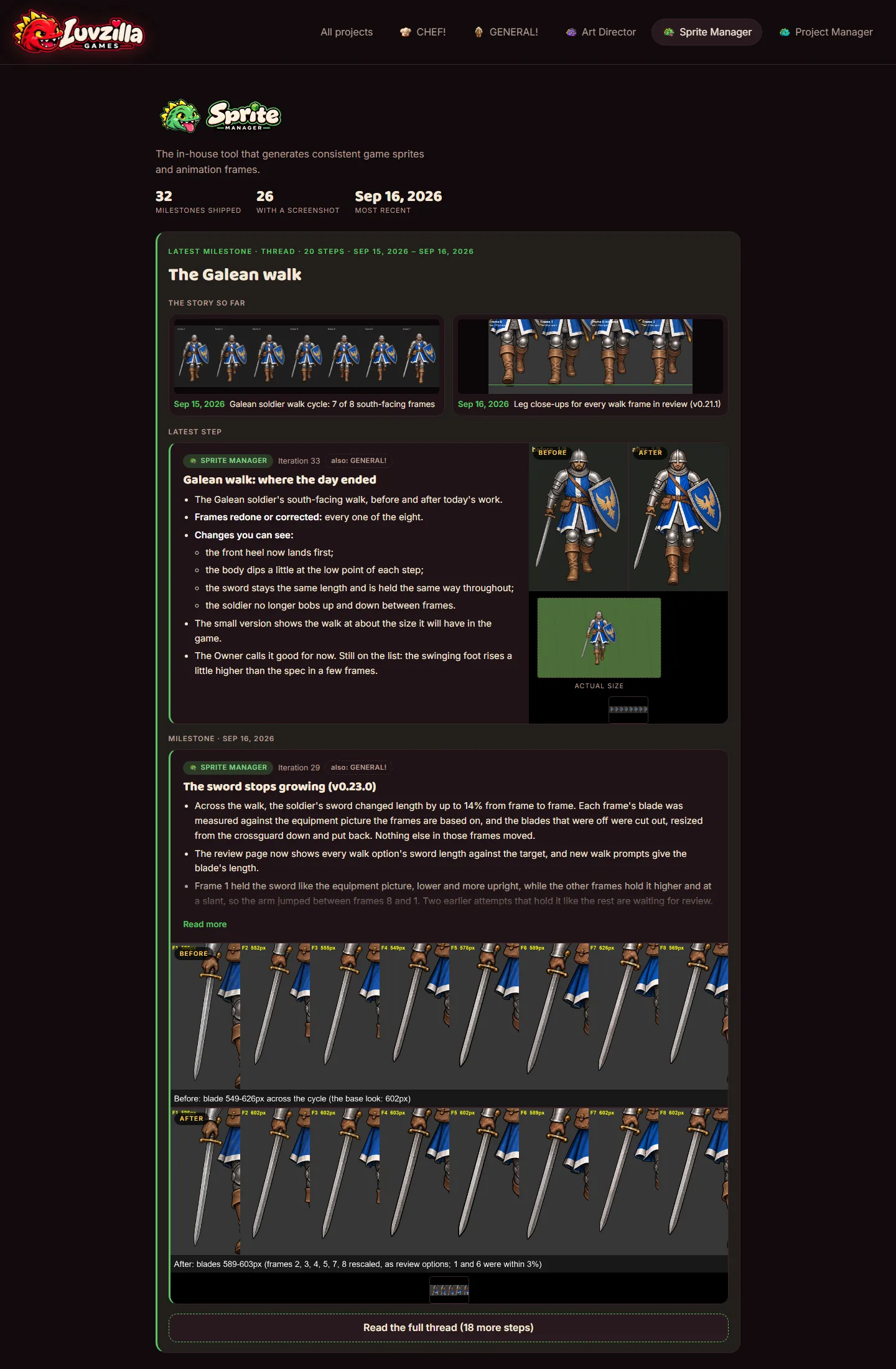
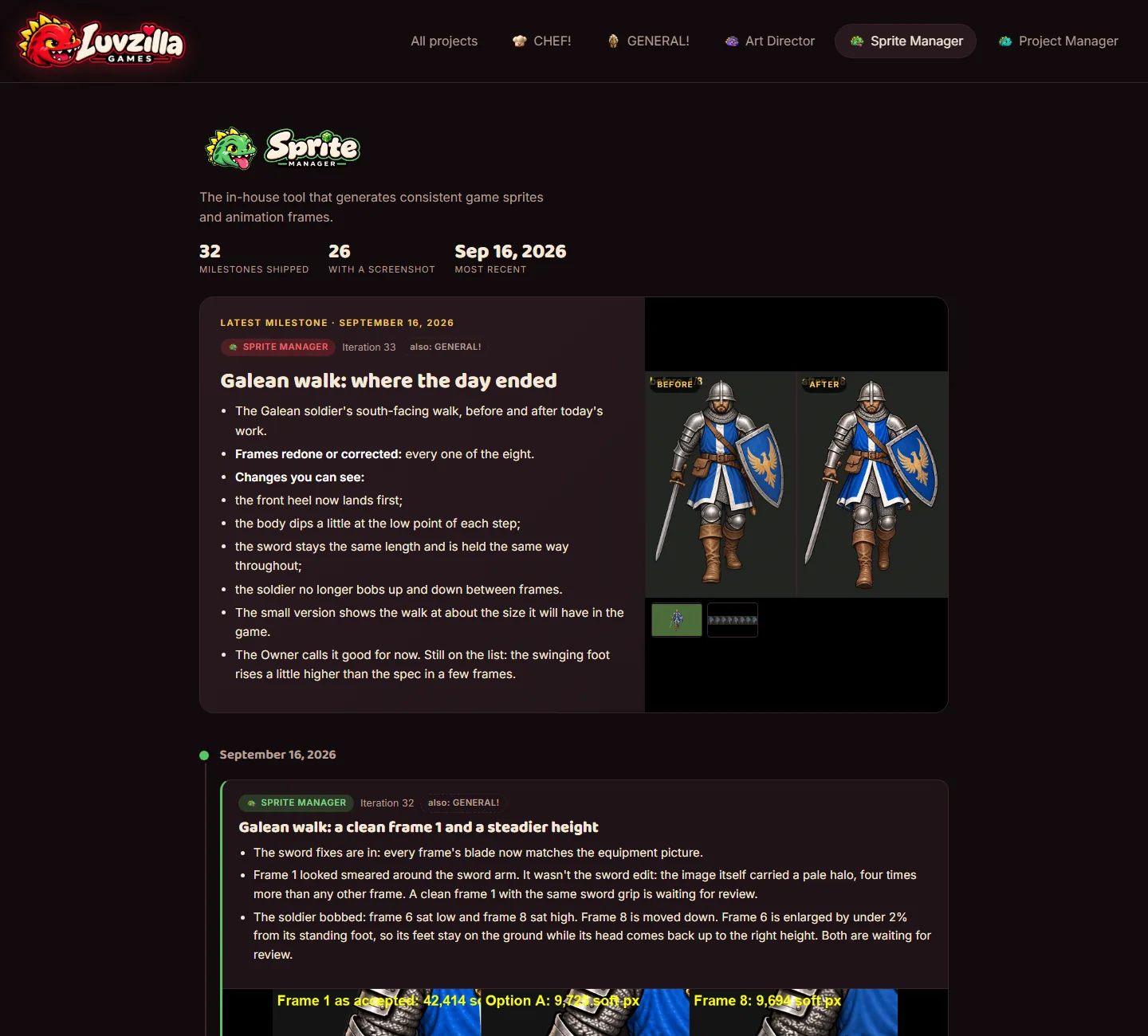
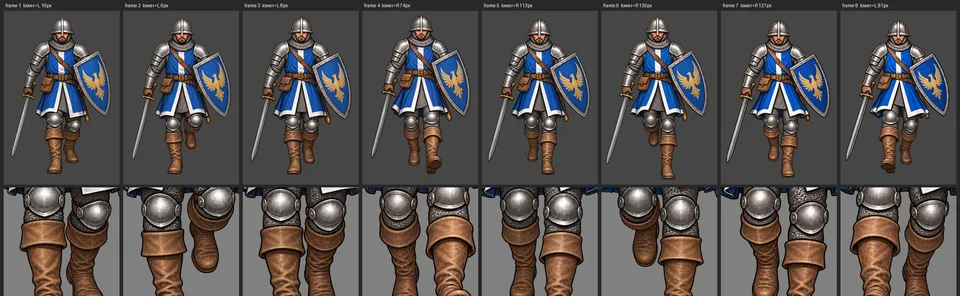
Galean walk: where the day ended

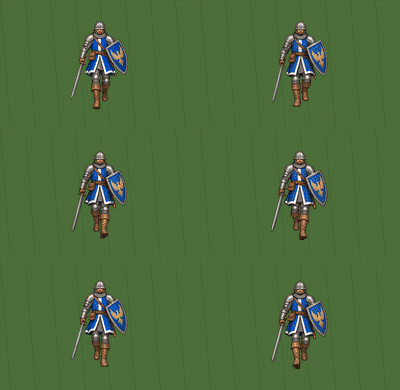
  • The Galean soldier's south-facing walk, before and after today's work.
  • Frames redone or corrected: every one of the eight.
  • Changes you can see:
    • the front heel now lands first;
    • the body dips a little at the low point of each step;
    • the sword stays the same length and is held the same way throughout;
    • the soldier no longer bobs up and down between frames.
  • The small version shows the walk at about the size it will have in the game.
  • The Owner calls it good for now. Still on the list: the swinging foot rises a little higher than the spec in a few frames.
Galean walk: where the day ended, screenshotGalean walk: where the day ended, screenshotGalean walk: where the day ended, screenshotGalean walk: where the day ended, screenshot

Also in: GENERAL!
Galean walk: a clean frame 1 and a steadier height

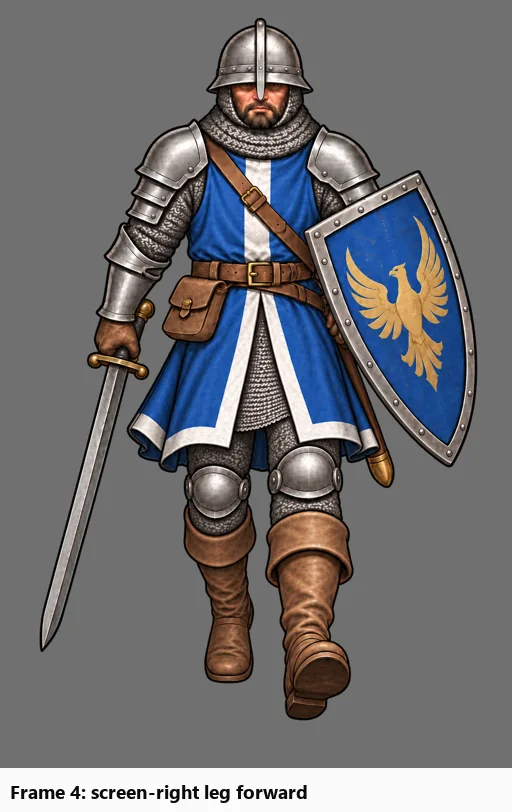
  • The sword fixes are in: every frame's blade now matches the equipment picture.
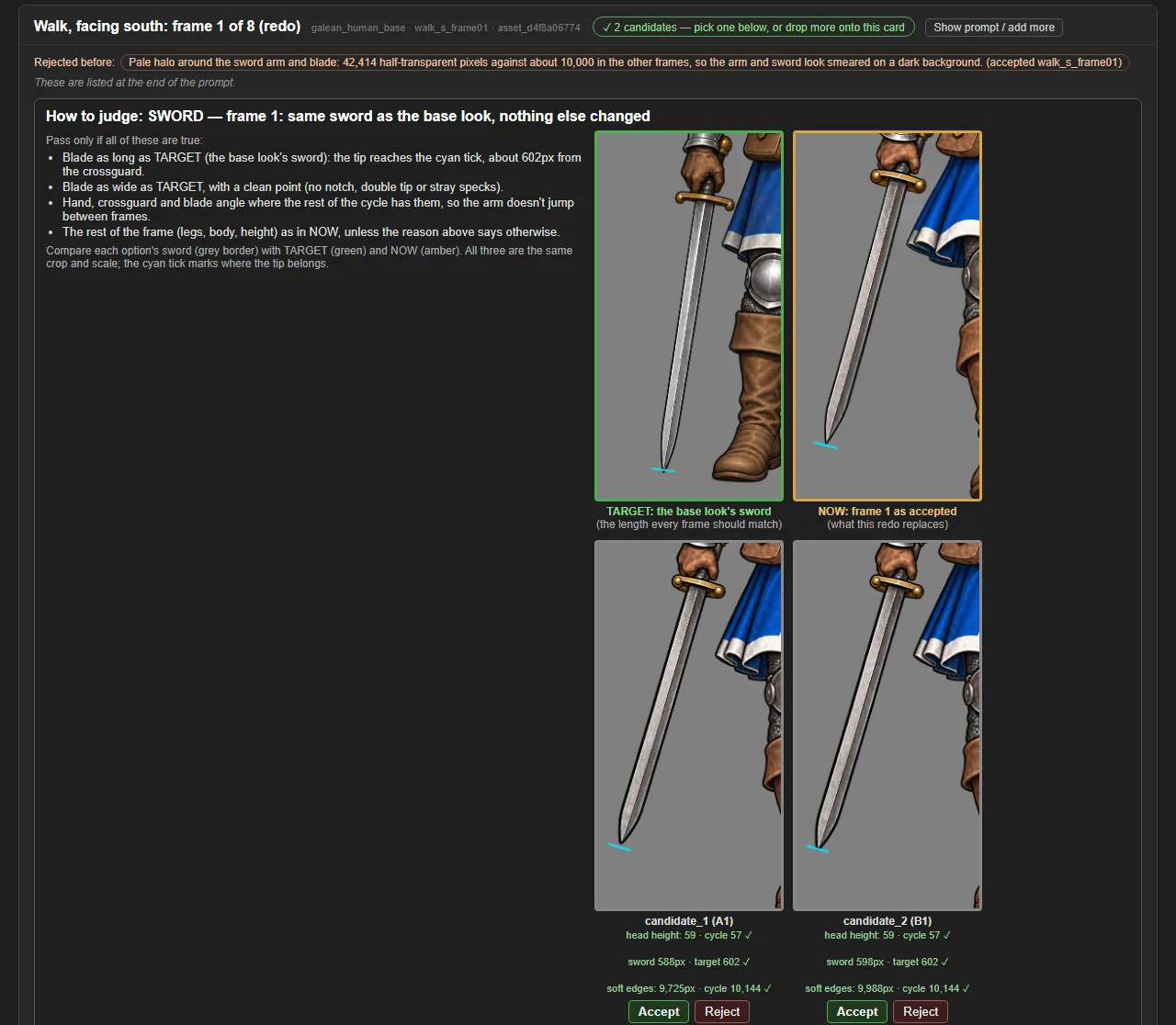
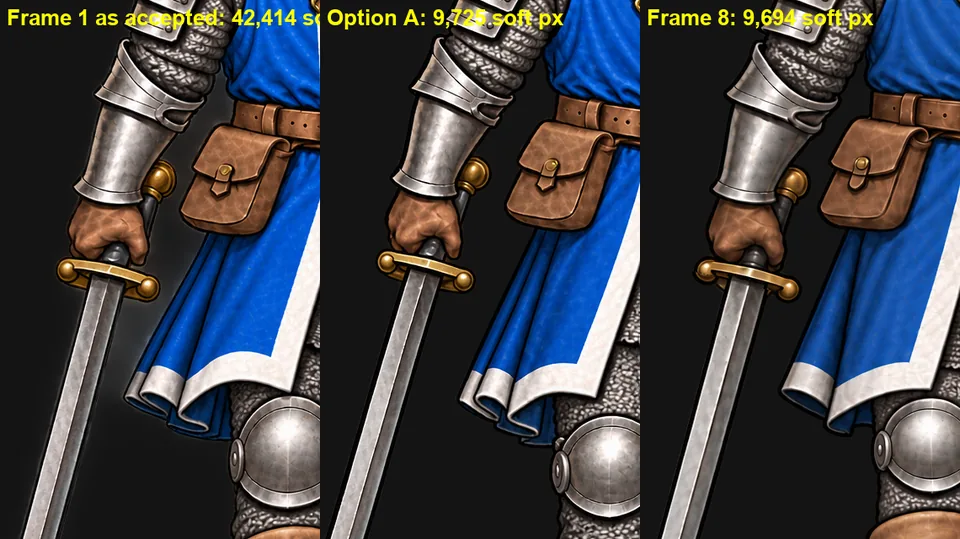
  • Frame 1 looked smeared around the sword arm. It wasn't the sword edit: the image itself carried a pale halo, four times more than any other frame. A clean frame 1 with the same sword grip is waiting for review.
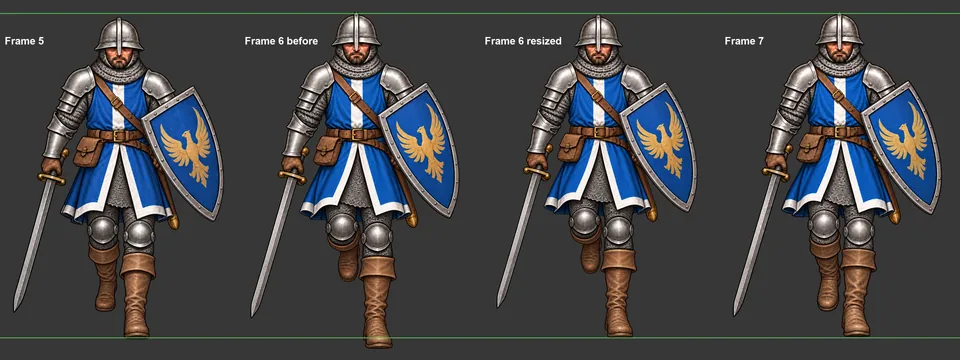
  • The soldier bobbed: frame 6 sat low and frame 8 sat high. Frame 8 is moved down. Frame 6 is enlarged by under 2% from its standing foot, so its feet stay on the ground while its head comes back up to the right height. Both are waiting for review.
Galean walk: a clean frame 1 and a steadier height, screenshot

Also in: GENERAL!
A check for pale halos around the figure (v0.24.0)

  • Some generated images come with a faint glow around the character that's neither background nor sprite. On a dark map it shows as a grey smear.
  • Every walk option in review now shows a "soft edges" count and is flagged when it has far more half-transparent pixels than the rest of the cycle.
A check for pale halos around the figure (v0.24.0), screenshotA check for pale halos around the figure (v0.24.0), screenshot

Sword fixes are reviewed on the sword (v0.23.1)

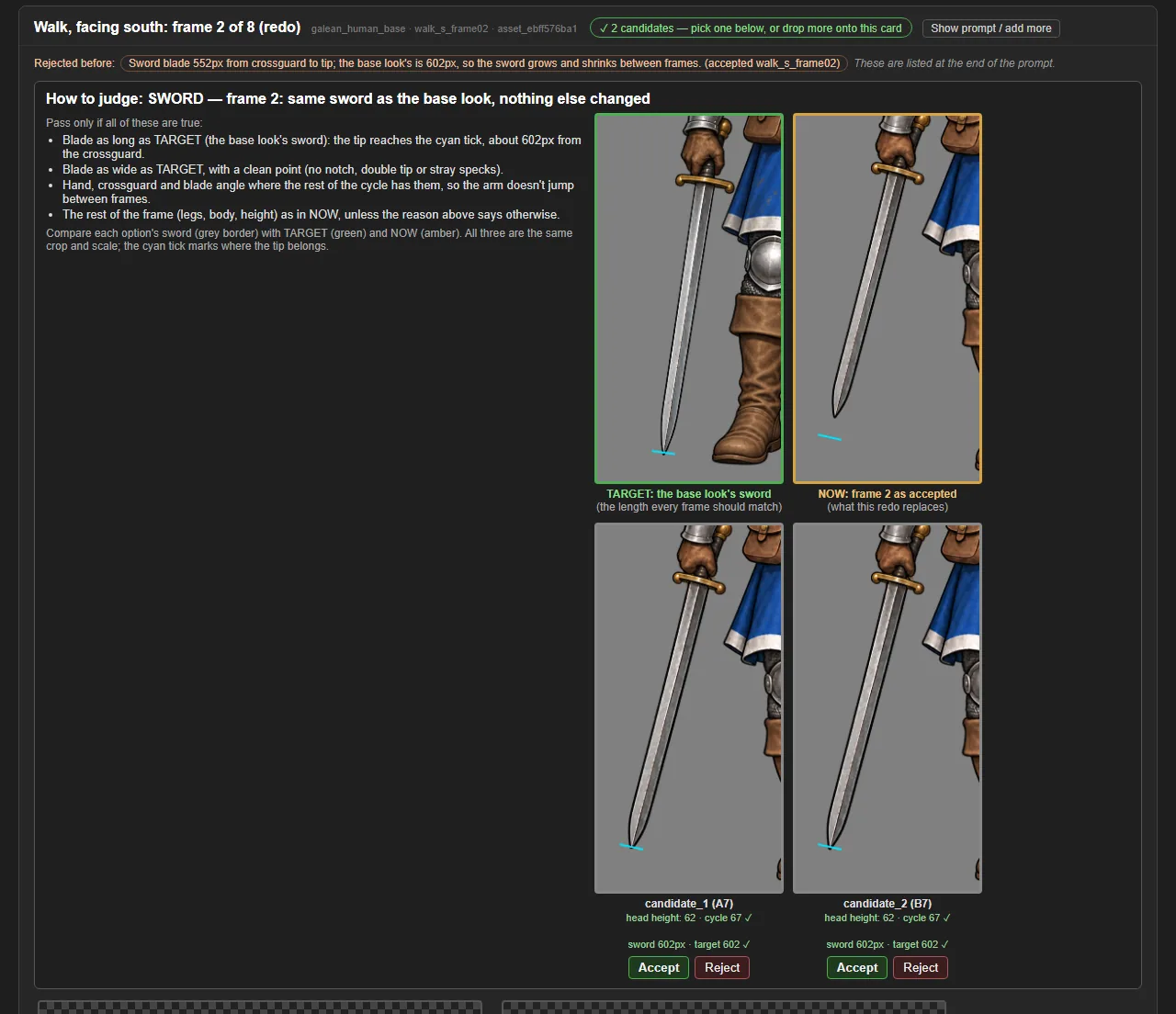
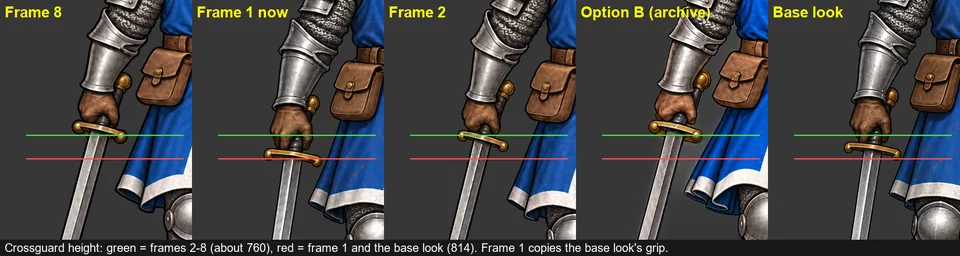
  • A review card for a sword fix used to show close-ups of the legs, which say nothing about the sword. Now it shows the sword: the target sword from the base look, the frame being replaced, and each option, all cropped the same way and side by side.
  • A small cyan mark shows where each blade's tip should end, so a short or long sword stands out at a glance. Sword cards show only the sword and height readings.
Sword fixes are reviewed on the sword (v0.23.1), screenshotSword fixes are reviewed on the sword (v0.23.1), screenshot

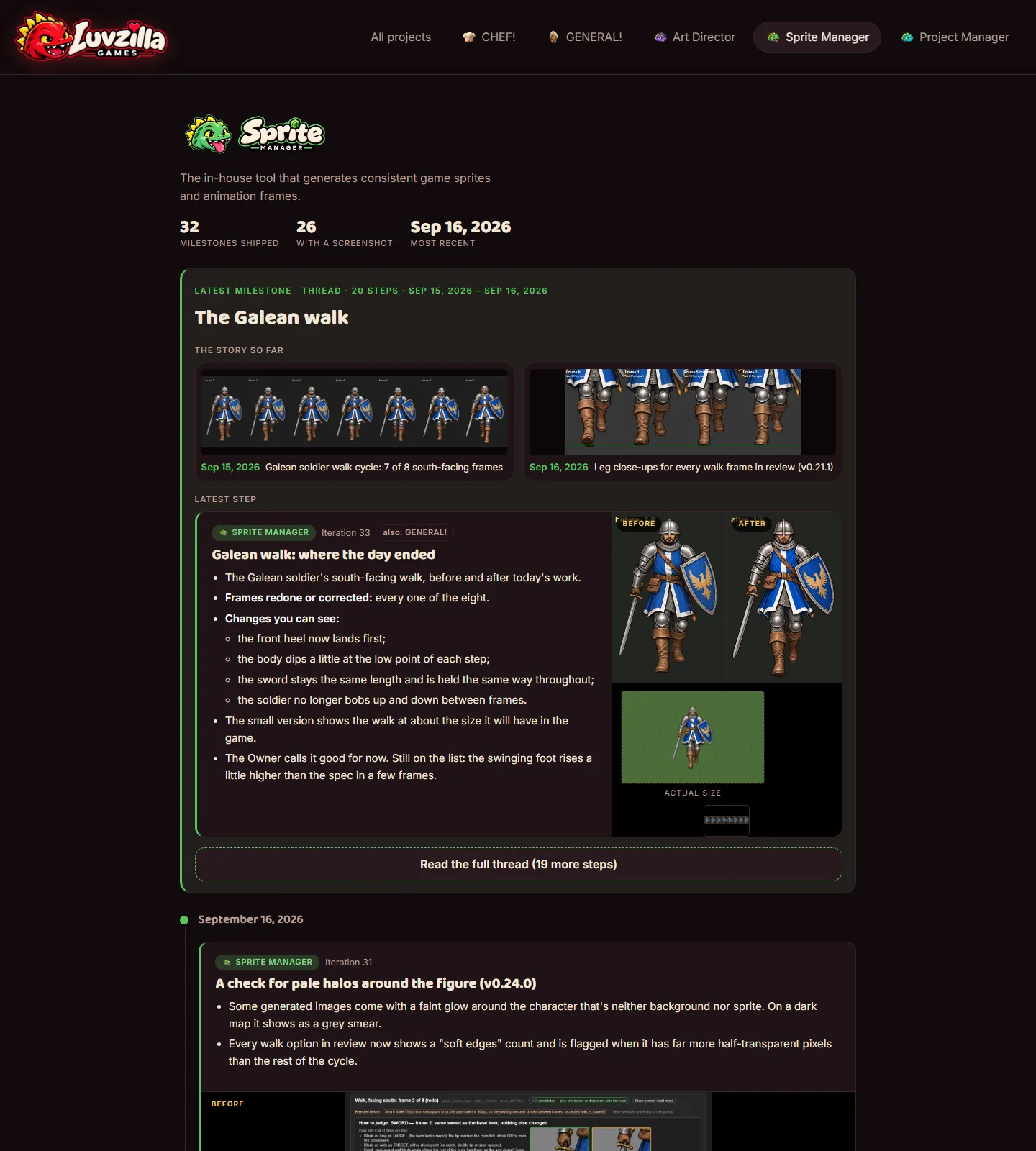
Story threads: the Galean walk becomes one card

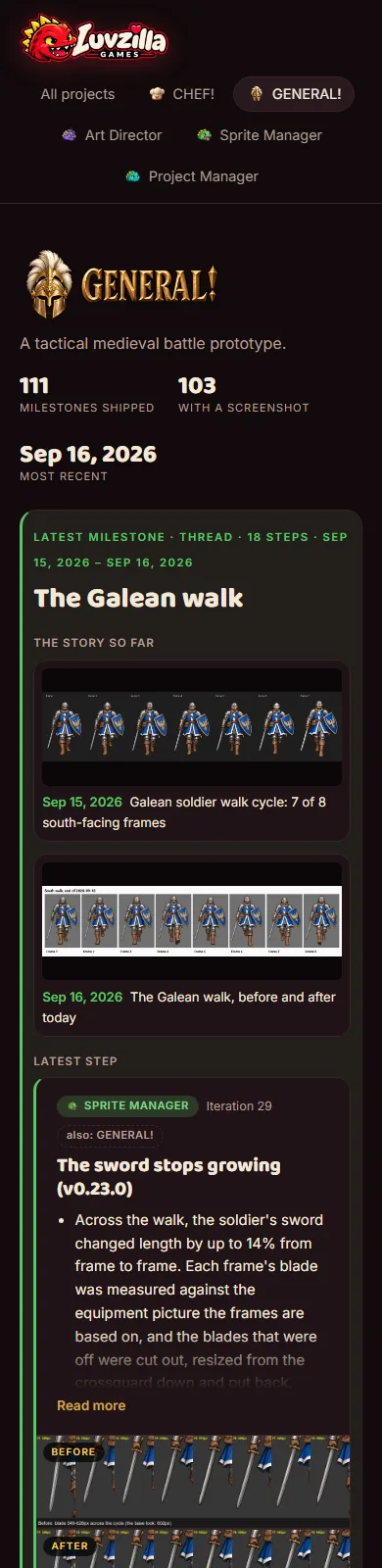
  • Posts that tell one story can now be grouped into a thread. The eighteen public steps of the Galean soldier's walk — first frames, redraws, leg and height checks, the sword fix — show as one card in the Sprite Manager, GENERAL! and all-projects feeds instead of filling them.
  • The card leads with the latest step, shows a few pictures of earlier stages ("the story so far"), and "Read the full thread" opens every step. A link to any single step still lands on it.
  • Unrelated Sprite Manager tool updates stay as their own posts.
Story threads: the Galean walk becomes one card, screenshotStory threads: the Galean walk becomes one card, screenshotStory threads: the Galean walk becomes one card, screenshotStory threads: the Galean walk becomes one card, screenshot

Also in: Sprite Manager

The sword stops growing (v0.23.0)

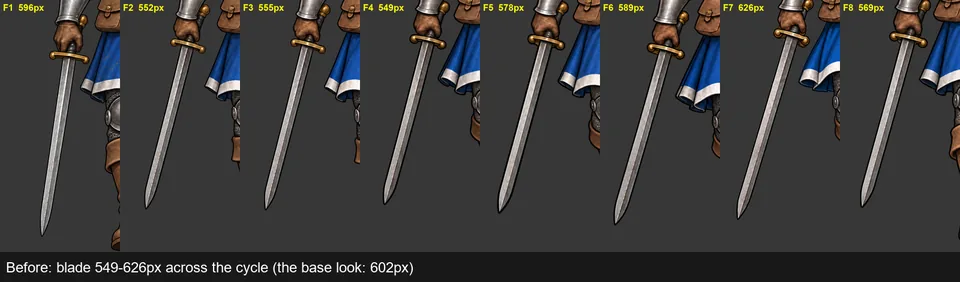
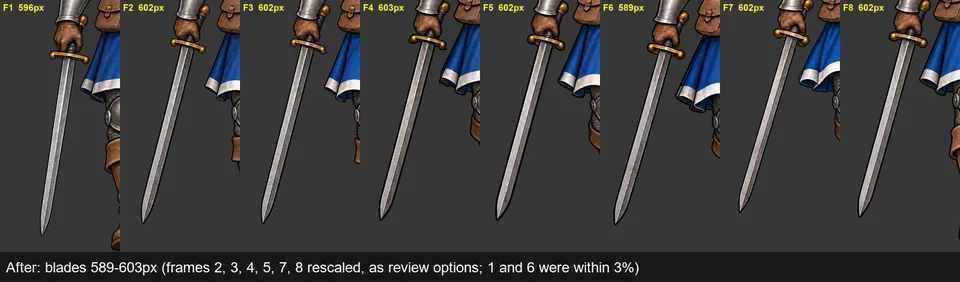
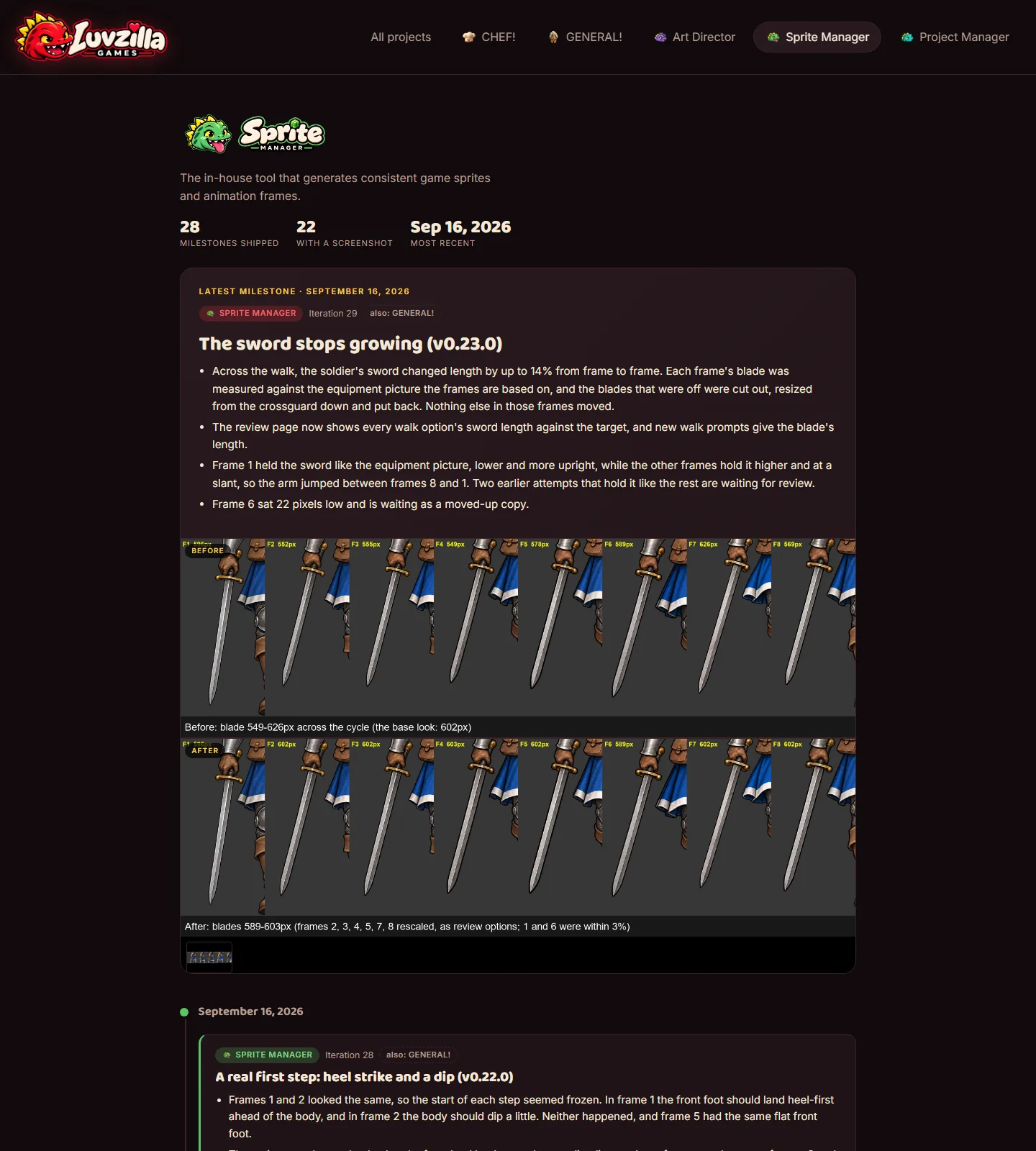
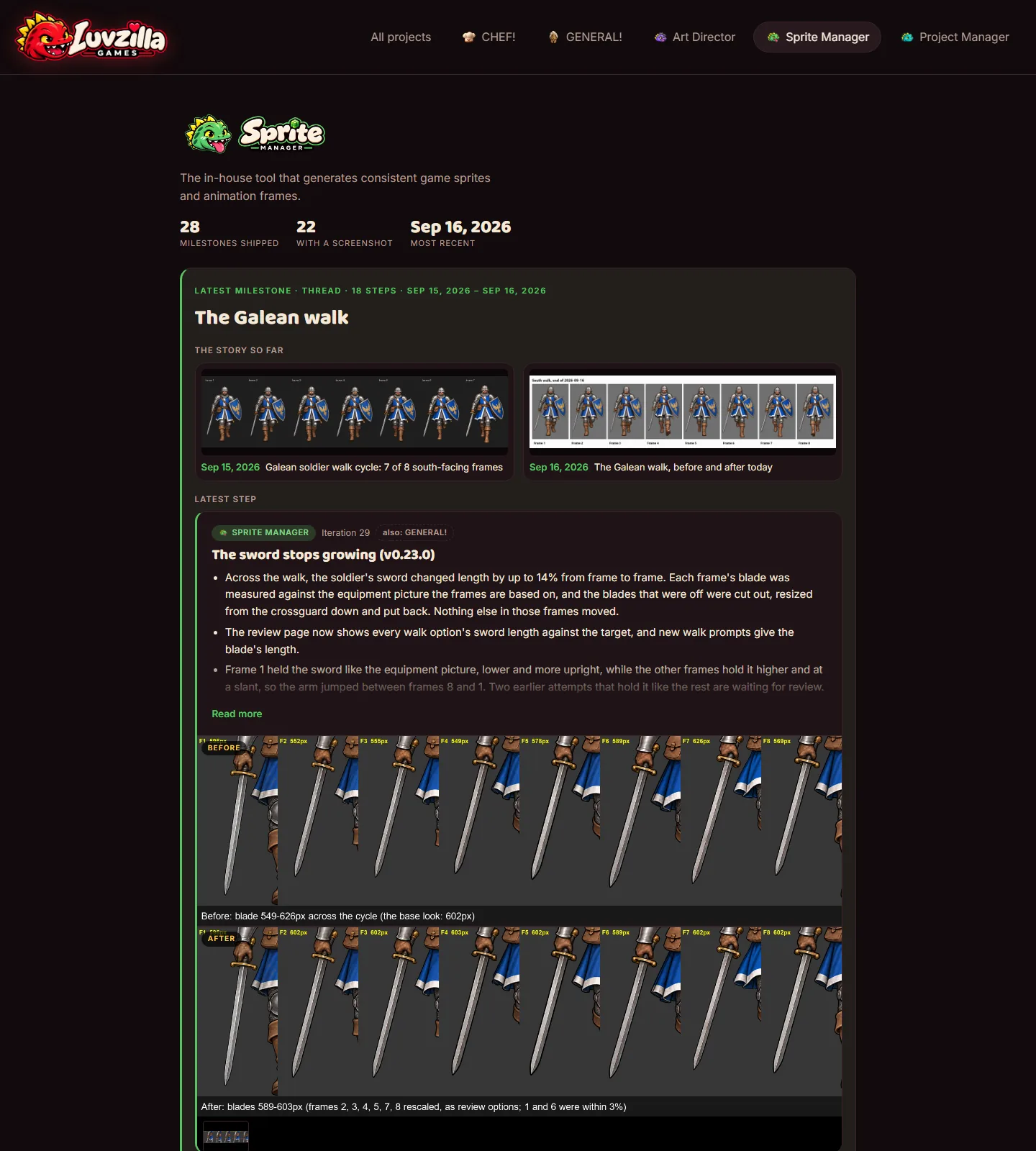
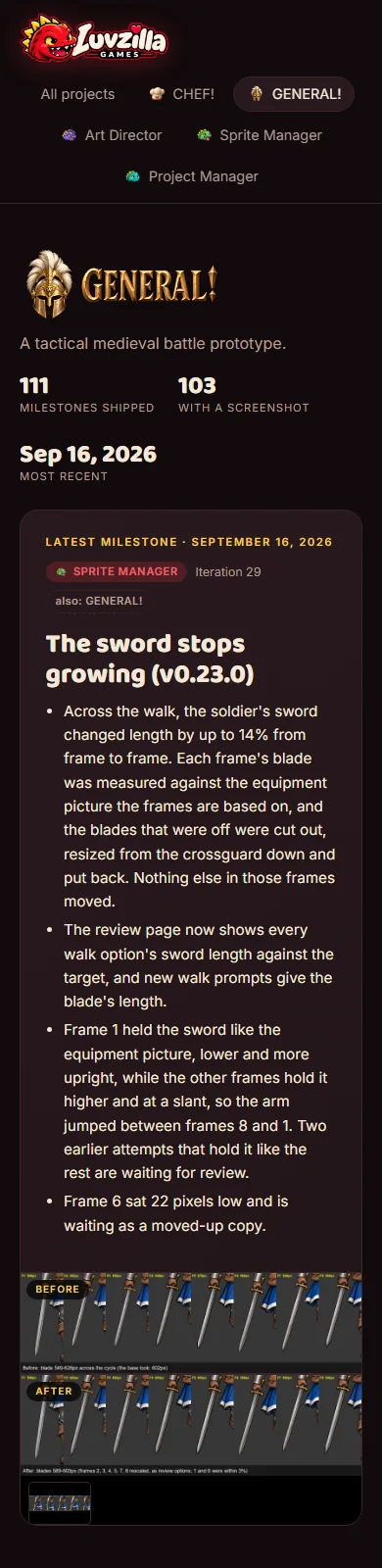
  • Across the walk, the soldier's sword changed length by up to 14% from frame to frame. Each frame's blade was measured against the equipment picture the frames are based on, and the blades that were off were cut out, resized from the crossguard down and put back. Nothing else in those frames moved.
  • The review page now shows every walk option's sword length against the target, and new walk prompts give the blade's length.
  • Frame 1 held the sword like the equipment picture, lower and more upright, while the other frames hold it higher and at a slant, so the arm jumped between frames 8 and 1. Two earlier attempts that hold it like the rest are waiting for review.
  • Frame 6 sat 22 pixels low and is waiting as a moved-up copy.
The sword stops growing (v0.23.0), screenshotThe sword stops growing (v0.23.0), screenshotThe sword stops growing (v0.23.0), screenshot

Also in: GENERAL!
A real first step: heel strike and a dip (v0.22.0)

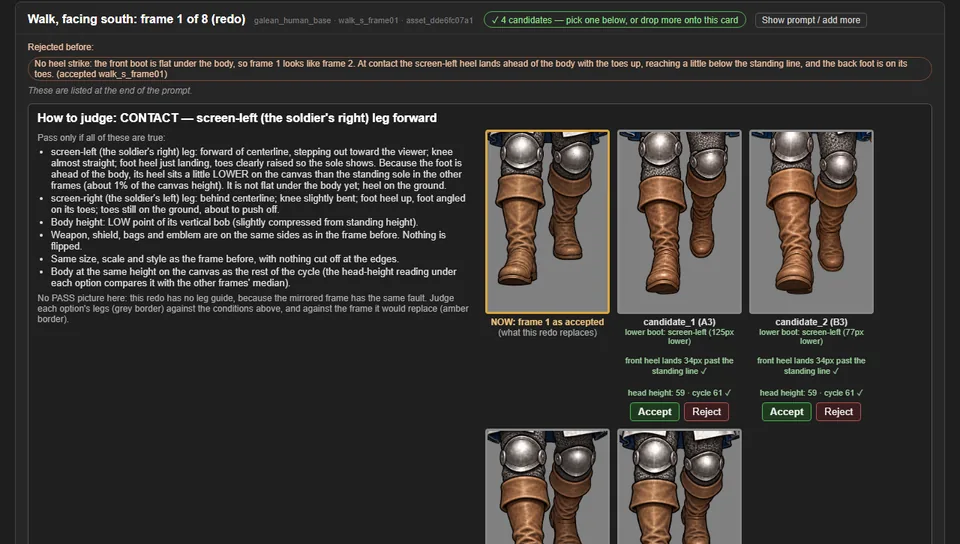
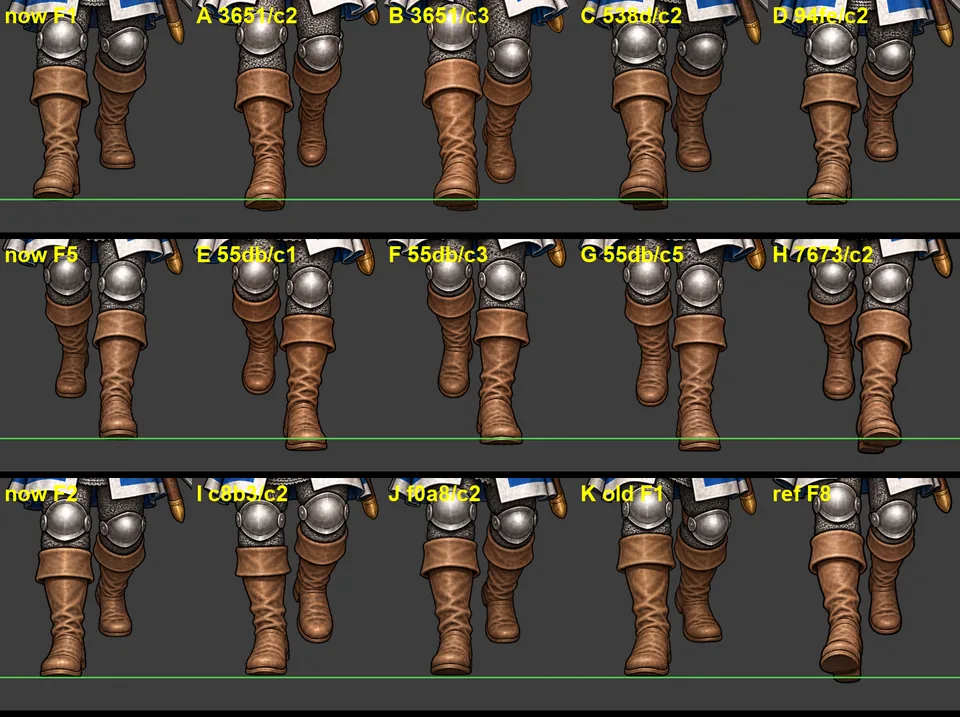
  • Frames 1 and 2 looked the same, so the start of each step seemed frozen. In frame 1 the front foot should land heel-first ahead of the body, and in frame 2 the body should dip a little. Neither happened, and frame 5 had the same flat front foot.
  • The review panel now checks that the front heel lands past the standing line on those frames, and expects frames 2 and 6 to sit a few pixels lower than the rest. The prompts say the same.
  • Before asking for new images, all the old rejected ones were measured against the new rules. Four fit frame 1, four fit frame 5, and one fits frame 2; they're waiting for review next to the frame each would replace.
  • (There's no before shot of the panel: the card was decided before one was taken.)
A real first step: heel strike and a dip (v0.22.0), screenshotA real first step: heel strike and a dip (v0.22.0), screenshotA real first step: heel strike and a dip (v0.22.0), screenshot

Also in: GENERAL!
Leg close-ups for every walk frame in review (v0.21.1)

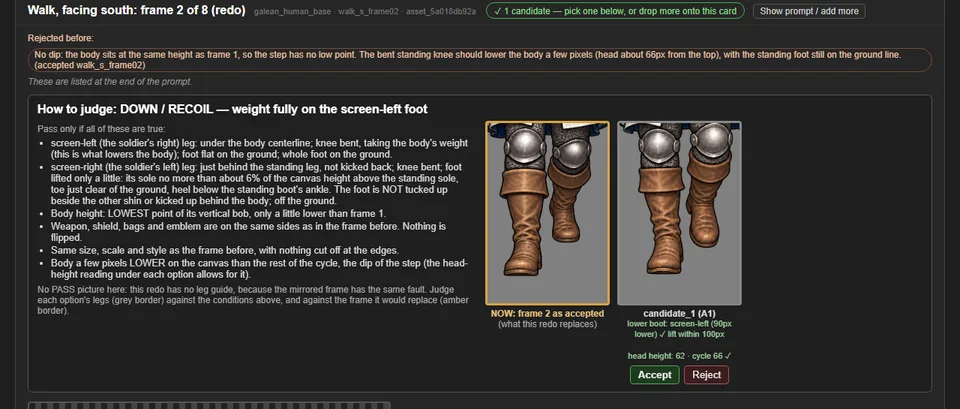
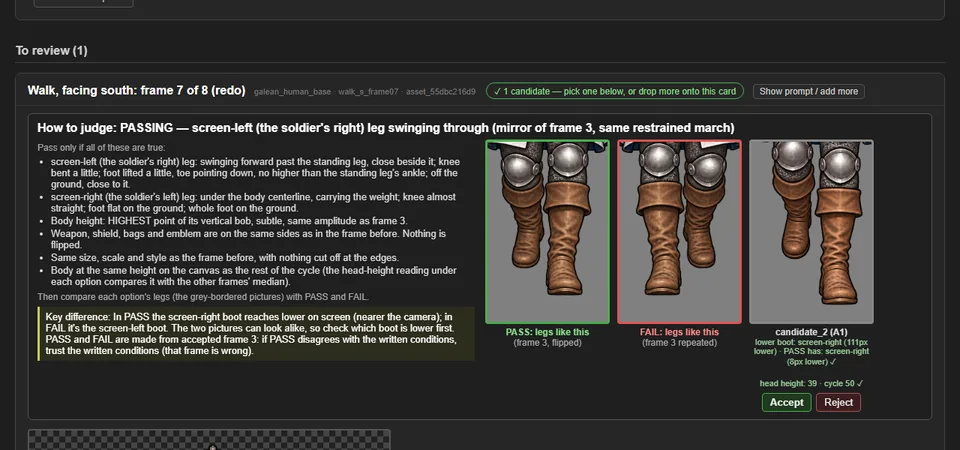
  • Frame 2's redo had no side-by-side legs to judge by, because the side-by-side only came with a leg guide, and frame 2 was deliberately sent without one. Now every walk frame in review shows each option's legs up close. A redo also shows the legs of the frame it would replace ("NOW").
  • The new frame 2 is accepted: its free foot is half as high as before. Frame 6 has been sent back with the new frame 2, mirrored, as its guide.
  • Next problem: frames 1 and 2 now look almost the same, so the start of the step barely moves.
Leg close-ups for every walk frame in review (v0.21.1), screenshot

Also in: GENERAL!
Measuring each leg, and a lower foot for frames 2 and 6 (v0.21.0)

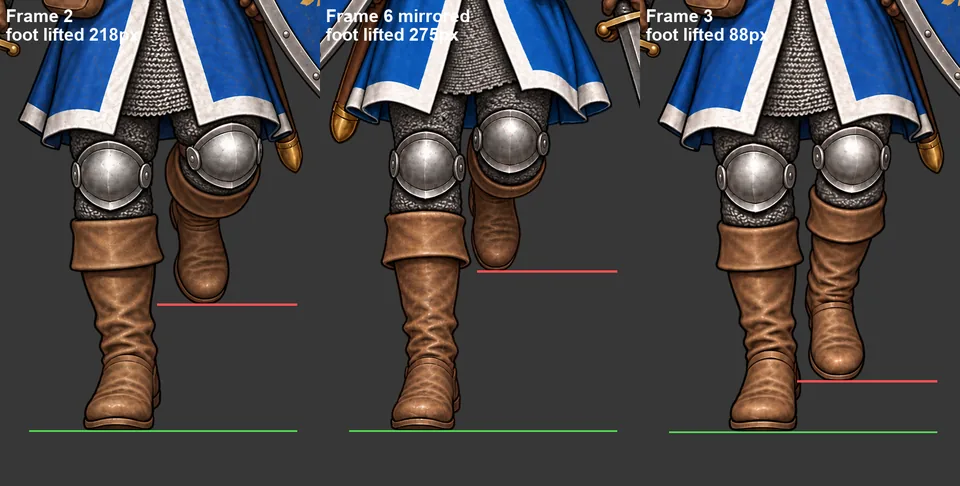
  • The foot measurement used to split the picture down the middle. When the standing boot crossed that line, both halves measured the same boot, so frame 2 read as nearly level when its free foot was really tucked 218px up. It now finds the gap between the legs and measures each one.
  • With that fixed, frames 2 and 6 both fail the spec: in the "down" step the free foot should only just leave the ground. Each frame had been the other's guide, so they copied each other.
  • Frame 2 is being redrawn without a guide, from a prompt that now gives a number (at most 6% of the canvas). The review panel marks anything over about 100px. Frame 6 will follow, guided by the new frame 2.
  • The new frame 1 had the right legs but sat 25px low. A moved-up copy is waiting for review.
  • Every walk frame in review now shows its foot and head-height readings, guided or not.
Measuring each leg, and a lower foot for frames 2 and 6 (v0.21.0), screenshot

Also in: GENERAL!
Send a finished frame back, and why frames 1, 3 and 6 looked off (v0.20.0)

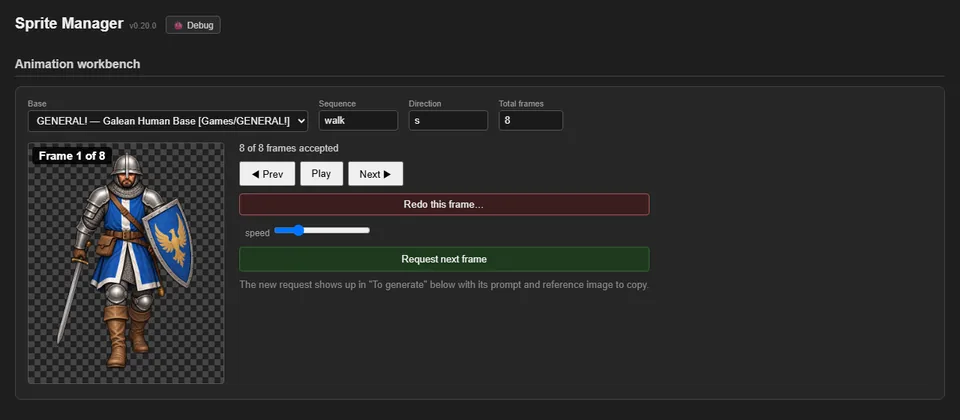
  • The animation player has a "Redo this frame…" button. It asks why, and the answer is written into the new request's prompt. The old frame stays in the animation until a replacement is accepted.
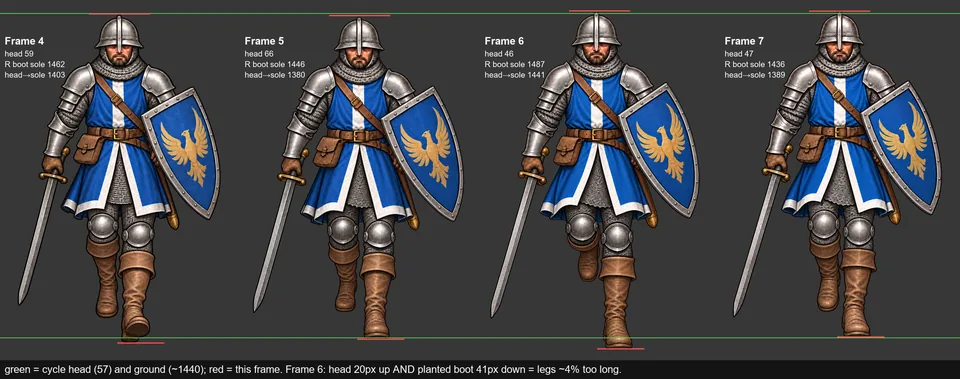
  • The walk looked jerky on one side. Measuring each boot on its own showed why: in frame 6 the soldier's legs are drawn about 4% too long, so his head rises and his standing foot dips, then both snap back in frame 7. A copy of frame 6 shrunk to 96% lines up with its neighbours and is waiting for review.
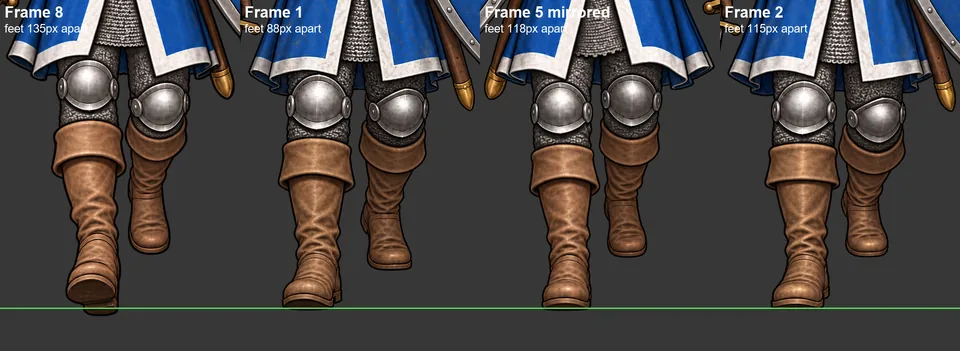
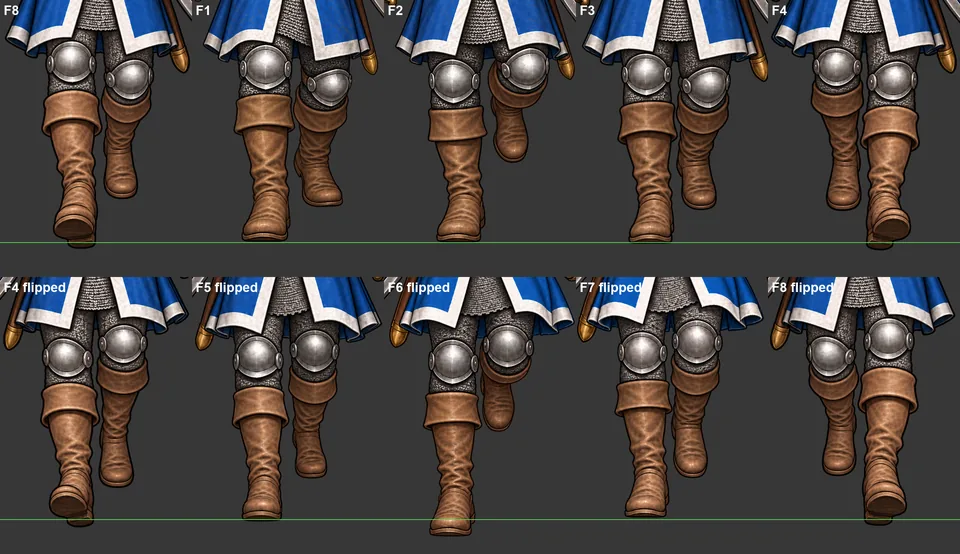
  • Frames 1 to 3 looked clunkier than 5 to 7. Set beside the mirrored second half, the difference is the swinging leg: in frames 1 and 3 it hangs straight with the knee level, so the walk reads as a shuffle; in 5 and 7 the knee bends and lifts. Frames 1 and 3 are being redrawn, guided by the mirrored legs of 5 and 7.
Send a finished frame back, and why frames 1, 3 and 6 looked off (v0.20.0), screenshotSend a finished frame back, and why frames 1, 3 and 6 looked off (v0.20.0), screenshotSend a finished frame back, and why frames 1, 3 and 6 looked off (v0.20.0), screenshotSend a finished frame back, and why frames 1, 3 and 6 looked off (v0.20.0), screenshotSend a finished frame back, and why frames 1, 3 and 6 looked off (v0.20.0), screenshot

Also in: GENERAL!
Walk prompts: keep the passing foot down (v0.19.1)

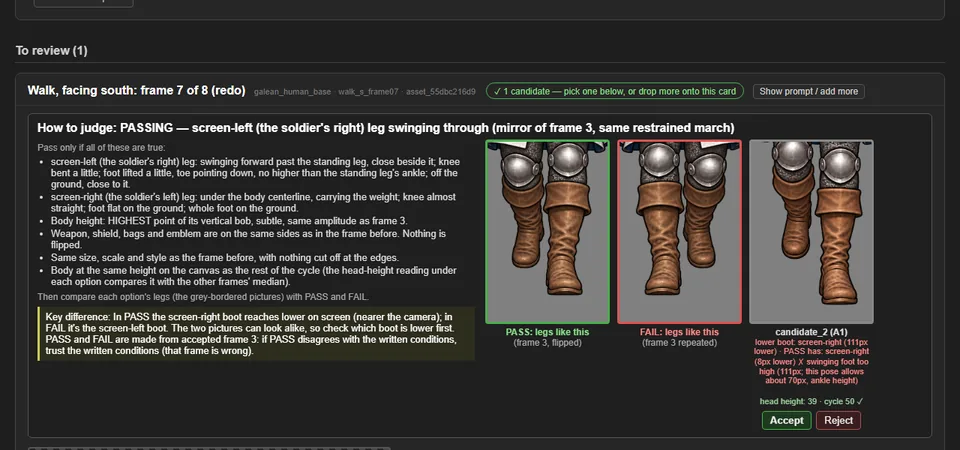
  • Six attempts at frame 7 all came back with the swinging heel raised too high. The prompt now says what has to change from the previous frame (the tucked-up heel comes down), asks for the two boots to look almost level from the front with the swinging foot barely off the ground, and suggests editing only the legs below the knee.
  • A leftover "standing idle pose" line that contradicted a walk was removed from walk prompts.

Also in: GENERAL!
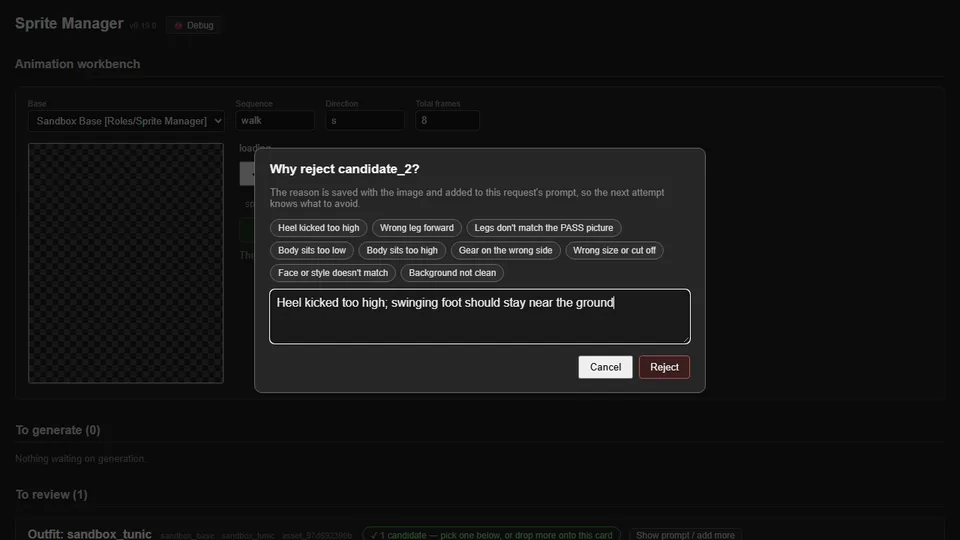
Say why when rejecting; the prompt learns from it (v0.19.0)

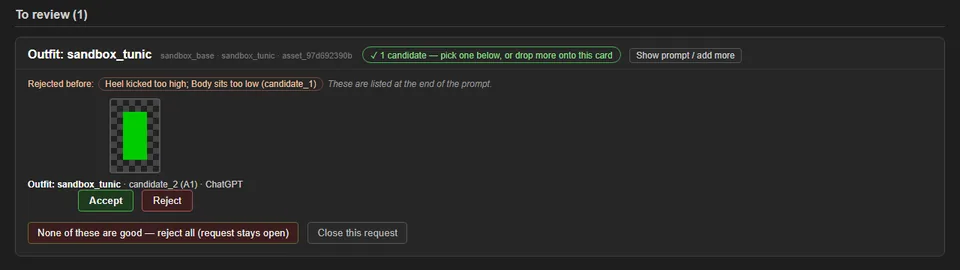
  • Rejecting an image now asks why, with one-click reasons like "Heel kicked too high" or "Body sits too low", or your own words.
  • Each reason is saved with the image and added to the end of that request's prompt, and to every later request for the same sprite, so the next attempt is told what to avoid. The card shows what was rejected before.
  • The review panel now fails a passing-pose frame whose swinging foot rises above ankle height. Before, the frame 7 option in the pictures passed with its heel far too high; now it's flagged.
Say why when rejecting; the prompt learns from it (v0.19.0), screenshotSay why when rejecting; the prompt learns from it (v0.19.0), screenshotSay why when rejecting; the prompt learns from it (v0.19.0), screenshotSay why when rejecting; the prompt learns from it (v0.19.0), screenshot

Also in: GENERAL!

Rejected requests stay open for new images (v0.18.3)

  • Rejecting every option on a request used to make the request disappear. Now it goes back to "To generate" with its prompt and leg guide, ready for the next batch. A separate "Close this request" button is the only way to drop one for good.
  • Frame 7, which had vanished that way, is back in the list.
  • When a frame is replaced, any waiting request whose leg guide came from the old version gets a fresh guide from the new one.
  • (No before shot: the old behaviour wasn't captured before the change.)
Rejected requests stay open for new images (v0.18.3), screenshot

Sprite Manager joins the crew as a Role

  • Sprite Manager moved from being an app to being a Role: the studio's sprite pipeline and animation quality gate, consulted on any game decision that changes what sprites a game needs.
  • The move kept its full history and tools, rewired its safety checks, and kept every old devlog link working.
  • It works alongside the Art Director (style in, sprites out) and the games (requirements in, finished frames out). The two now share their image-upload tooling.

Also in: Sprite Manager

The Galean walk, before and after today

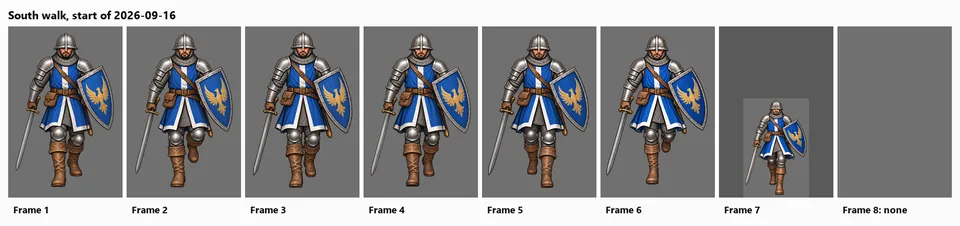
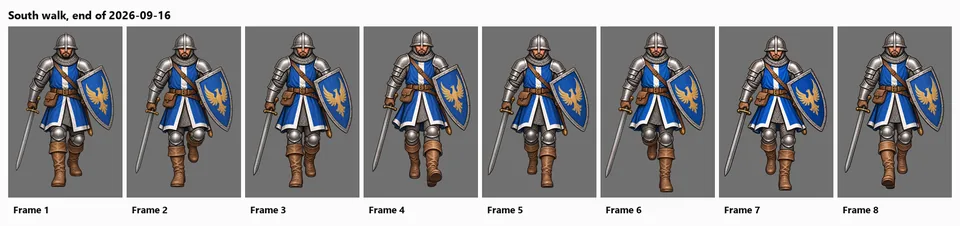
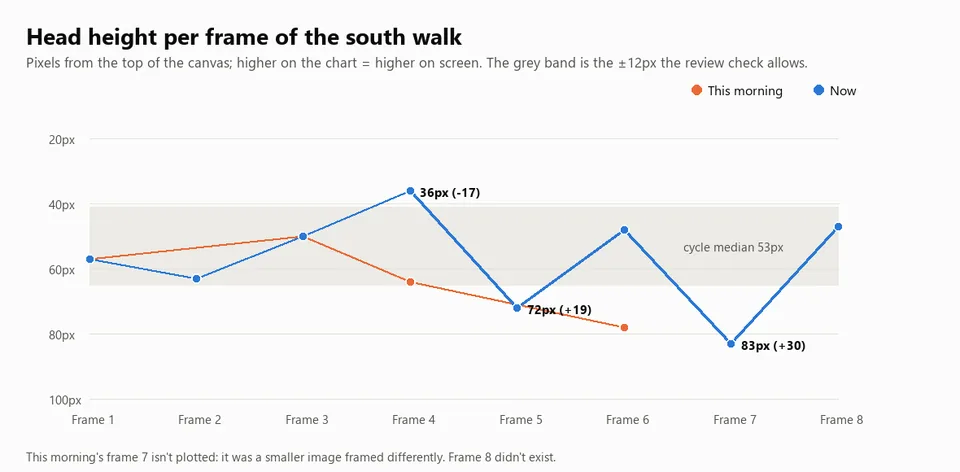
  • This morning the soldier's south walk had seven frames. One was half size, two had the wrong leg doing the work, and the eighth didn't exist.
  • By the end of the day all eight exist at full size with the legs alternating correctly. Frame 8 was replaced again this evening with one that sits at the right height.
  • The chart shows the remaining problem the review tools now catch: how high the head sits in each frame. Frames 4, 5 and 7 are still off; 4 and 7 are being redone.
  • The before pictures come from the project's history, not recreations.
  • (Before image reconstructed from git (the project at the start of 2026-09-16), after the change.)
The Galean walk, before and after today, screenshotThe Galean walk, before and after today, screenshotThe Galean walk, before and after today, screenshot

Also in: GENERAL!

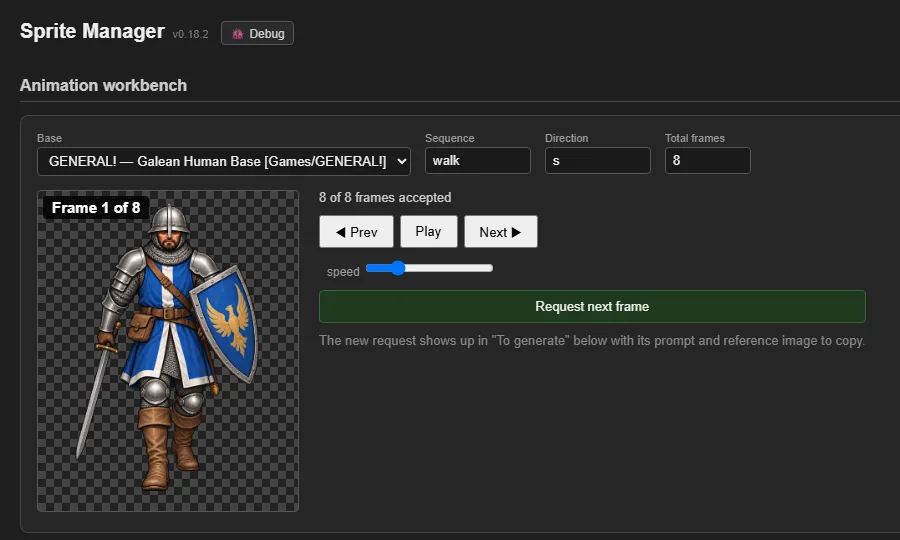
Walk poses corrected to how legs really move (v0.18.2)

  • The written description of the walk had some physically wrong details, including a straight back leg while pushing off and a heel kicked up behind in the recoil pose (the source of the over-kicked heel). The poses now describe a real stride: the pushing leg bends, the standing knee bends on the way down, the standing foot stays flat as the other leg passes, and the lifted foot stays low.
  • The open requests for frames 4, 7 and 8 use the corrected descriptions.

Also in: GENERAL!

Height check for walk frames; frames 4, 7 and 8 sent back (v0.18.1)

  • The awkward moment between frames 7 and 8 turned out to be the soldier's height: he sank lower in frames 7 and 8, then popped back up at frame 1, and frame 4 sat too high.
  • Each option in review now shows its head height against the rest of the walk, the prompt names the target height, and the leg guide is moved to match it.
  • Frames 4, 7 and 8 were requested again. Earlier rejected images that match those poses (whatever frame they were first made for) were added as options, including the old frame 4, which turned out to be a good frame 8.
Height check for walk frames; frames 4, 7 and 8 sent back (v0.18.1), screenshot

Also in: GENERAL!

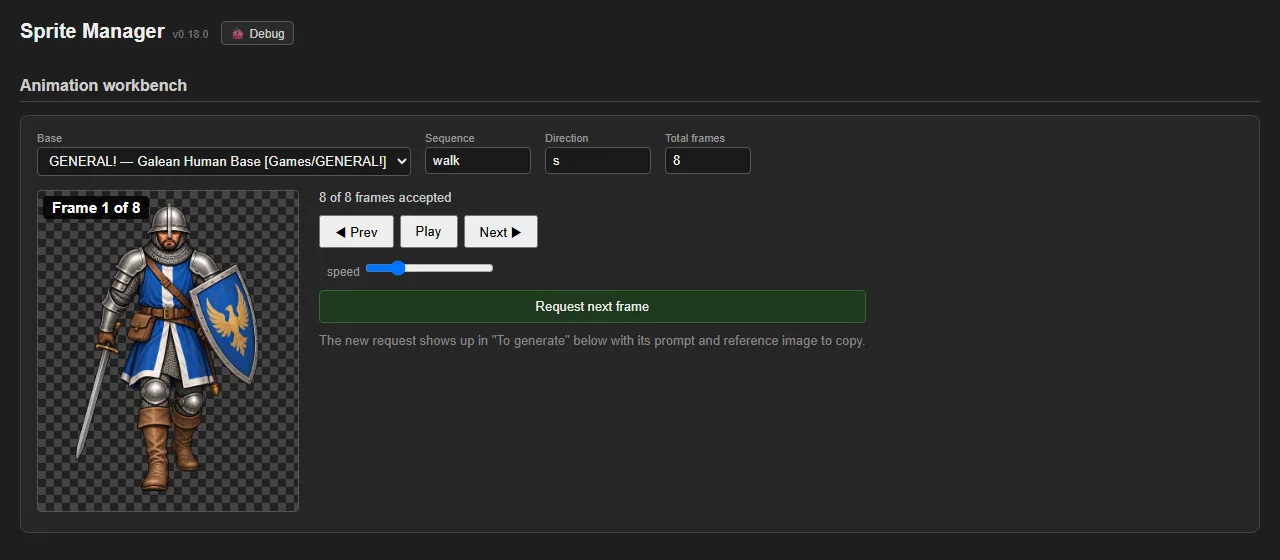
Step through an animation frame by frame (v0.18.0)

  • The animation preview shows which frame is on screen, whether it's playing or paused.
  • New Previous and Next buttons (and the arrow keys) pause the animation and move one frame at a time, to find exactly which frame looks wrong.
  • A frame that has been redone now always shows its new version in the preview.
  • (Before image reconstructed from progress/001, the v0.12 gallery screenshot, after the change.)
Step through an animation frame by frame (v0.18.0), screenshotStep through an animation frame by frame (v0.18.0), screenshotStep through an animation frame by frame (v0.18.0), screenshot

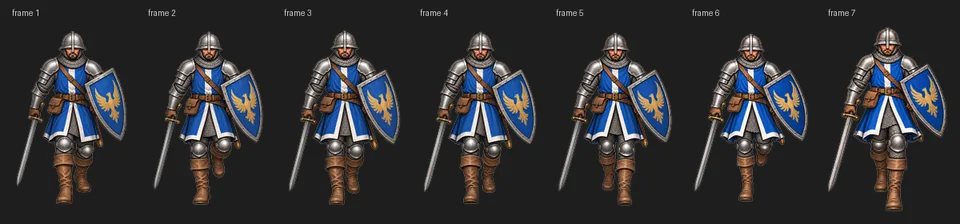
Galean walk (south): all eight frames correct

  • The Galean soldier's south-facing walk is complete: eight frames, all on the same full-size canvas, alternating legs correctly through contact, recoil, passing and reaching poses.
  • Frames 4, 6 and 7 were redone and frame 8 was added today. The replaced versions are archived.
  • (Before image reconstructed from git (the project at the start of 2026-09-16), after the change.)
Galean walk (south): all eight frames correct, screenshotGalean walk (south): all eight frames correct, screenshotGalean walk (south): all eight frames correct, screenshot

Also in: GENERAL!

Images dropped into the inbox folder work again (v0.17.8)

  • Images saved straight from the image generator have names with spaces and commas. The gallery was quietly changing those names, so files put in the inbox folder showed as broken and couldn't be assigned to a request. They now show and assign normally, and a name that tries to reach outside the folder is still refused.

Galean walk: frame 8 in; frames 4 and 6 sent back for redo (v0.17.7)

  • Frame 8 of the Galean soldier's south walk is accepted, so all eight frames now exist at full size.
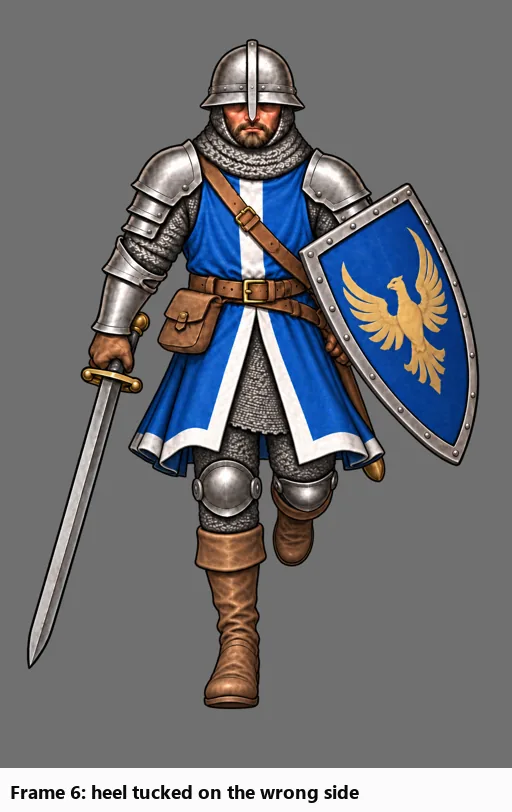
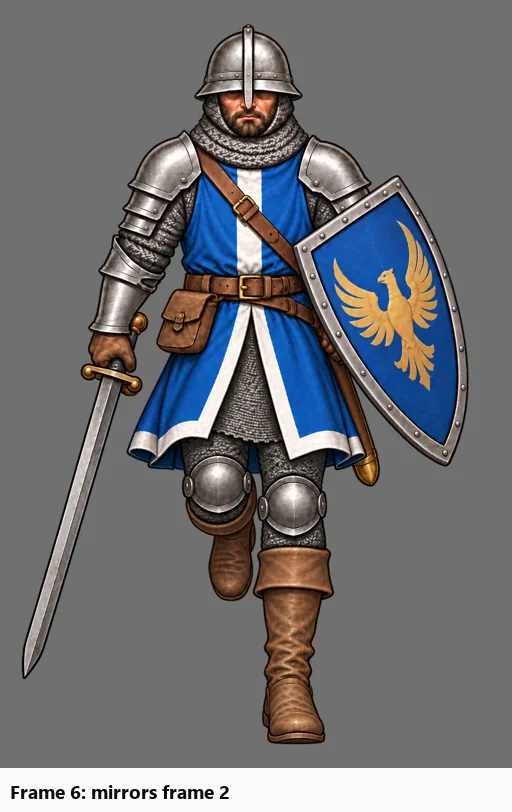
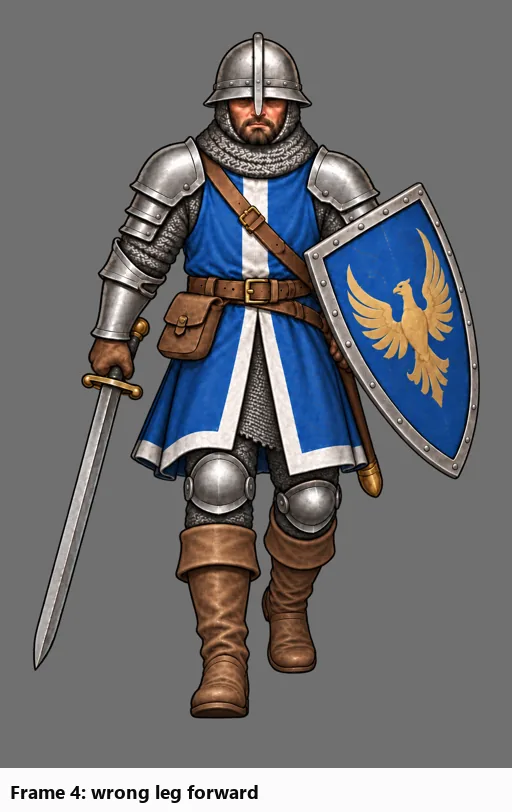
  • Checking the whole cycle leg by leg found two frames with the wrong leg: frame 4 had the wrong foot forward, and frame 6 repeated frame 2 instead of mirroring it. Both have been requested again, each with a leg-position guide from its correct counterpart (frame 8 and frame 2).
  • Frame 6's redo is in: the new frame 6 has the correct leg tucked. Frame 4 is next.
  • The first half of the walk can now get leg guides too, for redos like frame 4.
  • (Before image reconstructed from git (the project at the start of 2026-09-16), after the change.)
Galean walk: frame 8 in; frames 4 and 6 sent back for redo (v0.17.7), screenshotGalean walk: frame 8 in; frames 4 and 6 sent back for redo (v0.17.7), screenshot

Also in: GENERAL!

Clear pass/fail conditions for judging walk frames (v0.17.3–v0.17.6)

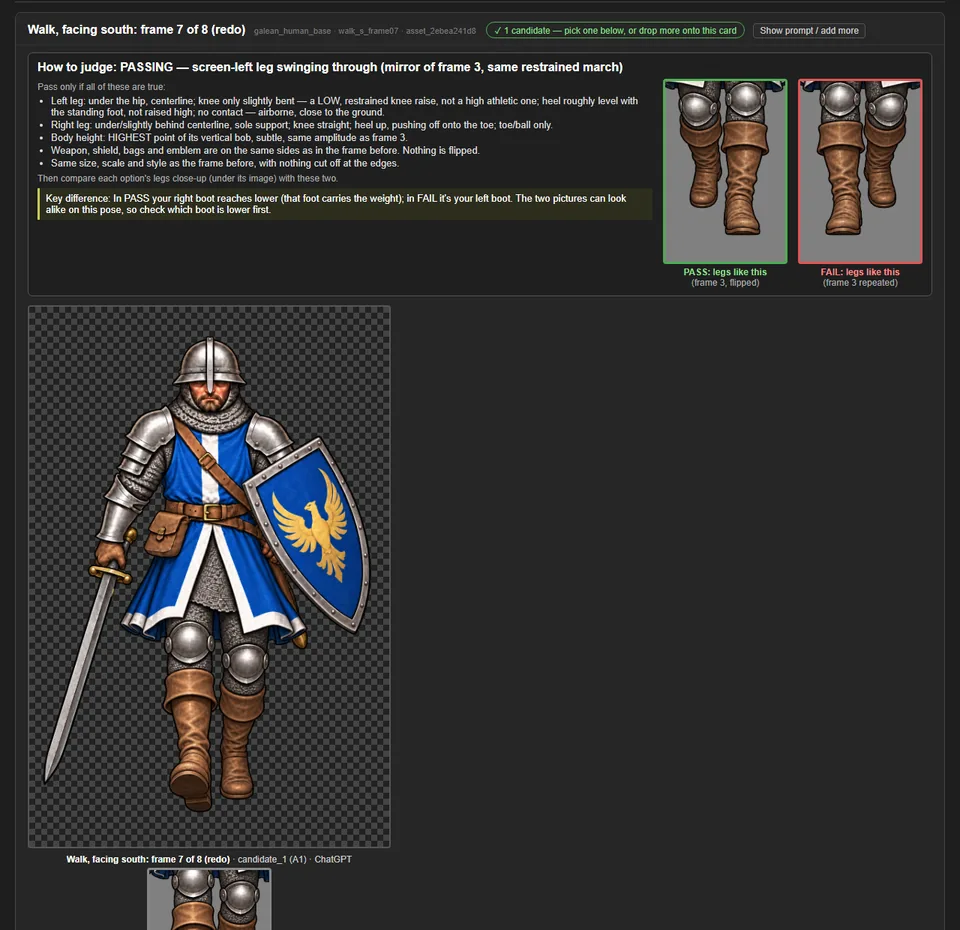
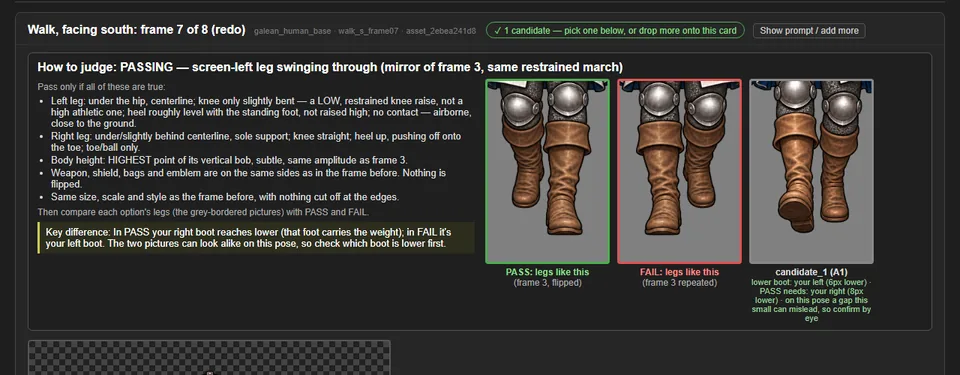
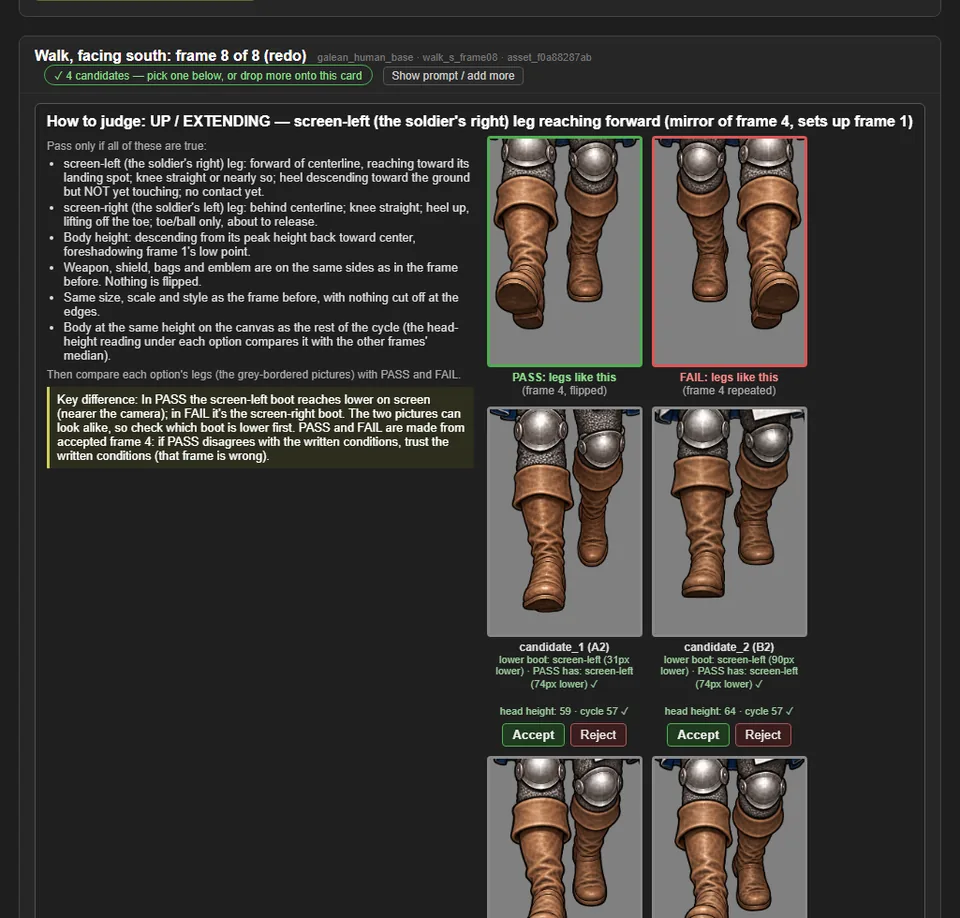
  • Each walk frame waiting for review now has a "How to judge" panel: the target pose in plain words, and checks for gear sides and canvas size.
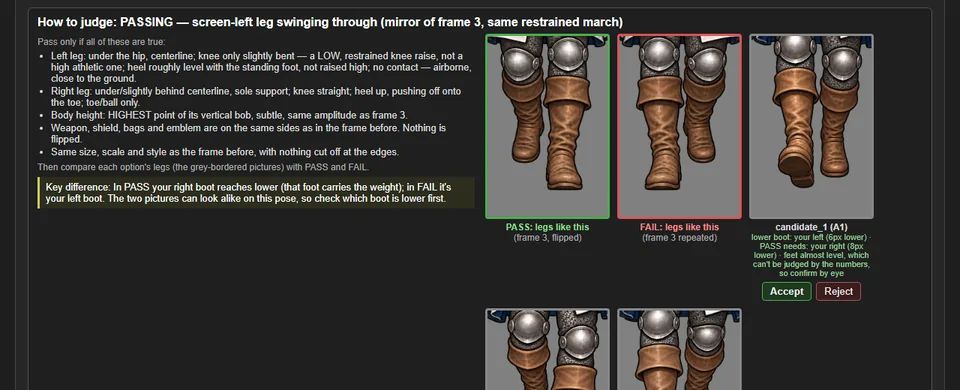
  • For the second half of the walk, it also shows a PASS picture (the legs as they should be) and a FAIL picture (the earlier frame's legs repeated), plus a close-up of each option's legs at the same scale and a one-line key difference: which boot should be the lower one.
  • Each option's legs sit in the same row as the PASS and FAIL pictures, with its foot reading underneath, so the comparison is side by side, with Accept and Reject right there.
  • Every left and right is spelled out as the side of the screen and the soldier's own side ("screen-left (the soldier's right)"), since a soldier facing you has them the other way round.
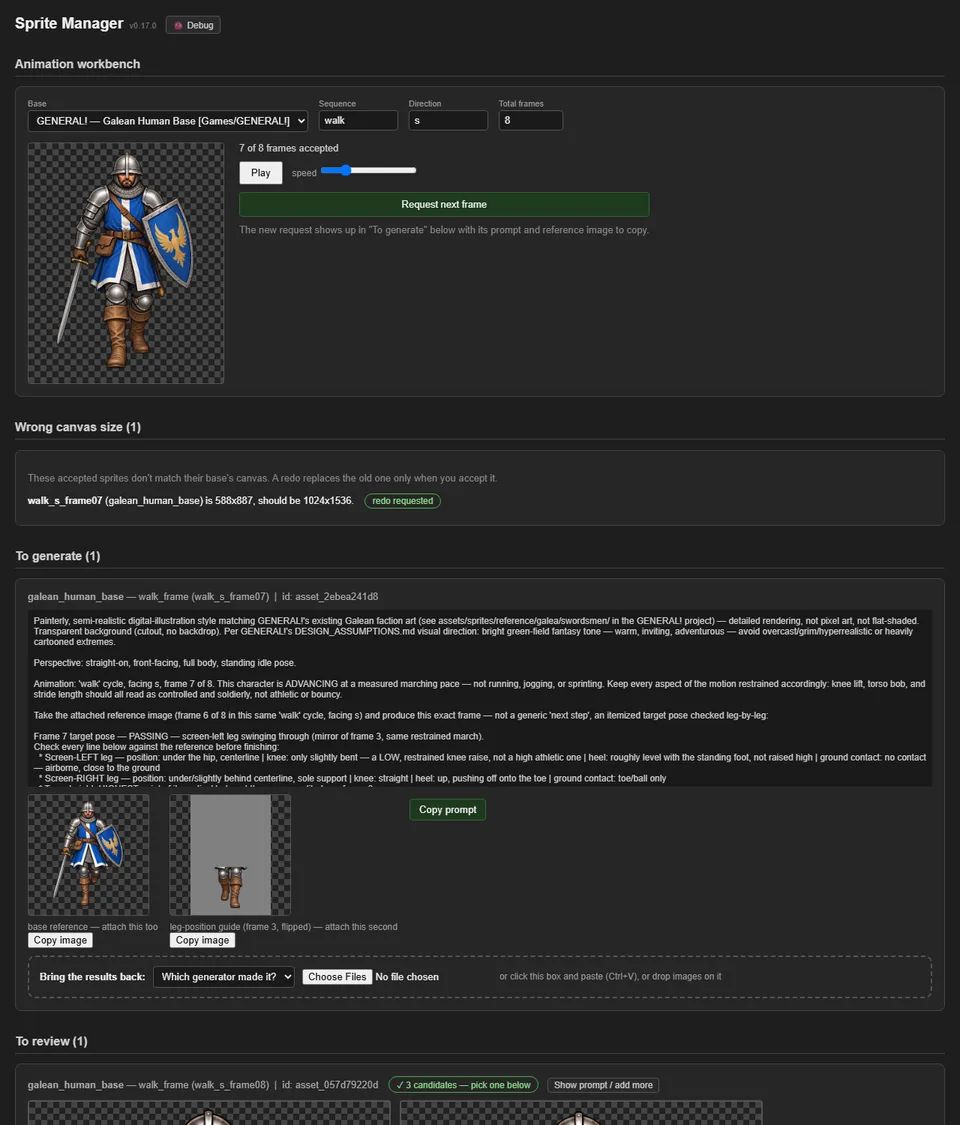
Clear pass/fail conditions for judging walk frames (v0.17.3–v0.17.6), screenshotClear pass/fail conditions for judging walk frames (v0.17.3–v0.17.6), screenshotClear pass/fail conditions for judging walk frames (v0.17.3–v0.17.6), screenshot

Also in: GENERAL!

Galean walk: frame 7 redone at full size

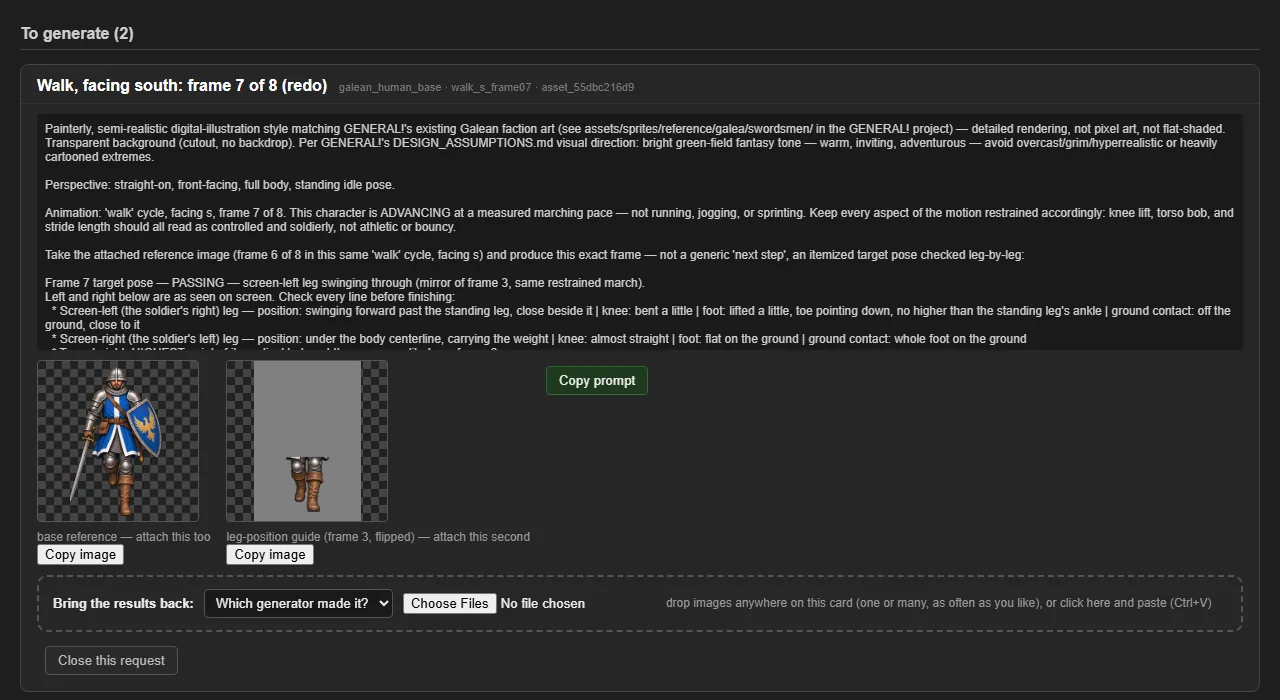
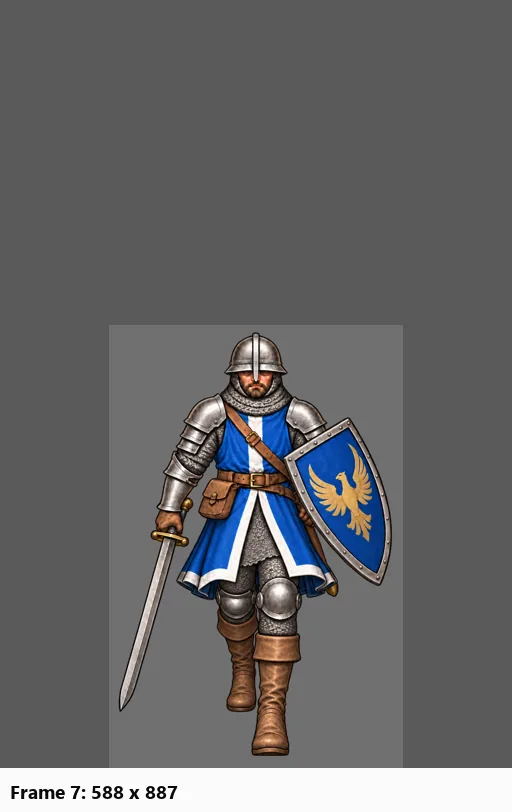
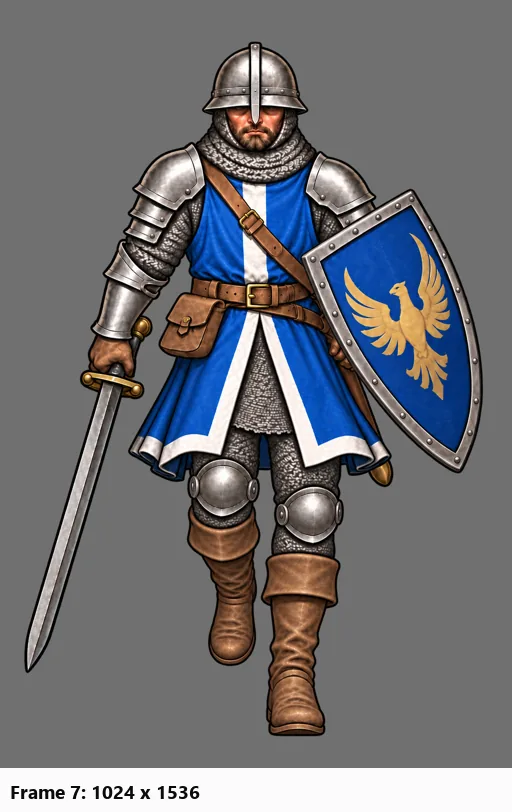
  • Frame 7 of the Galean soldier's south walk has been made again at the full canvas, with its legs matching the flipped frame 3 as the walk needs. The old, roughly half-size frame 7 is retired and archived.
  • Frame 8 has been requested, with its leg guide built from frame 4.
  • (Before image reconstructed from git (the project at the start of 2026-09-16), after the change.)
Galean walk: frame 7 redone at full size, screenshotGalean walk: frame 7 redone at full size, screenshotGalean walk: frame 7 redone at full size, screenshot

Also in: GENERAL!

Every card and image says which frame it is (v0.17.2)

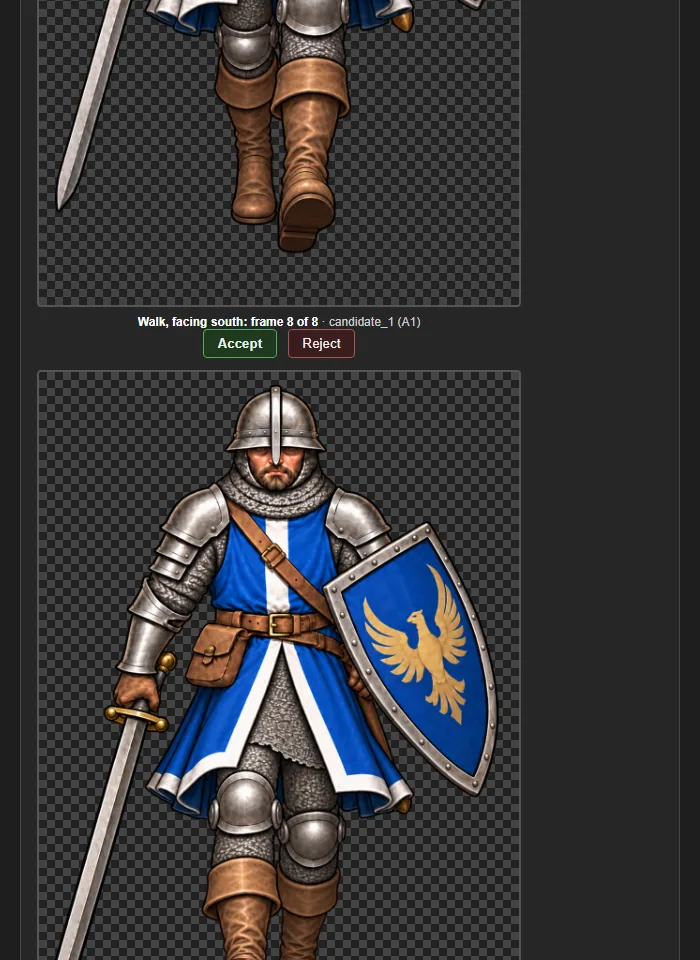
  • Cards now have plain titles such as "Walk, facing south: frame 7 of 8 (redo)" or "Outfit: blue tabard", instead of internal codes.
  • The title stays pinned at the top of its card while you scroll through tall images, and every image is captioned with its frame, so it's always clear which frame an option belongs to.
Every card and image says which frame it is (v0.17.2), screenshot

Drop several images, one after another (v0.17.1)

  • Images can be dropped anywhere on a request's card, one at a time or many at once, including onto a request that's already waiting for review. The page no longer reloads after the first one; it waits until the drops stop.
  • A drop that lands while an upload is still running is queued instead of making the browser open the image. A repeated image no longer stops the others in the same drop.
  • A drop that doesn't contain an image file (such as a link) now says so instead of doing nothing.
Drop several images, one after another (v0.17.1), screenshot

Galean walk: frames 2 and 5 fixed, frame 7 redo requested

  • Frames 2 and 5 of the Galean soldier's south walk were one pixel short of the full canvas. Each got one transparent row added, and nothing in the picture moved. A game that already copied them should copy them again. Each file's provenance note says where the unpadded version is kept.
  • Frame 7, which came in at about half size, has been requested again. The request uses the new leg-position guide (frame 3, flipped). Frame 8 follows once the new frame 7 is accepted.
Galean walk: frames 2 and 5 fixed, frame 7 redo requested, screenshot

Also in: GENERAL!

A leg-position guide for the second half of the walk (v0.17.0)

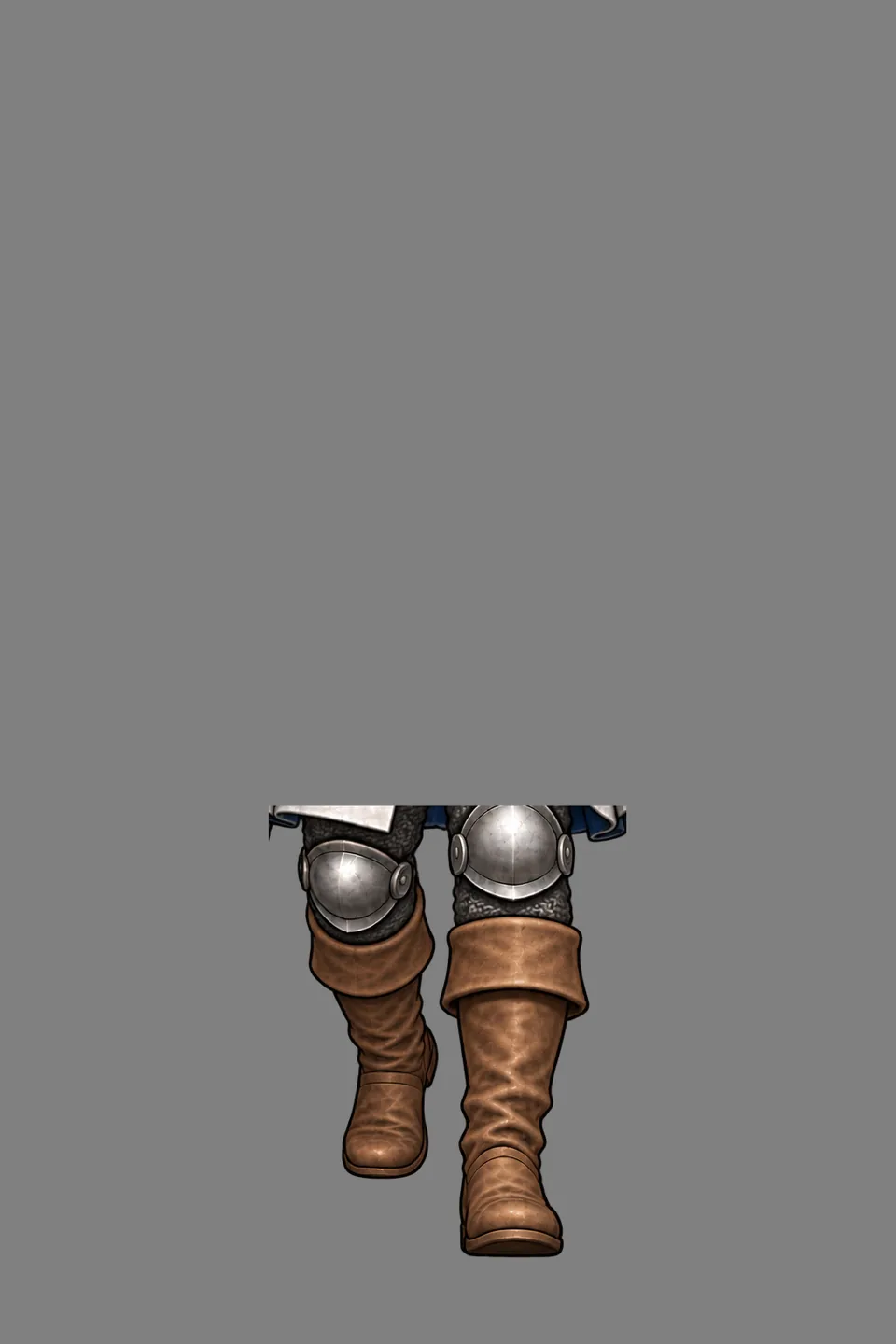
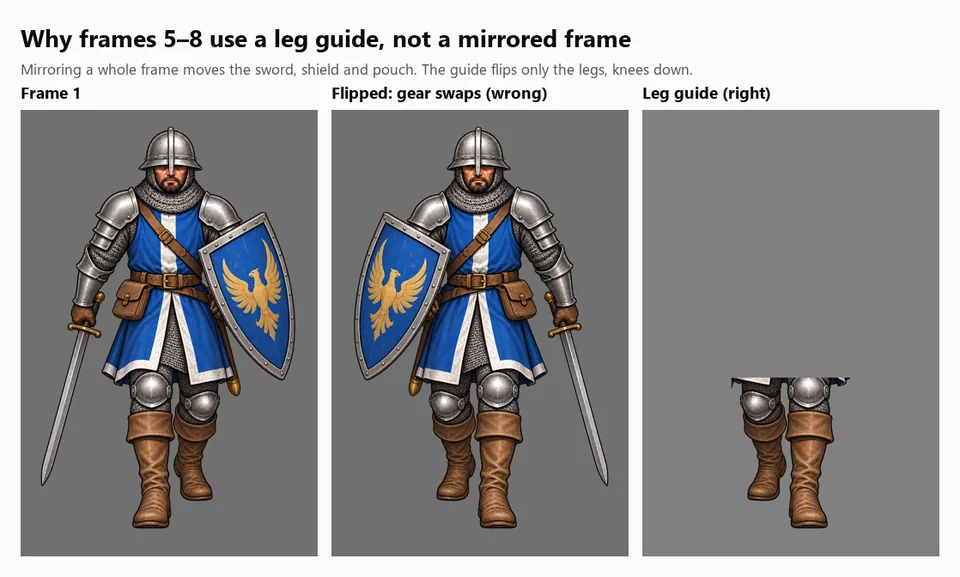
  • Frames 5 to 8 of a walk are frames 1 to 4 with the legs swapped, and the image generator kept repeating the original leg instead. Their requests now include a second picture: the matching earlier frame flipped and cut down to just the legs, so the target leg position is visible rather than described.
  • The character itself is never flipped: that would move the sword, shield and pouch to the wrong side.
  • In review, each option shows which foot is planted next to what the guide expects, and flags a mismatch on the poses where that measurement is reliable.
A leg-position guide for the second half of the walk (v0.17.0), screenshotA leg-position guide for the second half of the walk (v0.17.0), screenshot

Also in: GENERAL!

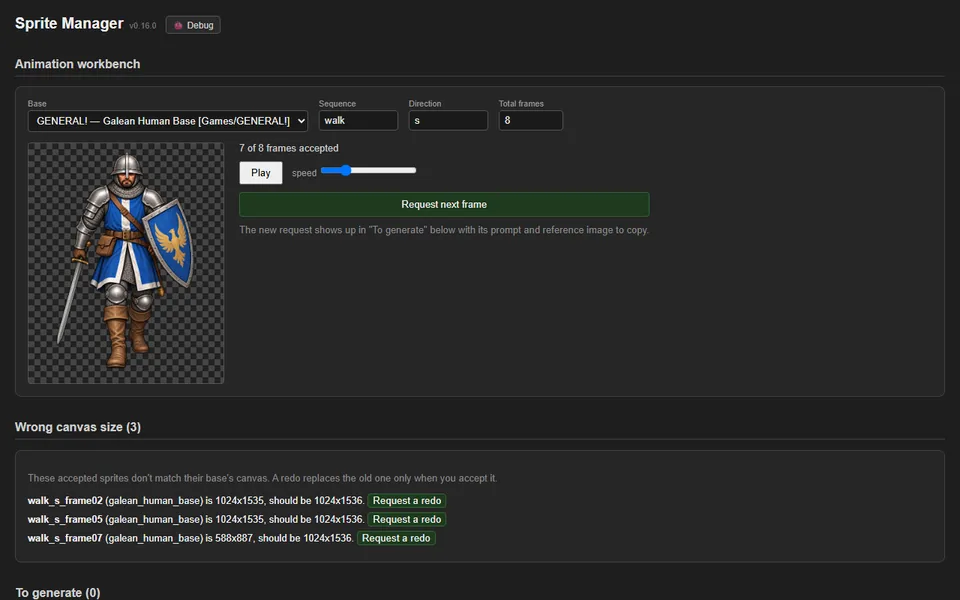
Wrong-size sprites are caught and can be redone (v0.16.0)

  • Every sprite of a character has to share the same canvas. An upload of the wrong size is now refused, with both sizes named.
  • A new "Wrong canvas size" list shows accepted sprites that slipped through: three frames of the Galean soldier's south walk (frames 2 and 5 are one pixel short; frame 7 is about half size).
  • A walk frame can be requested again with one click. Accepting the redo retires the old frame and archives it rather than leaving two versions of the same frame.
Wrong-size sprites are caught and can be redone (v0.16.0), screenshot

Also in: GENERAL!

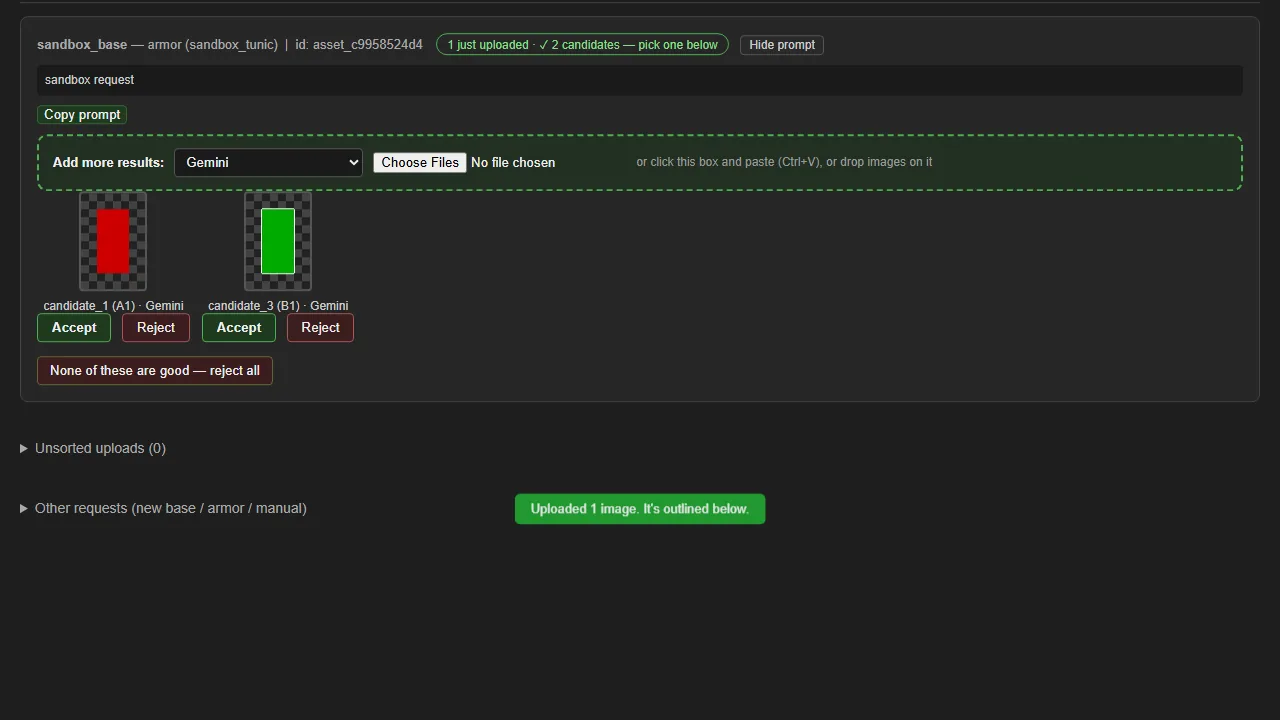
Drag-and-drop uploads that record the generator (v0.15.0)

  • Generated images come back through an upload zone on each request: drag them in, paste them, or pick files, several at once. The same zone on an entry in review adds more options.
  • Every upload says which image generator made it, and the delivered sprite's provenance note records it.
  • Each upload is checked (a real PNG, JPEG or WebP, and not a repeat of one already there) and kept exactly as it arrived. The background is removed on a copy.
  • After an upload the page stays on that request, with a "✓ uploaded" bar and the new images outlined, instead of jumping around. Accepting or rejecting keeps your place too.
  • Uploads that arrive at the same moment can't overwrite or lose each other. 82 automated tests.
Drag-and-drop uploads that record the generator (v0.15.0), screenshot

Candidate images can no longer overwrite each other (v0.14.0)

  • Fixed a bug where uploading after rejecting one of several candidates could overwrite a candidate still under review and list it twice.
  • Each candidate keeps its own number for good, so Accept and Reject always act on the image you're looking at, even in a tab that's out of date.
  • Rejected images are never overwritten in the archive.
  • The gallery and status warn if an existing entry lists the same candidate twice. They report it and leave the entry unchanged.
  • 65 automated tests.

Tagged feeds: a post appears in every project it was for

  • Feeds are now driven by each entry's Tags: line instead of which project wrote it. Sprite Manager's Galean walk-cycle entry, tagged for GENERAL!, shows up in GENERAL!'s feed as well as its own — the same post, never a copy — with an "also: GENERAL!" chip explaining why it's there.
  • Feed pages moved to devlog/feed.html?project=<path>; every old game.html?slug= link still lands on the right feed and post.
  • Filter chips, stats and the landing page follow the same rule: one gate per feed, four today, with the two sources that have no logo yet showing their name.
Tagged feeds: a post appears in every project it was for, screenshotTagged feeds: a post appears in every project it was for, screenshotTagged feeds: a post appears in every project it was for, screenshot

Also in: GENERAL! Sprite Manager

Art Director and Sprite Manager join the devlog as sources

  • The devlog now syncs four projects, not two: CHEF!, GENERAL!, the Art Director and Sprite Manager each get a feed, a nav entry, a filter chip and a stats column. 112 posts.
  • The source registry (data/sources.json, formerly games.json) records each project's domain-qualified path and default visibility; every post now carries its project, its tags (own project first) and its effective visibility. A post whose source marks it internal is withheld from the published post store entirely.
  • Landing-page gates stay games-only for now; roles and apps get a gate once feeds are tagged.
Art Director and Sprite Manager join the devlog as sources, screenshotArt Director and Sprite Manager join the devlog as sources, screenshot

Also in: Art Director Sprite Manager

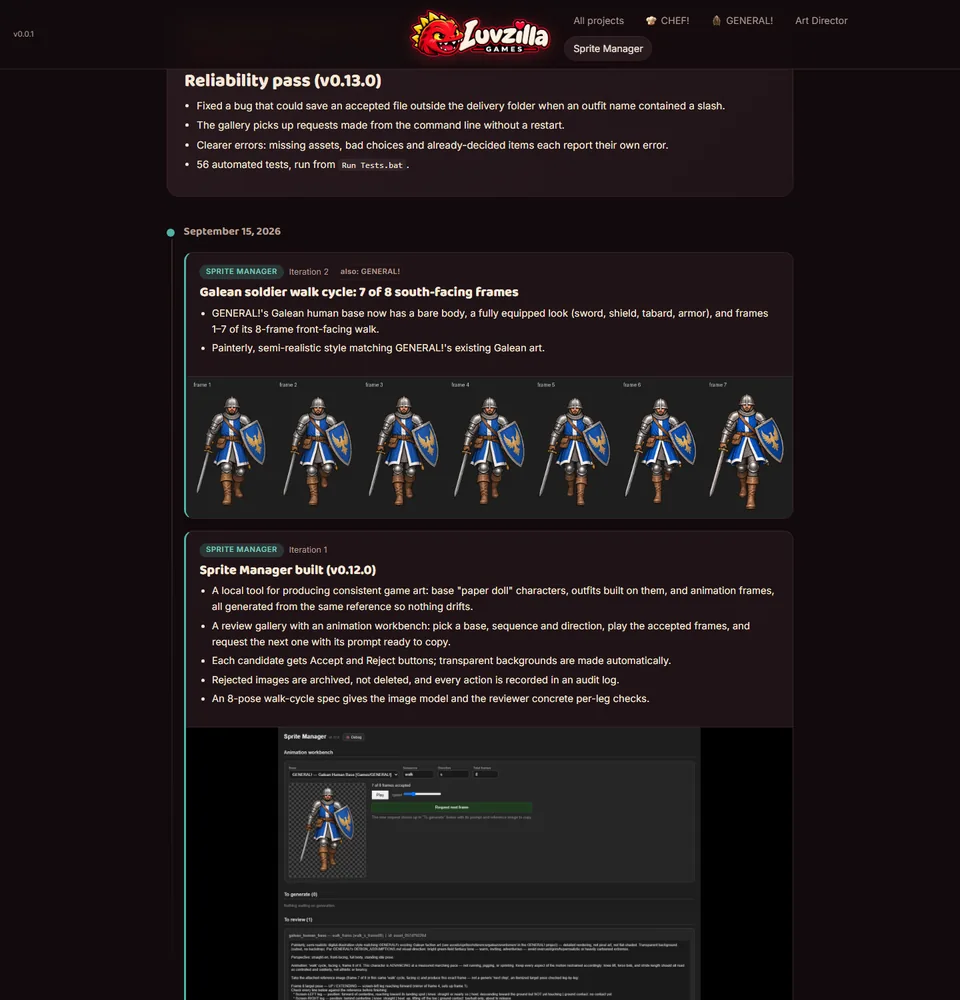
Reliability pass (v0.13.0)

  • Fixed a bug that could save an accepted file outside the delivery folder when an outfit name contained a slash.
  • The gallery picks up requests made from the command line without a restart.
  • Clearer errors: missing assets, bad choices and already-decided items each report their own error.
  • 56 automated tests, run from Run Tests.bat.

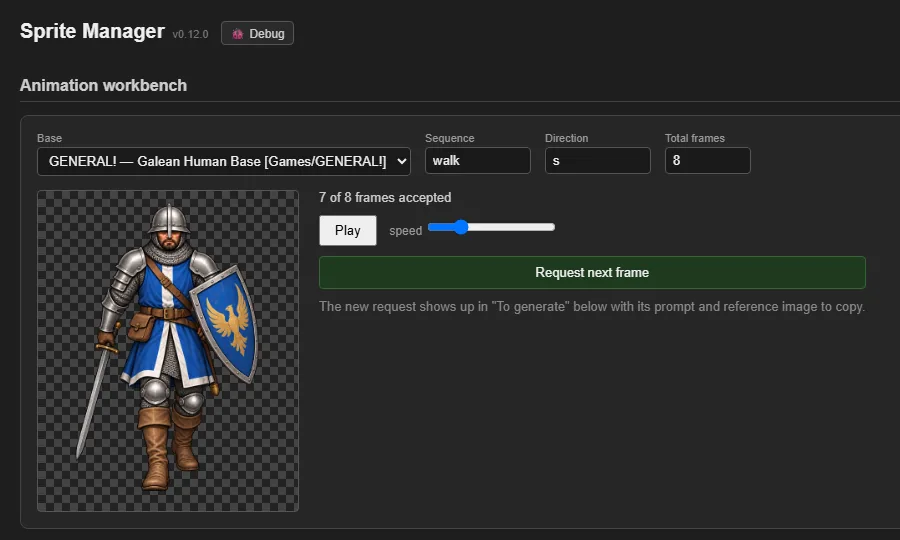
Sprite Manager built (v0.12.0)

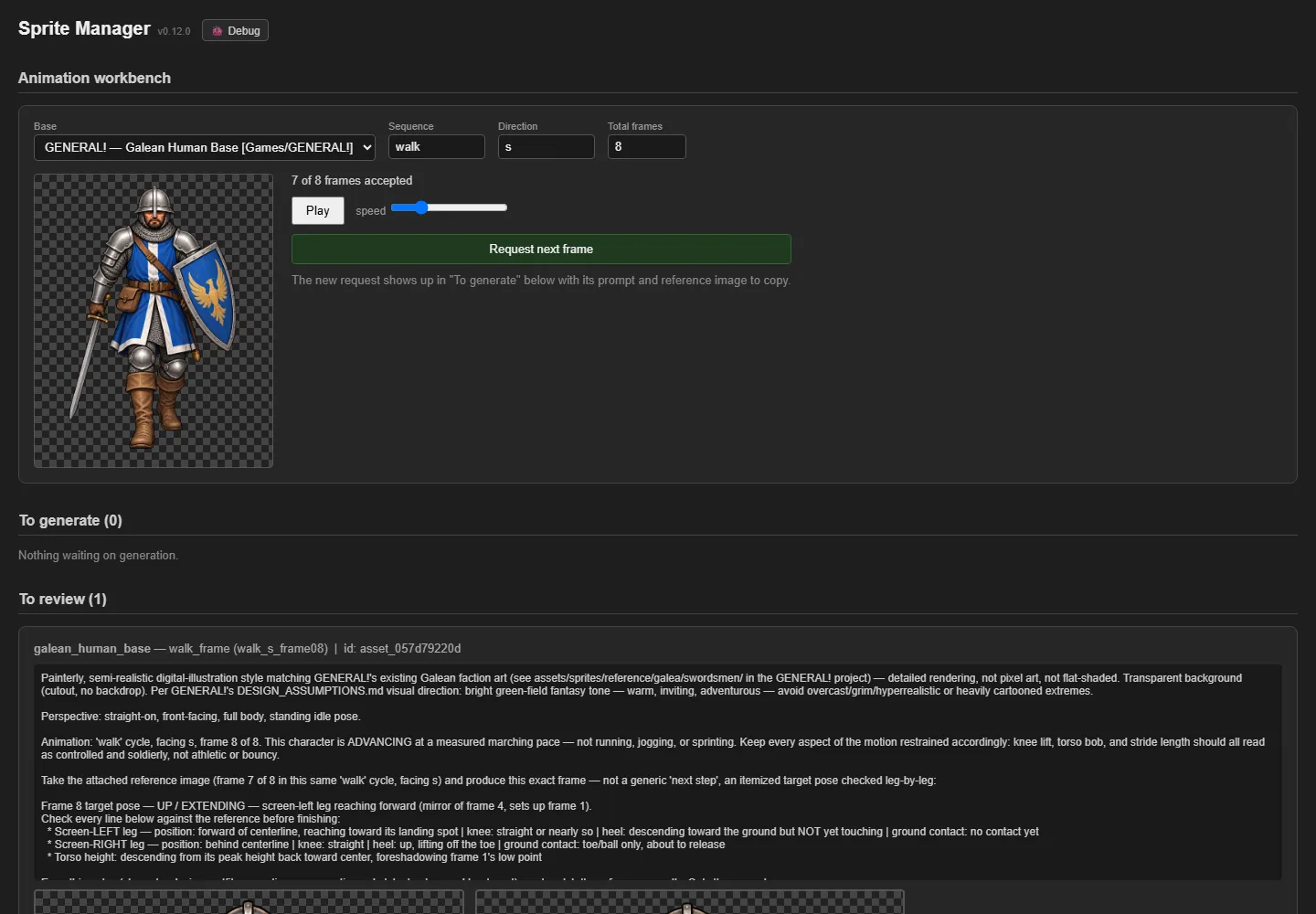
  • A local tool for producing consistent game art: base "paper doll" characters, outfits built on them, and animation frames, all generated from the same reference so nothing drifts.
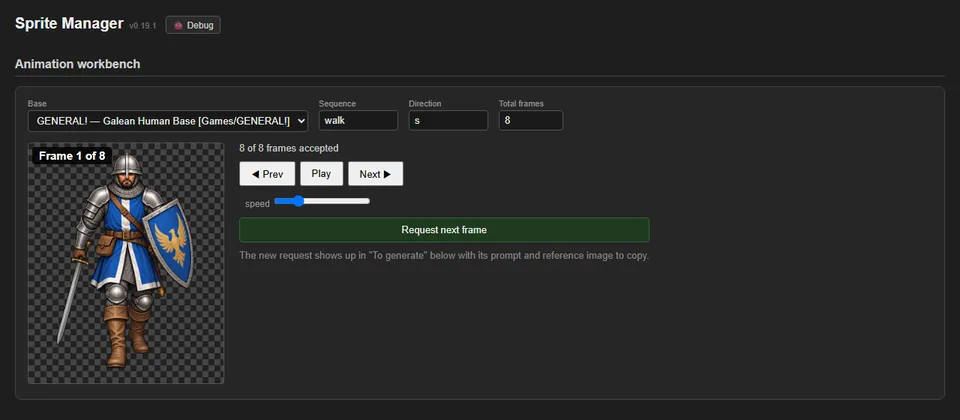
  • A review gallery with an animation workbench: pick a base, sequence and direction, play the accepted frames, and request the next one with its prompt ready to copy.
  • Each candidate gets Accept and Reject buttons; transparent backgrounds are made automatically.
  • Rejected images are archived, not deleted, and every action is recorded in an audit log.
  • An 8-pose walk-cycle spec gives the image model and the reviewer concrete per-leg checks.
Sprite Manager built (v0.12.0), screenshot