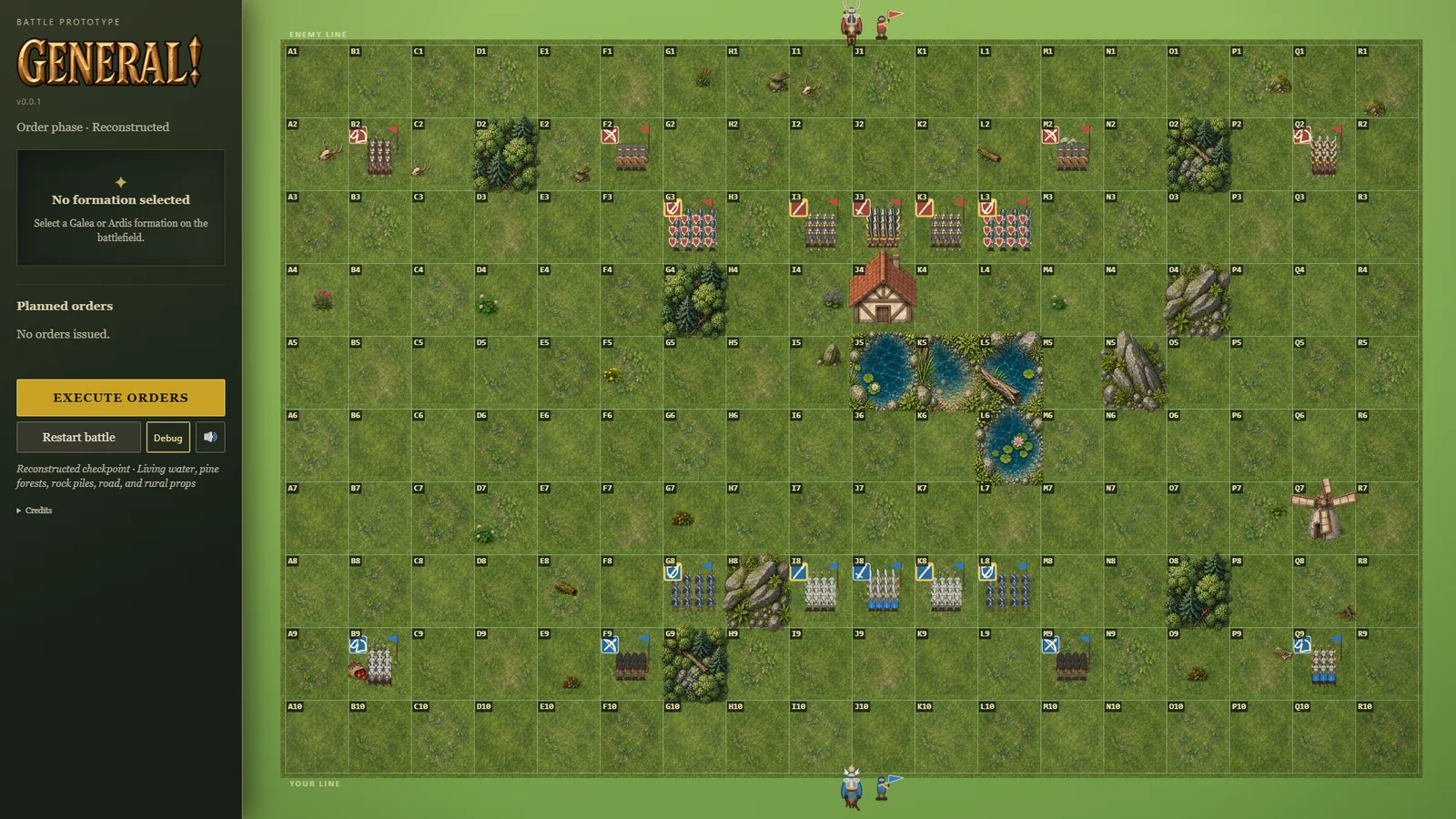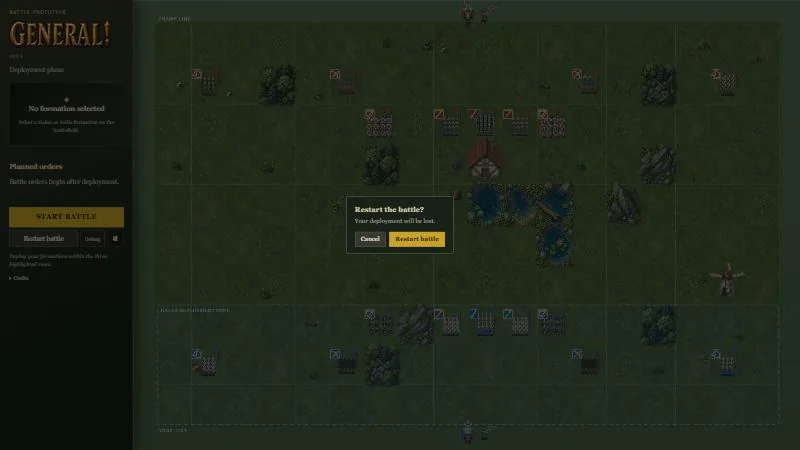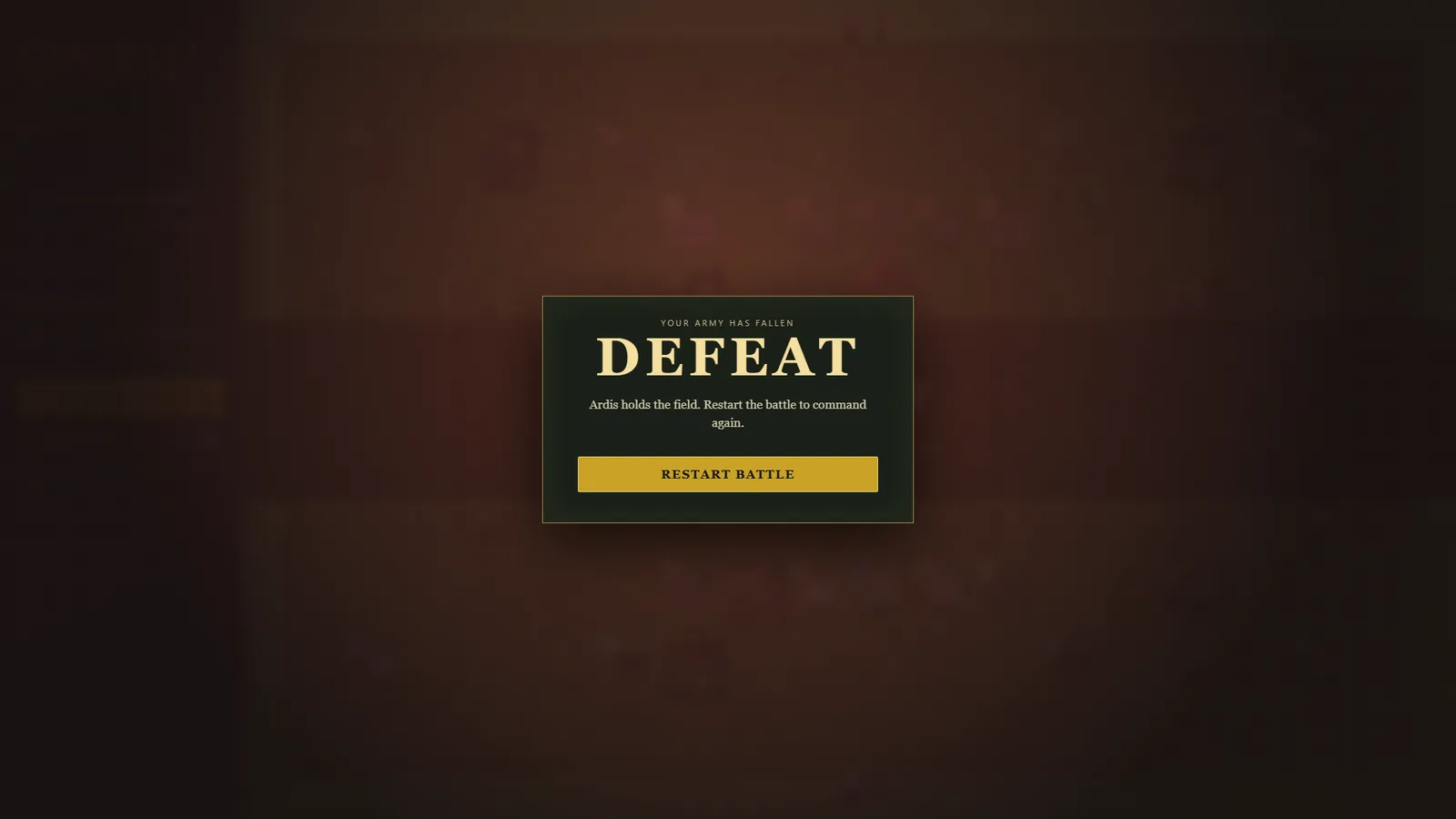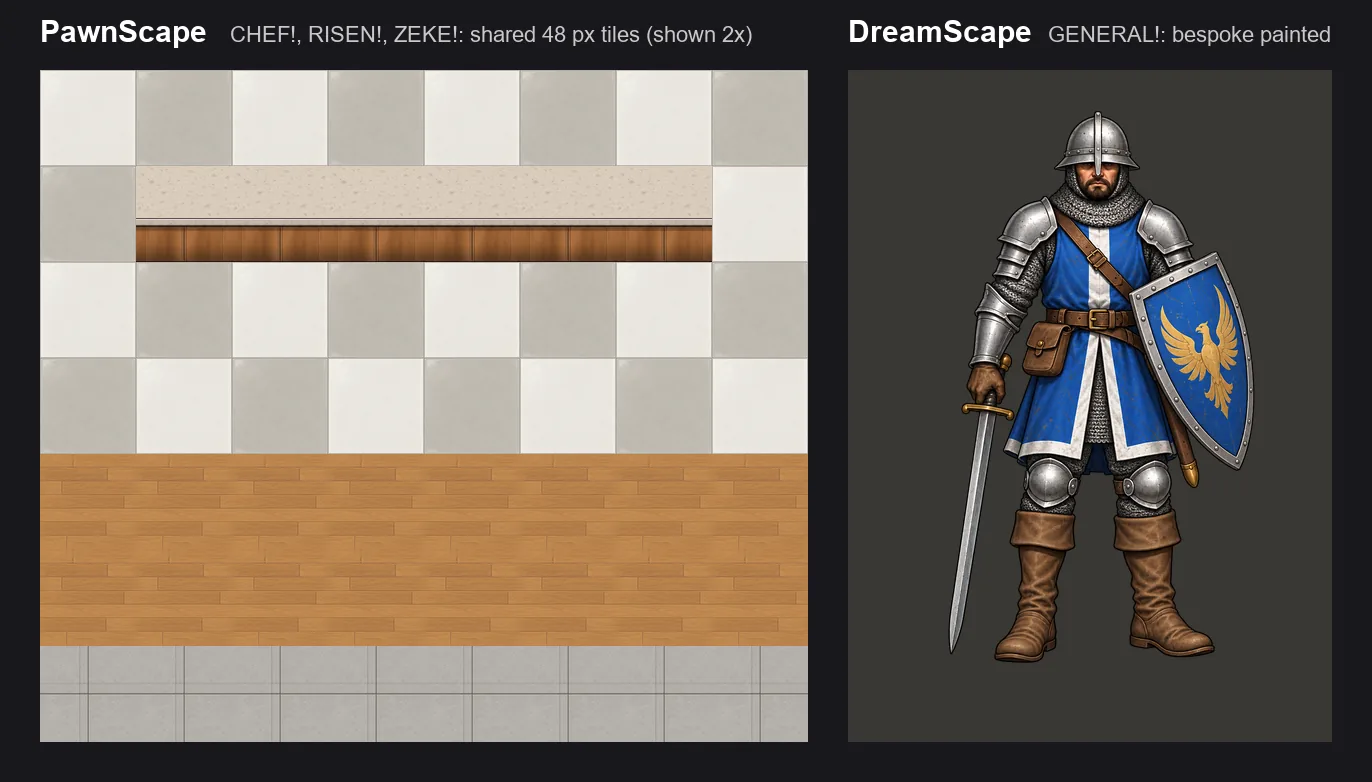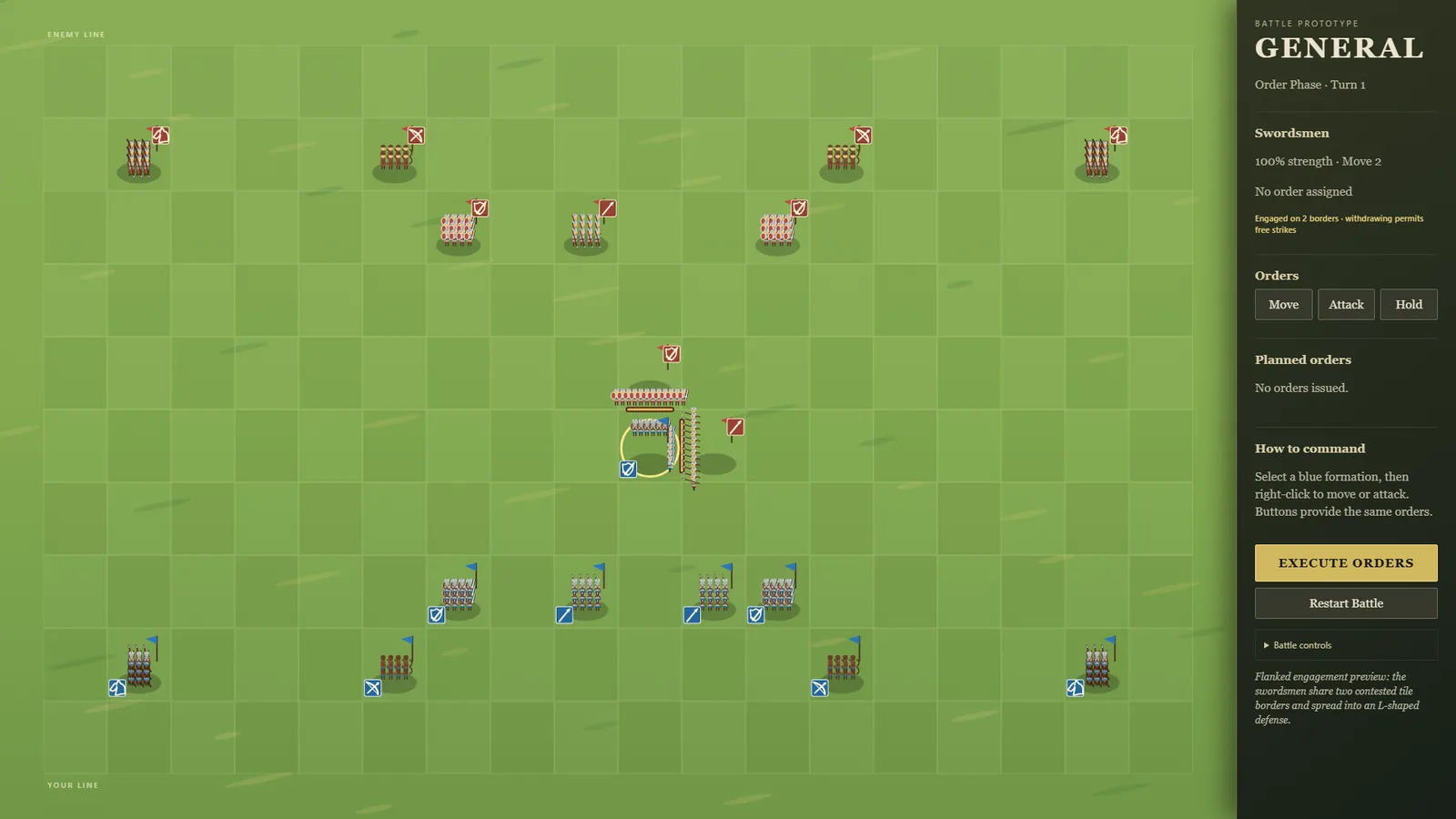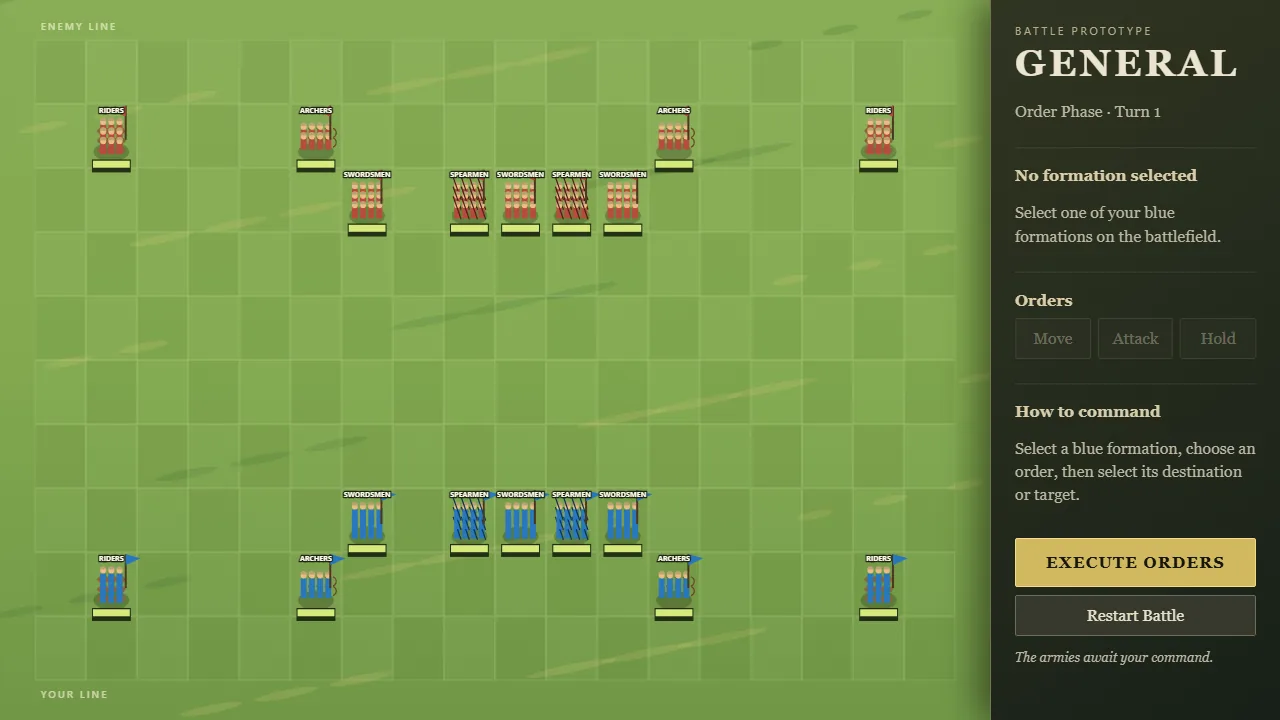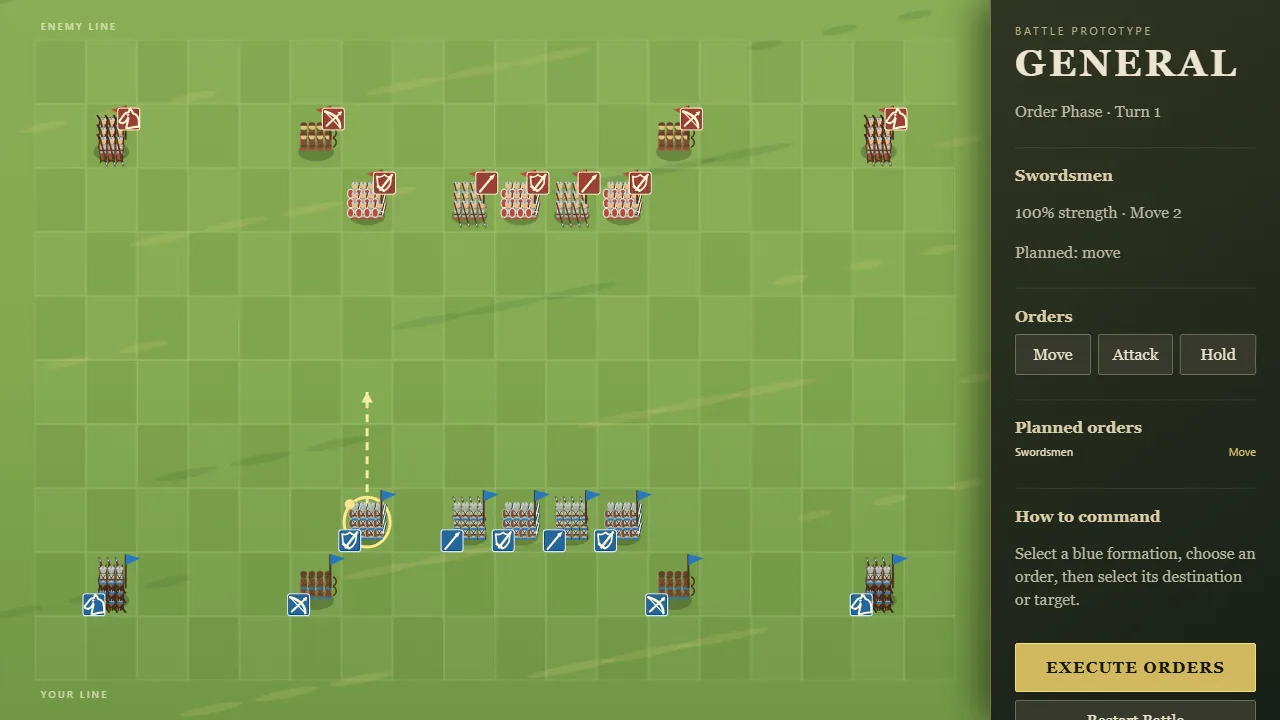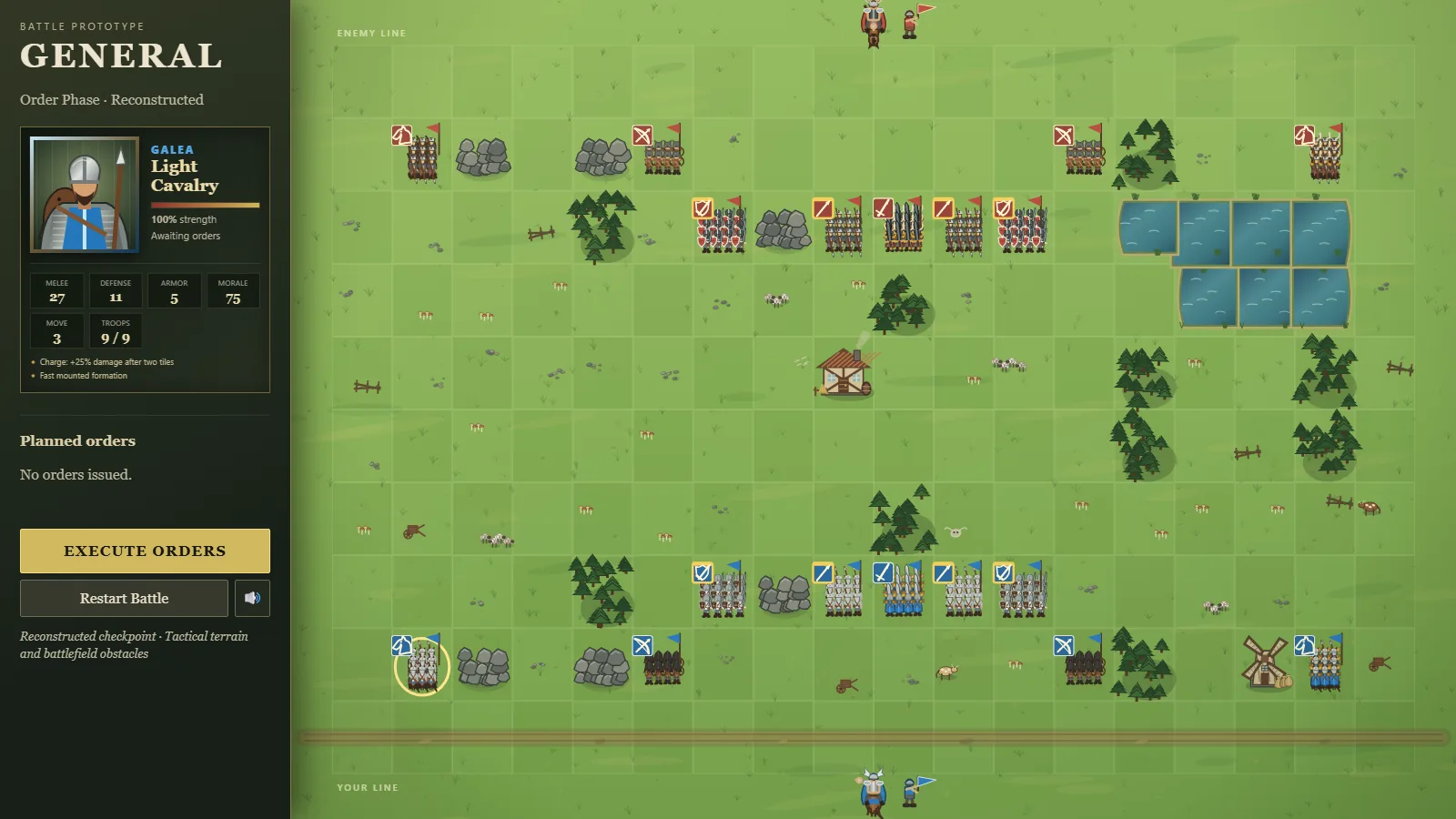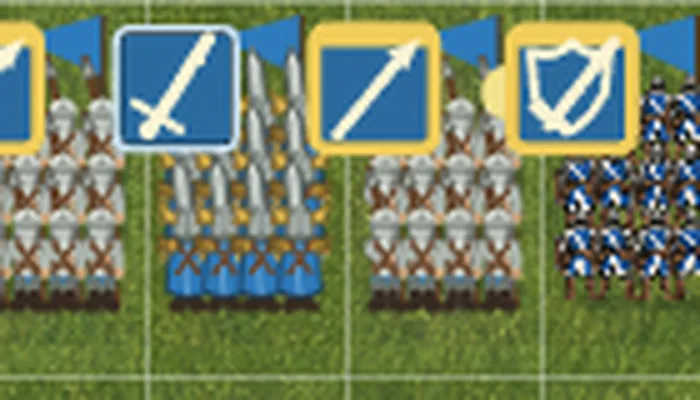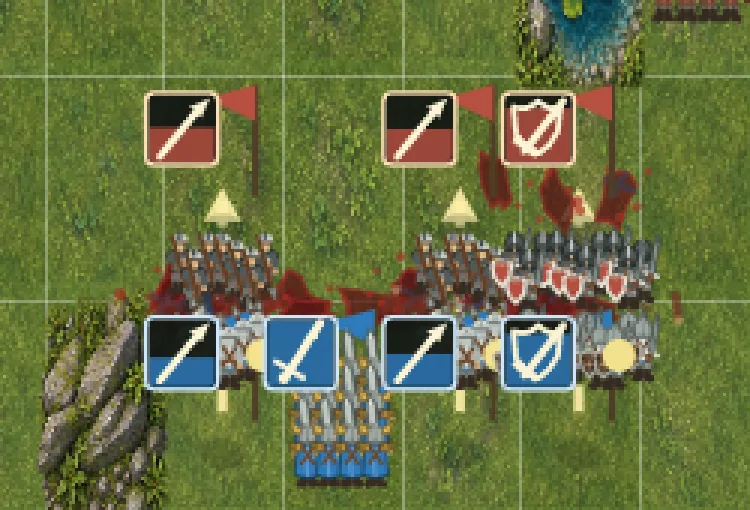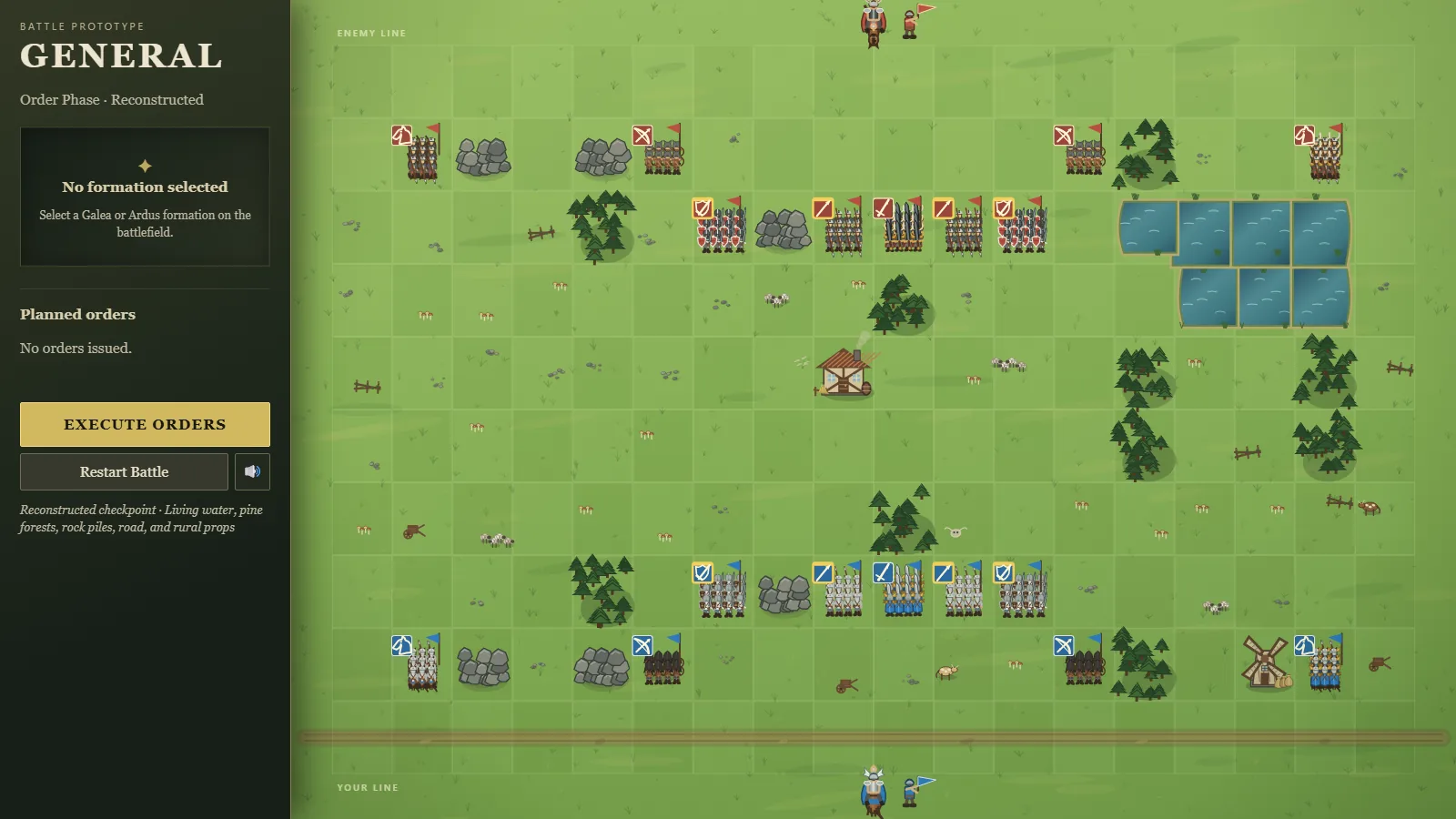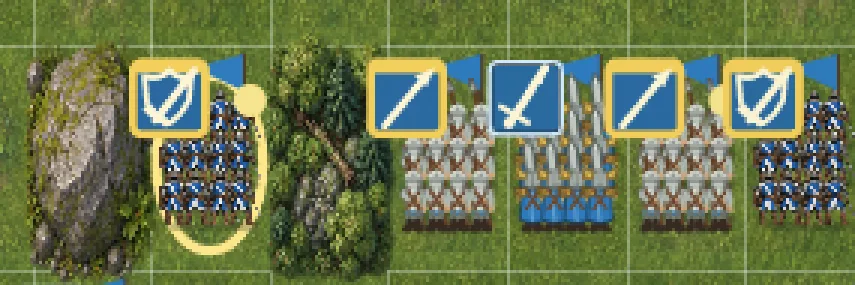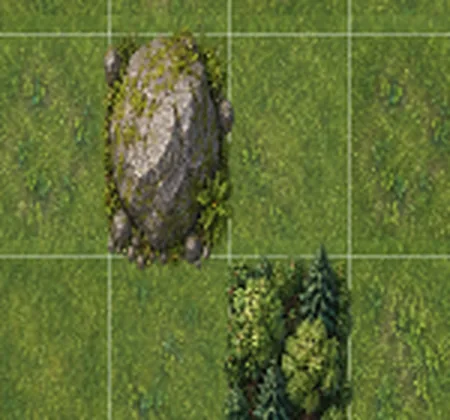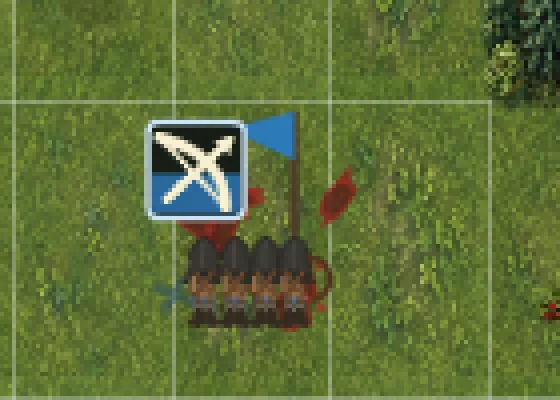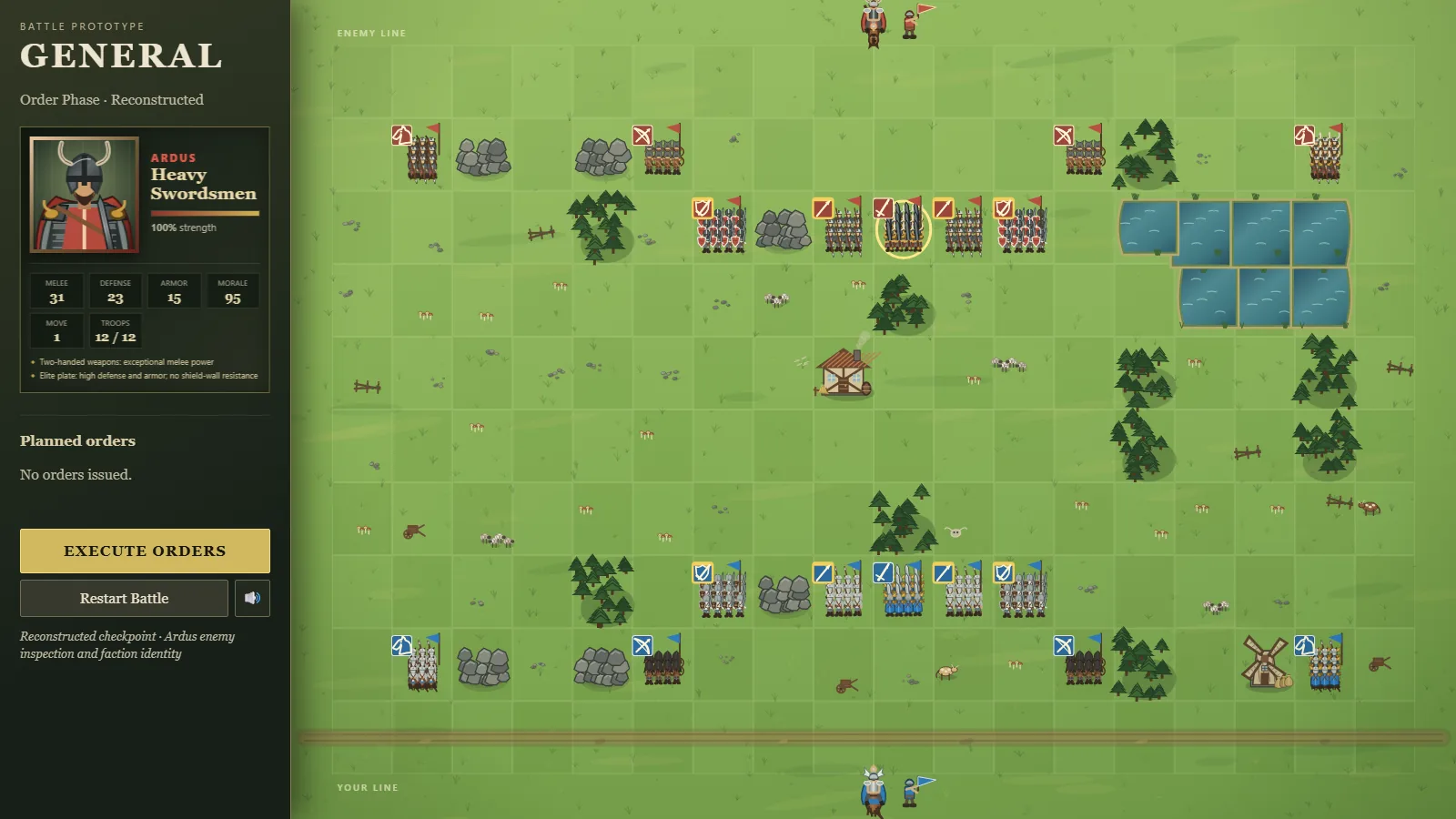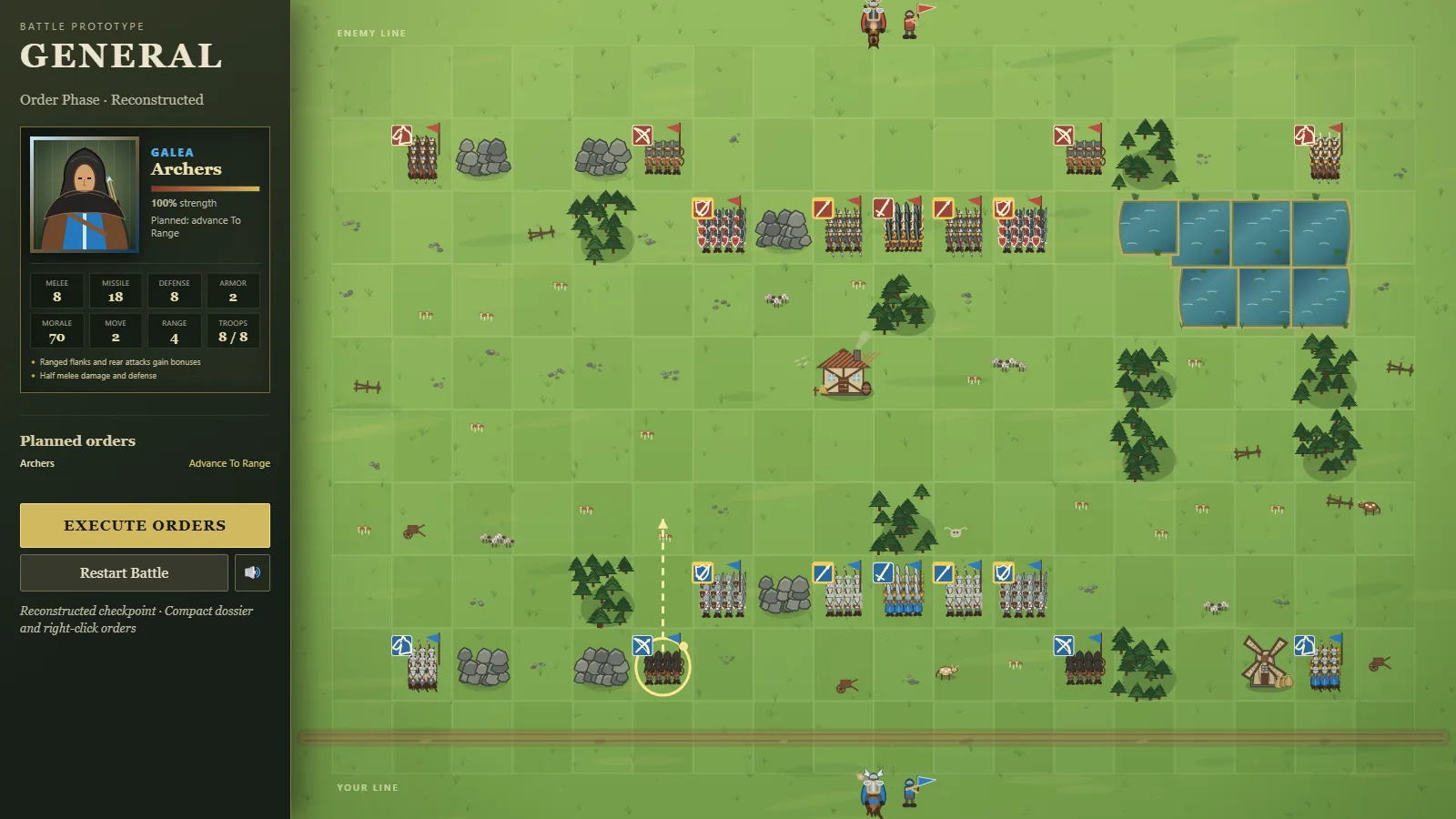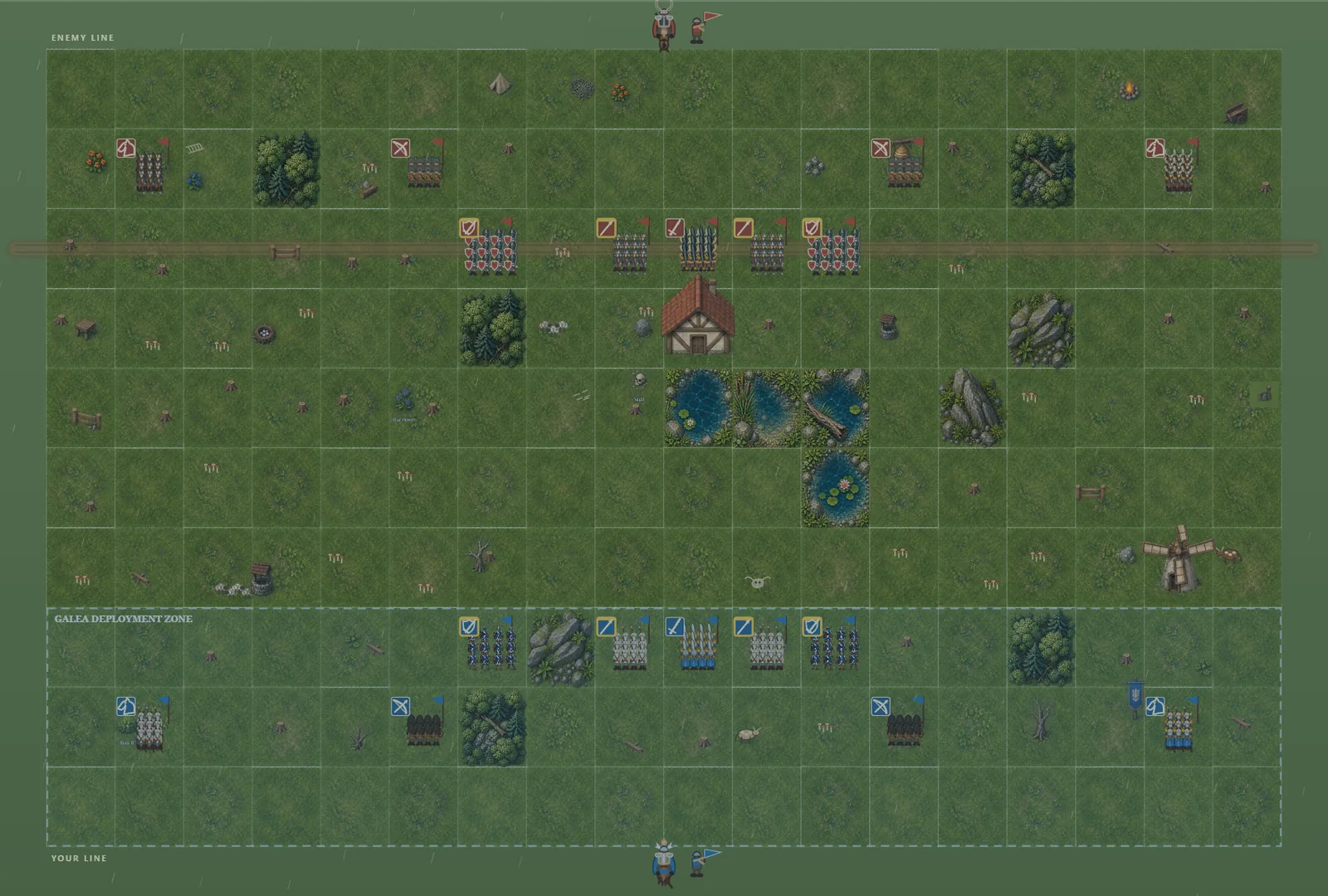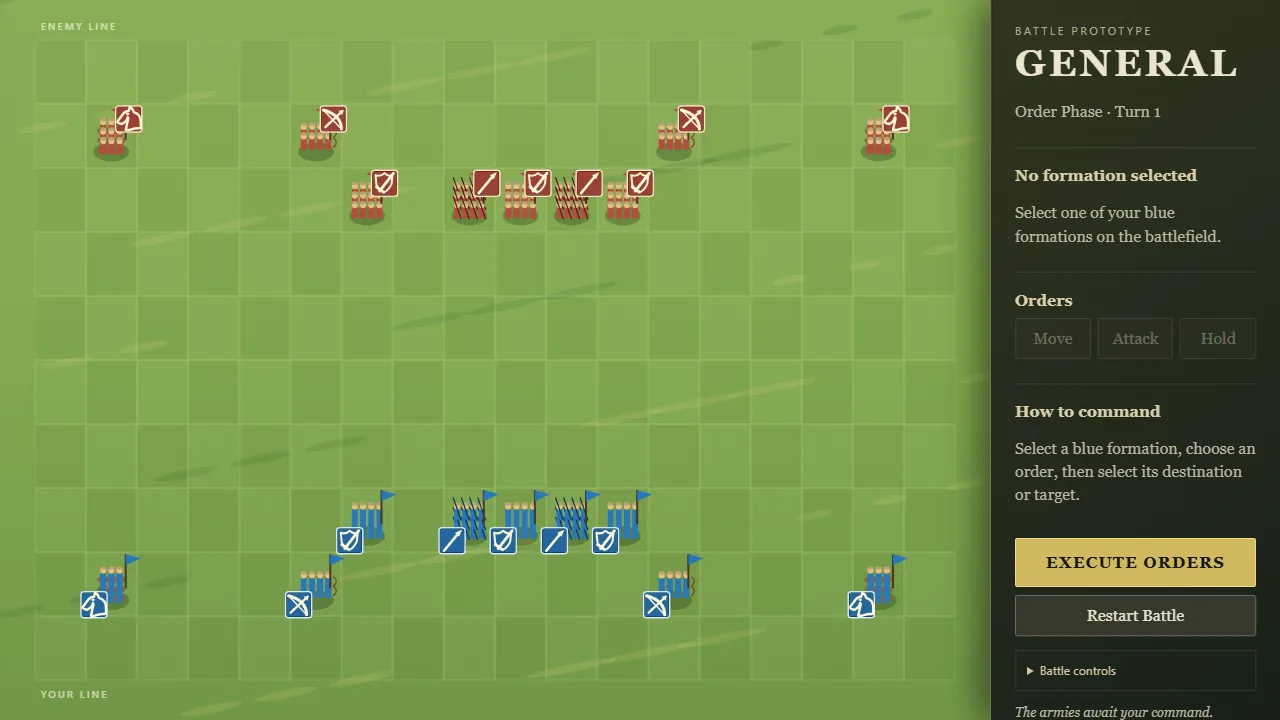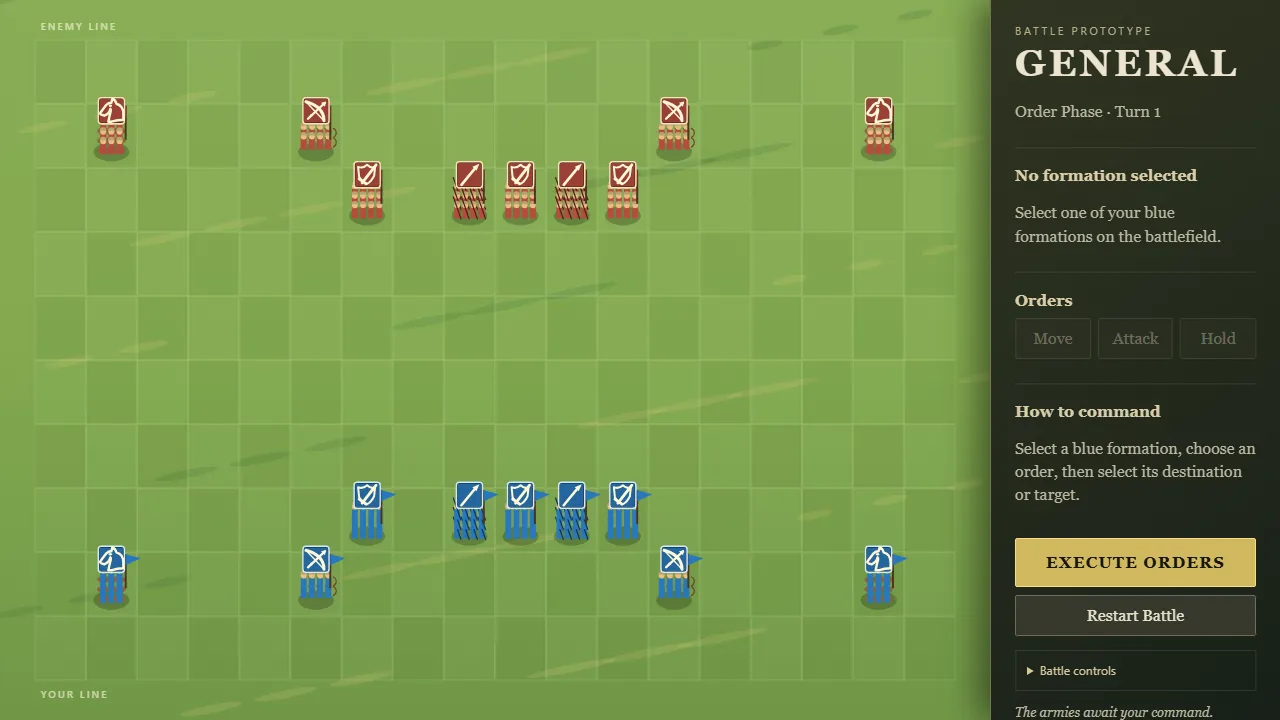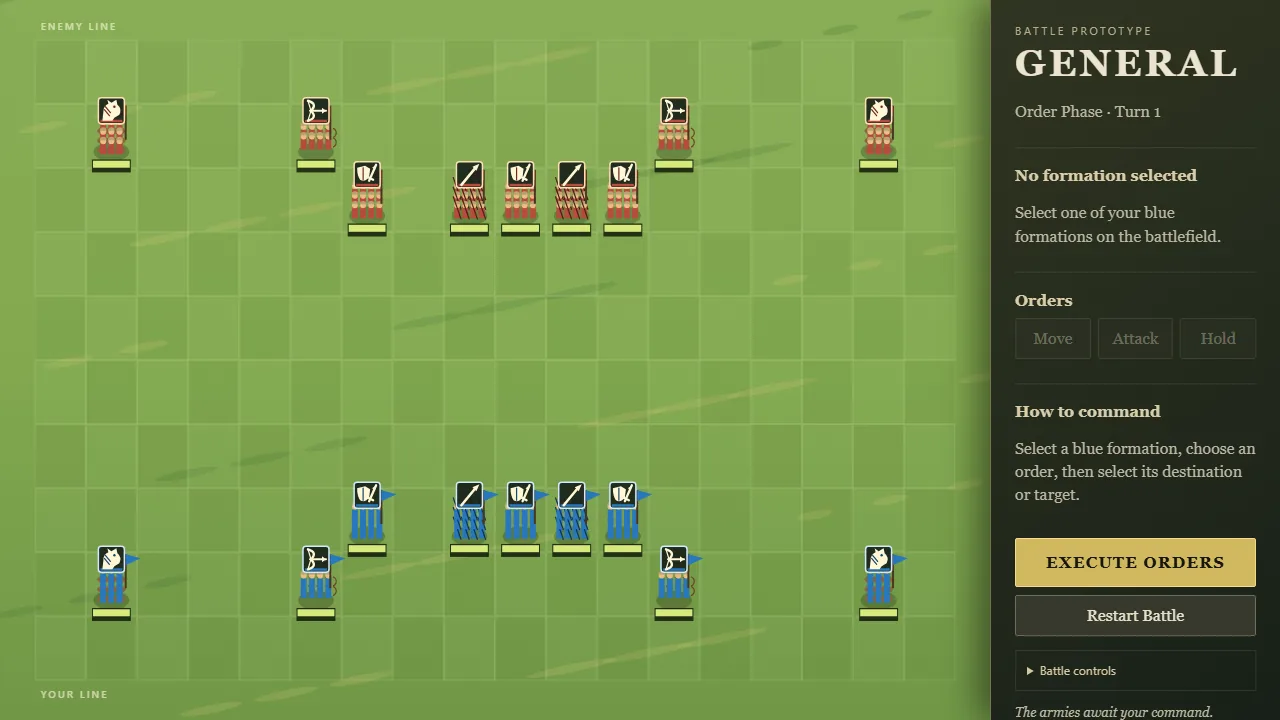

- Every turn in GENERAL! is meant to resolve all at once, and now melee really does. Before, fights were worked out one by one with your army first. So a formation you destroyed never got its own blow in, and several close calls quietly went your way.
- Now every clash is worked out from the same moment and all losses land together. A formation destroyed this turn still hits back.
- Ties are settled fairly too:
- two formations charging into the same gap meet where they stand
- two formations heading for the same tile are decided by the shorter march, or a fair coin toss
- pulling back from each other costs both sides their free strike
- Two identical AI armies used to win 138 battles to 62 depending only on which side they played. Now the battles that end with a winner split evenly.
GENERAL!
Give the orders, then watch them all land at once.
124 posts, newest first
A Smarter Enemy Commander
- The enemy used to send every formation straight at whichever of yours was nearest. Now it plans the whole army's attacks together, choosing the fights where it trades best.
- Its cavalry looks for your archers and for the sides and backs of your formations, where attacks hit harder.
- Enemy archers shoot the target they'll hurt most, and approach to shooting range without walking into your melee.
- Enemy spearmen brace when your cavalry could reach them.
- Its infantry advances as one line, and walks around rocks and buildings instead of getting stuck behind them.
- It plays by exactly the same movement rules you do. In 200 simulated battles on different maps, the new enemy won 132 against the old one's tactics; the old enemy won 62 of 200 against itself.
The GENERAL! Wordmark and Brand Gold in the Command Panel
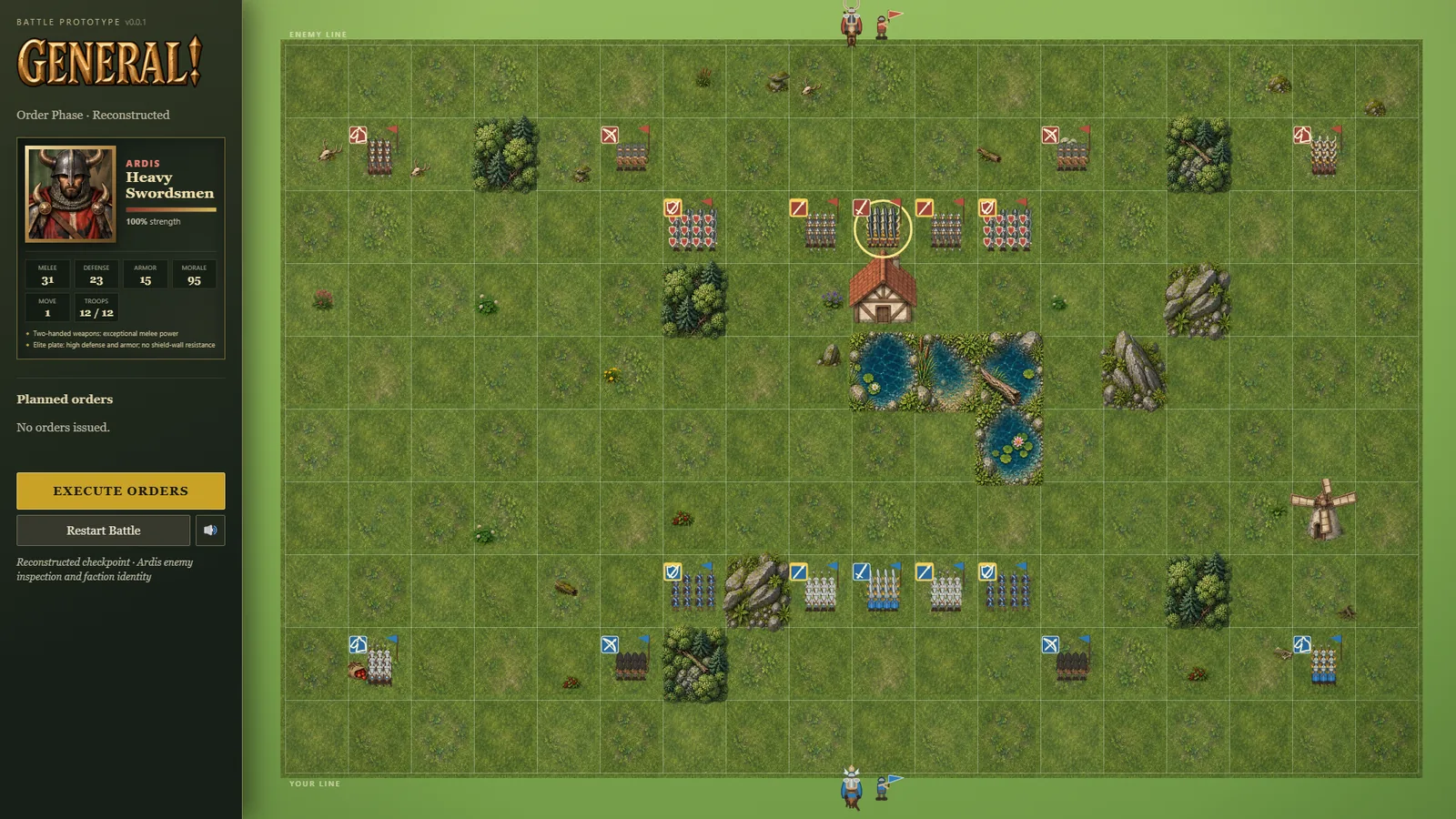
- The command panel's title is now the engraved-metal "GENERAL!" wordmark instead of plain text.
- The main buttons (Begin Deployment, Start Battle, Execute Orders, Restart after victory) use the brand's deeper gold, which sits closer to the logo's bronze.
- The red "ARDIS" label on enemy units is a little lighter, so the small text reads clearly on the dark panel. The army's red on flags and soldiers is unchanged.


The Gold Helmet: GENERAL!'s Brand Comes to the Game
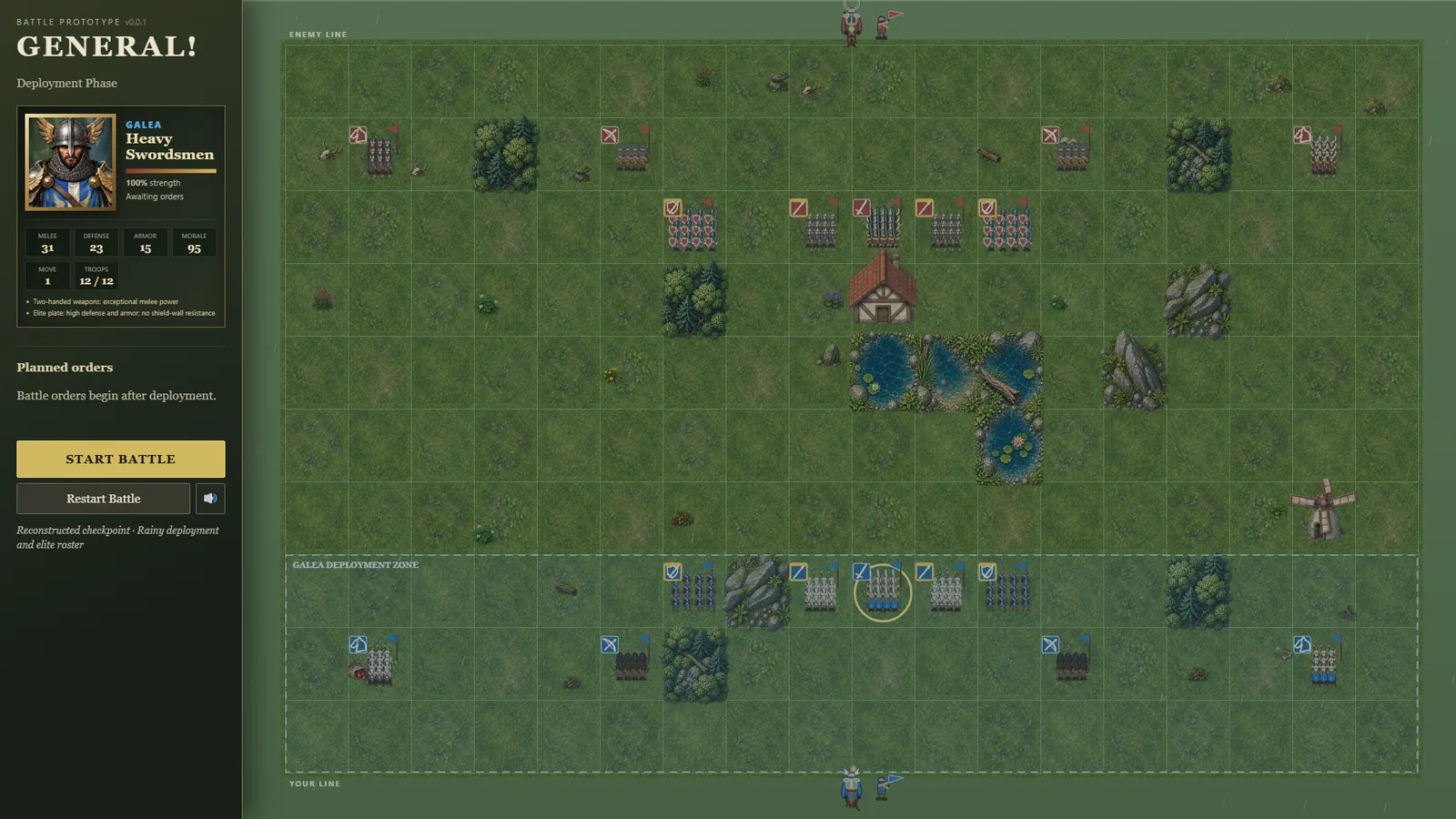
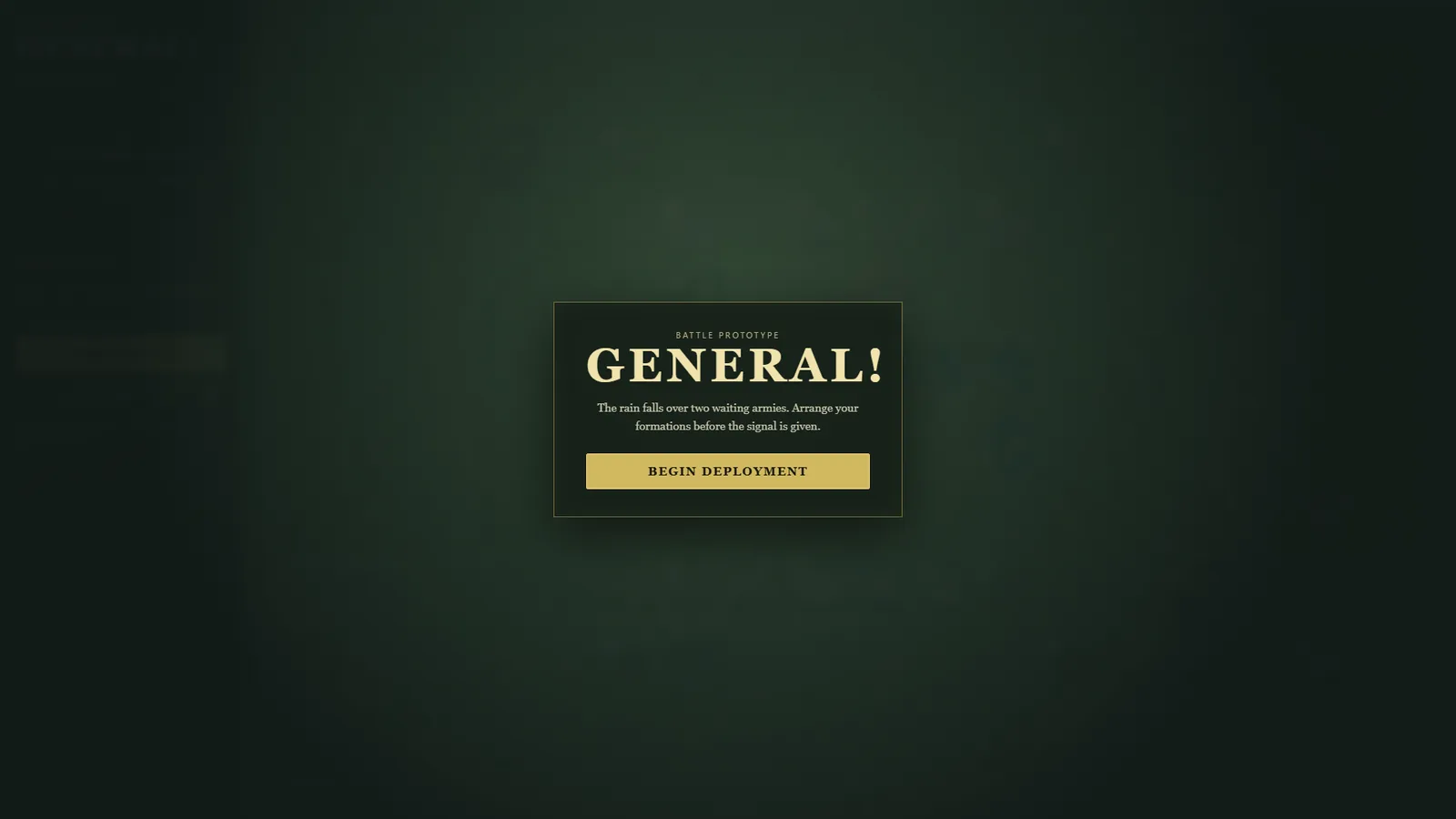
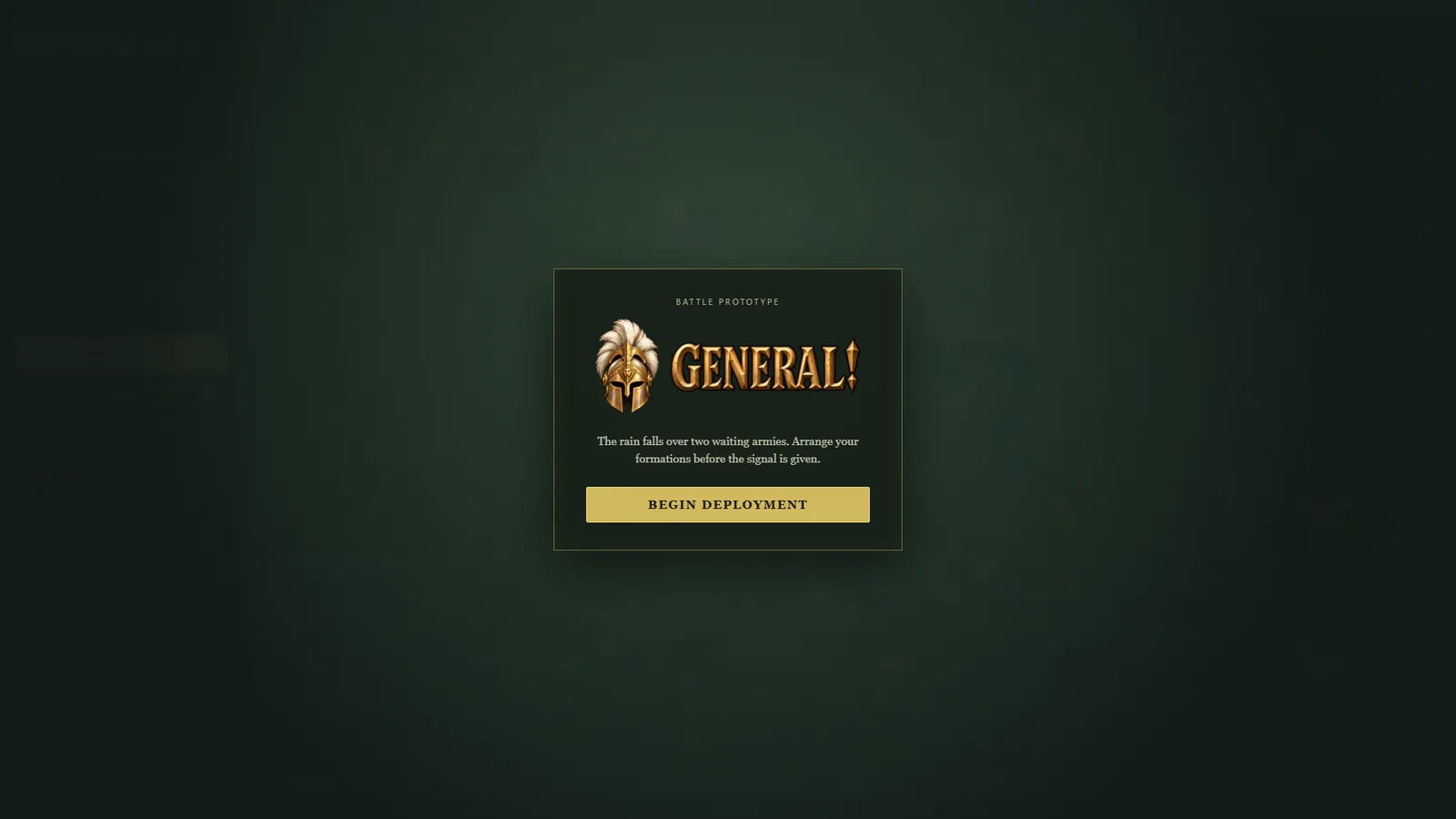
- The opening card now shows GENERAL!'s logo, the gold plumed helmet beside the engraved "GENERAL!" lettering, instead of plain text.
- The browser tab icon is now the gold helmet too, replacing an early blue shield.
- The game also has a home-screen icon for phones, app icons, and a share image for links.
- Nothing about play changed.


GIFs lead their posts instead of hiding as thumbnails
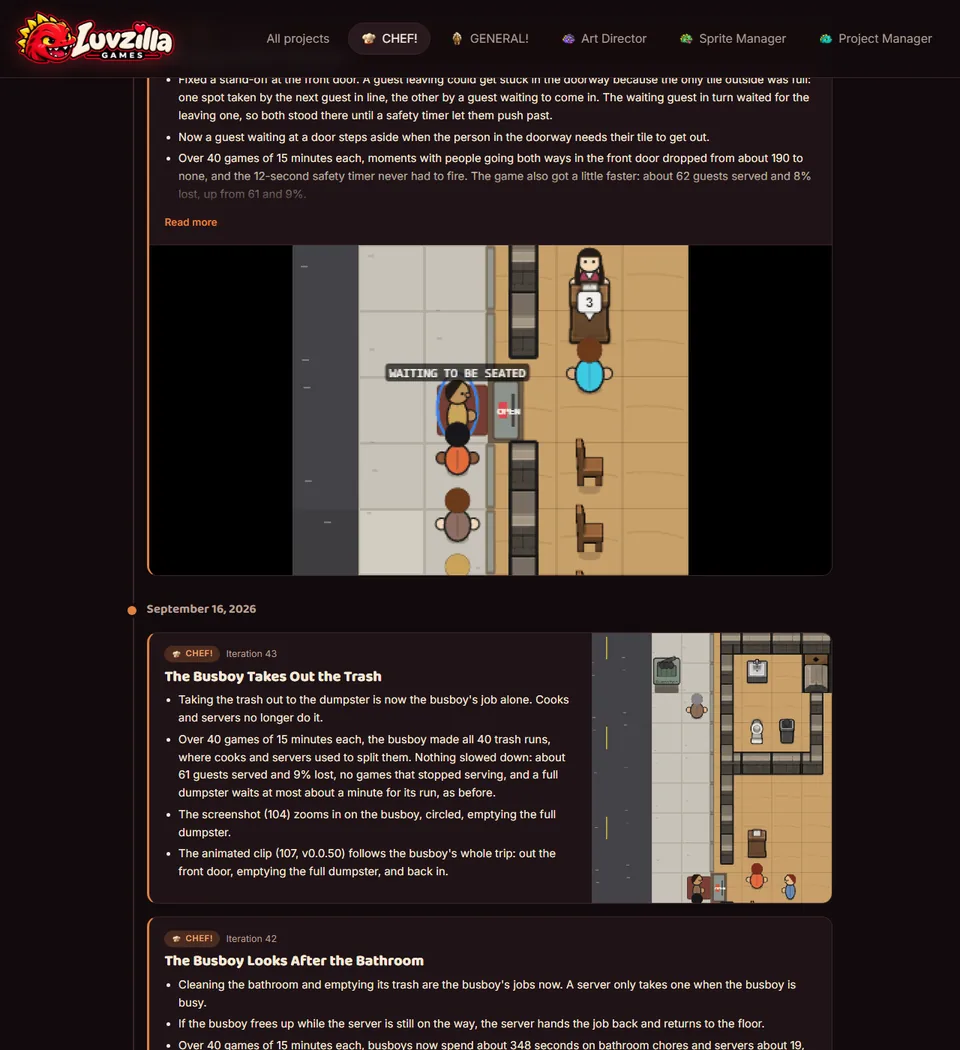
- Posts with an animated clip used to show it as a tiny thumbnail under the still. Now the clip is the main picture and the still becomes a small thumbnail beside it — the trash run (CHEF! Iteration 43) shows only its clip, since the clip already covers the whole trip.
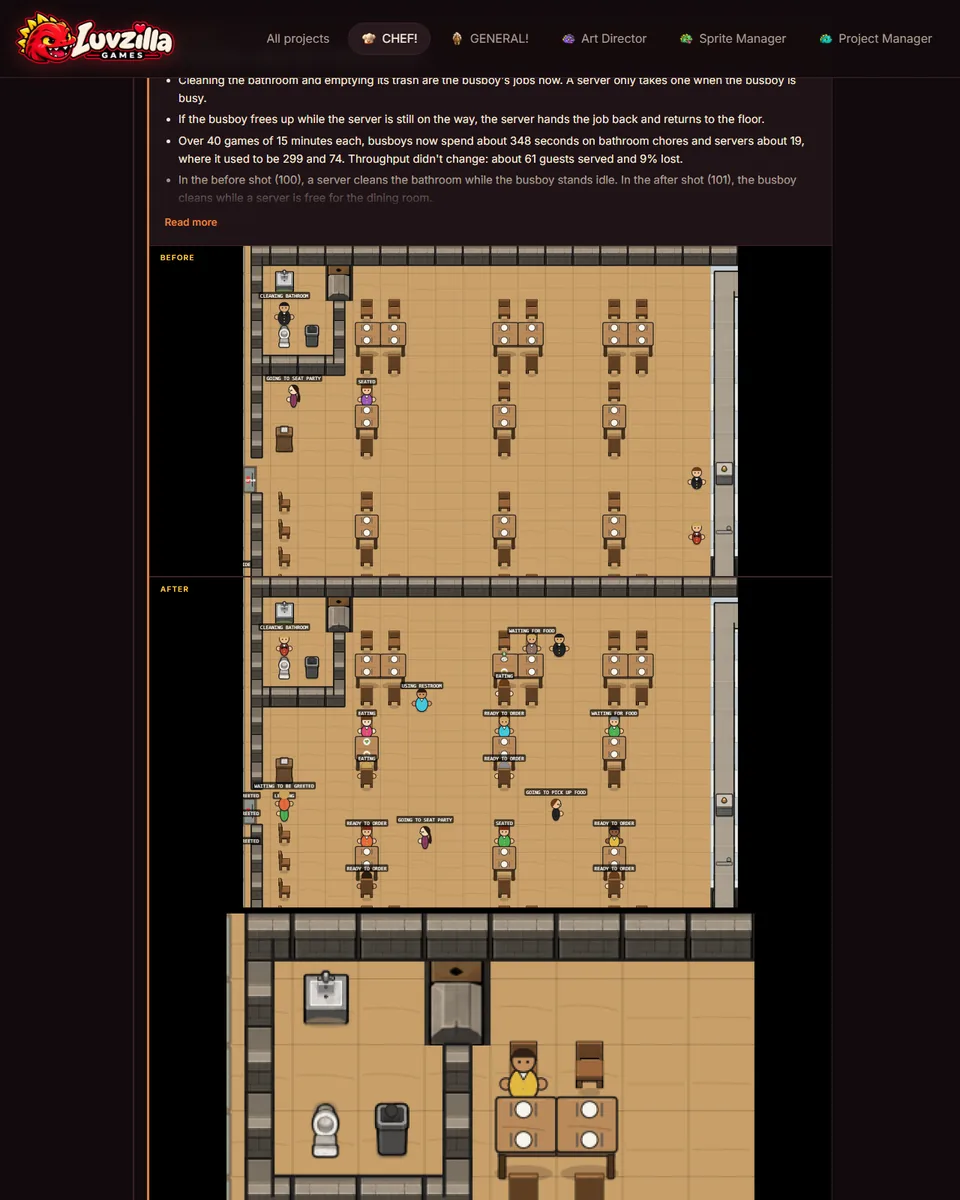
- Before/After posts keep the pair on top, because a clip only shows the "after"; the clip now plays underneath at a readable size (
progress/059-shipped-pair-with-gif-below.png, the busboy cleaning the bathroom). - A clip is never shrunk to a thumbnail anywhere, and a tiny sprite clip still shows at its real in-game size.


Galean Swordsmen March South, and Formations Face Where They're Going
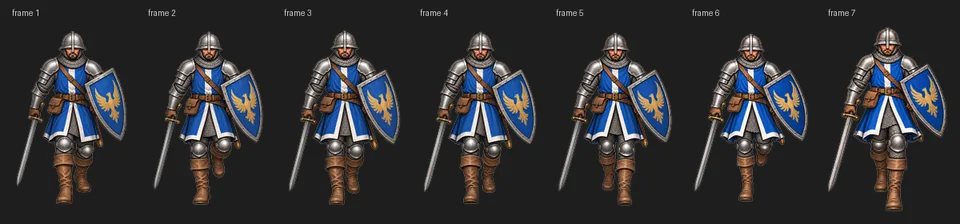
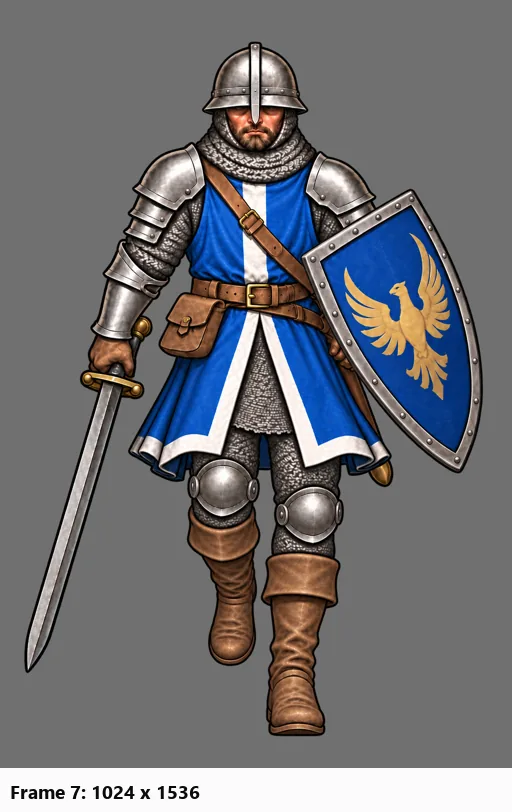
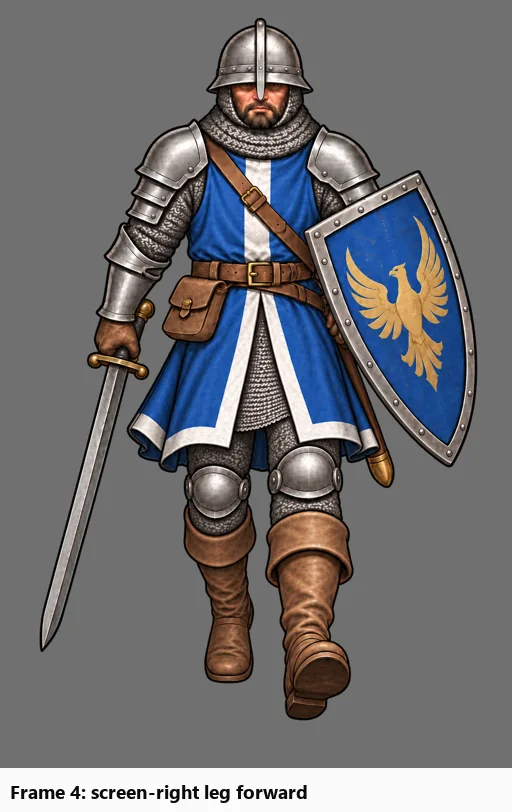
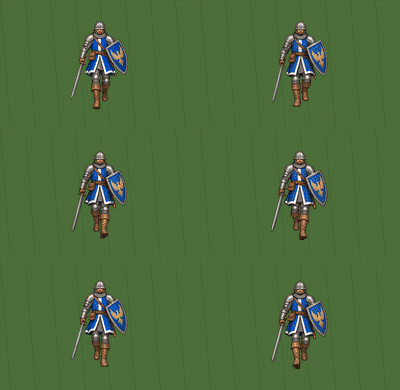
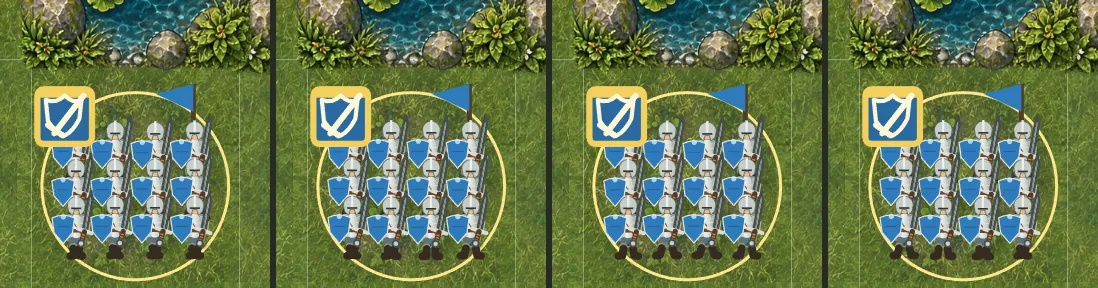
- Galean Swordsmen now have a painted 8-frame walk toward the camera, from image generation, matching the march-north walk from Iteration 55.
- Formations now turn to face the direction they're moving while they move, then face their usual direction again when they stop. Before this, a unit kept its old facing for the whole move, so soldiers ordered south marched backwards.
- Moving east or west now shows the soldiers' side view. Swordsmen use the simpler drawn figures there until side-facing art exists.
- Only the picture changed. Battle results, and the facing that combat rules use, are exactly as before.
- The GIF is a real one-tile move south, recorded in the game: the formation turns and marches toward the camera, then faces north again once it stops.


GENERAL!'s soldier walk, approved
- The Galean soldier's eight-frame walk toward the camera, made by Sprite Manager with image generation, passed the Art Director's review and went to GENERAL!.
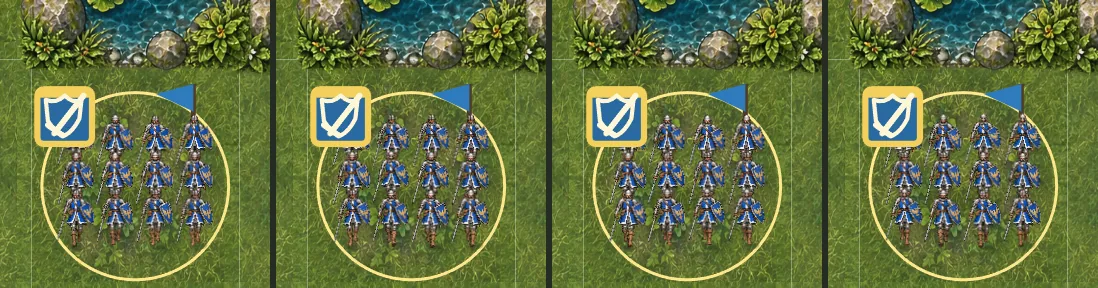
- The review checked that it's the same soldier in every frame — helmet, blue tabard, eagle shield, sword side and grip — that it fits GENERAL!'s grounded look, and that the walk reads at the size it appears in the game.


Also in:
GENERAL!
Galean walk: where the day ended
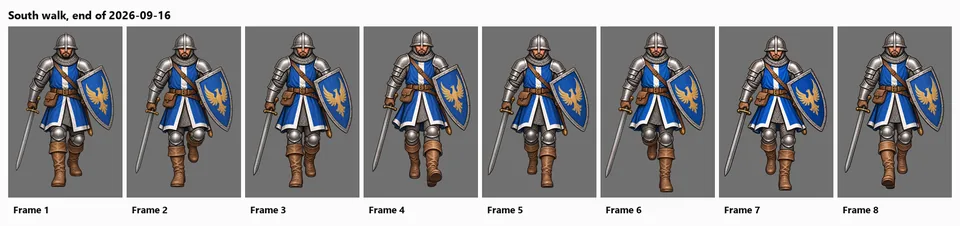
- The Galean soldier's south-facing walk, before and after today's work.
- Frames redone or corrected: every one of the eight.
- Changes you can see:
- the front heel now lands first;
- the body dips a little at the low point of each step;
- the sword stays the same length and is held the same way throughout;
- the soldier no longer bobs up and down between frames.
- The small version shows the walk at about the size it will have in the game.
- The Owner calls it good for now. Still on the list: the swinging foot rises a little higher than the spec in a few frames.


Also in:
GENERAL!
Galean walk: a clean frame 1 and a steadier height
- The sword fixes are in: every frame's blade now matches the equipment picture.
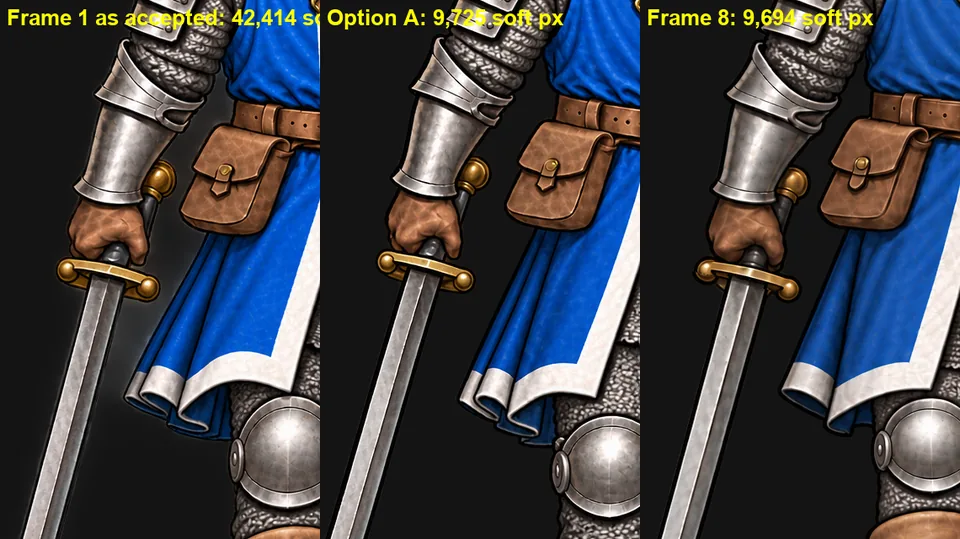
- Frame 1 looked smeared around the sword arm. It wasn't the sword edit: the image itself carried a pale halo, four times more than any other frame. A clean frame 1 with the same sword grip is waiting for review.
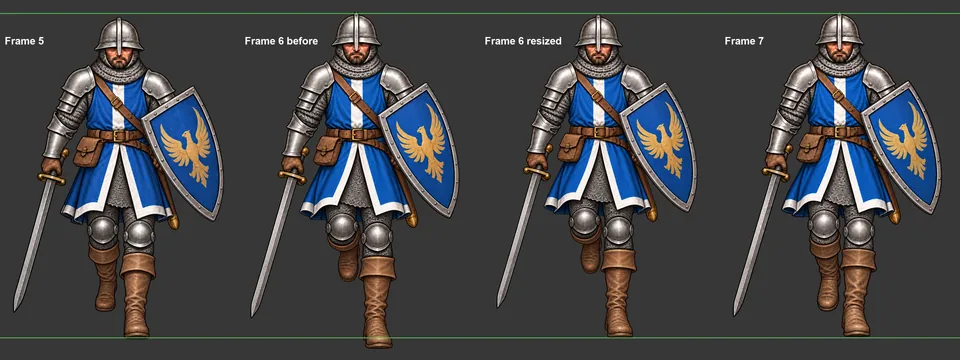
- The soldier bobbed: frame 6 sat low and frame 8 sat high. Frame 8 is moved down. Frame 6 is enlarged by under 2% from its standing foot, so its feet stay on the ground while its head comes back up to the right height. Both are waiting for review.

Also in:
GENERAL!
The sword stops growing (v0.23.0)
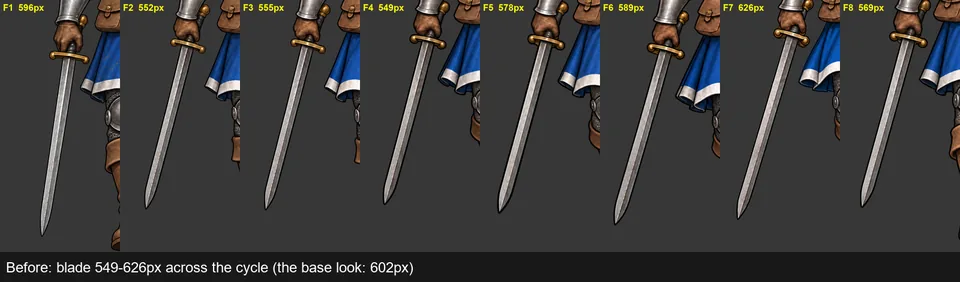
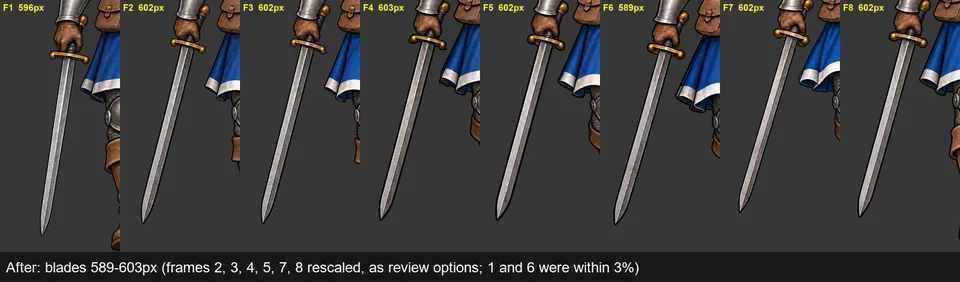
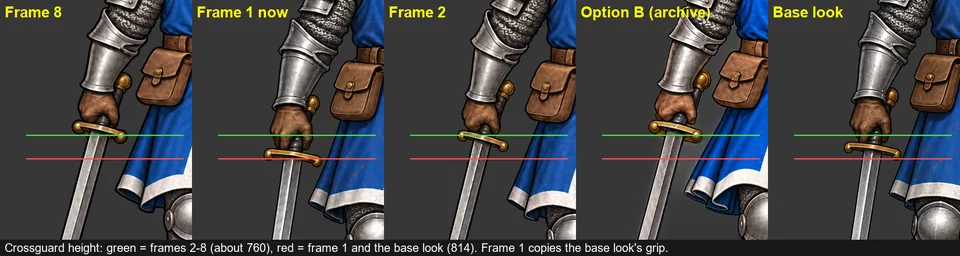
- Across the walk, the soldier's sword changed length by up to 14% from frame to frame. Each frame's blade was measured against the equipment picture the frames are based on, and the blades that were off were cut out, resized from the crossguard down and put back. Nothing else in those frames moved.
- The review page now shows every walk option's sword length against the target, and new walk prompts give the blade's length.
- Frame 1 held the sword like the equipment picture, lower and more upright, while the other frames hold it higher and at a slant, so the arm jumped between frames 8 and 1. Two earlier attempts that hold it like the rest are waiting for review.
- Frame 6 sat 22 pixels low and is waiting as a moved-up copy.


Also in:
GENERAL!
A real first step: heel strike and a dip (v0.22.0)
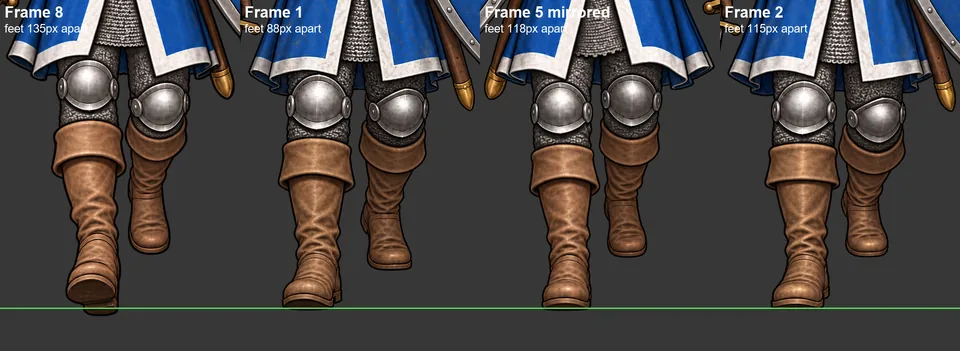
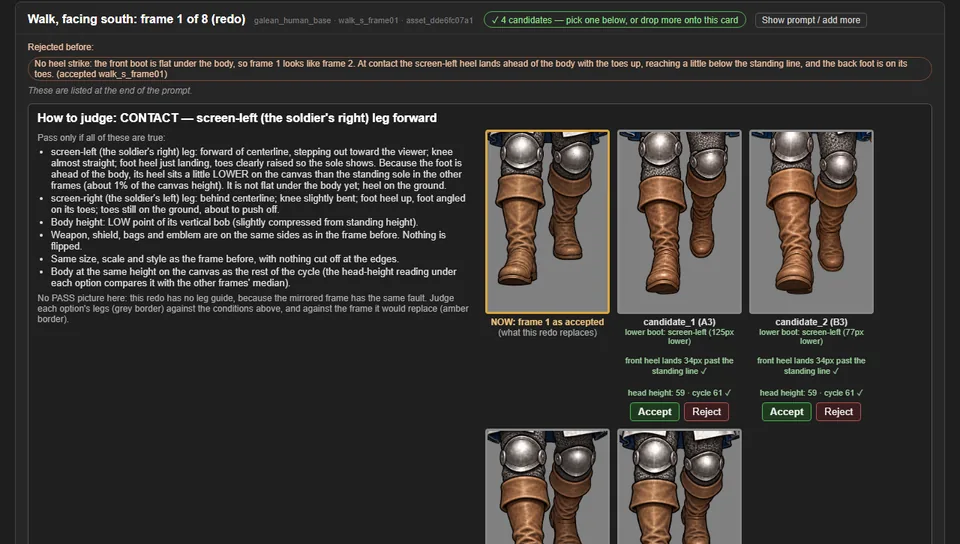
- Frames 1 and 2 looked the same, so the start of each step seemed frozen. In frame 1 the front foot should land heel-first ahead of the body, and in frame 2 the body should dip a little. Neither happened, and frame 5 had the same flat front foot.
- The review panel now checks that the front heel lands past the standing line on those frames, and expects frames 2 and 6 to sit a few pixels lower than the rest. The prompts say the same.
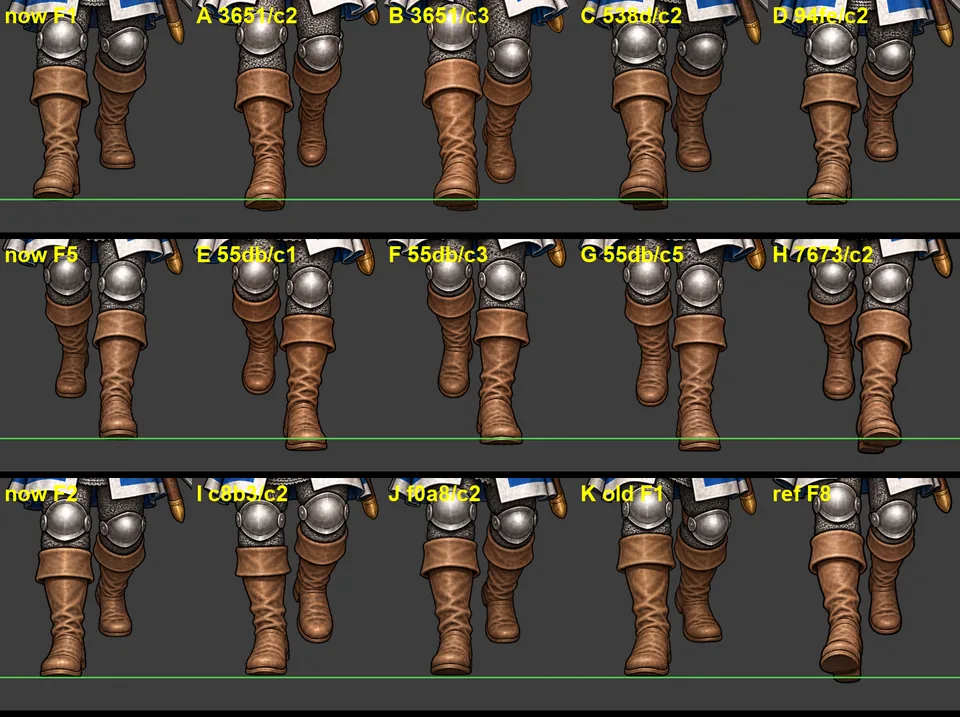
- Before asking for new images, all the old rejected ones were measured against the new rules. Four fit frame 1, four fit frame 5, and one fits frame 2; they're waiting for review next to the frame each would replace.
- (There's no before shot of the panel: the card was decided before one was taken.)


Also in:
GENERAL!
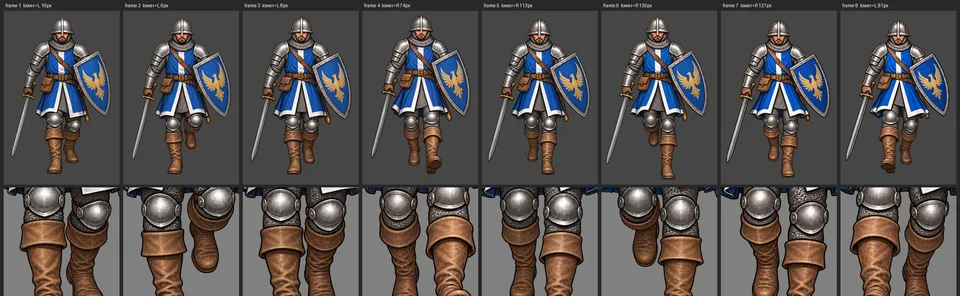
Leg close-ups for every walk frame in review (v0.21.1)
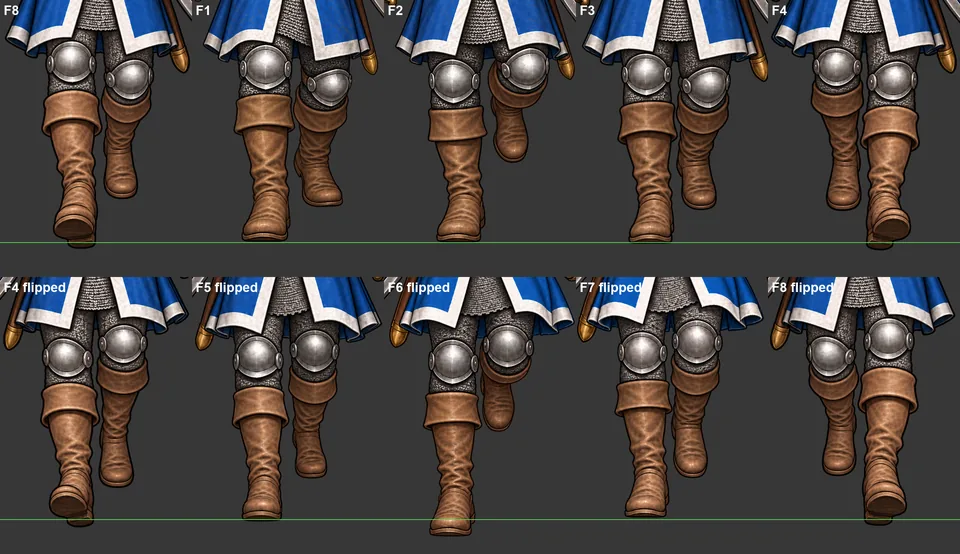
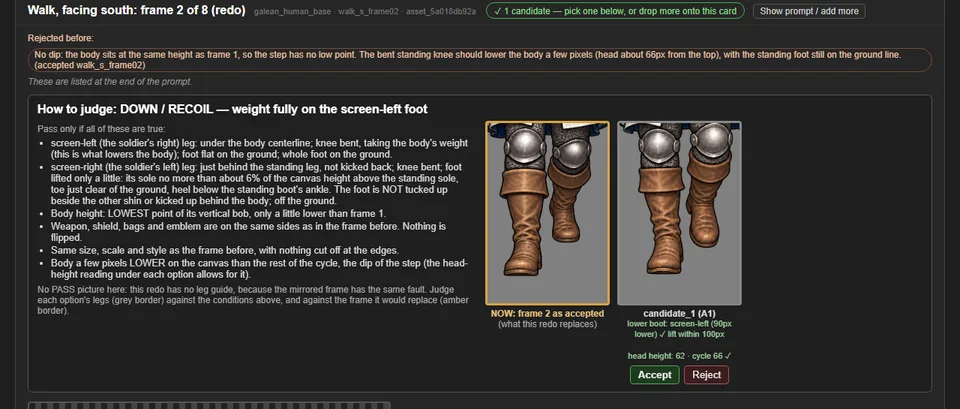
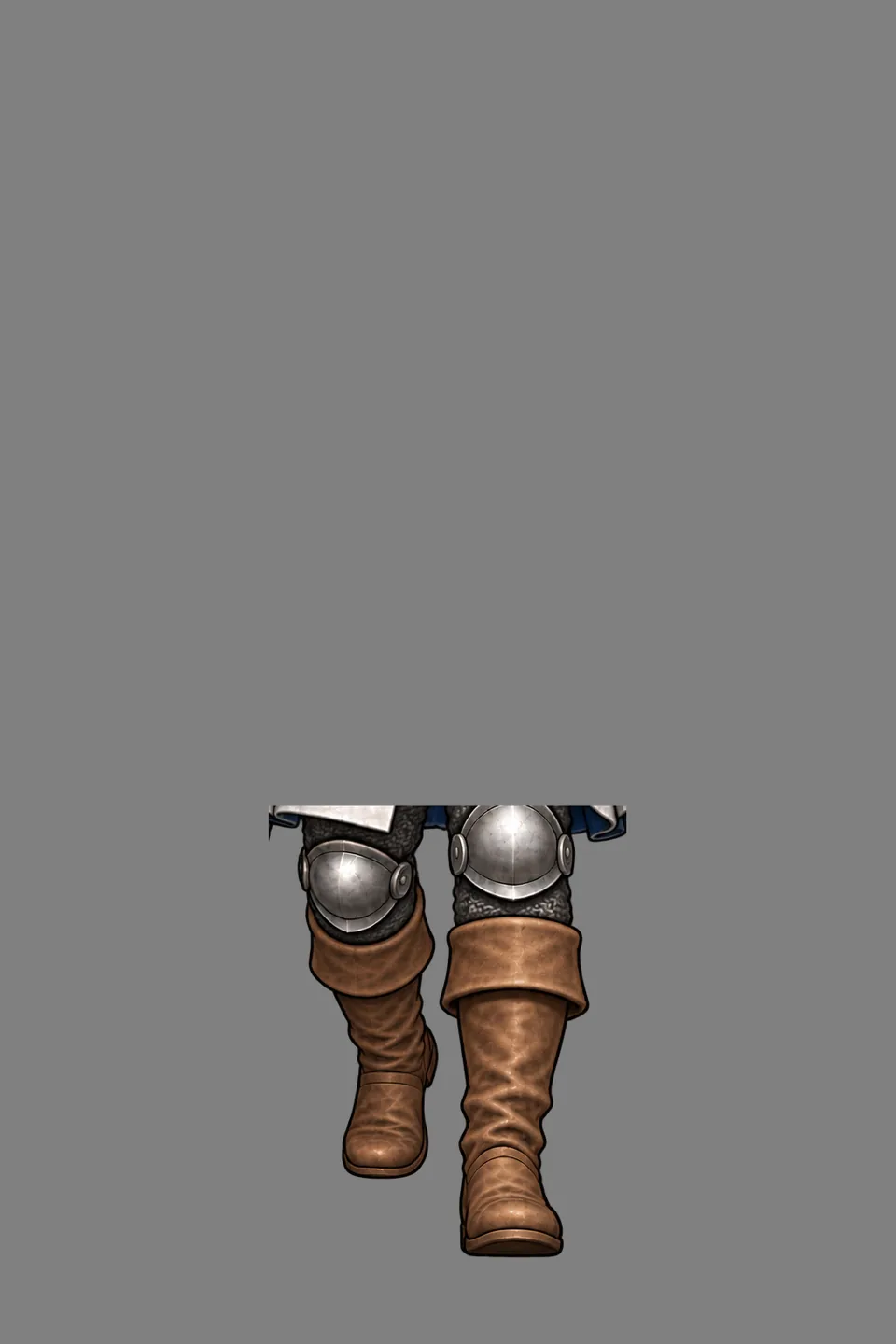
- Frame 2's redo had no side-by-side legs to judge by, because the side-by-side only came with a leg guide, and frame 2 was deliberately sent without one. Now every walk frame in review shows each option's legs up close. A redo also shows the legs of the frame it would replace ("NOW").
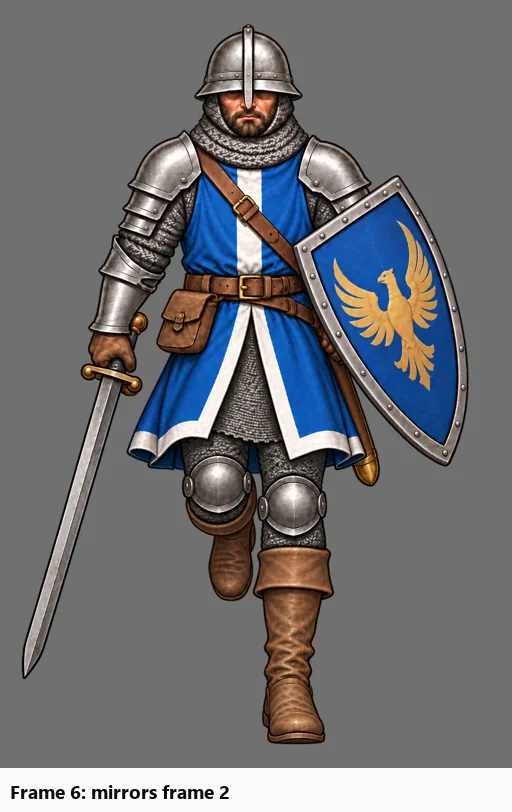
- The new frame 2 is accepted: its free foot is half as high as before. Frame 6 has been sent back with the new frame 2, mirrored, as its guide.
- Next problem: frames 1 and 2 now look almost the same, so the start of the step barely moves.

Also in:
GENERAL!
Measuring each leg, and a lower foot for frames 2 and 6 (v0.21.0)
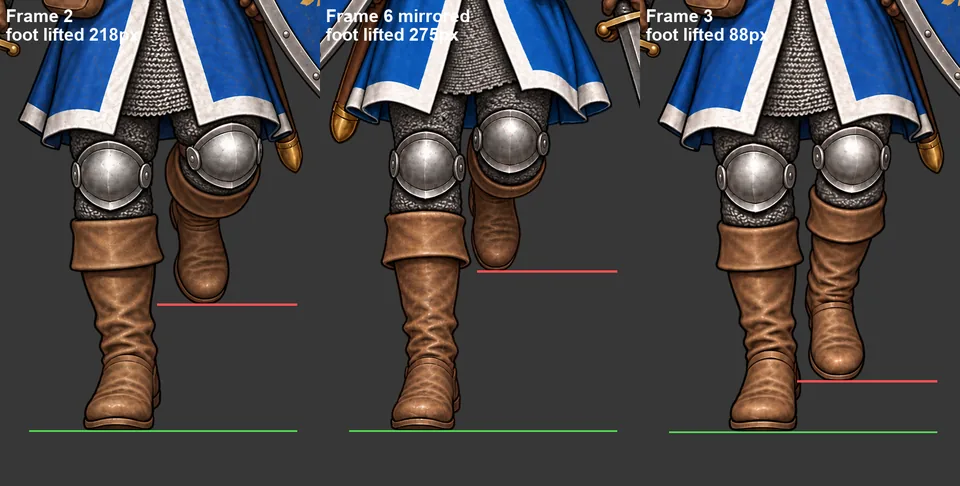
- The foot measurement used to split the picture down the middle. When the standing boot crossed that line, both halves measured the same boot, so frame 2 read as nearly level when its free foot was really tucked 218px up. It now finds the gap between the legs and measures each one.
- With that fixed, frames 2 and 6 both fail the spec: in the "down" step the free foot should only just leave the ground. Each frame had been the other's guide, so they copied each other.
- Frame 2 is being redrawn without a guide, from a prompt that now gives a number (at most 6% of the canvas). The review panel marks anything over about 100px. Frame 6 will follow, guided by the new frame 2.
- The new frame 1 had the right legs but sat 25px low. A moved-up copy is waiting for review.
- Every walk frame in review now shows its foot and head-height readings, guided or not.

Also in:
GENERAL!
Send a finished frame back, and why frames 1, 3 and 6 looked off (v0.20.0)
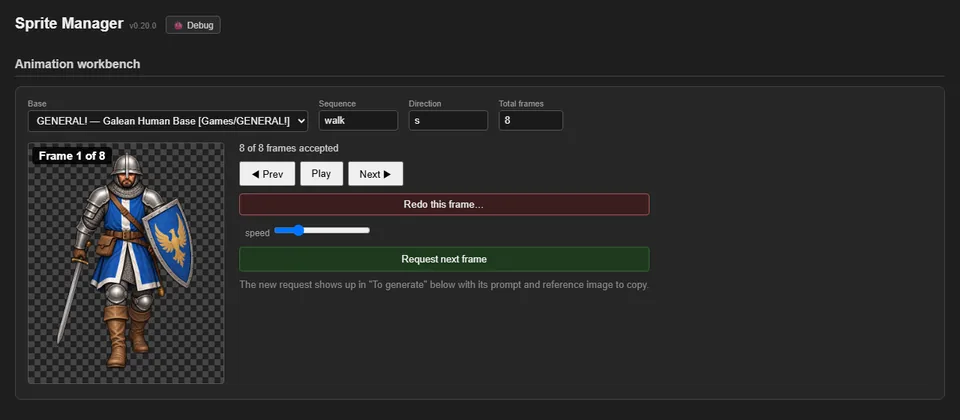
- The animation player has a "Redo this frame…" button. It asks why, and the answer is written into the new request's prompt. The old frame stays in the animation until a replacement is accepted.
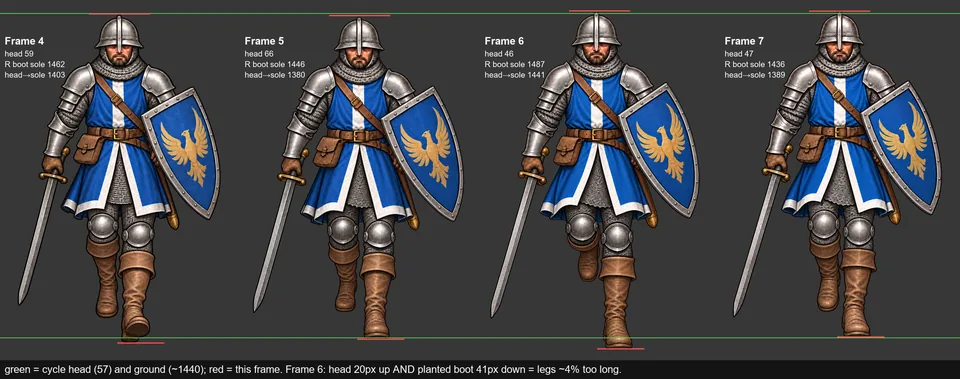
- The walk looked jerky on one side. Measuring each boot on its own showed why: in frame 6 the soldier's legs are drawn about 4% too long, so his head rises and his standing foot dips, then both snap back in frame 7. A copy of frame 6 shrunk to 96% lines up with its neighbours and is waiting for review.
- Frames 1 to 3 looked clunkier than 5 to 7. Set beside the mirrored second half, the difference is the swinging leg: in frames 1 and 3 it hangs straight with the knee level, so the walk reads as a shuffle; in 5 and 7 the knee bends and lifts. Frames 1 and 3 are being redrawn, guided by the mirrored legs of 5 and 7.


Also in:
GENERAL!
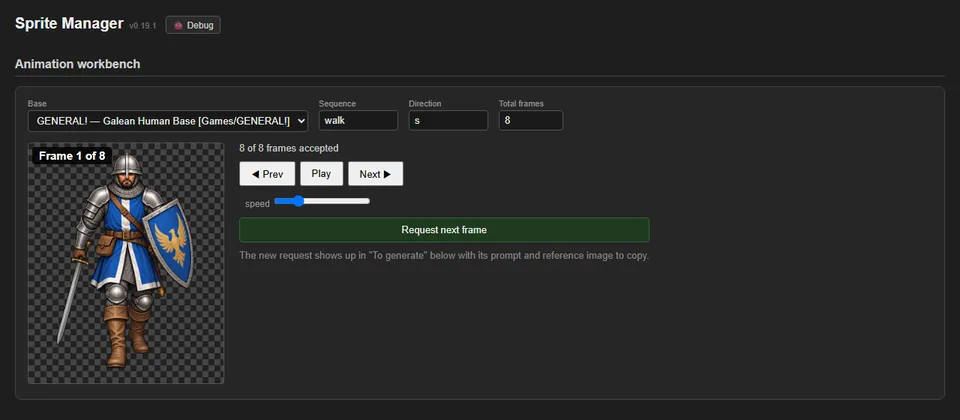
Walk prompts: keep the passing foot down (v0.19.1)
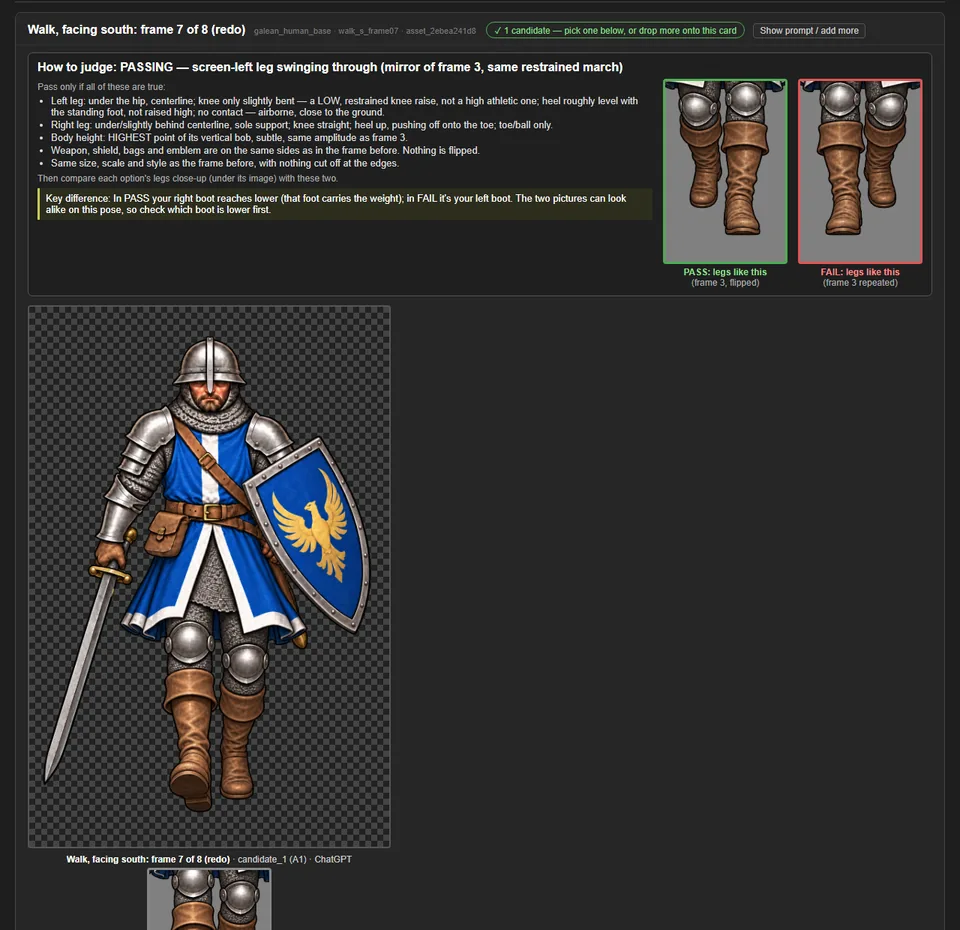
- Six attempts at frame 7 all came back with the swinging heel raised too high. The prompt now says what has to change from the previous frame (the tucked-up heel comes down), asks for the two boots to look almost level from the front with the swinging foot barely off the ground, and suggests editing only the legs below the knee.
- A leftover "standing idle pose" line that contradicted a walk was removed from walk prompts.
Also in:
GENERAL!
Say why when rejecting; the prompt learns from it (v0.19.0)
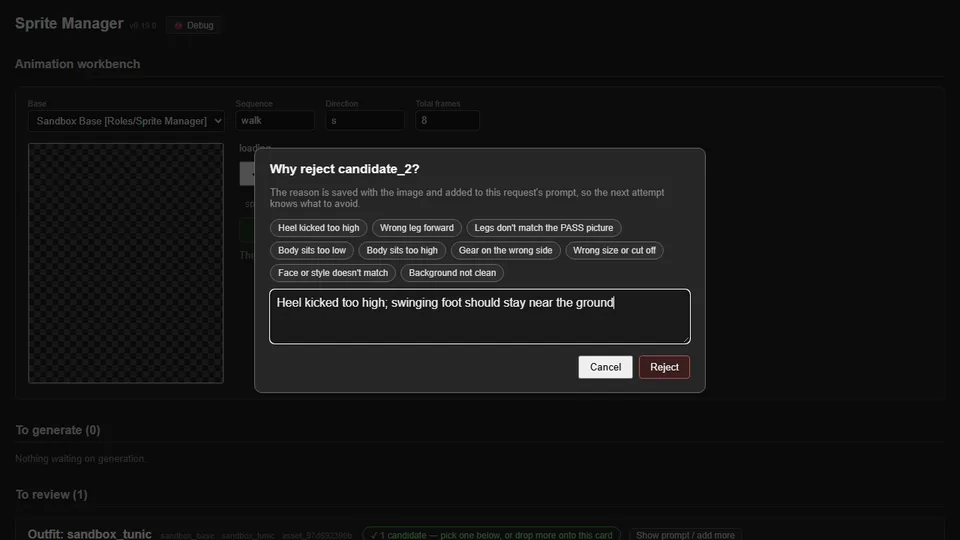
- Rejecting an image now asks why, with one-click reasons like "Heel kicked too high" or "Body sits too low", or your own words.
- Each reason is saved with the image and added to the end of that request's prompt, and to every later request for the same sprite, so the next attempt is told what to avoid. The card shows what was rejected before.
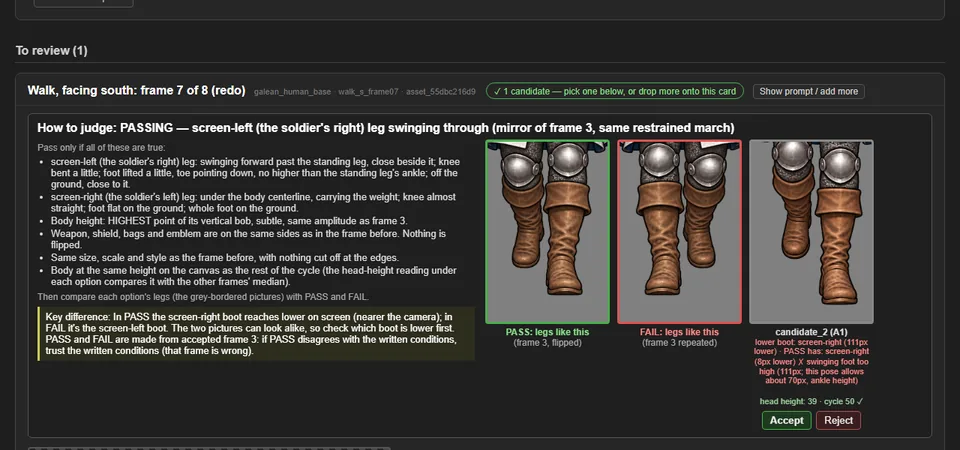
- The review panel now fails a passing-pose frame whose swinging foot rises above ankle height. Before, the frame 7 option in the pictures passed with its heel far too high; now it's flagged.


Also in:
GENERAL!
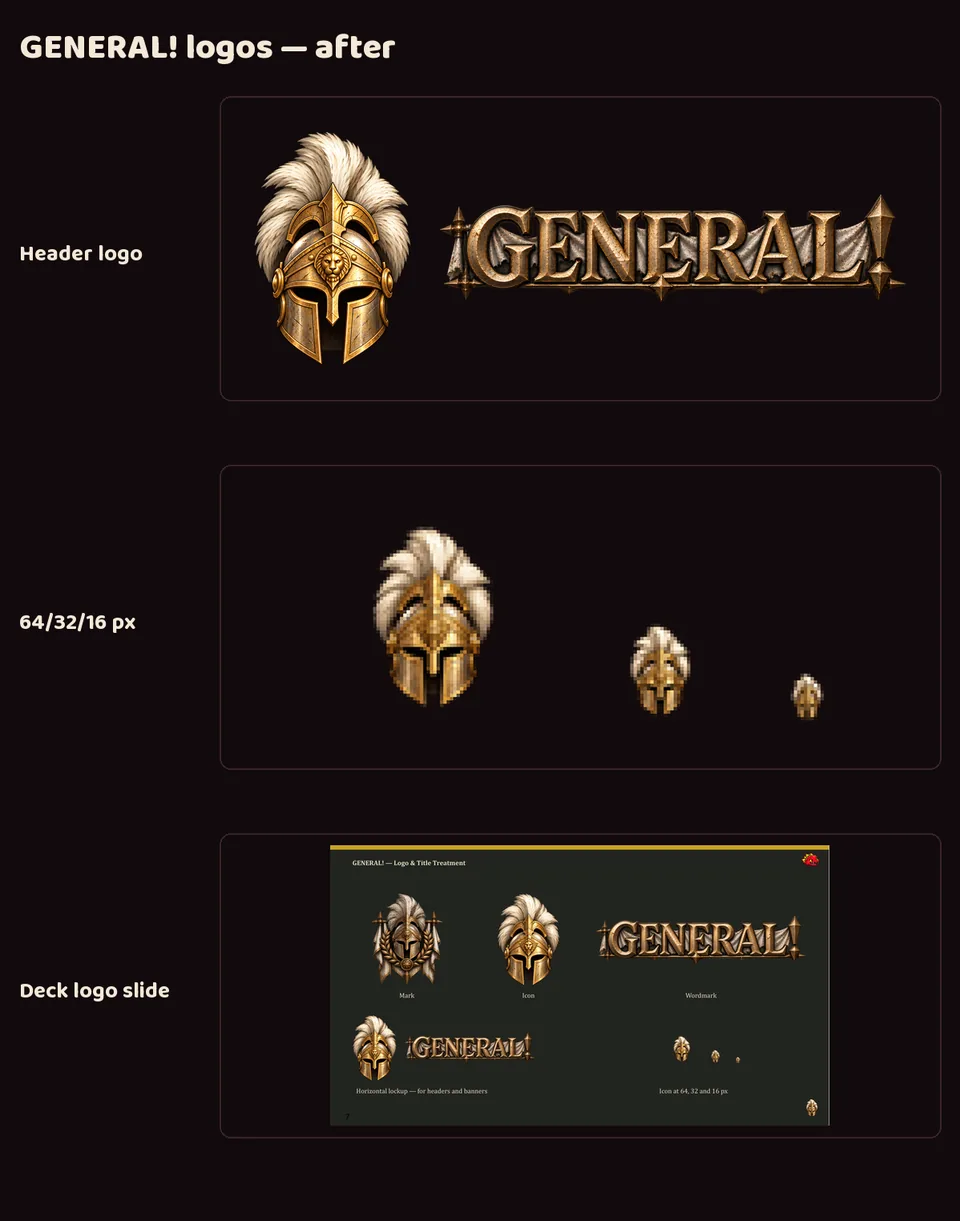
GENERAL!'s new icon and logo set
- GENERAL!'s crest turned into a blob at favicon size, measuring 2.65:1 against the site's dark background where 4.5:1 is the minimum. A new, brighter helmet icon, made with image generation, measures 5.19:1 and still reads as a helmet at 16 pixels. The crest stays as the full mark.
- The wordmark was cleaned up (a stray piece of plume under the "G" is gone), and GENERAL! now has the same logo set as every studio project.
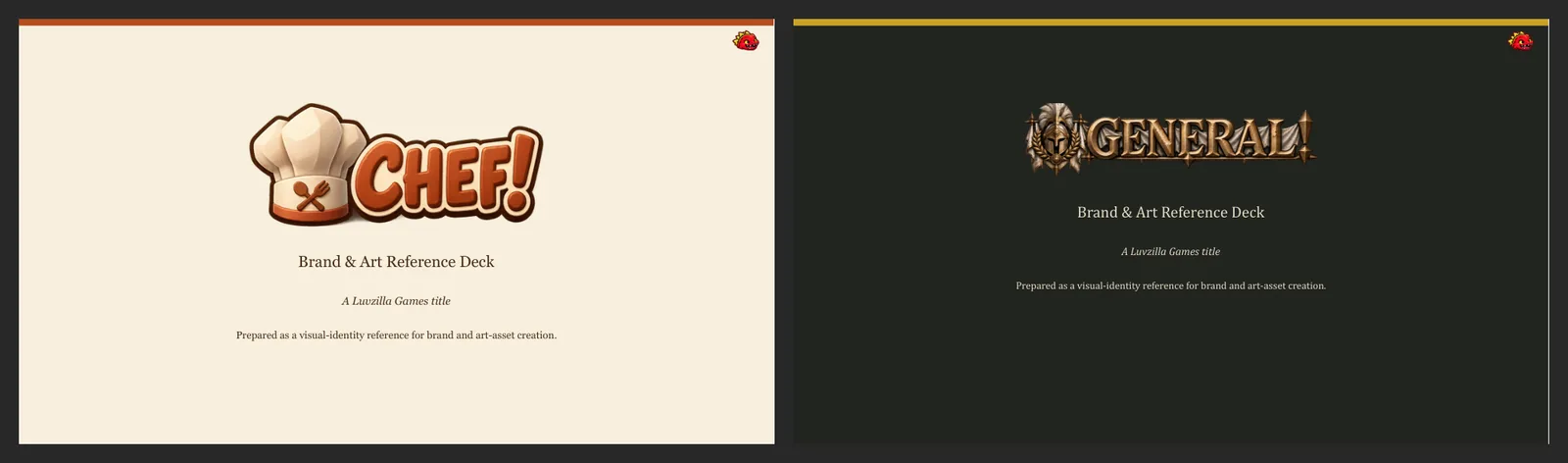
- The logo slide in GENERAL!'s brand deck was redesigned to show the set.
- Both images are reconstructed: composed afterwards from the committed files.


Also in:
GENERAL!
GENERAL!'s compact wordmark
- The Art Director re-drew GENERAL!'s wordmark in a compact form that reads at card size; the feed header and landing gate now use it. The wide version stays available for large banners.


Also in:
GENERAL!
Art Director
GENERAL!'s logo, readable at small sizes
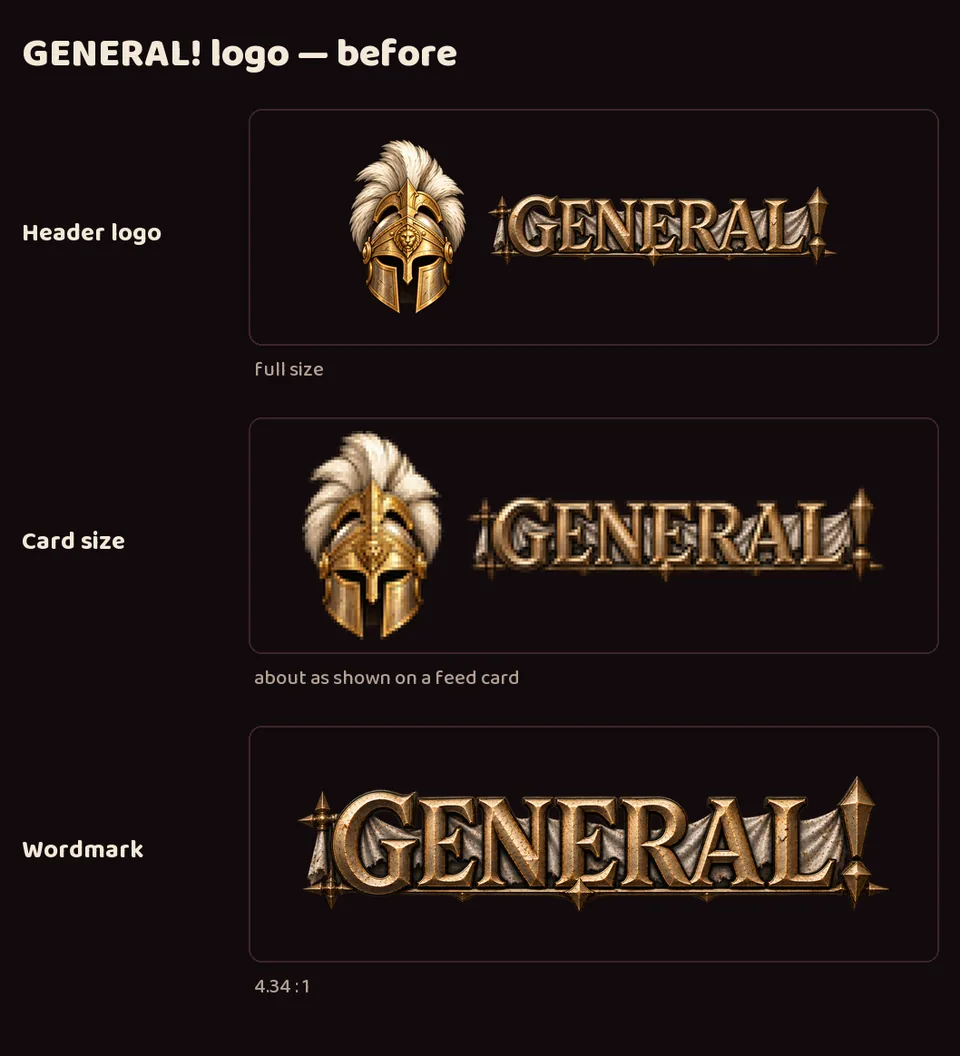
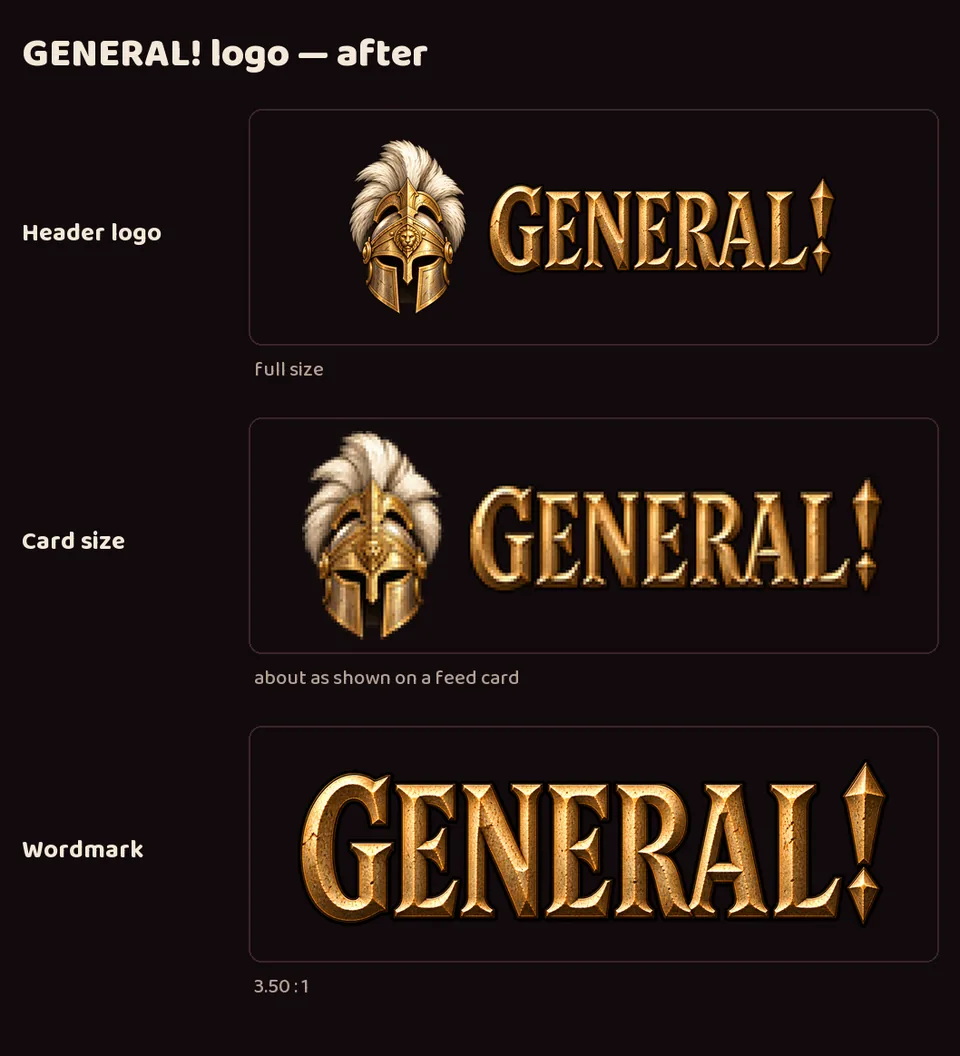
- On the devlog's small feed cards, GENERAL!'s wordmark was hard to read: a very wide word with a torn cloth banner and long spikes, so its letters ended up much shorter than every other project's.
- A new compact wordmark, made with image generation, has taller, bolder letters and no banner. The word is now about 3.5 times as wide as it is tall instead of 4.3, close to the other studio wordmarks.
- It took two rounds: the first was bolder but still too wide. The original wide wordmark is kept for large banners.
- Delivered to LuvzillaGames.com.


Also in:
GENERAL!
The Galean walk, before and after today
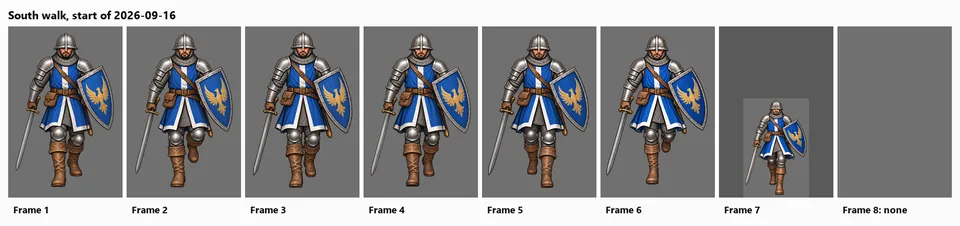
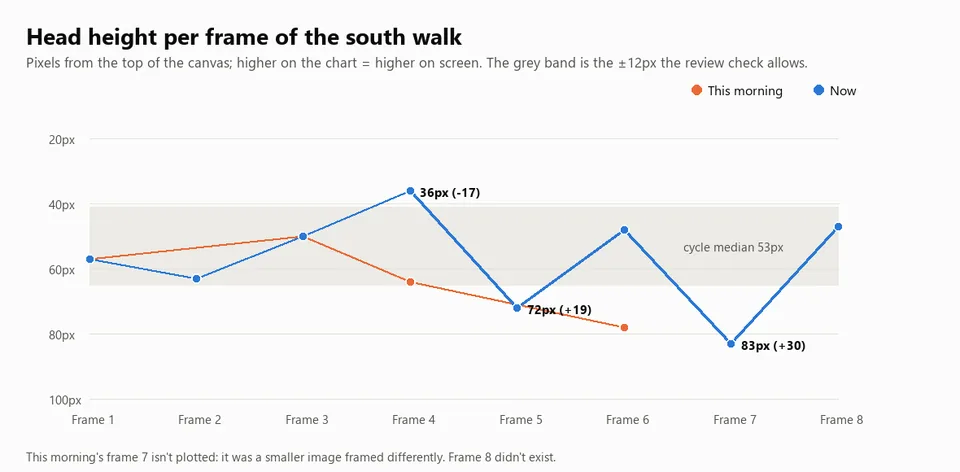
- This morning the soldier's south walk had seven frames. One was half size, two had the wrong leg doing the work, and the eighth didn't exist.
- By the end of the day all eight exist at full size with the legs alternating correctly. Frame 8 was replaced again this evening with one that sits at the right height.
- The chart shows the remaining problem the review tools now catch: how high the head sits in each frame. Frames 4, 5 and 7 are still off; 4 and 7 are being redone.
- The before pictures come from the project's history, not recreations.
- (Before image reconstructed from git (the project at the start of 2026-09-16), after the change.)


Also in:
GENERAL!
Walk poses corrected to how legs really move (v0.18.2)
- The written description of the walk had some physically wrong details, including a straight back leg while pushing off and a heel kicked up behind in the recoil pose (the source of the over-kicked heel). The poses now describe a real stride: the pushing leg bends, the standing knee bends on the way down, the standing foot stays flat as the other leg passes, and the lifted foot stays low.
- The open requests for frames 4, 7 and 8 use the corrected descriptions.
Also in:
GENERAL!
Height check for walk frames; frames 4, 7 and 8 sent back (v0.18.1)
- The awkward moment between frames 7 and 8 turned out to be the soldier's height: he sank lower in frames 7 and 8, then popped back up at frame 1, and frame 4 sat too high.
- Each option in review now shows its head height against the rest of the walk, the prompt names the target height, and the leg guide is moved to match it.
- Frames 4, 7 and 8 were requested again. Earlier rejected images that match those poses (whatever frame they were first made for) were added as options, including the old frame 4, which turned out to be a good frame 8.

Also in:
GENERAL!
Galean walk (south): all eight frames correct
- The Galean soldier's south-facing walk is complete: eight frames, all on the same full-size canvas, alternating legs correctly through contact, recoil, passing and reaching poses.
- Frames 4, 6 and 7 were redone and frame 8 was added today. The replaced versions are archived.
- (Before image reconstructed from git (the project at the start of 2026-09-16), after the change.)


Also in:
GENERAL!
Galean walk: frame 8 in; frames 4 and 6 sent back for redo (v0.17.7)
- Frame 8 of the Galean soldier's south walk is accepted, so all eight frames now exist at full size.
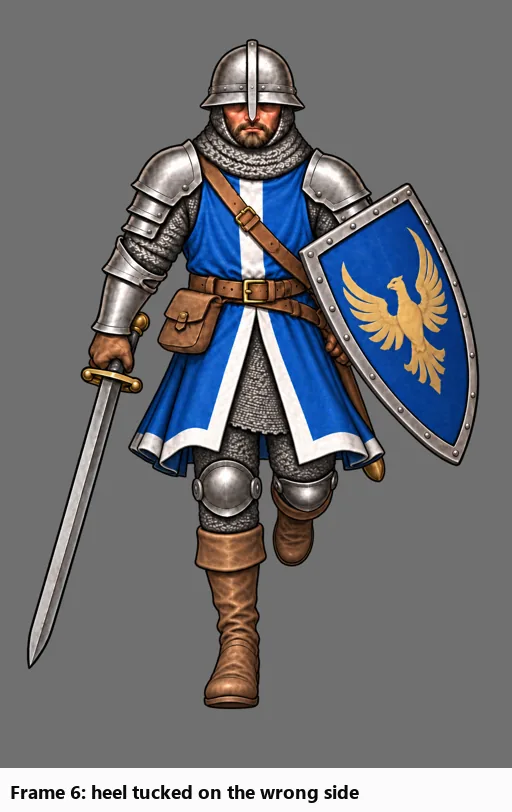
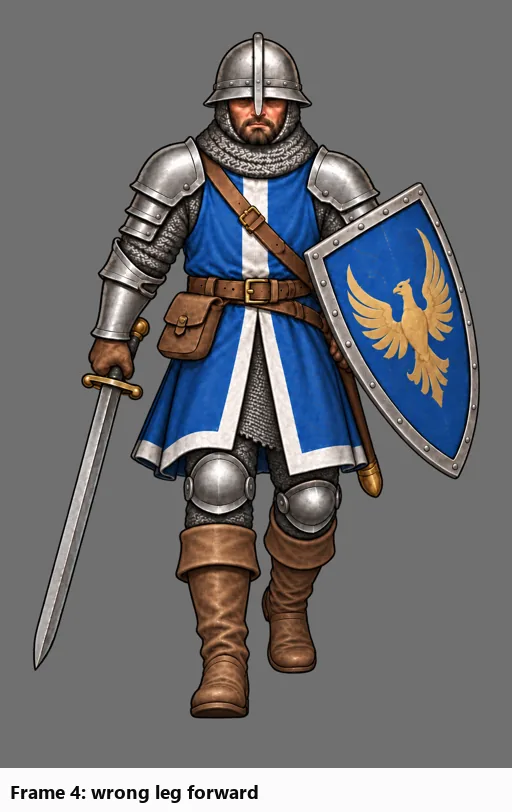
- Checking the whole cycle leg by leg found two frames with the wrong leg: frame 4 had the wrong foot forward, and frame 6 repeated frame 2 instead of mirroring it. Both have been requested again, each with a leg-position guide from its correct counterpart (frame 8 and frame 2).
- Frame 6's redo is in: the new frame 6 has the correct leg tucked. Frame 4 is next.
- The first half of the walk can now get leg guides too, for redos like frame 4.
- (Before image reconstructed from git (the project at the start of 2026-09-16), after the change.)


Also in:
GENERAL!
Clear pass/fail conditions for judging walk frames (v0.17.3–v0.17.6)
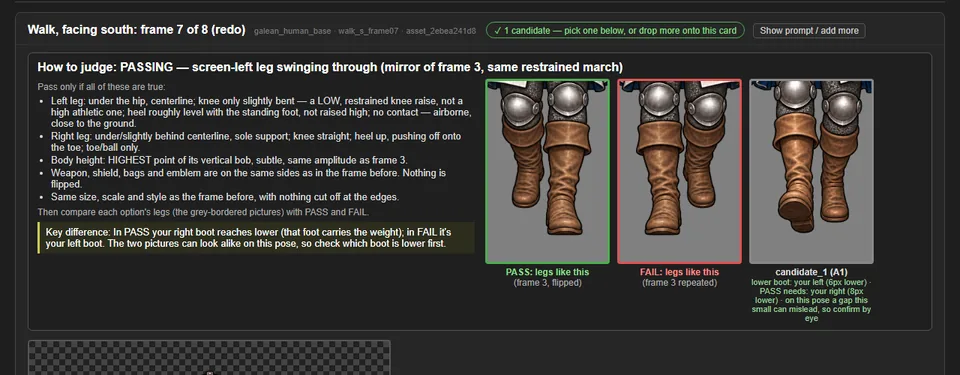
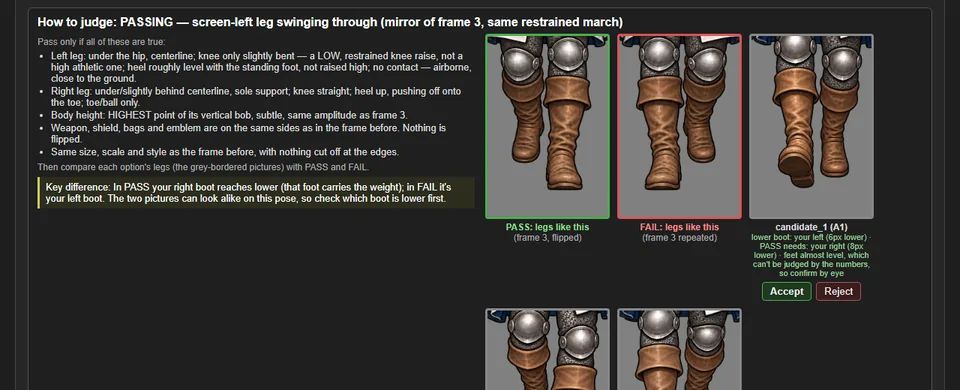
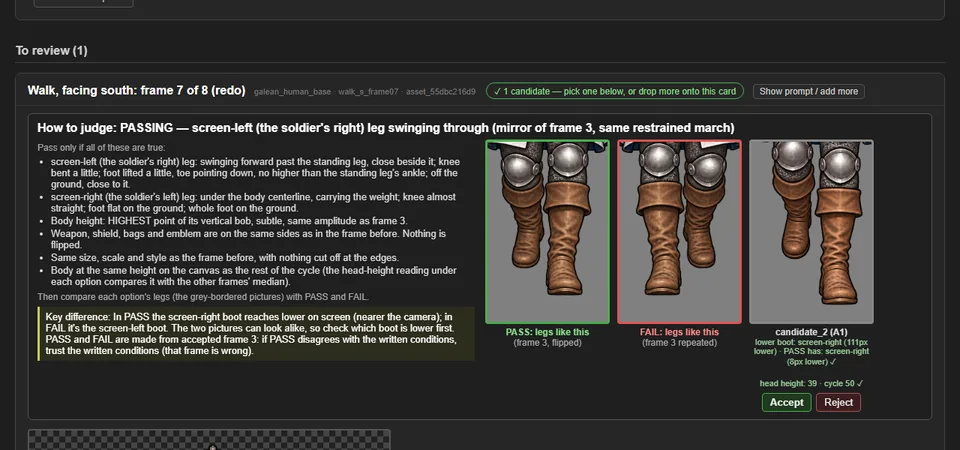
- Each walk frame waiting for review now has a "How to judge" panel: the target pose in plain words, and checks for gear sides and canvas size.
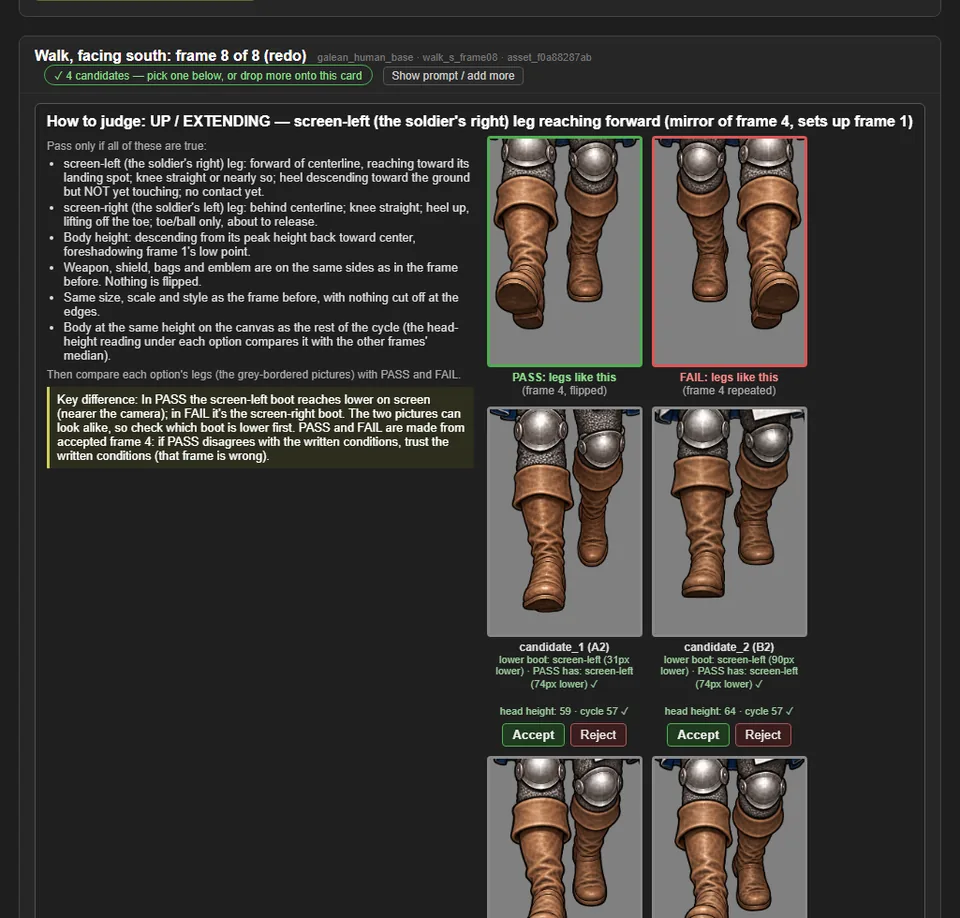
- For the second half of the walk, it also shows a PASS picture (the legs as they should be) and a FAIL picture (the earlier frame's legs repeated), plus a close-up of each option's legs at the same scale and a one-line key difference: which boot should be the lower one.
- Each option's legs sit in the same row as the PASS and FAIL pictures, with its foot reading underneath, so the comparison is side by side, with Accept and Reject right there.
- Every left and right is spelled out as the side of the screen and the soldier's own side ("screen-left (the soldier's right)"), since a soldier facing you has them the other way round.


Also in:
GENERAL!
Galean walk: frame 7 redone at full size
- Frame 7 of the Galean soldier's south walk has been made again at the full canvas, with its legs matching the flipped frame 3 as the walk needs. The old, roughly half-size frame 7 is retired and archived.
- Frame 8 has been requested, with its leg guide built from frame 4.
- (Before image reconstructed from git (the project at the start of 2026-09-16), after the change.)


Also in:
GENERAL!
Galean walk: frames 2 and 5 fixed, frame 7 redo requested
- Frames 2 and 5 of the Galean soldier's south walk were one pixel short of the full canvas. Each got one transparent row added, and nothing in the picture moved. A game that already copied them should copy them again. Each file's provenance note says where the unpadded version is kept.
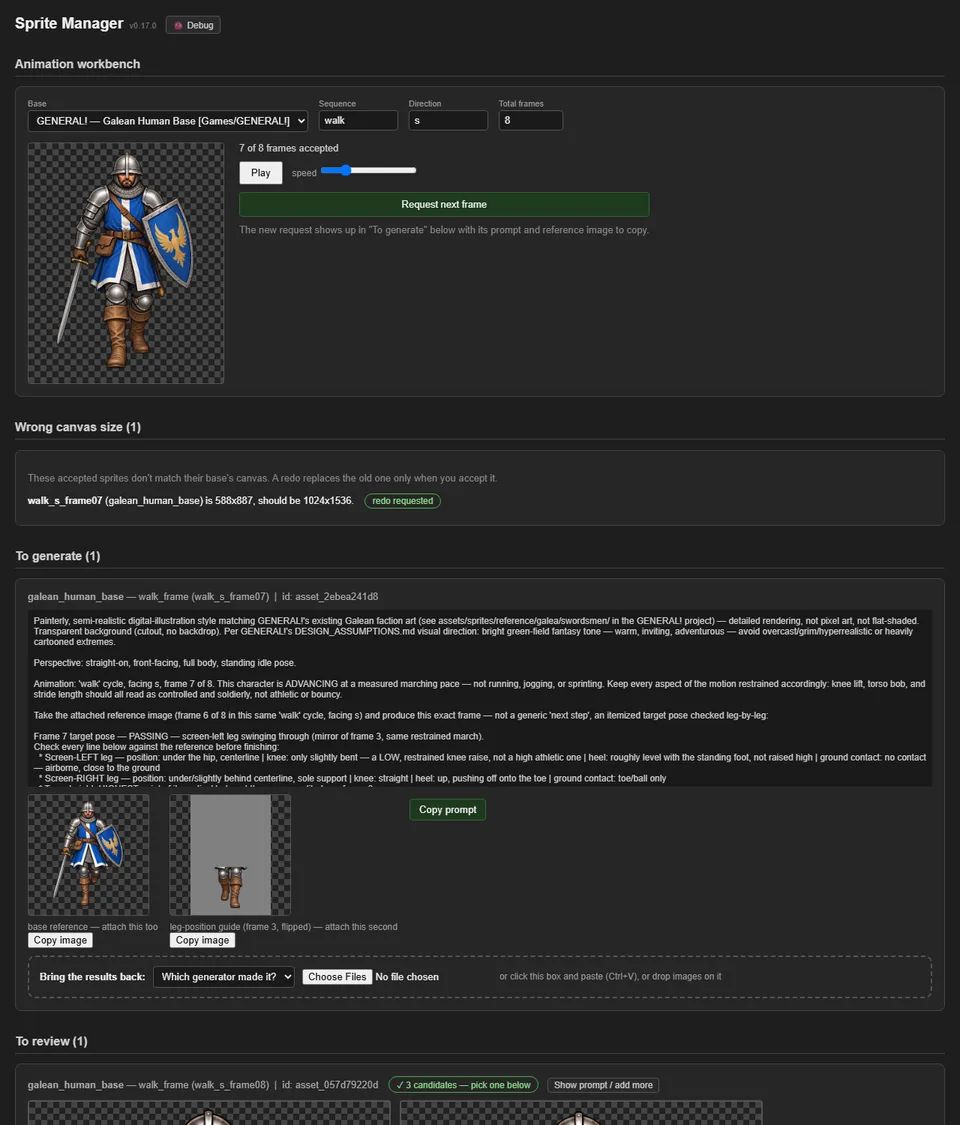
- Frame 7, which came in at about half size, has been requested again. The request uses the new leg-position guide (frame 3, flipped). Frame 8 follows once the new frame 7 is accepted.

Also in:
GENERAL!
A leg-position guide for the second half of the walk (v0.17.0)
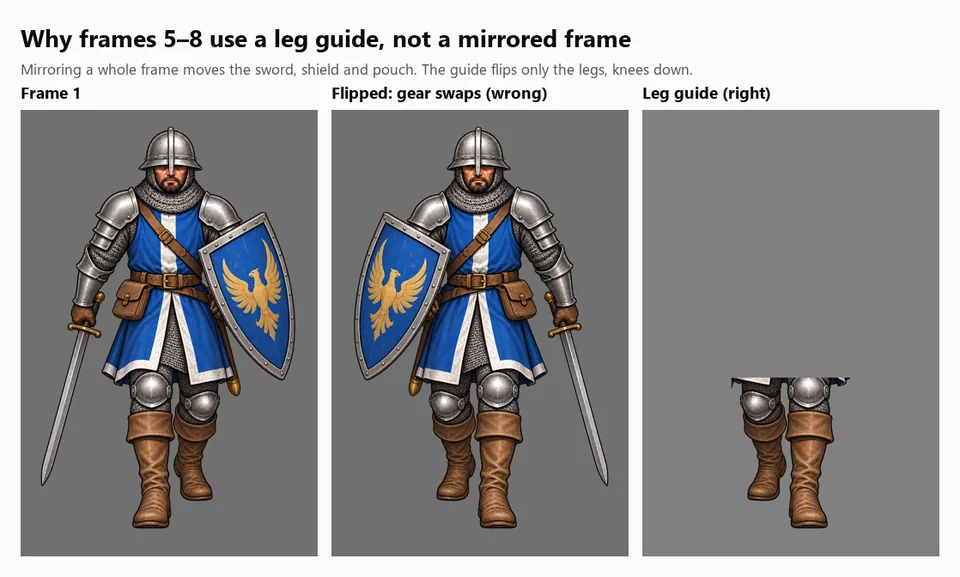
- Frames 5 to 8 of a walk are frames 1 to 4 with the legs swapped, and the image generator kept repeating the original leg instead. Their requests now include a second picture: the matching earlier frame flipped and cut down to just the legs, so the target leg position is visible rather than described.
- The character itself is never flipped: that would move the sword, shield and pouch to the wrong side.
- In review, each option shows which foot is planted next to what the guide expects, and flags a mismatch on the poses where that measurement is reliable.


Also in:
GENERAL!
Wrong-size sprites are caught and can be redone (v0.16.0)
- Every sprite of a character has to share the same canvas. An upload of the wrong size is now refused, with both sizes named.
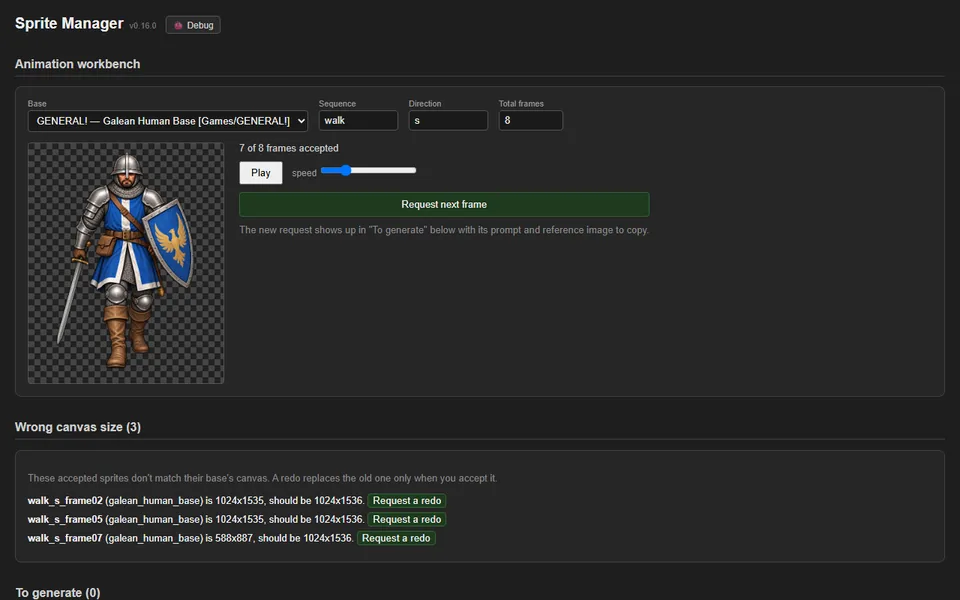
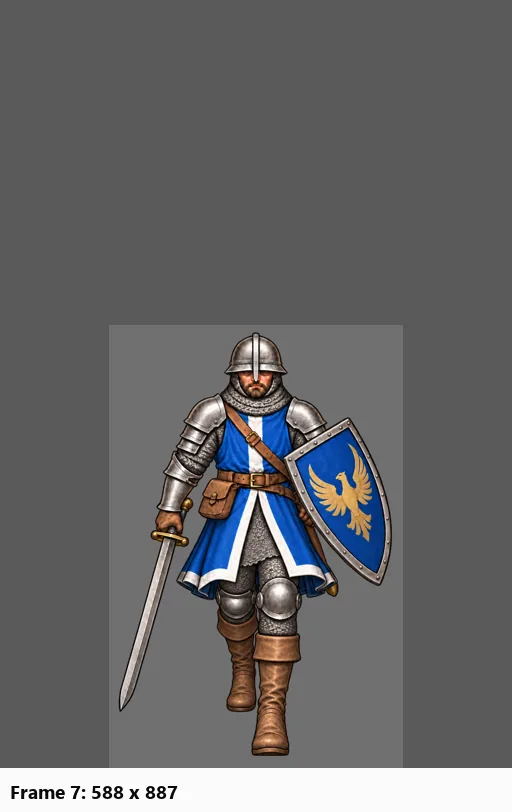
- A new "Wrong canvas size" list shows accepted sprites that slipped through: three frames of the Galean soldier's south walk (frames 2 and 5 are one pixel short; frame 7 is about half size).
- A walk frame can be requested again with one click. Accepting the redo retires the old frame and archives it rather than leaving two versions of the same frame.

Also in:
GENERAL!
Tagged feeds: a post appears in every project it was for
- Feeds are now driven by each entry's
Tags:line instead of which project wrote it. Sprite Manager's Galean walk-cycle entry, tagged for GENERAL!, shows up in GENERAL!'s feed as well as its own — the same post, never a copy — with an "also: GENERAL!" chip explaining why it's there. - Feed pages moved to
devlog/feed.html?project=<path>; every oldgame.html?slug=link still lands on the right feed and post. - Filter chips, stats and the landing page follow the same rule: one gate per feed, four today, with the two sources that have no logo yet showing their name.


Also in:
GENERAL!
Sprite Manager
GENERAL! key art and portrait sheet
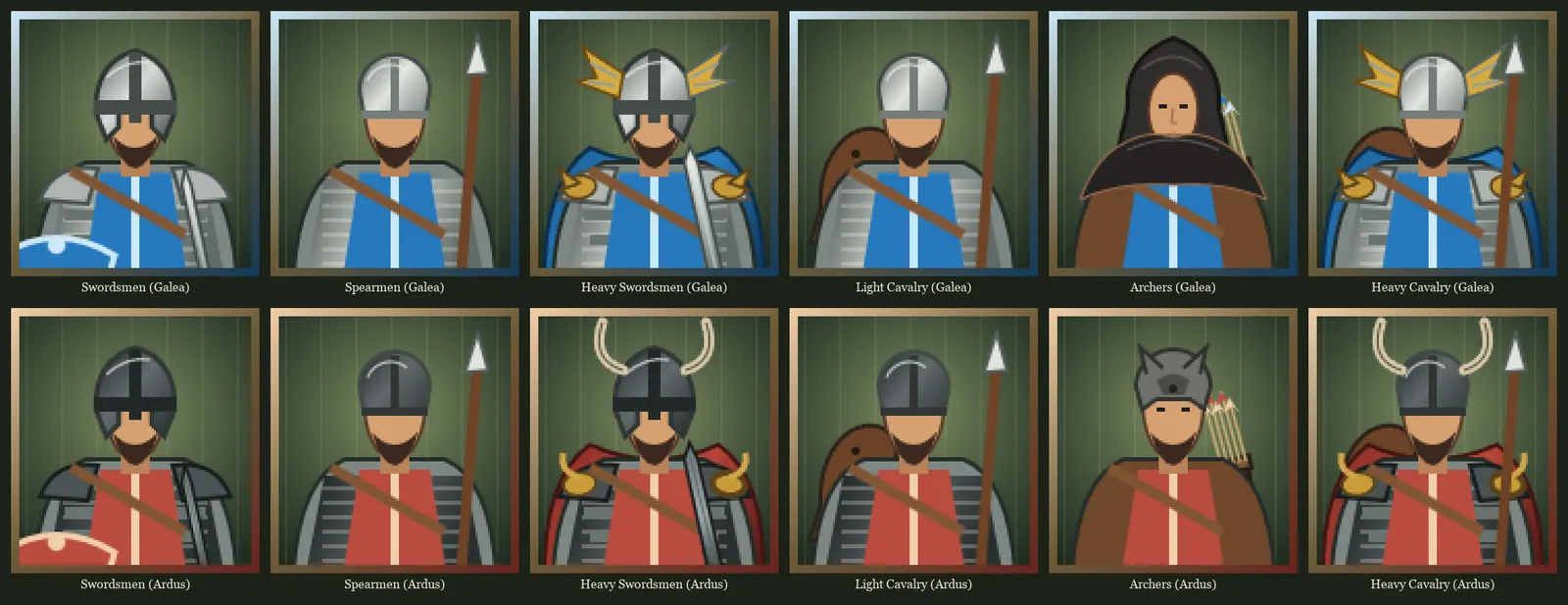
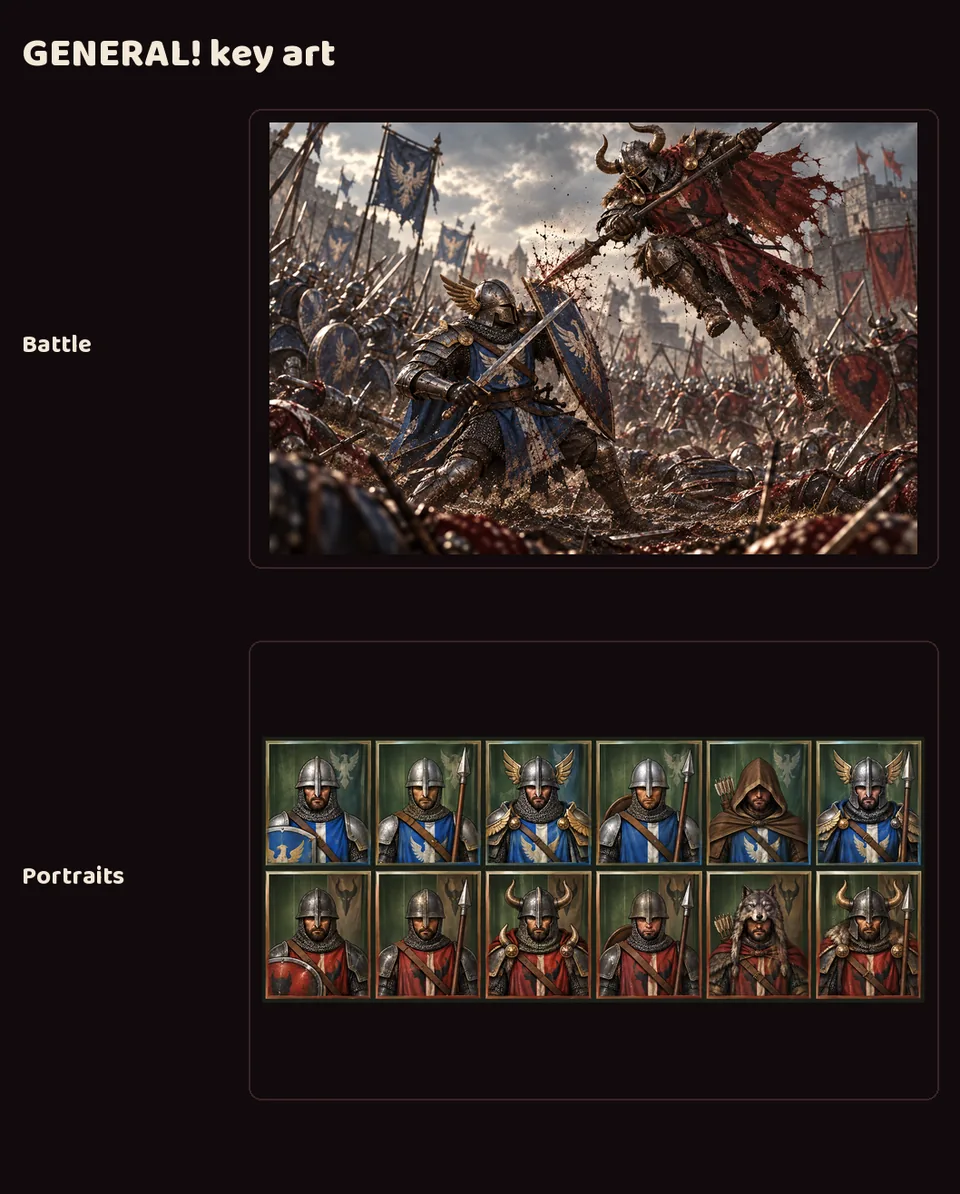
- A battle between the blue Galea and red Ardus armies, for GENERAL!'s brand deck.
- A portrait sheet covering all six unit types for both sides, which went to GENERAL! as the basis for its new unit portraits.

Also in:
GENERAL!
GENERAL!'s first logo
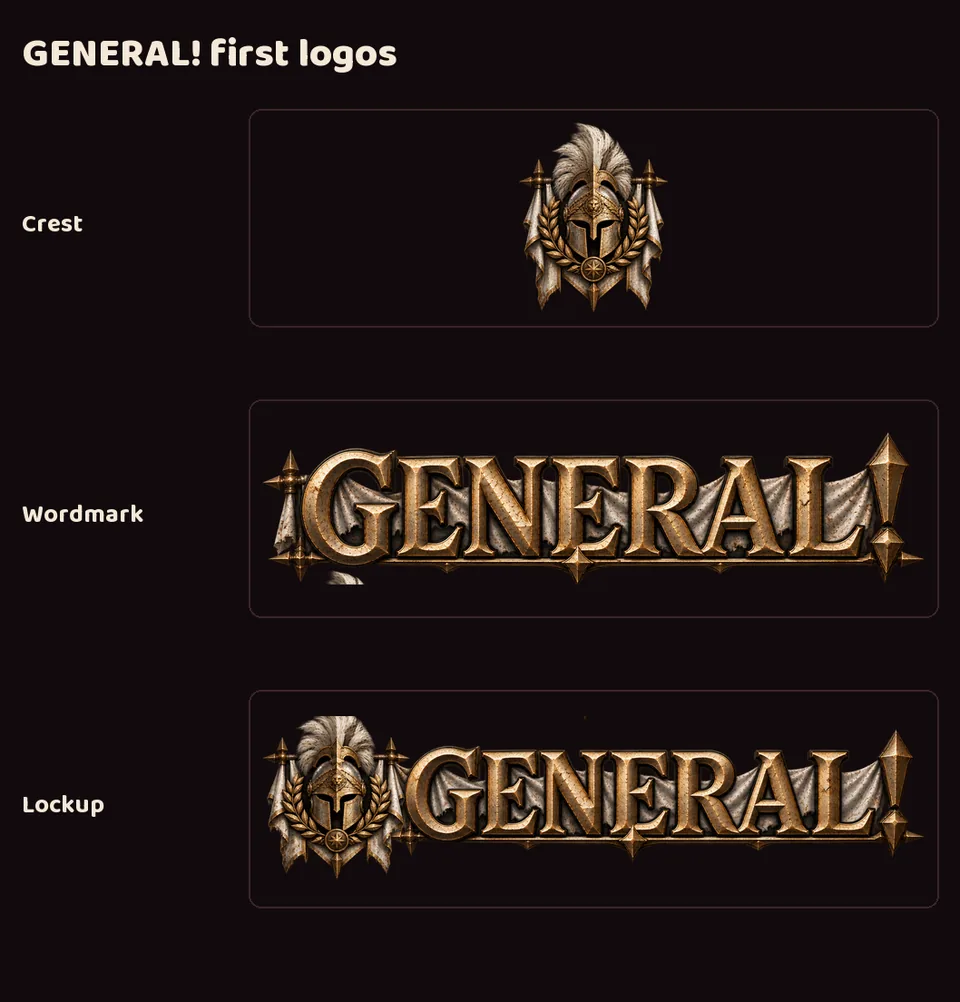
- GENERAL! had no logo of its own before this. Now it has a crest, a wordmark and a combined lockup.
- A plumed helmet crest and engraved metal lettering — grounded and martial, in muted gold rather than either army's color.

Also in:
GENERAL!
GENERAL!'s brand deck
- An 8-slide brand and art reference deck for GENERAL!: overview, visual identity, sprite and concept reference, a current screenshot, logo treatment and key art.
- Dark iron and gold: grounded and tactical, with the two armies' blue and red kept for the units.

Also in:
GENERAL!
GENERAL!'s art, before and after
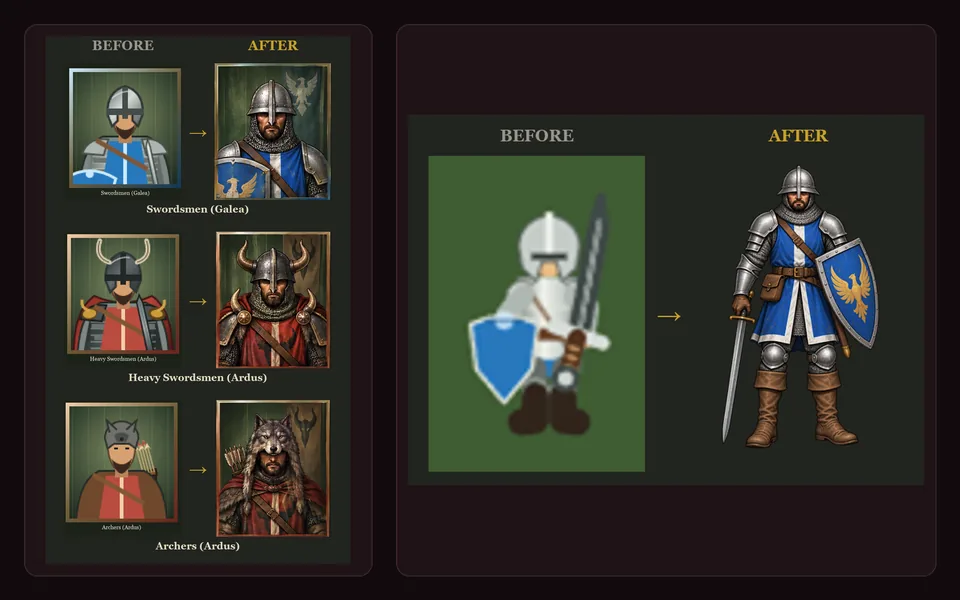
- Two comparisons added to GENERAL!'s brand deck, showing how far the game's art has come.
- Unit portraits: the flat placeholder cards beside the new painted portraits, for three units across both armies — Galea swordsmen, Ardus heavy swordsmen in horned helms, and Ardus archers in wolf-pelt hoods.
- The Galea swordsman at full height: the original small placeholder figure beside the painted character, side by side at the same scale.

Also in:
GENERAL!
Devlog: universal and per-game feeds generated from PROGRESS.md
- A static devlog (
devlog/) with one universal feed and one feed per game, both views over the samedata/posts.json— a post is never duplicated, only filtered. - Posts are generated, not written: a read-only sync (
scripts/sync_devlog.py) parses each registered game's ownPROGRESS.md, one milestone entry per post, copies the screenshots that entry references, and keeps the milestone's original date (inlineDate:line, else a hand-derived overlay, else first-seen — never the sync date). - Full backfill of CHEF! and GENERAL!'s shipped history, then an hourly sync that reports thin new posts to the Owner and Project Manager.
- Studio and per-game branding (logos, badges, per-game accent theming), a filter-chip switcher on the universal feed, a stats strip, a screenshot lightbox, and a visible site version tag.

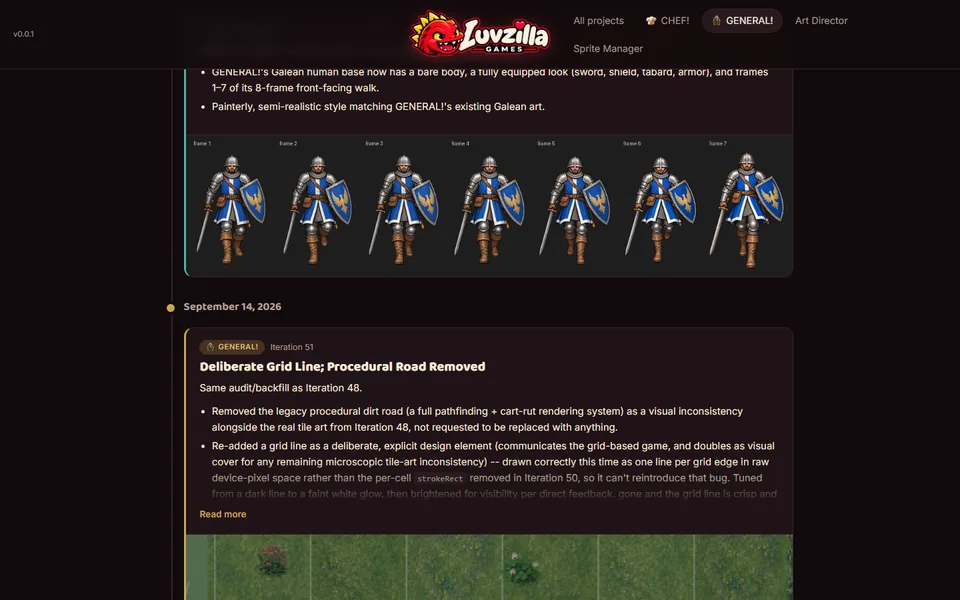
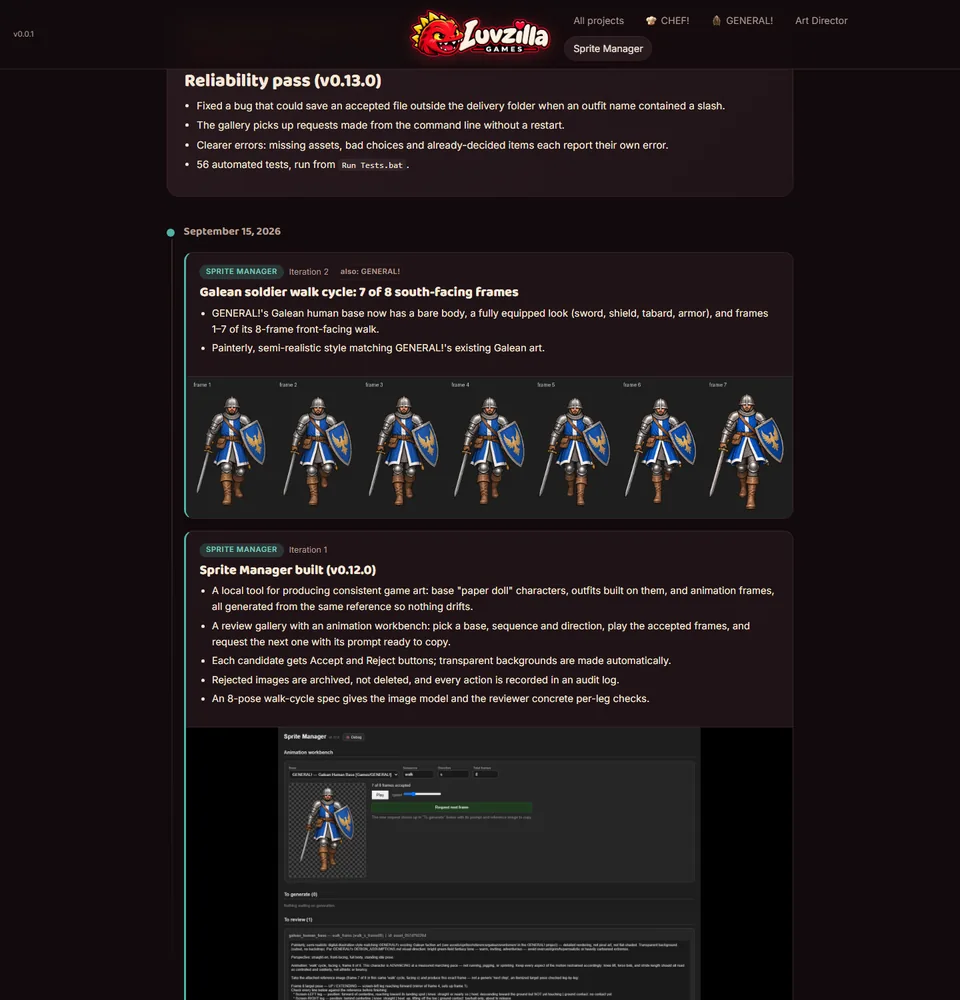
Galean soldier walk cycle: 7 of 8 south-facing frames
- GENERAL!'s Galean human base now has a bare body, a fully equipped look (sword, shield, tabard, armor), and frames 1–7 of its 8-frame front-facing walk.
- Painterly, semi-realistic style matching GENERAL!'s existing Galean art.

Also in:
GENERAL!
Uniform Portrait Frame
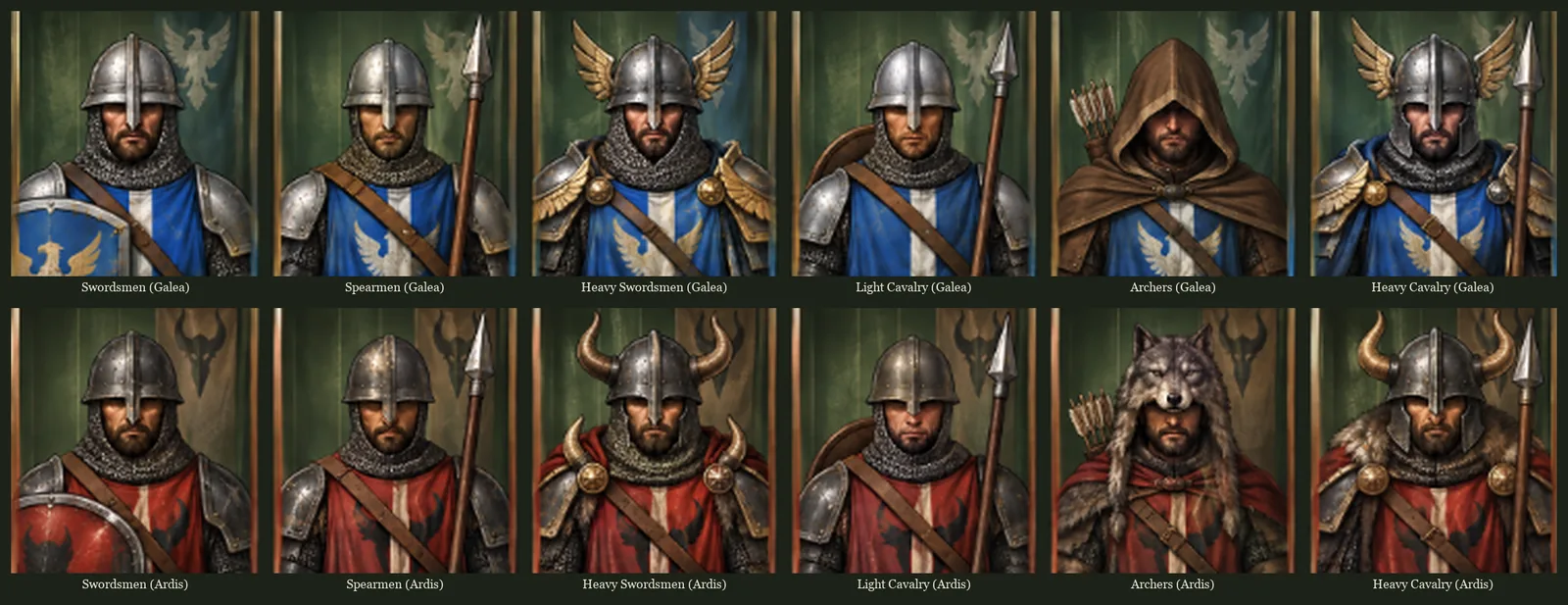
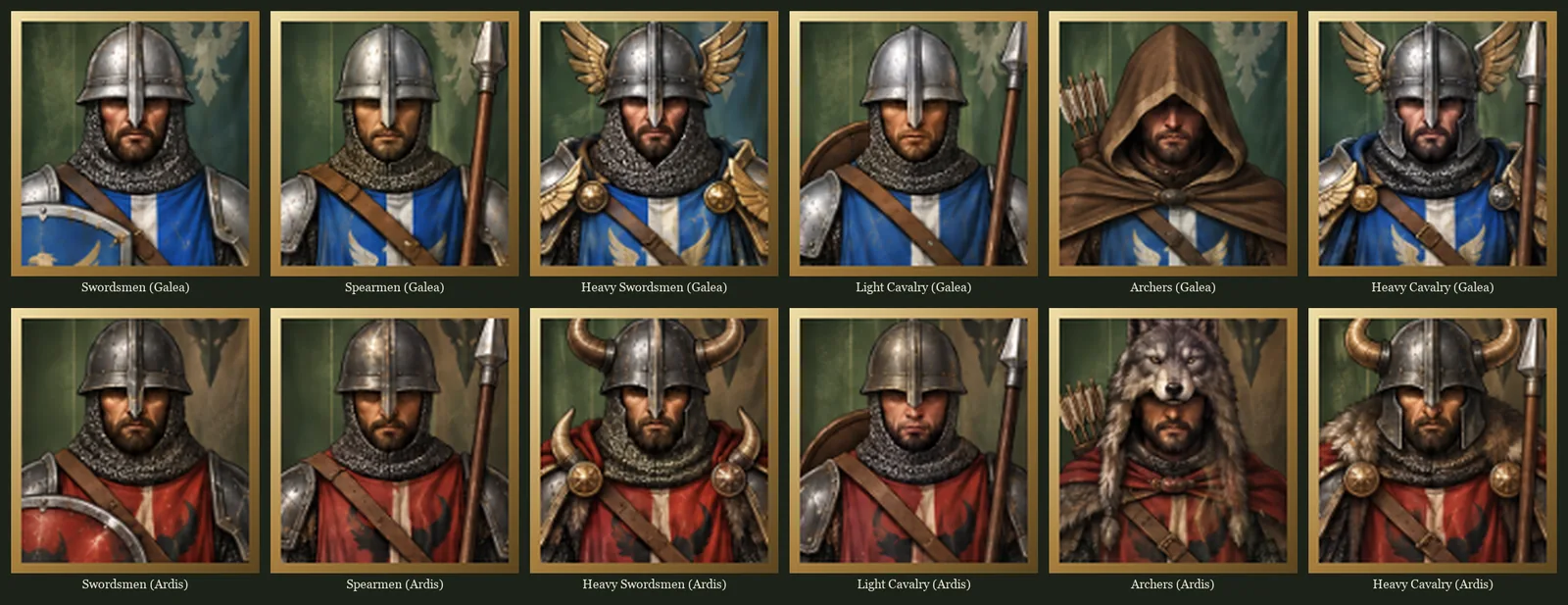
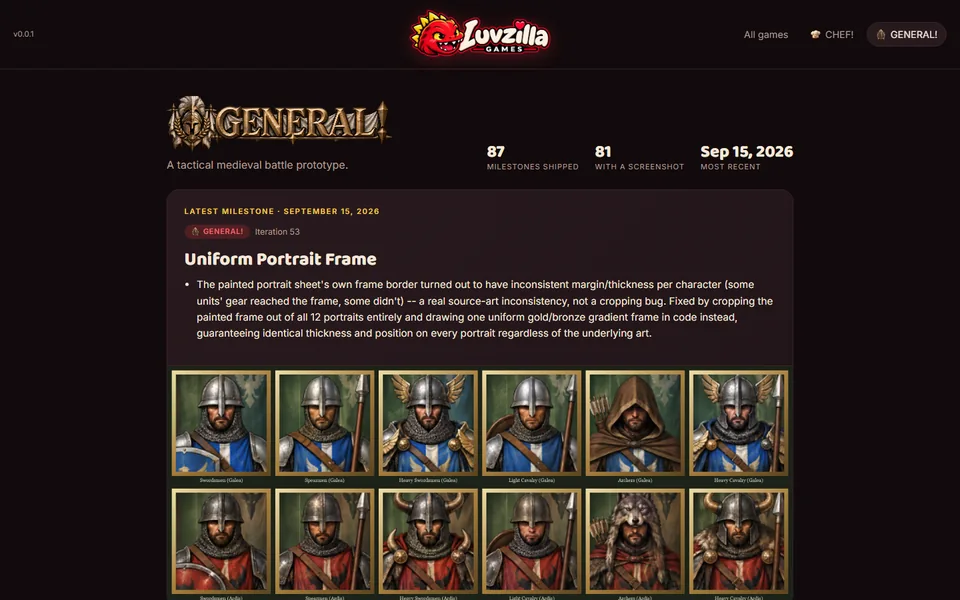
- The painted portrait sheet's own frame border turned out to have inconsistent margin/thickness per character (some units' gear reached the frame, some didn't) -- a real source-art inconsistency, not a cropping bug. Fixed by cropping the painted frame out of all 12 portraits entirely and drawing one uniform gold/bronze gradient frame in code instead, guaranteeing identical thickness and position on every portrait regardless of the underlying art.

Painted Unit Portraits and the Ardis Rename
- Replaced the hand-authored vector
.unit-portraitHUD art (used in the left command rail's selected- formation dossier, added in Iteration 38) with painted portraits delivered by the Art Director role, one per unit type x faction (12 total), cover-fit cropped from a single delivered sheet. - Renamed the enemy faction from Ardus to Ardis throughout: the faction id, all display strings (HUD faction label, selection/inspection messages), and the CSS class that colors it. comparable to the pre-overhaul baseline in
progress/138-wip-legacy-unit-cards-grid.png).


Deliberate Grid Line; Procedural Road Removed
Same audit/backfill as Iteration 48.
- Removed the legacy procedural dirt road (a full pathfinding + cart-rut rendering system) as a visual inconsistency alongside the real tile art from Iteration 48, not requested to be replaced with anything.
- Re-added a grid line as a deliberate, explicit design element (communicates the grid-based game, and doubles as visual cover for any remaining microscopic tile-art inconsistency) -- drawn correctly this time as one line per grid edge in raw device-pixel space rather than the per-cell
strokeRectremoved in Iteration 50, so it can't reintroduce that bug. Tuned from a dark line to a faint white glow, then brightened for visibility per direct feedback. gone and the grid line is crisp and consistent).

Legacy Vector Clutter Removed; Tile-Seam Root Causes Fixed
Same audit/backfill as Iteration 48. A months-spanning seam-artifact investigation, resolved across several real, distinct root causes rather than one fix:
- Removed the entire legacy vector-drawn ambient clutter system (bones, mushroom clusters, sheep, cattle, vector fence/cart/field-stones) as redundant once the accent-object pool covered the same role.
- Trimmed the accent-object pool from 146 back down to 30: the original 116-item batch was low-resolution (averaging ~72x84px native against a ~35-55px draw size) and at least one item had baked-in label text from its source sheet; removed entirely rather than salvaged, since a cross-referenced 30-item second batch was already independently verified clean.
- Fixed tile seams across pond/forest/rock art via proportional ~7% overdraw, compensating for a genuine soft-alpha-fade at those textures' own edges.
- Root-caused a second, structurally unrelated seam source after the first fix didn't fully resolve user reports:
resize()computed tile position/size as raw floating-point division of the canvas's fractional CSS size, so terrain almost never landed on a whole device pixel, softening every boundary regardless of the art itself -- fixed by rounding to whole pixels. - Root-caused a third seam source, again found only after the first two fixes still didn't fully resolve it: an always-on per-cell grid
strokeRect, whose "crisp 1px line" offset trick only works at devicePixelRatio=1, anti-aliasing into a blurry line at any other scale factor -- removed entirely except for the reachable-tile-highlight case. - Root-caused a fourth seam source, specific to grass (which uses most of the map): the grass tile source art itself has a genuine baked-in bright guide-line artifact in its outer 2-3px, left over from how the source sheet was cropped -- fixed by sampling an inset region of each source image instead of the whole thing. visible seams after all four fixes).

Ambient Accent-Object Scatter
Same audit/backfill as Iteration 48.
- Added sparse, randomly-positioned decorative props (flowers, pebbles, logs, campfires, bones...) scattered beneath units across the battlefield -- purely decorative ground clutter, never blocking a formation from standing on a tile.
- Grew from an initial 116-prop batch to 146 after a second 30-prop batch was folded into the same pool. to 30 -- see Iteration 50 -- after the original 116-item batch turned out to be low-resolution with at least one item carrying baked-in label text.)

Battlefield Terrain Art: Grass, Buildings, Water, Forest, and Rock Tiles
Documentation gap found 2026-09-15 via an external devlog audit: this entire terrain-art pipeline shipped and has been live in src/presentation/battlefield-renderer.js since 2026-09-14, but was never promoted out of progress/'s wip-labeled screenshot sequence (092-125) into a numbered milestone here, despite being real, current, shipped rendering — not exploration. Backfilled now; see assets/sprites/README.md for the full blow-by-blow history of every attempt below.
- Grass: the battlefield ground switched from a procedural vector texture to 12 seamless grass-tile images, deterministically varied per grid cell.
- Buildings/Structures: the farmhouse and windmill landmarks switched from vector to real tile art.
- Water: five full attempts before landing on the current approach. In order: a 4-bit autotile system, a 32-shape static-pond set, two rounds of explicitly-dimensioned pond sets (v1 irregular shapes, v2 higher-resolution irregular shapes) chasing reported blurriness, a v3 simpler all-rectangle set, a full revert to pure vector rendering when every image-based version still read as blurry, and finally the shipped fix:
pond-tiles-v4, 6 seamless self-bordered 512x512-native textures genuinely high-resolution relative to an in-game tile (the actual root cause of every earlier version's blur was never having enough native resolution to downscale from). Pond generation itself was also reworked alongside this: fully random 0-6 tile count (no forced minimum), organic irregular shape via random-walk growth, each texture variant used at most once per pond. - Forest: six attempts. Vector, a 39-shape dimensioned multi-tile forest set, a revert to vector, a
forest-tilessheet, then the shippedforest-tiles-v2(8 seamless self-bordered textures fixing the prior sheet's crop issues directly). - Rock: a parallel saga to forest -- vector, a 37-formation dimensioned multi-tile set (later a 51-shape revision), a revert to vector, then the shipped
rock-tiles-v2(12 seamless self-bordered textures), completing the image-based trio with water and forest. relabeling; shows the completed trio -- water, forest, and rock all on real tile art together).

Galean Swordsmen Sprite Art: Idle and North Walk
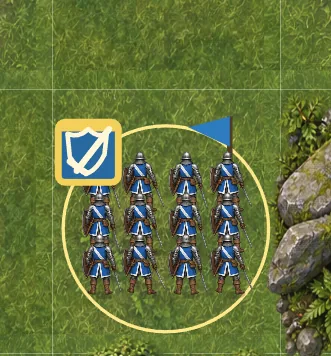
- Galean Swordsmen are the first unit drawn with painted sprite art instead of simple vector figures. Standing formations, facing forward or away from the camera, play an 8-frame breathing cycle, and alternate between two pose sets so twelve soldiers never move in lockstep.
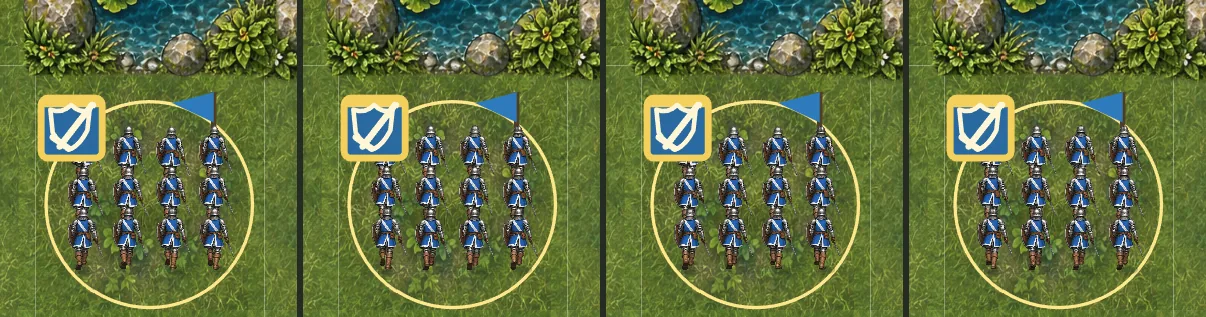
- Marching north, the army's usual advance direction, plays an 8-frame sprite walk cycle.
- Feet sit on their ground shadows at every frame, the unit banner stays behind the soldiers, and sprite formations are spaced a little wider so neighbours don't clip into each other.
- Other units, side-facing and south-marching Swordsmen, and formations locked in melee still use the vector figures for now.
- The art is from image generation, cropped and cleaned up for the game.
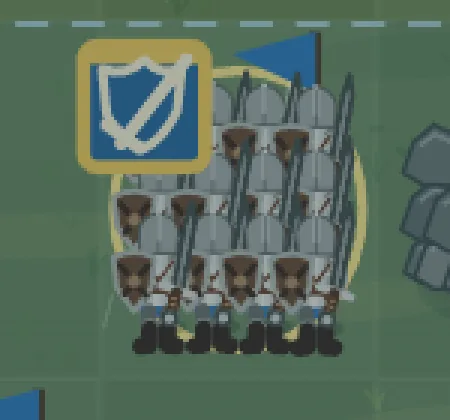
- Recorded after the fact (2026-09-17): this shipped on 2026-09-13 but was listed as unshipped exploration until now. The "before" is the real close-up taken during the change on 2026-09-13, in the rainy deployment lighting. The "after" close-up and the walk strip are fresh captures of the same unit in sunny Order Phase.


Expanded Unit Selection Voices
- Imported nine additional owner-supplied selection recordings for archers, spearmen, swordsmen, and light cavalry.
- Each unit class now chooses randomly between its original recording and its matching new variants, while rapid selections continue to overlap naturally.

Victory Presentation (Reconstructed)
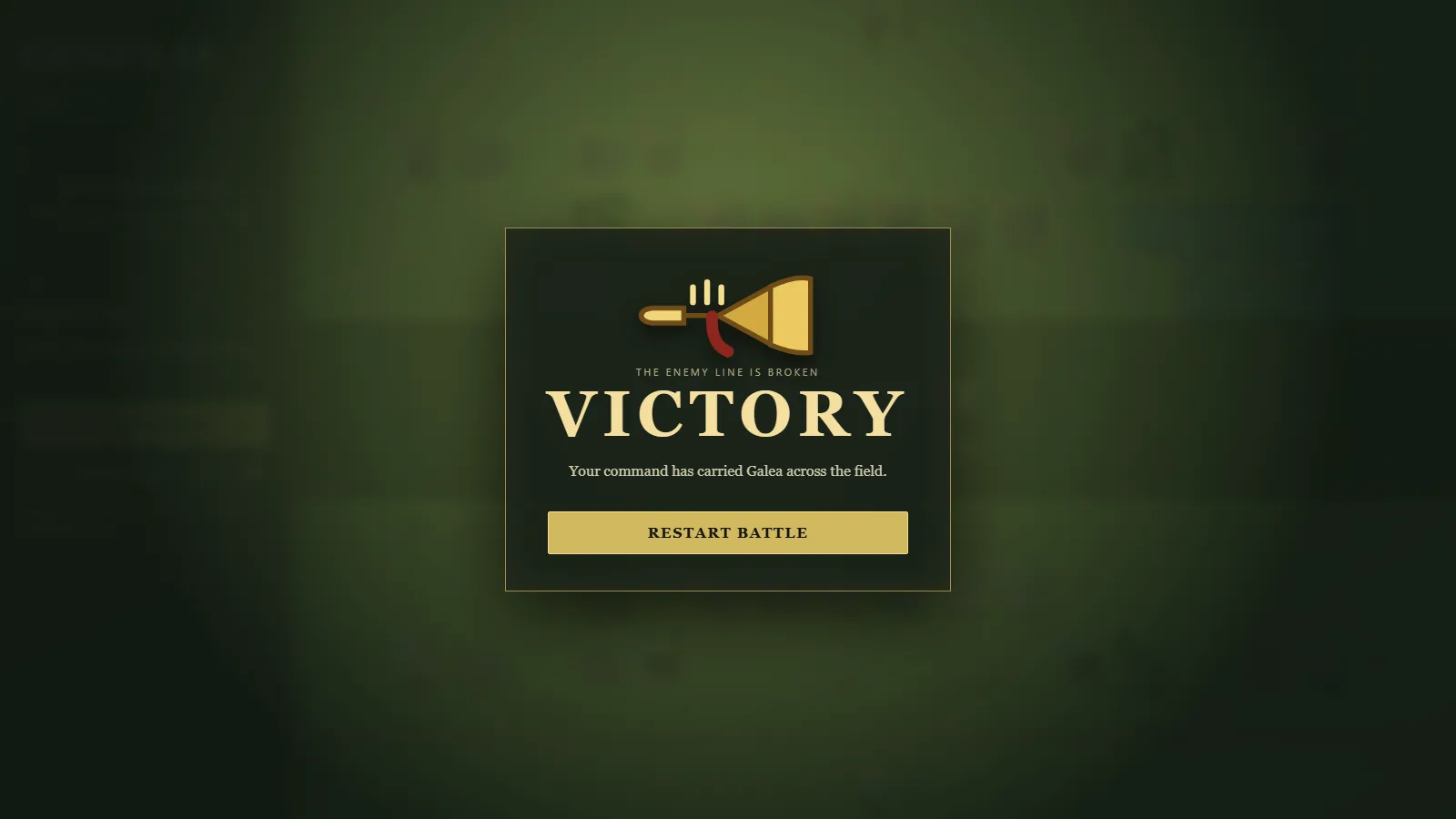
- Added a full-screen heraldic trumpet victory presentation, one-shot victory music, and Restart Battle action.

Routed Re-engagement (Reconstructed)
- A formation can disengage, follow a complete custom route, and re-enter the same melee from another border with one free strike and correct flank/rear facing.


Directional Volleys (Reconstructed)
- Arrows rotate along their curved trajectory, visibly lead with arrowheads, and strike moving destinations or engaged borders.


Living Melee and Progressive Casualties (Reconstructed)
- Engaged ranks physically surge at shared borders during order and resolution phases with persistent layered combat audio.
- Casualties now disappear progressively, fall at impact, create randomized blood, and occasionally lose an arm or head.
- Expanded combat audio to full battle-cry, pain, sword, shield, armor, and gore pools while removing the gong-like impact.


Compact Right-Click Command HUD (Reconstructed)
- Removed redundant order buttons, command instructions, and prototype battle controls; retained unit dossiers, statistics, planned orders, and a compact sound icon.
- Added contextual archer bark priority so out-of-range targets use Advance to Range.

Elite Rear-Facing Silhouettes (Reconstructed)
- Allied Heavy Swordsmen and Heavy Cavalry show rear-facing capes and correctly layered weapons; enemy elites retain front-facing faction decoration.

Storm-to-Sun Transition (Reconstructed)
- Starting battle now clears rain through moving clouds, wind, and breaking sunlight while deployment music crossfades into the battle score.


Rainy Deployment and Expanded Rosters (Reconstructed)
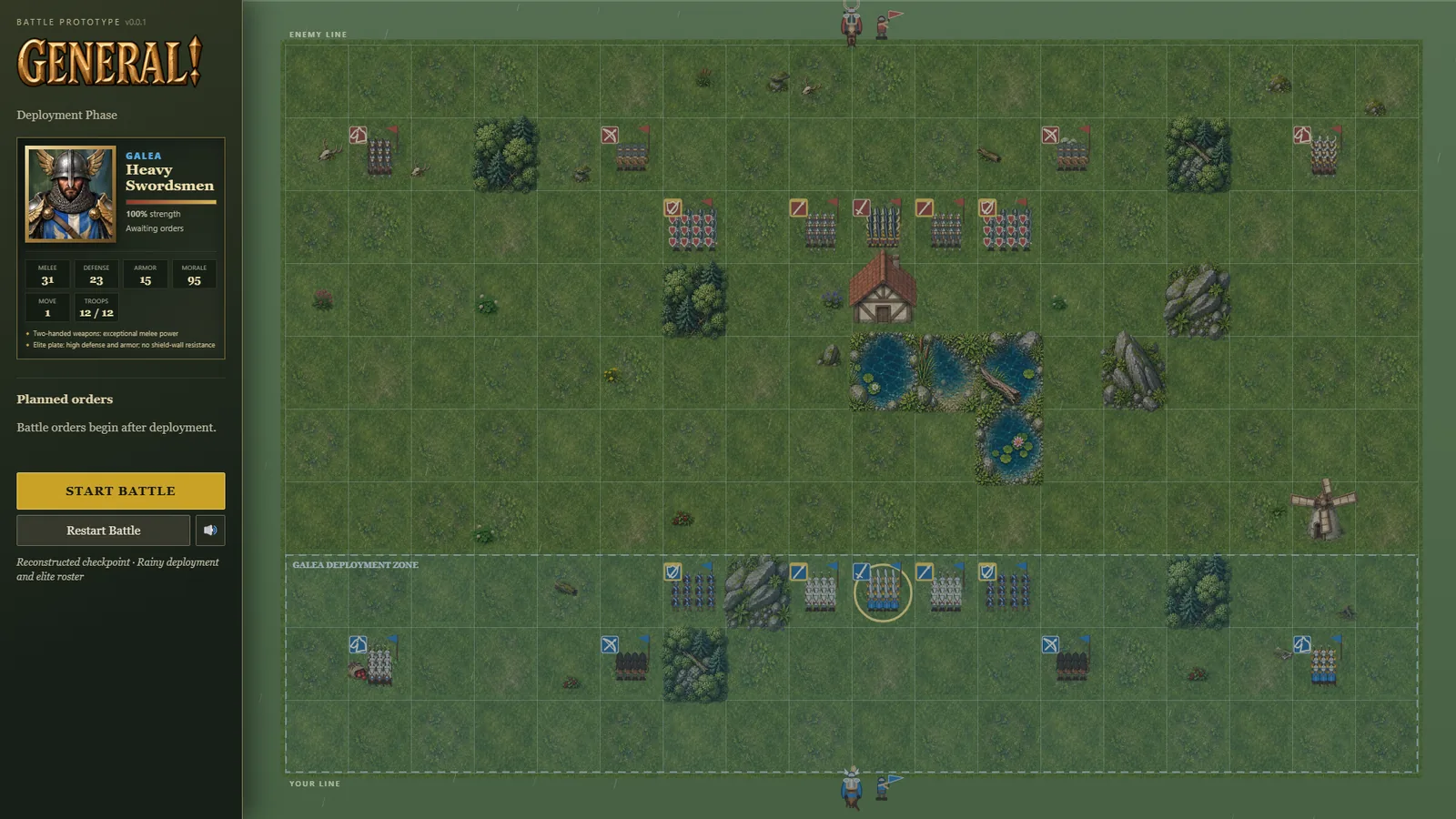
- Added the deployment phase, draggable formation swapping, Heavy Swordsmen, Heavy Cavalry, literal visible troop counts, and faction-specific elite equipment.
- Added calm deployment music, rain, overcast lighting, and ambient formation breathing.


Left Command Rail and Unit Dossiers
- Moved the full command interface from the right edge to a fixed left military sidebar.
- Added an animated selected-formation dossier that opens inside the interface without covering the battlefield.
- Added class-specific Canvas head-and-shoulders portraits for swordsmen, spearmen, archers, and Light Cavalry.
- Portraits reflect faction colors and class equipment, with steel or leather armor, shields, bows, spears, and cavalry horse detail.
- Added a visual strength bar plus compact movement, range, stance, engagement, and planned-order information.
- Captured the interface checkpoint and verified the page has no browser warnings or errors.

Canvas Fidelity Foundation
- Reworked the field into a brighter layered meadow with dense procedural grass tufts.
- Added sunlight grading, edge vignette, and subtle dust during battle resolution.
- Added depth-sorted formations and individual troop contact shadows.
- Improved metal/leather shading, helmet highlights, shield bosses, horse anatomy, coats, tack, and manes.
- Added grounded forest/rock shading and shoreline reeds while preserving terrain readability.
- Captured a visual QA screenshot and corrected rock shadows that initially read as oversized pits.

Heavy Battle-Line Audio
- Replaced bright sword pings with layered low metal bong and thud impacts.
- Added a separate massed crowd roar during melee resolution.
- Player and enemy infantry, archers, and cavalry now receive distinct overlapping movement layers at dominant mix levels.
- Added safe volume clamping for heavily boosted effects.
Treeline Command Bark
- Added the owner-supplied “Advance to the Treeline” recording.
- Movement orders whose intended destination is a forest tile now use that bark and matching command bubble, including manually drawn routes.
Organic Forests and Mounded Rocks
- Replaced diagonal tree bands with independent seeded x/y placement across 17 trees covering most of each forest tile.
- Rebuilt impassable rocks into an overlapping three-tier mound with a wide base and raised crown.
- Moved the horn bearer farther from the mounted general and flipped the command standard outward to prevent clipping.

Ranged Casualty Debris
- Arrow volleys now leave randomized blood and fallen bodies inside the struck formation's tile.
- The number of ranged casualty marks scales with volley damage and follows a moving target's resolved impact tile.

Living Engagement Lines and Varied Blood
- Engaged formations remain anchored while alternating soldiers strike and recoil across their contested border.
- Blood pools now use randomized lobed silhouettes, scale, aspect ratio, rotation, placement, and droplet counts.
- Fallen-body placement is also randomized along the combat border while remaining tightly anchored to it.


Smooth Engagement Formation
- New melee contacts now blend their formation centers onto the resolved adjacent tiles during the attack's settling phase.
- Individual soldiers simultaneously fan from marching ranks into the shared-border engagement layout.
- Existing engagements remain stationary and retain their already-spread combat formation.
- No unique screenshot: this is a transition/animation smoothness change with no static-image signature (like audio, a still frame can't show smoothness), and its settled end-state — soldiers fanned along a shared border — is the same visual state already captured in
progress/053-shipped-reconstructed-multi-border-melee.png(Iterations 26/32). Linked rather than reconstructed separately (2026-09-15).


Horde War Drum Cue
- Replaced the ceremonial snare cadence with William Hector's CC0 cinematic Horde War Drums.
- Retained the 2.4-second execution cutoff and fade so the cue punctuates the turn without becoming background music.
Pine Forests and Rock Piles
- Replaced round deciduous canopies with varied, layered triangular pine trees.
- Randomized pine height, width, shade, placement, and lean deterministically per forest tile.
- Rebuilt rock outcrops as dense, overlapping eighteen-boulder piles on a continuous dark base so their impassable status is visually clear.

Off-Field Command Vignette
- Moved both mounted generals and horn bearers completely outside the playable grid into the army boundary margins.
- The player's standard now displays the selected formation's class icon.
- The horn bearer shows up to two persistent speech bubbles: the selected unit callout and its issued command.
- Command bubbles clear when execution begins.


Procedural Dense Terrain
- Each new battle now generates five forest tiles and three impassable rock tiles at independent random positions (superseded 2026-09-14: mirroring/fairness was explicitly dropped per user correction — see WORKLOG.md).
- Terrain regeneration occurs on Restart Battle while protecting deployment squares and water.

Persistent Combat Orders
- Already-engaged formations retain their border-spread graphic throughout resolution instead of reforming and lunging each turn.
- Engaged formations automatically retain attack orders while both sides survive.
- Archers automatically retain ranged-fire orders while their target remains alive and in range.
- Swordsmen and spearmen immediately lose defensive stance bonuses while engaged.

Border-Anchored Casualties
- Blood and fallen bodies now anchor precisely to the shared tile edge where melee occurs.
- Casualty debris spreads primarily along the contested border with minimal spill into either formation's tile.

Vacated Enemy Squares
- When an enemy leaves a tile during simultaneous execution, an attacker ordered into that tile takes the empty ground without combat.
- If another formation occupies or claims the vacated tile, the attack advance is blocked instead of damaging the departed target.
- No unique screenshot: this rule only changes what happens on a vacated tile during resolution, which renders as an ordinary formation quietly occupying an empty tile — visually identical to normal movement already shown in
progress/050-shipped-reconstructed-drawn-route.png(Iteration 17). Linked rather than reconstructed separately (2026-09-15).

Battlefield Commanders
- Added non-playable mounted generals and horn bearers behind both armies.
- Selecting a player formation makes the player's general point toward it and raises the command horn.
- Execute Orders now begins with a short public-domain military drum cue.


Impassable Rock Outcrops
- Rock terrain is now completely impassable to player and AI formations.
- Expanded each rock tile into a dense fourteen-boulder outcrop covering nearly the full tile.

Unified Status Icons
- Removed the separate shield-wall and spear-brace glow graphics.
- Moved every class/health icon to the formation's top-left corner.
- Defensive swordsmen and spearmen now communicate their status through a strong gold icon border and header.
- Moved the issued-order pip to the top-right so it cannot collide with the class icon.

Connected Water and Forest Formations
- Water tiles now inspect their four neighbors, merge seamlessly across shared edges, and draw irregular grassy banks only along exposed shores.
- Added layered water gradients and procedural ripples instead of isolated circular ponds.
- Increased tree density from five to twelve varied trees per forest tile.
- Formations occupying forests loosen ranks and scatter through deterministic gaps among the trees.

Natural Cavalry Charge Audio
- Replaced the artificial cavalry stomp with a CC0 field recording of six horses galloping.
- The existing movement-duration fade keeps the recording synchronized to the formation's short movement animation.
Combat Blood Readability
- Increased the size, saturation, and persistence of battlefield blood pools.
- Added surrounding droplets and a brighter, wider impact spray during melee clashes.

Drawn Tactical Routes
- Removed the bright engagement divider between interlocked formations.
- Distant melee previews now display their obstacle-aware approach instead of a false straight line.
- Holding the right mouse button and dragging across adjacent tiles creates a validated custom route; a quick right-click retains contextual orders.
- Custom advance-and-engage routes persist across turns until the formation reaches its target or is interrupted.


Formation Detail and Stance Readability
- Renamed Riders to Light Cavalry in the interface while retaining the Riders selection voice.
- Added visible cavalry advance-and-engage route previews.
- Added layered armor, leather harnesses, helmet details, archer quivers, and clearer defensive poses.
- Added formation-level shield-wall and spear-brace indicators.

Formation-Scale Shadows
- Replaced oversized tile-wide unit shadows with compact shadows sized to the soldiers' visible footprint.

Tactical Terrain
- Water is passable, ends movement on entry (and caps movement at one tile while occupied), and reduces defense by 25%.
- Trees grant 25% protection against charges and arrow volleys.
- Rocks are difficult ground, costing two movement points per tile.

Functional Battlefield Terrain
- Added two tree groves, two rock outcrops, and a four-tile pond to the meeting-engagement battlefield.
- Terrain is functional rather than decorative: formations cannot occupy or path through those tiles.
- Player reachable-tile previews, persistent pathfinding, melee approaches, and AI destination selection all respect terrain blockers.
- Kept broad central and flanking lanes open so the introductory battle remains maneuverable.

AI Approach-tile Collision Guard
- Fixed same-side melee attackers converging onto the same final approach tile and visually hiding one formation.
- AI now reserves both movement destinations and melee approach tiles while planning its turn.
- The resolver independently blocks occupied or already-claimed attack approaches, including manually issued or stale orders.
- The full AI-vs-AI battle test now asserts after every turn that each team has at most one living formation per tile.

Simultaneous Tile Vacancies
- Friendly-occupied tiles may now be selected as provisional movement destinations.
- The move succeeds when the occupying formation successfully vacates during the same resolution.
- Movement chains and direct swaps resolve simultaneously without clipping or false blocking.
- If any formation cannot vacate, the blockage propagates backward through every dependent move.
- Shared destination tiles remain forbidden.
- Added controller and resolver regression coverage plus a deterministic two-unit vacancy-chain preview.


Multi-border Engagement Formations
- Engagement now supports one to four adjacent enemy formations instead of a single opponent.
- Each engaged pair shares one thick contested border directly between their tiles during Order Phase.
- Formation figures redistribute across every engaged edge and face the corresponding enemy.
- Two perpendicular engagements form an L; three or four engagements populate all claimed sides.
- Disengaging from multiple enemies permits one 12.5%-strength free strike from each opponent.
- Added deterministic multi-flank state coverage and a two-border L-shaped visual preview.

Full-route Reposition Classification
- Movement is classified using the complete route rather than only its first tile.
- Only a straight route aligned with current facing says “Advance.”
- L-shaped, turning, sideways, backward, and extended routes say “Reposition.”
- Added regression coverage for a forward-then-sideways L-shaped route within one turn.

Formation March Cycles
- Moving infantry now alternate visible leg strides with a restrained body bob.
- Individual troops receive phase offsets so a formation marches organically instead of bouncing as one rigid blob.
- Archers use a lighter cadence, armored infantry a steadier cadence, and horses a faster four-leg gait.
- March cycles only run during movement animation; stationary and braced formations remain still.


Friendly Formation Crossing
- Friendly formations may now path through each other's occupied tiles.
- Formations still cannot share a destination tile; destination conflicts remain rejected or blocked during simultaneous resolution.
- Intersecting friendly movement routes receive opposite animated lane offsets, then smoothly return to tile centers after passing.
- Enemy-occupied intermediate tiles remain blocking because entering them requires combat.
- Added pathfinding regression coverage and a deterministic crossing preview.


Unified Banner Direction
- Standardized blue and red formation flags so every banner extends left from its pole.

User Reposition and Disengage Voices
- Replaced the generated Reposition and Disengage barks with the user-provided MP3 recordings.
- Both commands retain immediate independent playback without entering a speech queue.

Persistent Repositioning and Engagement
- Sideways moves relative to current facing say “Reposition!” instead of “Advance!”
- Empty destinations beyond current movement create persistent routes, move one allowance per turn, and automatically remain ordered next turn.
- Persistent routes cancel when blocked or when the formation enters combat.
- Surviving melee opponents finish in two adjacent tiles and become visibly interlocked in an Engaged state.
- Engaged enemies continue fighting; ordering movement away becomes Disengage.
- Disengaging grants the opponent a free strike at 12.5% of normal melee strength, with swordsmen applying their innate 25% mitigation.
- Added local overlapping Reposition and Disengage bark assets plus deterministic controller/resolver coverage.

Spear Brace Metal
- Added a short recorded metal equipment impact beneath “Spears up! Brace!”
- Used a distinct, slightly quieter sample from the swordsmen shield-ready sound.
- Added regression coverage for both parts of the spearman brace cue.

Contextual User Voice Pack
- Installed user-provided recordings for Advance and Engage, Charge, Spears Up Brace, Shields, and Hold Position.
- Replaced every matching generated placeholder while preserving independent overlapping playback.

Contextual Right-click Barks
- Right-clicking the selected formation now issues Hold instead of rejecting the friendly occupied tile.
- Swordsmen say “Shields!” and play a short metal shield-ready sound.
- Spearmen say “Spears up! Brace!” when bracing.
- Other formations retain “Hold!” and distant melee targets now say “Advance and engage!”
- Added regression tests for contextual orders and their exact audio events.

User General Cue
- Replaced the generated “General!” bark with the user-provided MP3.
- The cue plays at battle startup and whenever resolution returns to a new Order Phase.

User Voice Pack
- Installed the eight user-provided MP3 command recordings for the four standard unit selections, Advance, Advance to Range, Draw, and Loose.
- “Draw” now acknowledges an archer attack order; “Loose” plays as the volley begins during execution.
- Kept General, Hold, Charge, and Heavy Riders on their existing local clips until replacements are supplied.
- User recordings retain independent audio instances and therefore preserve true rapid-click overlap.

True Overlapping Command Barks
- Replaced live browser speech with local WAV command-bark assets generated from the installed Microsoft David voice.
- Every click now starts an independent audio instance immediately, so rapid commands genuinely overlap without waiting in a queue.
- Muting stops every currently active command clip.
- Added a reproducible command-bark generation script under
tools/.

Bounded Command Voices
- Replaced queued command speech with a single-flight voice channel.
- Rapid selections and orders are ignored while a bark is already speaking, preventing both overlap and a long delayed queue.
- Muting immediately stops speech and resets the voice channel cleanly.
- Deliberately timed movement and combat effects remain independent from the command-voice channel.

Shieldwall Correction and Combat Vocals
- Corrected Iteration 10g: universal 25%/50% resistance belongs to swordsmen, not spearmen.
- Swordsmen now resist all damage by 25%, rising to 50% while Holding or unordered with shields raised.
- Spearmen are restored to 25%/50% resistance against charges only.
- Added layered CC0 pain grunts and restrained wet-impact sounds during melee combat.
- Updated UI descriptions and regression tests to keep shieldwall and spearwall roles distinct.

Enemy Marches and Spearwall Resistance
- Enemy heavy and light infantry now trigger their own overlapping footstep groups, slightly delayed and quieter to distinguish the opposing line.
- Spearmen now resist 25% of every incoming damage type while active and 50% while Holding or unordered/braced.
- Universal spear resistance applies to arrows, ordinary melee, and charges.
- Added deterministic coverage for active and held spearmen against non-charge melee damage.

Cavalry Audio Timing
- Capped the horse-trot recording at 1.7 seconds on normal speed.
- Scaled the cap down with faster resolution settings so hoofbeats do not continue after movement ends.
- Added a short volume fade before stopping the clip to avoid an abrupt audio cut.

Archer Melee Weakness
- Archers now inflict only 50% of their calculated damage in melee combat.
- Archers contribute only 50% of their defense stat when resisting melee attacks.
- Ranged damage remains unchanged.
- Added deterministic tests for both halves of the penalty.

Moving Volley Targets
- Arrow animations now terminate at a moving target's resolved destination tile rather than its starting tile.
- Added automated coverage that moves a targeted formation before verifying the volley endpoint.


Non-interrupting Command Audio
- Removed the global speech cancellation that caused rapid selections and queued orders to cut off the previous command bark.
- Command barks now remain queued in issue order while independently recorded movement and combat effects overlap normally.
- Muting still immediately cancels active and queued speech as expected.

Ranged Positional Damage
- Added +25% ranged damage when arrows strike a formation from either flank.
- Added +50% ranged damage when arrows strike a formation from the rear.
- Made ranged positional bonuses additive with shield resistance, consistent with melee modifiers.
- Added automated coverage for front, flank, and rear volleys and reran the full battle suite.

Battle Impact Effects
- Added a recorded group bow release during animated arrow volleys.
- Added four staggered, varied iron clash recordings during melee resolution.
- Added brief dark-red hit particles during clashes and restrained persistent blood marks based on casualties.
- Kept blood beneath formations and capped persistent marks to preserve battlefield readability.
- Documented audio authors, source pages, and licenses in
assets/audio/SOURCES.md. - Added a deterministic
?demo=battlefxstate for visual regression screenshots. - Rebuilt the double-clickable bundle and passed order-controller, resolver, full-battle, and syntax tests.

Recorded Movement Audio and Deliberate Pacing
- Replaced synthesized placeholder movement sounds with CC0 recorded metal, leather, and horse-trot audio; provenance is documented in
assets/audio/SOURCES.md. - Heavy and light formations now play staggered four-step variations instead of one repetitive impact.
- Increased the normal resolution duration from 2.2 to 4 seconds.
- Hid planned path arrows as soon as execution begins so they do not linger over moving formations.
- Extended right-click advance-to-range behavior to every melee formation: unreachable enemy targets now produce an advance-toward-target order rather than a rejection.
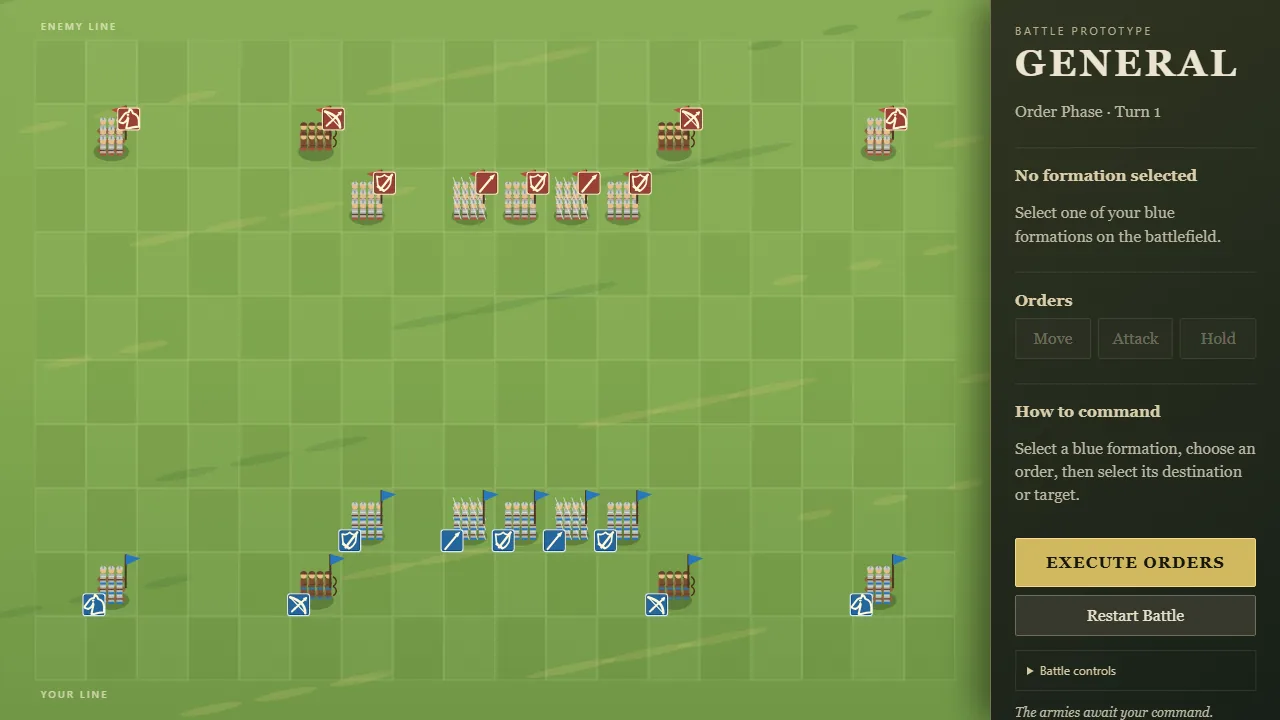
- Rebuilt the double-clickable bundle and passed order-controller, resolver, full-battle, and bundle syntax tests.

Quick Orders, Defensive Stances, and Charges
- Fixed grid overflow so all 18 × 10 tiles and formations fit at default zoom, including ultrawide displays.
- Added right-click default orders: empty tile means Move; enemy formation means the appropriate attack behavior.
- Added two-tile-or-longer charge orders that traverse empty tiles before entering an enemy tile.
- Added additive charge (+25%), flank (+25%), and rear (+50%) melee bonuses based on the final approach direction.
- Added 25% normal and 50% raised-shield missile resistance for swordsmen.
- Added 25% normal and 50% braced-spear charge resistance for spearmen.
- Unordered and Holding swordsmen/spearmen automatically adopt defensive stances; other orders lower the defense.
- Raised shields now sit visibly higher, and the selection panel reports the active defensive stance.
- Enemy AI recognizes unobstructed charge lanes.
- Added passing tests for quick orders, charge detection, additive rear/flank bonuses, missile resistance, and anti-charge bracing.

Double-clickable build
- Fixed the empty battlefield seen when
index.htmlwas opened directly throughfile://. - Added a zero-dependency build script that combines the modular source into
dist/general.js. - Changed
index.htmlto load the self-contained classic script, avoiding local module-import restrictions. - Verified the generated bundle syntactically, reran gameplay tests, and visually verified the generated build.

Order Usability
- Replaced straight-line movement previews with deterministic tile-by-tile paths.
- Animated player movement along the displayed route rather than directly between endpoints.
- Added a complete, live-updating roster of player orders.
- Added specific rejection messages for invalid tiles, blocked routes, and duplicate destinations.
- Prevented two player formations from knowingly planning the same destination.
- Added mute and volume controls for barks and movement effects.
- Added a deterministic
?demo=orderspresentation state for visual regression screenshots. - Verified selection, route assignment, path rendering, and order-roster updates in the running browser.
- Added passing automated tests for path construction and destination conflict rejection.

Audio timing
- Confirmed category footsteps trigger only when at least one Move event for that category resolves successfully.
- Added the
battle_start_generalacknowledgment after resolution fully completes and a new Order Phase begins. - Suppressed the acknowledgment when resolution ends in victory or defeat because no new Order Phase exists.
- Verified the transition through the running browser UI from Resolution Phase to
Order Phase · Turn 2.

Movement Audio
- Generated an original deep, synchronized heavy-infantry boot sequence with a subtle armor ring.
- Generated a quicker and softer leather-textured sequence for archers and light units.
- Generated staggered cavalry hoof stomps with lower ground impact.
- Wired all three WAV assets to replacement-friendly named movement events.
- Verified all assets return successfully from the local game server and trigger during resolution.

Spearhead refinement
- Narrowed spear and lance tip shoulders.
- Shortened the metal heads slightly while preserving their visibility at tactical zoom.

Cavalry mount silhouettes
- Replaced oval cavalry mounts with directional horse bodies.
- Added distinct necks, heads, paired ears, eyes, legs, tails, and faction-colored saddle cloths.
- Rotated the full mount silhouette with formation facing and retained riders and lances above it.

Equipment depth and spearheads
- Added bright metal spearheads to spearmen and cavalry lances in all four directions.
- Drew friendly north-facing shields, spears, and lances before rear-facing bodies so armor correctly occludes front-held equipment.
- Kept enemy front-facing equipment above bodies and fully readable.
- Made polearm direction follow formation facing during horizontal and vertical interactions.

Directional Facing
- Added distinct north/back, south/front, east/side, and west/side soldier presentations.
- Player formations initially show helmet backs, rear armor, harness straps, and shield backs.
- Enemy formations initially show faces, armor fronts, and painted shield fronts.
- Horizontal movement and attacks produce left- or right-facing profiles with directionally positioned equipment.
- Movement, melee, and ranged targets update formation facing deterministically.
- Added a passing regression test for horizontal facing and facing preservation while holding.

Visible swordsmen equipment
- Added a faction-colored, metal-rimmed shield to every visible swordsman.
- Added raised steel swords with dark outer strokes so blades remain readable against armor and grass.

Armor and equipment pass
- Reduced formation badge size by roughly 16%.
- Equipped swordsmen, spearmen, and riders with steel-colored armor and helmets.
- Added leather belts and straps plus restrained faction-colored cloth accents.
- Kept archers in leather jerkins, bracers, belts, and leather headgear without metal armor.

Side-specific badge placement
- Moved friendly badges to the bottom-left of each formation tile.
- Moved enemy badges to the top-right.
- Cleared the central troop silhouettes while adding a positional side-identification cue.

Integrated formation health
- Removed the separate formation health bars.
- Converted each unit badge into a vertical health meter: faction color drains into black as strength falls.
- Kept the white unit emblem visible across the full health range.
- Preserved strength-driven troop-count reduction so casualties are readable both in the badge and formation artwork.

Cavalry emblem correction
- Rebuilt the cavalry emblem around a recognizable horse-head anatomy: sloped face, muzzle, ear, eye, rounded neck, and inward throat.
- Used the supplied stock image only as a visual-shape reference; the game emblem remains an original Canvas path.

Reference-guided icon pass
- Used the user-supplied images to clarify the desired emblem language without tracing or importing the stock artwork.
- Simplified cavalry to an outlined horse-head profile.
- Changed archers to a large crossed recurved bow and arrow.
- Changed swordsmen to a centered shield crossed by a prominent sword.

Unit icon revision
- Replaced the circular line glyphs with original, faction-accented square standards.
- Redrew swordsmen as a broad shield paired with a separate longsword.
- Redrew archers as a recurved bow, string, and clearly nocked arrow.
- Redrew riders with a filled horse-head profile, ears, muzzle, neck, and mane.
- Retained a broad spearhead and long shaft for spearmen.
- Used Total War only as a reference for silhouette strength and consistent military icon framing; no external artwork was copied.

Playtest Tools and Battle Completion
- Added resolution-speed and skip-animation controls.
- Added an optional tile-coordinate overlay.
- Added clash flashes and persistent fallen-soldier marks.
- Added a battlefield victory/defeat presentation.
- Generalized tactical AI so either army can be simulated for testing.
- Verified an AI-versus-AI battle reaches a valid victory and destroys formations within the turn limit.
- Re-ran all melee positional and archery regression tests successfully.

Archery and Readability
- Redesigned swordsmen and rider insignias for stronger silhouettes at gameplay scale.
- Added simultaneous ranged damage and visible arcing volleys.
- Added automatic movement toward the nearest reachable firing position for out-of-range archers.
- Preserved the documented rule that advancing archers fire on the following turn.
- Made visible troop count decline with formation strength.
- Added automated tests for in-range volleys and advance-to-range movement.

Simultaneous Resolution
- Replaced battlefield text labels with sword-and-shield, spear, bow, and horse insignias.
- Added deterministic, frame-rate-independent turn resolution.
- Added simultaneous formation movement with destination conflict handling.
- Added melee clash animation, casualties, regrouping, and breakthrough movement.
- Added basic enemy order selection so opposing formations advance and engage.
- Verified the resolution phase returns cleanly to a frozen Order Phase.
- Added automated positional tests for surviving clashes, attacker breakthrough, holding defenders, and mutual-attacker breakthrough.

Interactive Order Phase
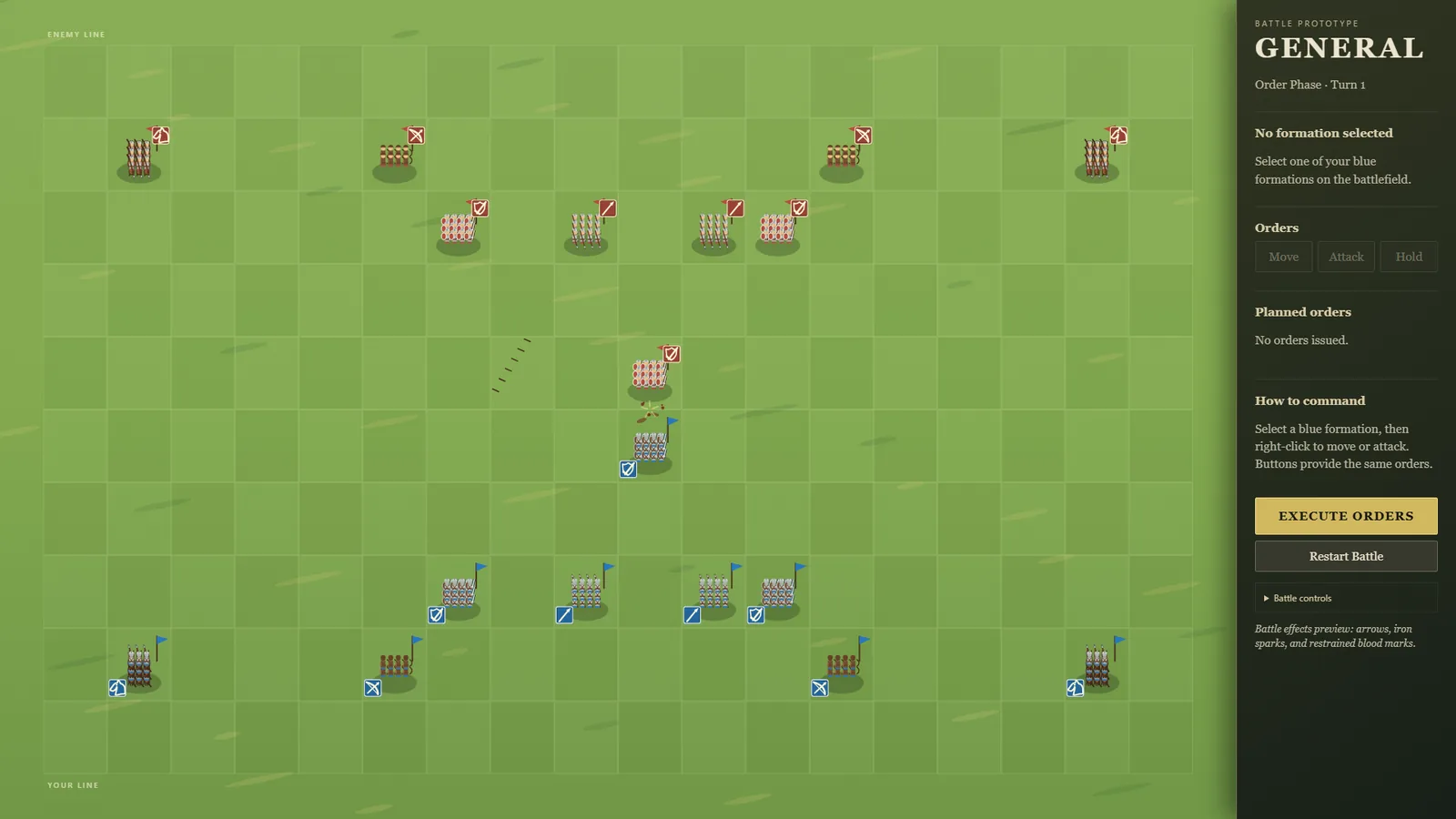
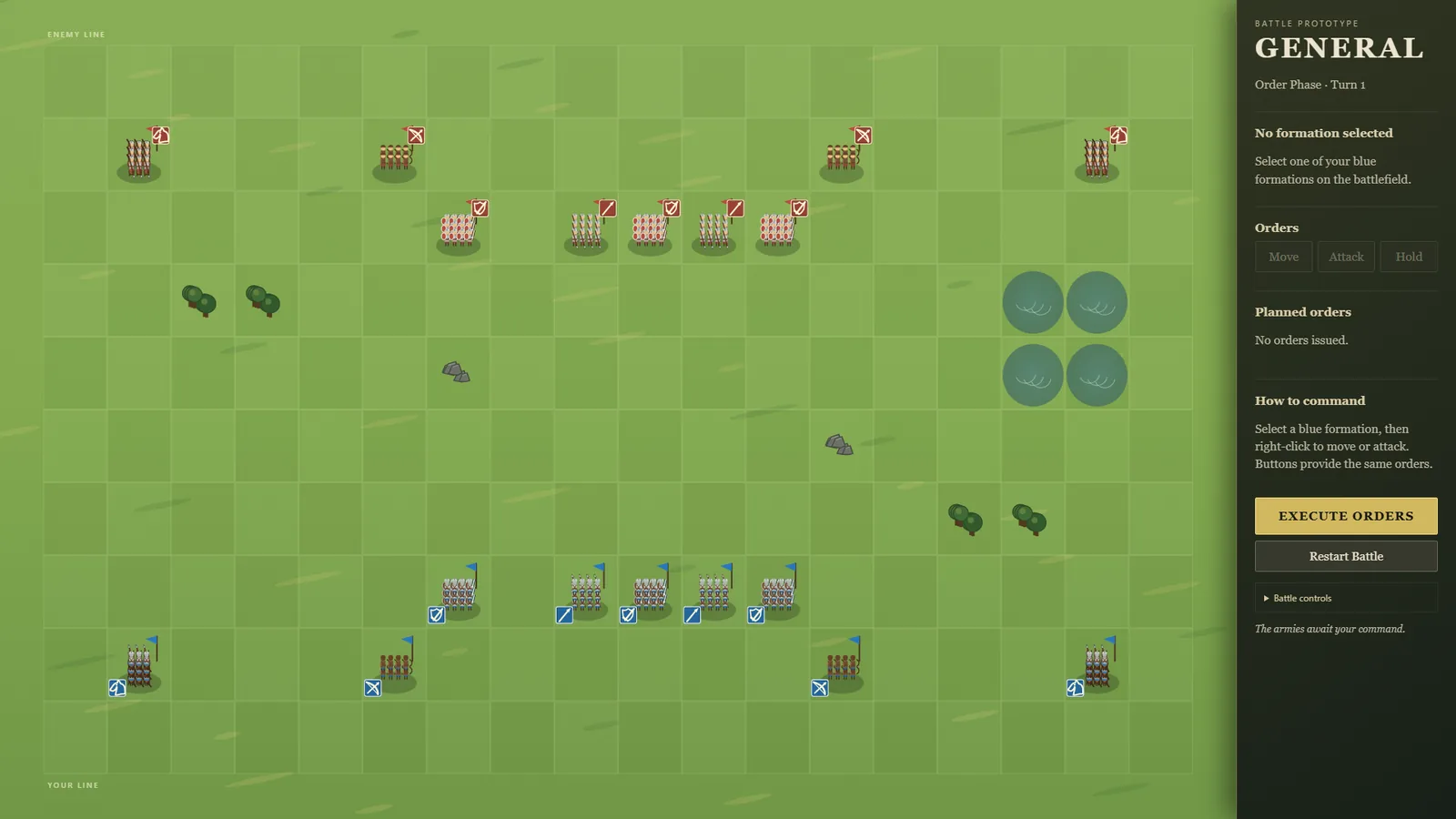
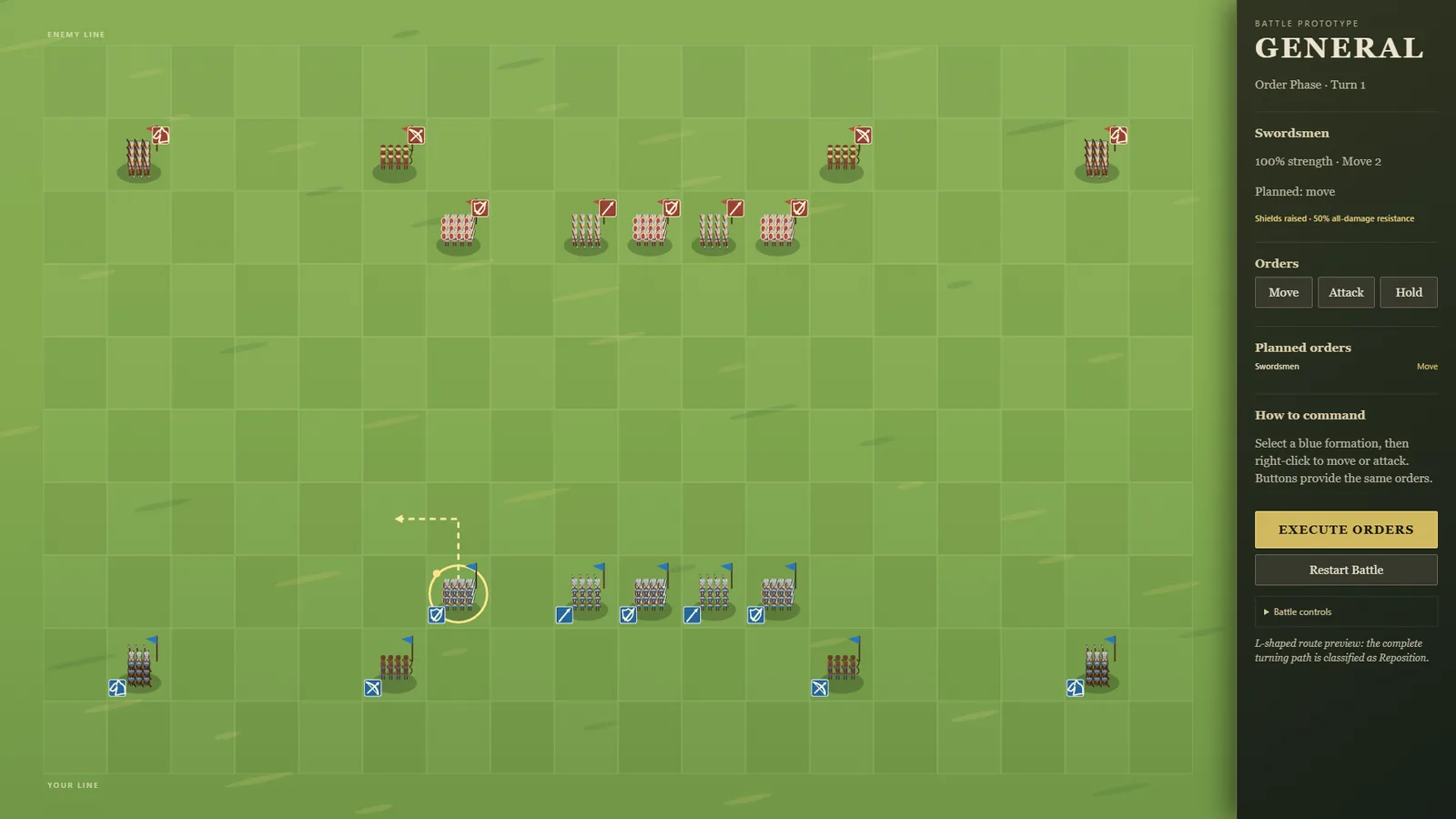
- Rendered the full 18 × 10 sunlit green battlefield.
- Added representative soldiers, equipment silhouettes, banners, facing, strength bars, and side colors.
- Added formation selection with unit-specific temporary voice cues.
- Added movement ranges and editable Move, Attack, Hold, Ranged Attack, and Advance-to-Range orders.
- Added clear destination/target arrows and order status in the command panel.
- Fixed a development-server crash exposed by browser testing.
- Verified selection and movement-order assignment in the running application.

Foundation
- Established zero-dependency browser/Canvas project structure.
- Added data-driven unit definitions and the first battle scenario.
- Added named audio-event hooks and documented design assumptions.
- Set the visual target to bright green-field fantasy.
- Captured the initial styled application shell before battlefield rendering was added.