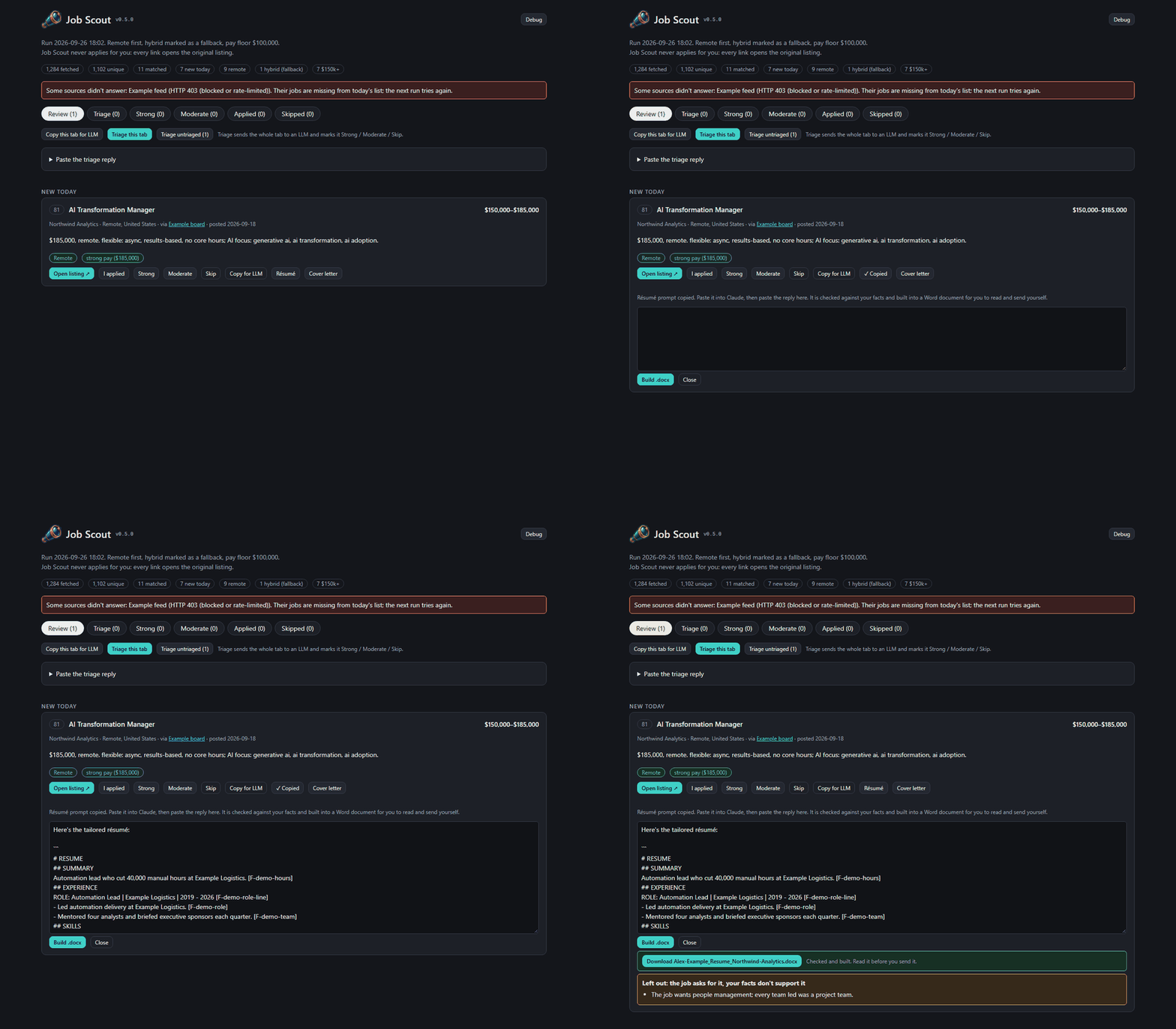
Paste the drafted résumé back into the job card, get a Word file
The last step of tailoring a résumé or cover letter to a job listing moved onto the list page. Clicking Résumé or Cover letter on a job's card still copies a drafting prompt for an AI model, and now also opens a box on that card. The model's reply is pasted into it, Build .docx is clicked, and a Word document comes back as a download link. Until now that step meant saving the reply to a file and running a command.
The same check guards both routes. The page and the command line share one build path, so a draft with an uncited line, or a number or name its cited fact doesn't contain, is refused in exactly the same way. The page lists each failing line with its reason, and no file is written. Warnings and the job's unmet requirements (the draft's GAPS) are listed under the download for the person to judge.
Pasting is forgiving. Models wrap a draft in a code block and add a sentence before and after it. Only the draft itself is checked and built, so a friendly sign-off can't fail the check or slip into the document.
Still nothing is sent. The server only builds the file. It serves the built Word documents and nothing else from the drafts folder; the person reads the document and applies themselves.

 Job Scout