- Read-only, always. It reads positions, purchase lots, orders and account value. It never places, changes or cancels an order.
- Rebuild, don't patch. Every sync rebuilds the picture from the brokerage in full, so a position that's been sold simply disappears instead of lingering because nothing "changed".
- Measure what actually happened. Weekly and monthly gains come from a real daily history of account value (ending, minus starting, minus deposits, plus withdrawals), never from today's holdings applied to last month's prices.
- Never invent a number to make things add up. A deposit, a sale's reason or a tax rate it can't know is asked for, and a gap it can't explain stays visible.
- The data stays local. It runs on one machine, stores no brokerage login, and every published picture of it uses a made-up portfolio.

How it works: Stonk Bot
For a calm morning view of a stock portfolio, and tracking spreadsheets kept in step with the brokerage, without ever placing a trade.
Philosophy
The workflow
What it owns
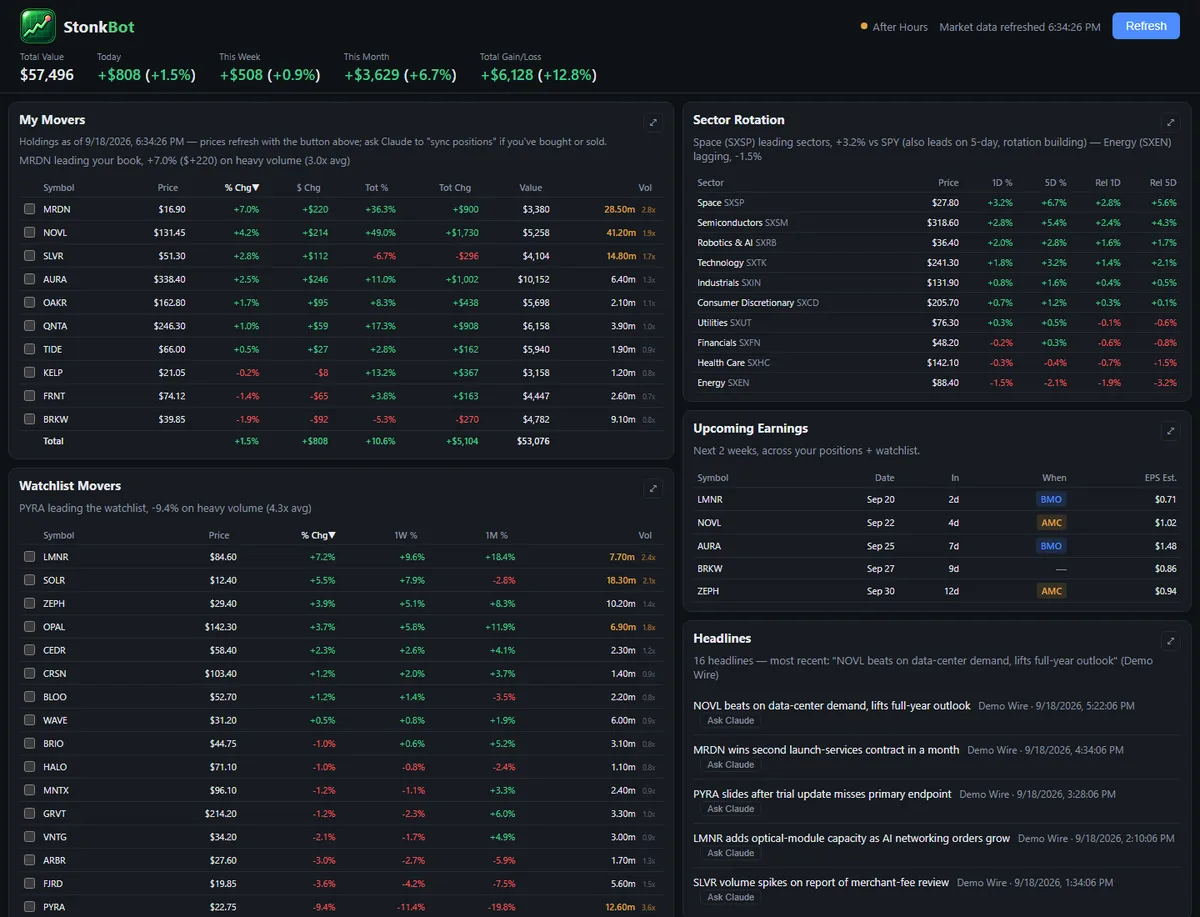
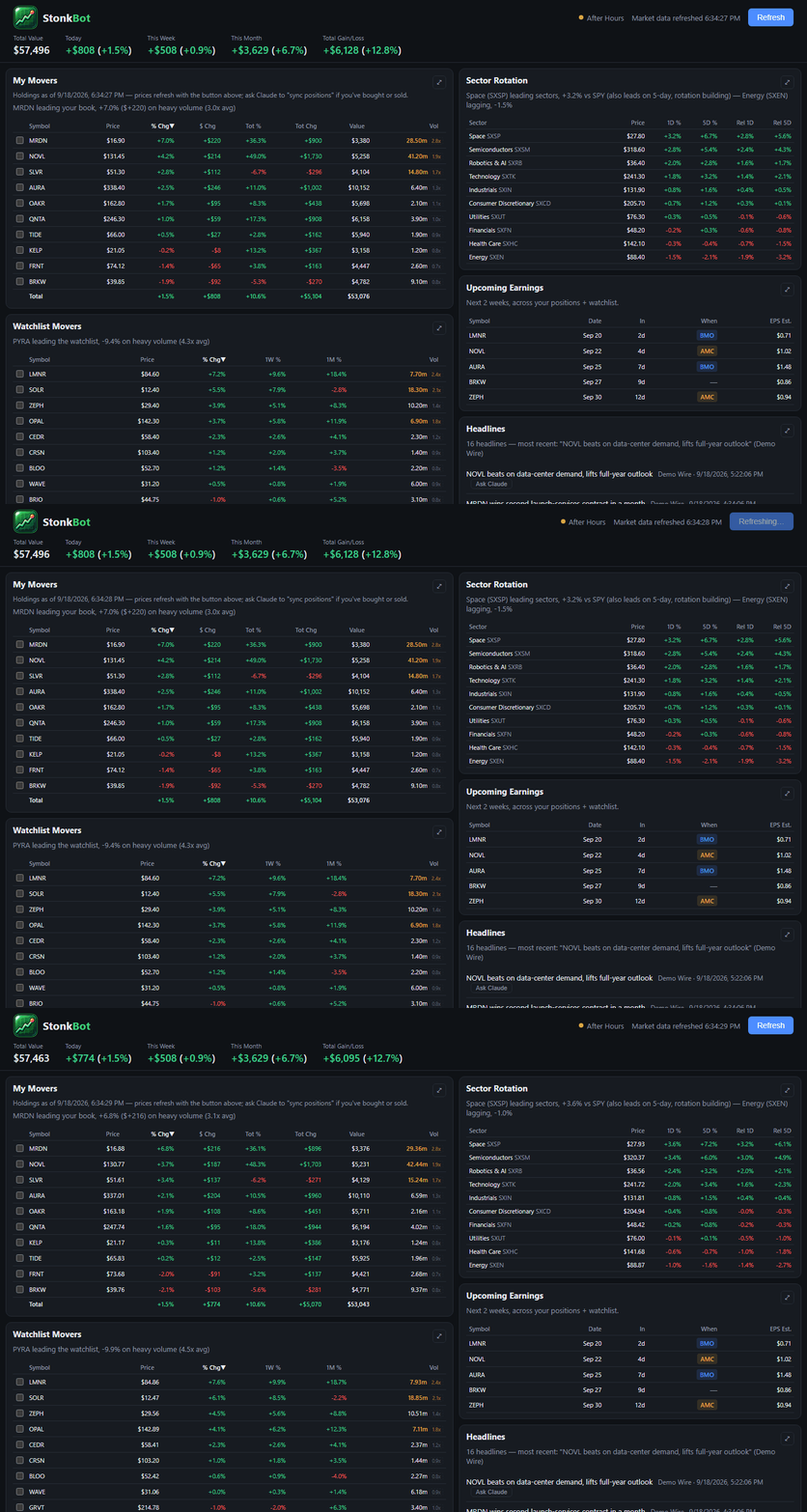
- The dashboard: today's movers, the watchlist, sector rotation, upcoming earnings, headlines and a detail panel for any ticker.
- "Sync my positions": the routine that brings the dashboard and the spreadsheets up to date.
- The tracking workbook's mechanics: one row per purchase lot, sales filed as short- or long-term with estimated tax, a new tab each month, formatting left intact.
- An append-only ledger of every order, one sheet per account.
- A demo portfolio, so the tool can be shown without showing anything real.
What it hands off
- Decisions: the reason behind each sale, tax-rate confirmations, deposits and withdrawals, and anything else that needs an explicit go-ahead.
- Claude's brokerage connector: reading live positions, lots, orders and account values, read-only, only when a sync is asked for.
- Art Director: the tool's look.
- Project Manager: the studio's standards and checks.
- Platform Engineer: the shared tools it uses, like the screenshot capture and the write guard.
Guardrails
- Never places, changes or cancels an order.
- Never stores a brokerage login; it reads only through Claude's connector, when a sync is asked for.
- Never guesses a deposit, a sale's reason or a tax rate.
- Never edits a workbook without testing on a copy first, and never disturbs its layout, dividers or totals.
- Never publishes holdings, accounts or amounts; every published picture uses made-up data.
At work