- Use the captions that already exist. The tool doesn't transcribe audio; it fetches the captions a video already has, which is fast, free and faithful to what was said.
- Prefer captions a person wrote. Creator-uploaded captions win over automatic ones, and a badge always says which kind the transcript came from.
- English first, never a surprise language. When a video offers many translated caption tracks, the tool picks English rather than whichever happens to be listed first.
- Say plainly when there's nothing. A video without captions gets a clear message, not a blank box or a silent failure.
- Local by design. The tool and its history run on one machine; anything shown in public uses made-up demo videos.

How it works: YouTube Caption Bot
For turning a video into text you can read, search and quote, instead of scrubbing through it.
Philosophy
The workflow
What it owns
- The caption tool itself: a link goes in, the transcript comes out, and it copies with its title and channel.
- The local history of past transcripts, with thumbnails, channel and date.
- A demo set of invented videos, so every public screenshot shows the real tool on made-up content.
- Its own devlog entries and this page.
What it hands off
- Art Director: the tool's mark, icons and colours; the tool uses them unchanged.
- Project Manager: studio rules, shared tools, and routing decisions.
- NeptuneVibes.com Web Dev: publishing the devlog and this page.
Guardrails
- Reads captions only; never downloads video or audio.
- Runs locally; the history stays on the machine, and nothing is uploaded or sent.
- Public screenshots use invented demo videos only, never real viewing history.
- Never uses YouTube's logo or play badge as its own mark.
At work
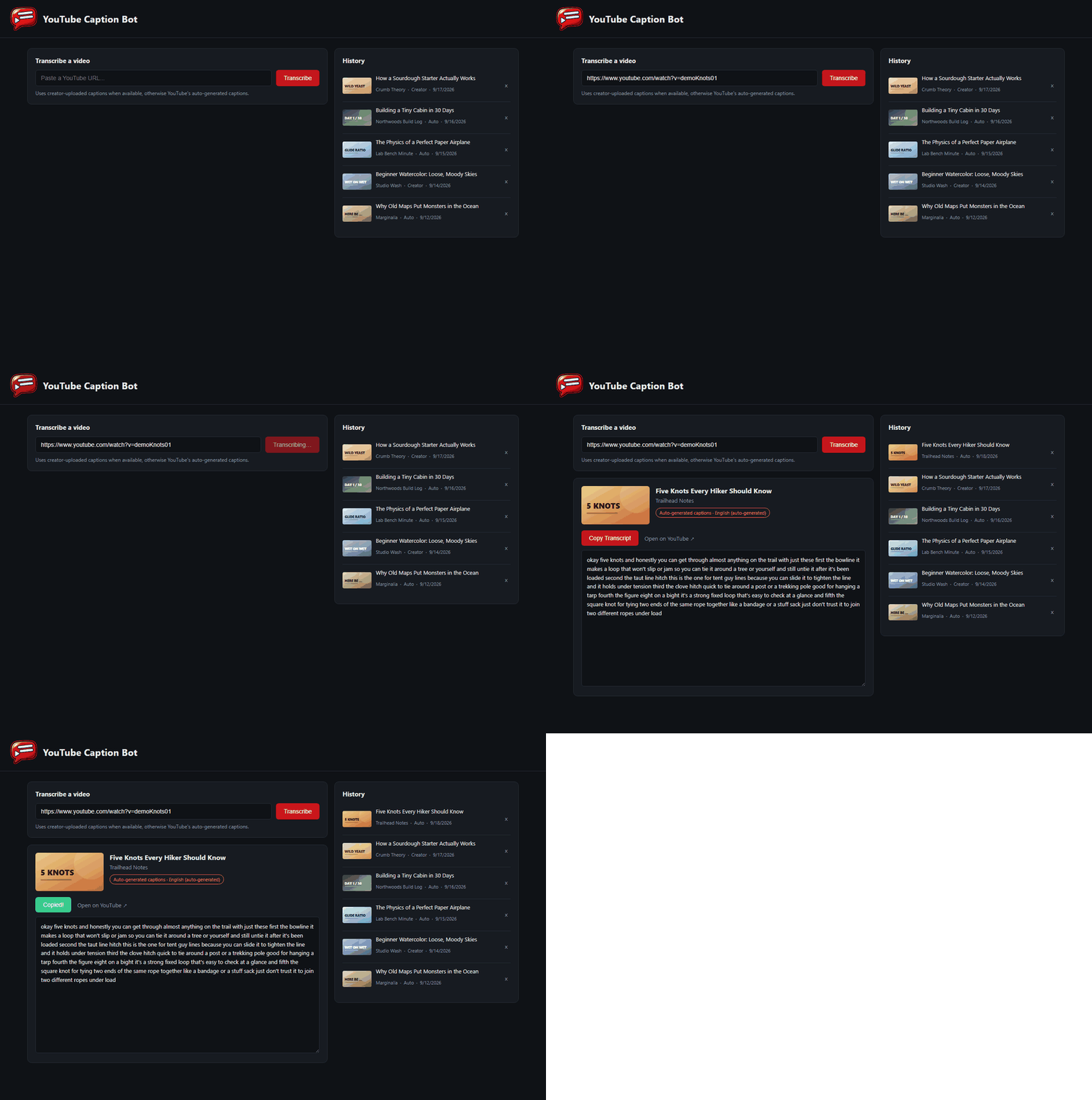
The transcribe flow on the demo set: a link goes in, the transcript appears with its caption badge, and Copy confirms.