- Read only what's allowed. Every source's terms were checked before any code was written. Job Scout uses documented feeds and public job-board APIs, reads each once a day, and links back to every original listing. Sites that forbid automated reading aren't touched.
- Every score comes with a reason. A number alone can't be argued with. Each job shows why it ranked where it did, and red flags such as fixed core hours, contract-to-hire or state-limited remote are labeled, not hidden in the score.
- Flexibility and pay lead. The ranking weighs how much freedom a role gives first, then what it pays. A perfect title can't rescue a job that demands fixed hours and office days.
- Finding is not applying. Job Scout never applies, submits or sends anything. It finds and prepares; applying stays a separate, manual step.
- Check the number against the listing. Pay parsed from free text is compared with the original posting, and every bug fix ships with a test shown to fail on the old code first.

How it works: Job Scout
For a daily search for remote roles: reading only the job sources that allow it, ranking each role by pay and flexibility with a reason, and never applying on its own.
Philosophy
The workflow
What it owns
- The daily search: reading the approved sources, removing duplicates, filtering and scoring.
- The list page: ranked jobs sorted into To review, Saved and Done, each with its pay, reason and flags, and a link to the original listing.
- The record of which sources allow automated reading, and on what terms.
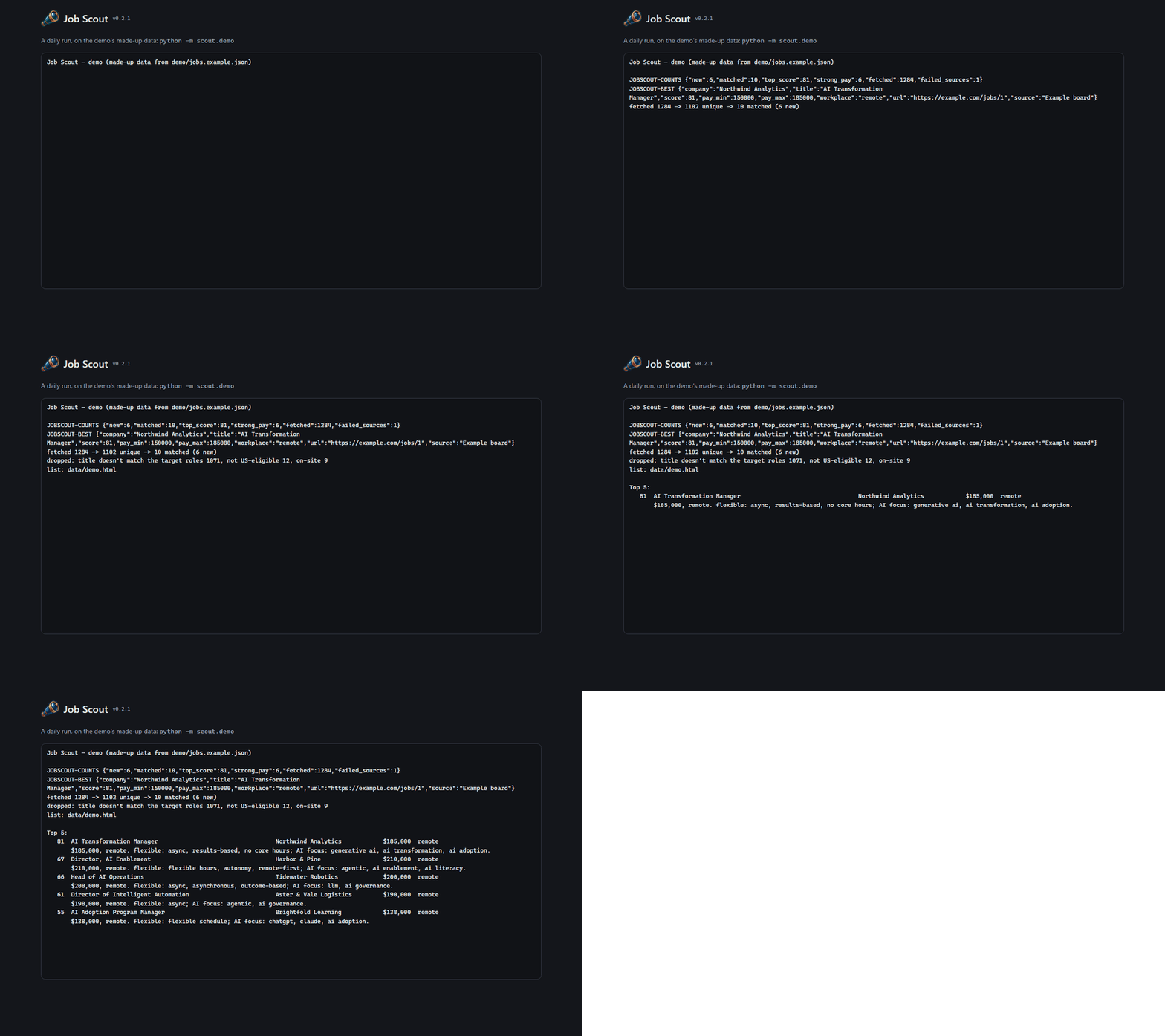
- A demo data set of made-up jobs, which every public picture of the tool is made from.
What it hands off
- Project Manager: runs the daily schedule and turns each run's summary into the morning notification.
- Art Director: the spyglass mark and the tool's colors.
- A person: every application, and what the search should favor.
Guardrails
- Never applies, submits a form or sends a message for anyone.
- Reads only sources whose terms allow automated reading: no scraping, no logged-in reading, no CAPTCHA workarounds, and never an application endpoint.
- Never publishes the search itself. Public pictures and posts use made-up demo jobs, and the real results stay local.
- Never guesses silently: a job with no posted pay is kept and labeled, not dropped or estimated.
At work
A daily run on the made-up demo data: the summary arrives line by line, opening with the counts and the best new match, then the top five with their reasons.